
Nuclear Tycoon puts you in charge of building and running your own power plant empire, and codes are one of the easiest ways to speed that process up. Redeeming a code usually hands you a boost like a Premium Pass, extra cash, or other resources you’d otherwise have to grind for.
Working Nuclear Tycoon Codes
Here’s the code you can redeem right now for a reward.
2863
Premium Pass
New
How to redeem codes in Nuclear Tycoon
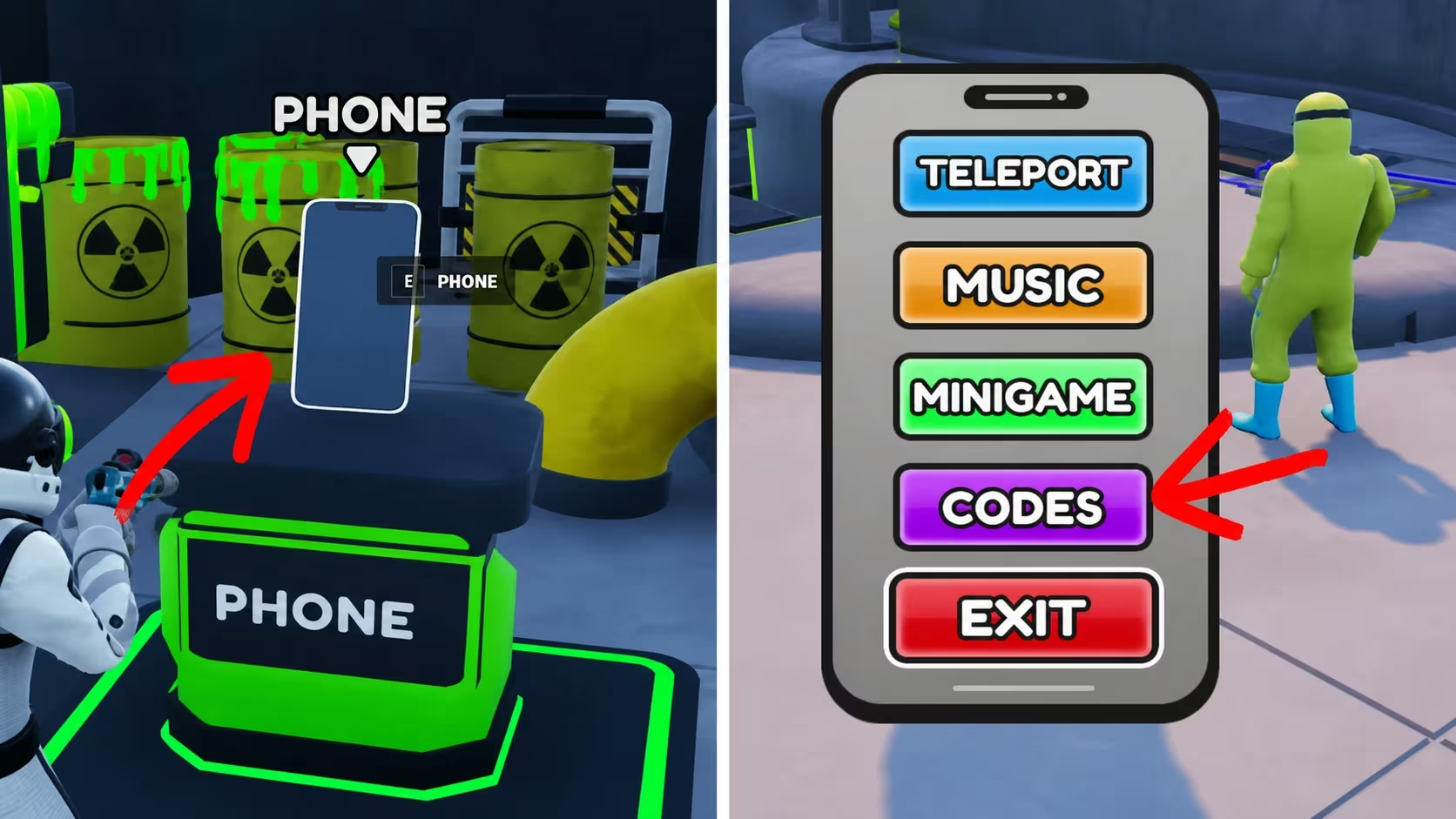
If your Premium Pass or reward doesn’t show up right away, back out to the main menu and check your inventory again before trying to re-enter the code.
How to get more Nuclear Tycoon codes
New codes for Nuclear Tycoon typically show up through the developer’s official in-game announcements and their own social media channels. Keep an eye on the game’s menu screens for any banners or notices, since that’s where the team tends to post new rewards first. There’s no fixed schedule for when fresh codes drop, so checking back periodically is your best bet for catching them before they expire.
Are Nuclear Tycoon codes free?
Yes, every code is issued by the developer at no cost and simply needs to be redeemed through the in-game menu.
Why didn’t my code work?
Double-check that you typed the code exactly as shown, since even a small typo or extra space will stop it from redeeming.
Grab that Premium Pass while it’s active, and check back in on the in-game menu now and then so you don’t miss whatever the developer rolls out next.




Leave a Reply