
What to know
-
Riftcrystal is an S-Rank currency in Neverness to Everness, not a combat material or upgrade resource.
-
It is mainly used for select in-game bundles, cosmetics, and currency conversion into Annulith.
-
Buying Riftcrystal is done through the in-game Mall, where you choose a pack and confirm payment.
-
Once purchased, the currency appears in your account balance and can be used for premium spending.
In Neverness to Everness, Riftcrystal sits at the top of the game’s currency hierarchy, so understanding when to buy it matters as much as knowing how to buy it. The main value of Riftcrystal is flexibility: it can directly fund premium purchases or be converted into Annulith for other systems.
Riftcrystal details
What Riftcrystal does in NTE
Riftcrystal is a rare currency imbued with special energy, and its core role is to support premium spending in Neverness to Everness. Its most important function is conversion into Annulith, which then connects to other purchase options such as Solid Dice, Fabricated Dice, and Tri-Key. That makes Riftcrystal a gateway currency rather than a throwaway resource.
It is also used for select in-game bundles and cosmetic purchases in the Mall, which is why many players treat it as a limited premium budget instead of a currency to spend casually. In practical terms, Riftcrystal gives you direct access to paid content without routing everything through normal gameplay progression.
How to buy Riftcrystal in NTE
The in-game purchase flow is simple. Open the phone or main menu, go to the Mall, enter the Riftcrystal section, choose a bundle, and confirm the payment method. After the transaction completes, the Riftcrystal is added to your account balance.
Step 1: Open the Mall
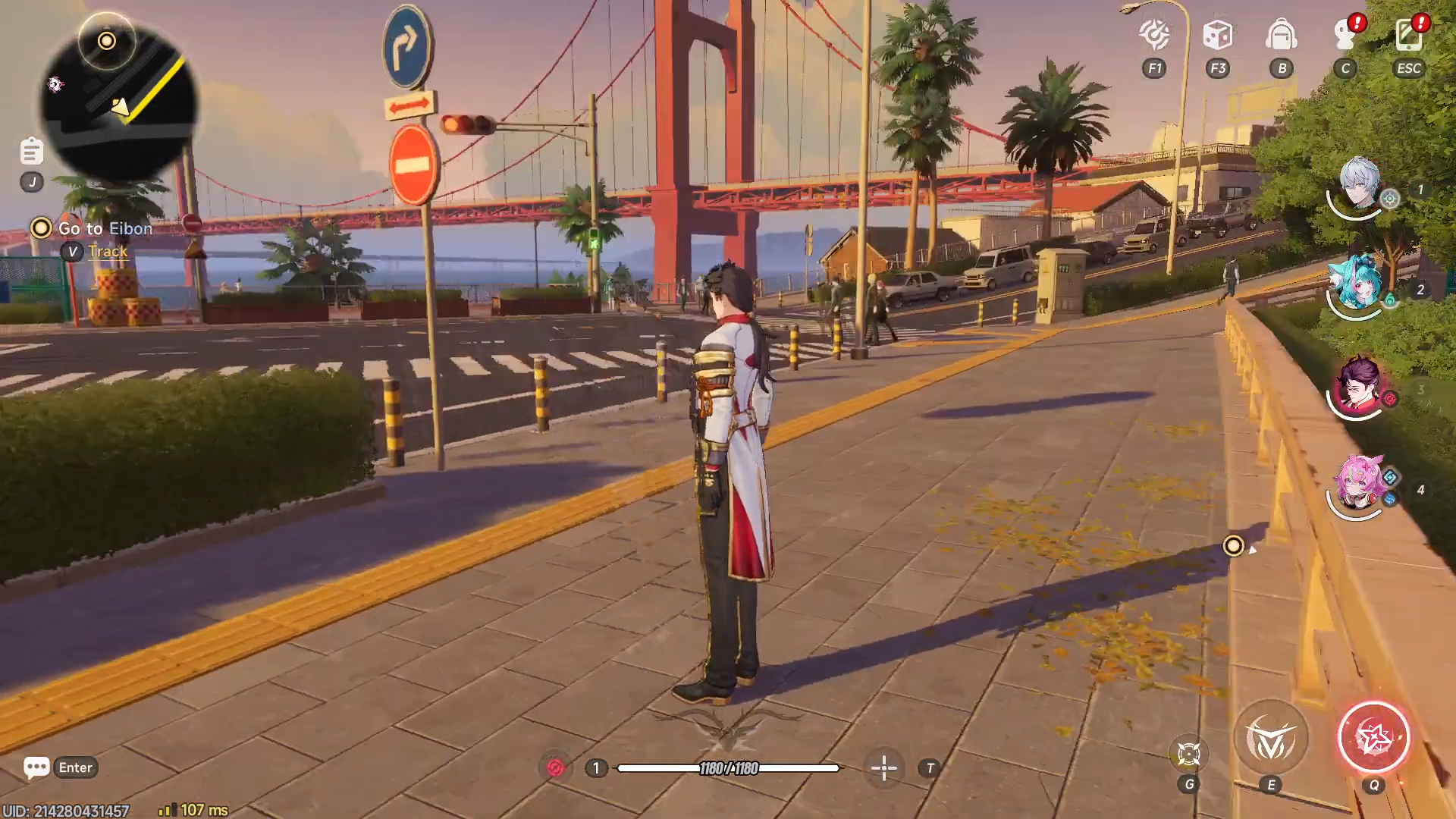
Launch Neverness to Everness and open the phone or main menu, then select the Mall.
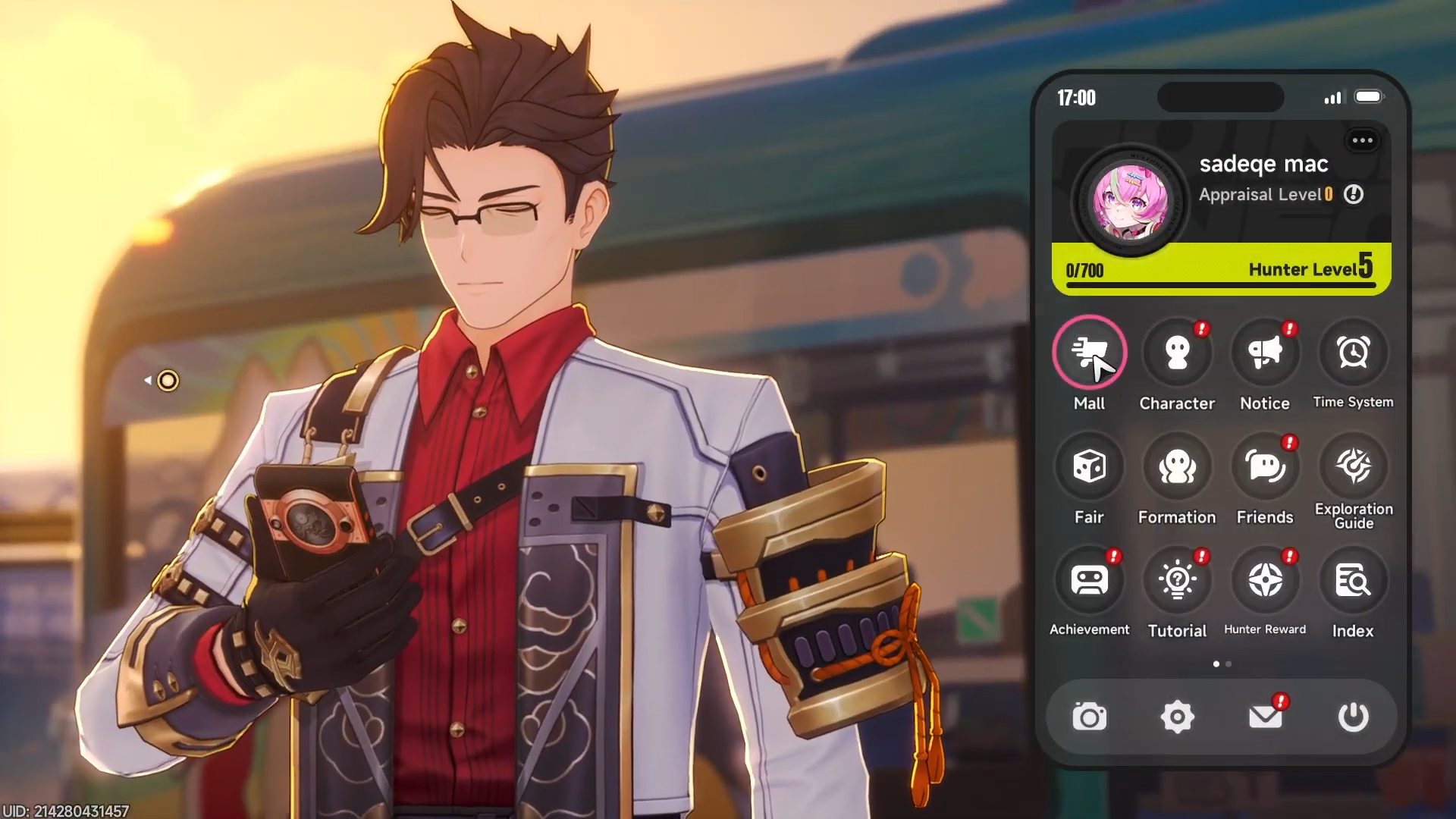
The Mall is the main shop interface for both paid and non-paid items. This is where currency packs and other premium purchases are organized.
Step 2: Enter Riftcrystal
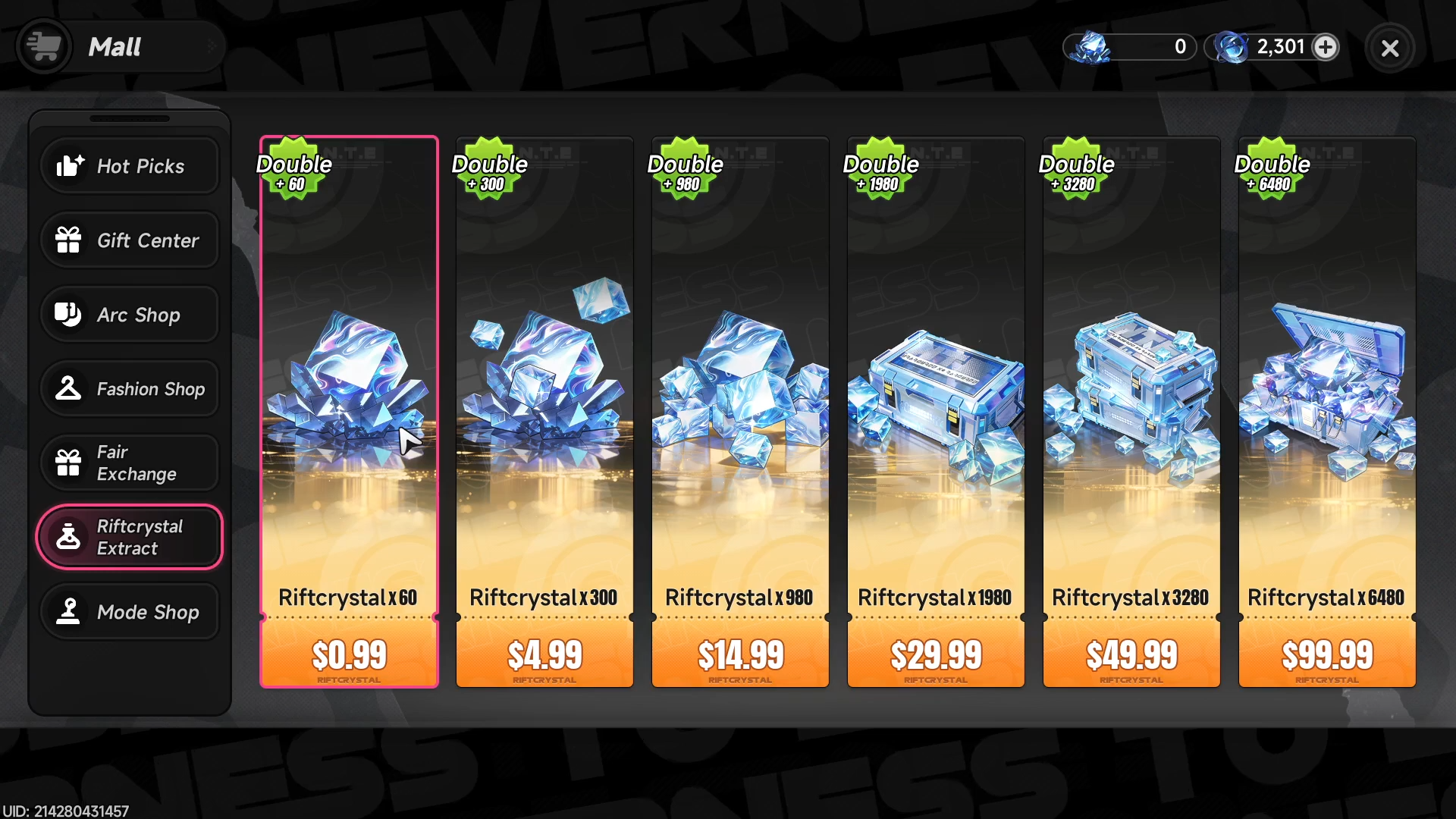
Inside the Mall, look for the Riftcrystal Extract section.
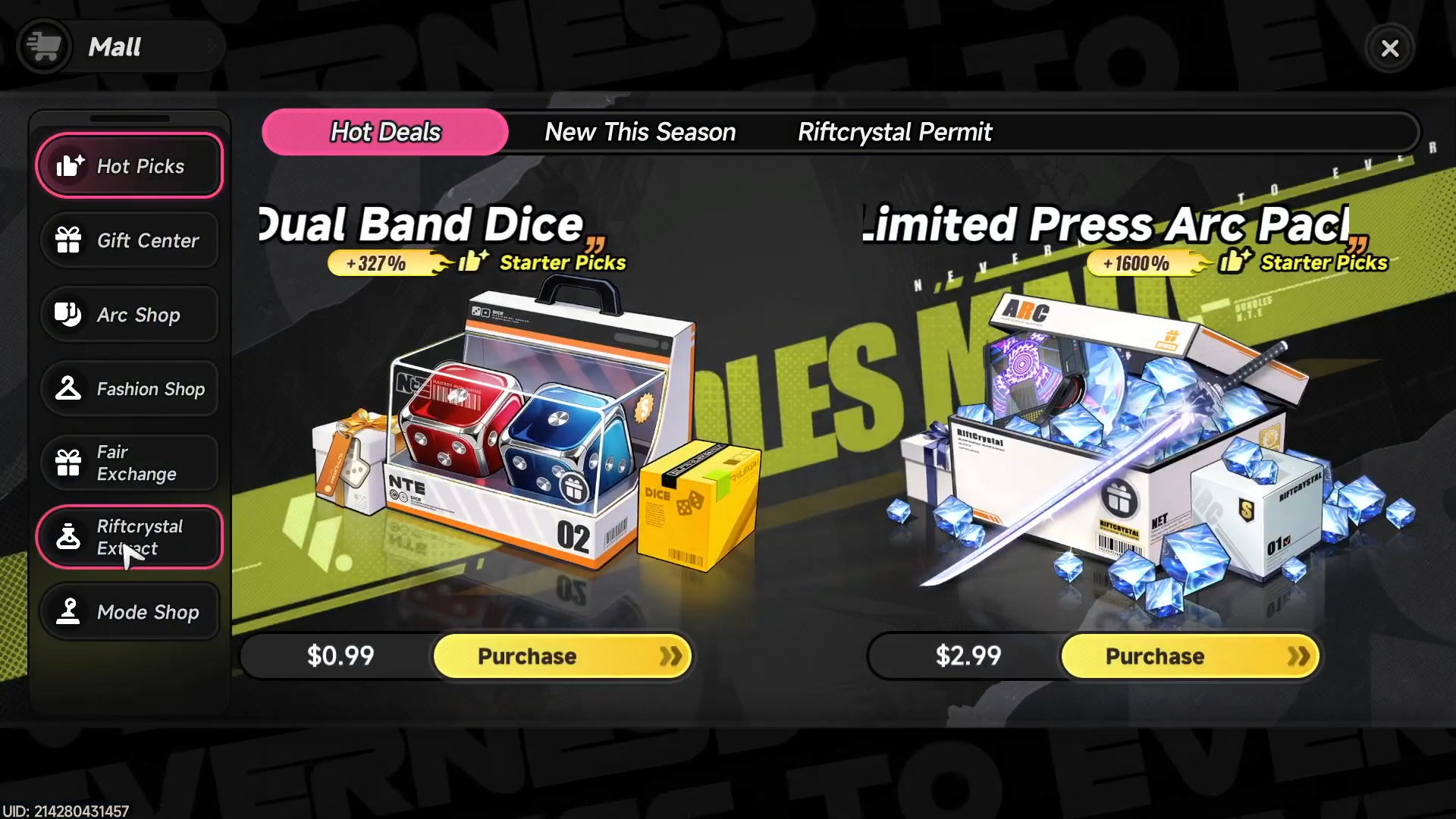
The purchase page lists the available bundle sizes, which can vary by platform and region. Choose the amount that matches your intended spending plan rather than buying more than you need.
Step 3: Choose a bundle
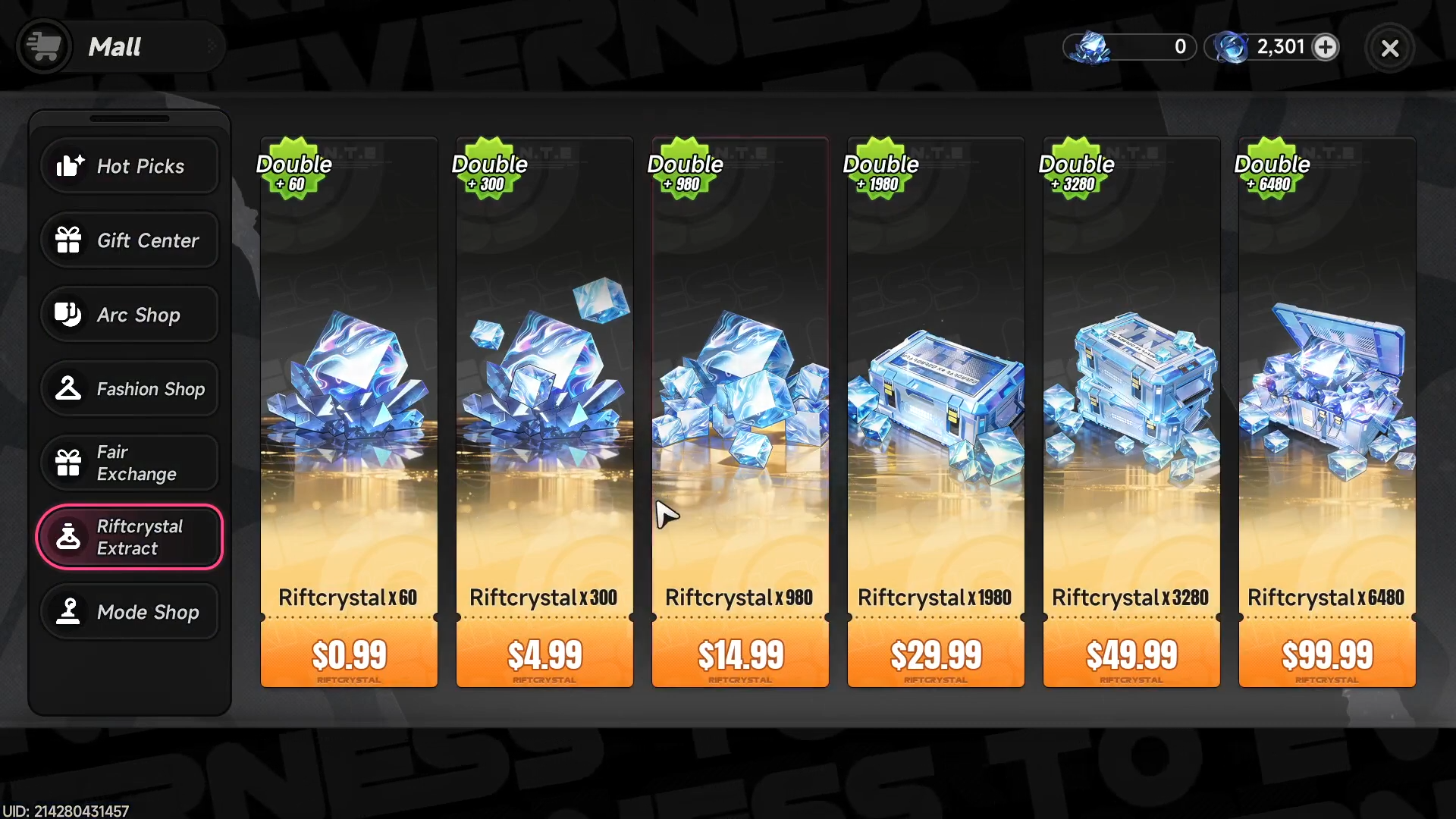
Select the Riftcrystal pack you want, then review the purchase details. Larger packs often come with better first-purchase value or bonus amounts, depending on the store listing. The exact bundle sizes shown can differ across storefronts, but the basic process stays the same.
Step 4: Confirm payment
Enter your preferred payment method and complete the checkout. On console storefronts, the item listing confirms that the purchase is optional and that online play is required for the item to be used. After payment is accepted, the currency should be credited to your account.
Step 5: Verify the balance
Once the purchase is finished, return to the game and check your Riftcrystal balance. If the currency does not appear immediately, a short refresh or relog may be enough in normal cases. The important thing is that the amount should eventually show in your account inventory or currency display.
Best ways to spend it
The most straightforward use is converting Riftcrystal into Annulith at a 1:1 ratio. Annulith is then used for other premium currency exchanges and item paths, including Fabricated Dice, Solid Dice, and Tri-Key. This makes Riftcrystal a flexible bridge between direct payment and broader premium systems.
If your goal is cosmetics, Riftcrystal can also be used directly for select outfit purchases. That can be a better value than converting everything immediately, especially if the item you want is only sold in the Mall for Riftcrystal. In other words, spend it where it saves you steps rather than converting it automatically every time.
Value and buying tips
First-purchase bonuses can significantly change the value of a top-up, with some storefront listings showing bonus Riftcrystal on the initial purchase. That means the first bundle you buy may give more total currency than later purchases of the same size. If you know you will spend, it is worth checking the listed bonus structure before confirming.
A practical approach is to buy only the amount needed for a specific item, outfit, or conversion target. Since Riftcrystal is premium currency, treating it like a fixed spending pool helps avoid waste. For players who care about efficiency, direct outfit purchases or planned conversion into Annulith are usually the cleanest uses.
Where Riftcrystal fits in NTE’s economy
Riftcrystal is not the same as normal progression resources like Fons or exploration materials. It sits above those systems and connects to paid content, premium exchanges, and cosmetic unlocks. That gives it a different role from most currencies you earn through regular play.
The game’s item pages and store listings make that hierarchy clear: Riftcrystal leads to Annulith, and Annulith then unlocks other premium paths. In simple terms, Riftcrystal is the entry point, Annulith is the middle layer, and the final purchases are the things you actually want to access. That structure is why buying Riftcrystal is less about hoarding and more about targeted planning.



Leave a Reply