

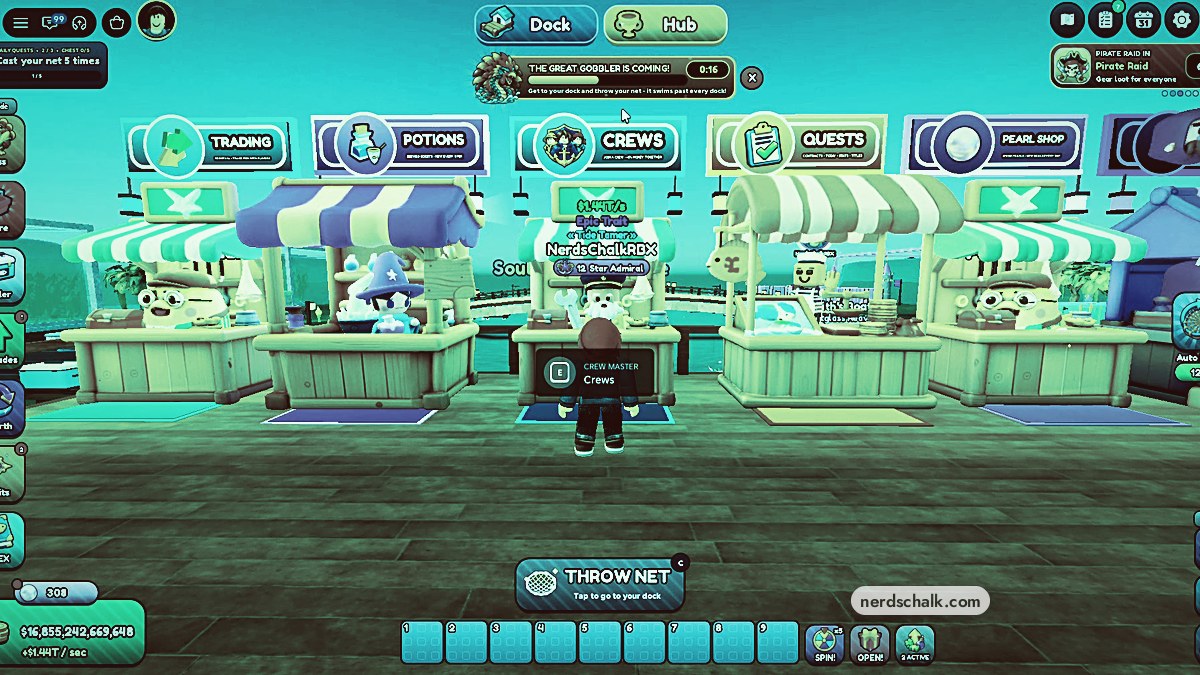
Visit the Crew Master in the Hub to join or create a crew, then use My Crew and Crew Wars for rewards and missions.
Crews are the game’s group system, offering increased money earnings, shared upgrades, and a weekly race for leading positions. Membership starts at the Hub’s market, with separate options for joining an existing crew and starting your own. This guide covers membership, daily rewards, upgrades, Crew Shop purchases, Crew Wars missions, and War HQ mechanics.
- How to join or create a crew in Net a Fish!
- Part 1 – Open the crew menu and review War HQ
- Part 2 – Choose membership and collect an available daily reward
- Part 3 – Access upgrades, the Crew Shop, and war missions
- Which money bonuses do crews provide in Net a Fish!?
- What does the daily crew goal reward give in Net a Fish!?
- Which shared benefits do crew upgrades add in Net a Fish!?
- What can you buy in the Crew Shop in Net a Fish!?
- How do Crew Wars missions and point bonuses work in Net a Fish!?
- How does War HQ handle skirmishes, Fury, rivals, and chests in Net a Fish!?
How to join or create a crew in Net a Fish!
Start with the crew menu and War HQ, choose your membership route, then open the crew’s reward, upgrade, shop, and mission panels.
The opening menu offers both membership routes.
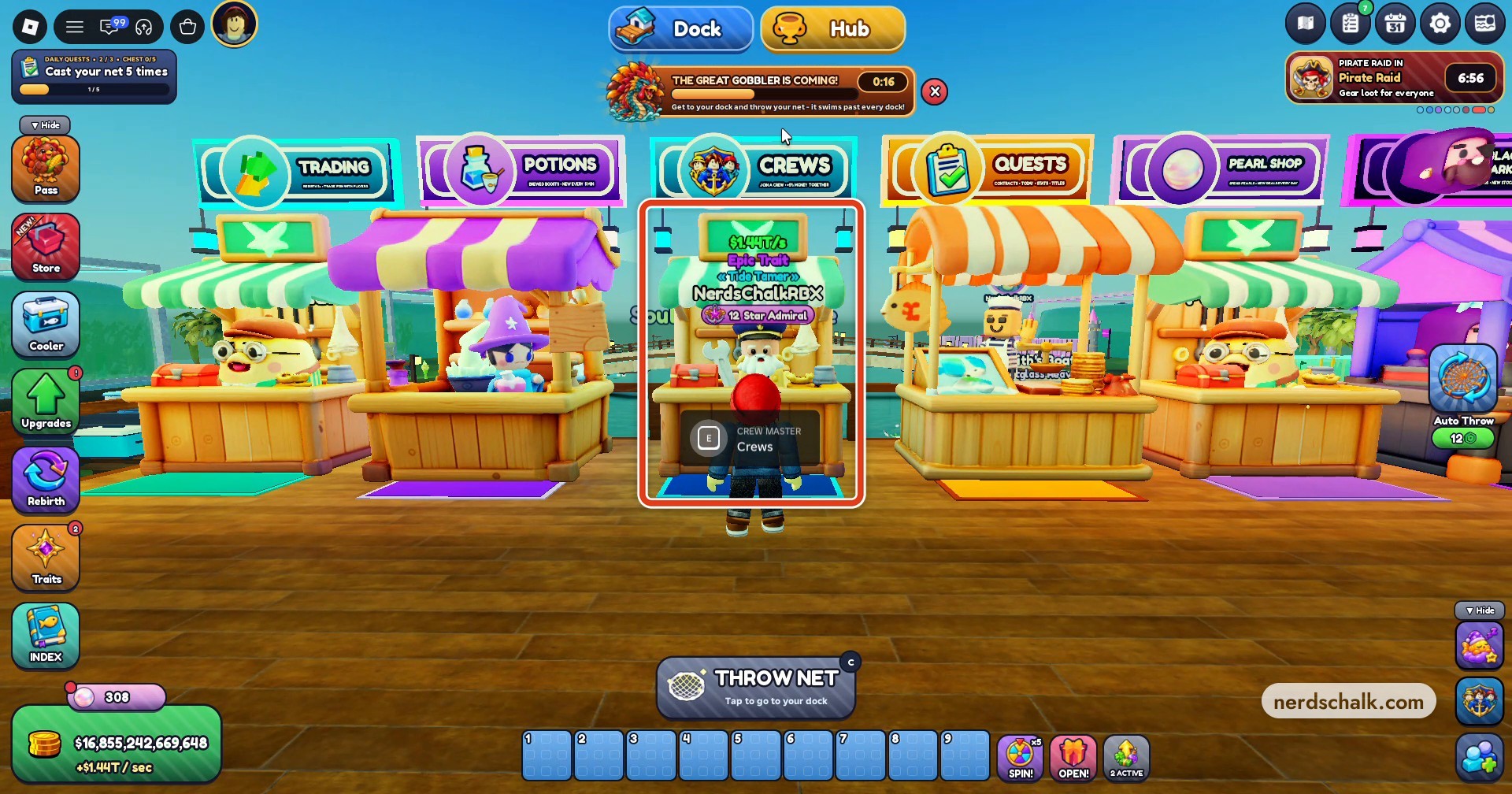
Approach the Crew Master
Go to the Crews stall in the Hub market and interact with Crew Master to open the crew menu.
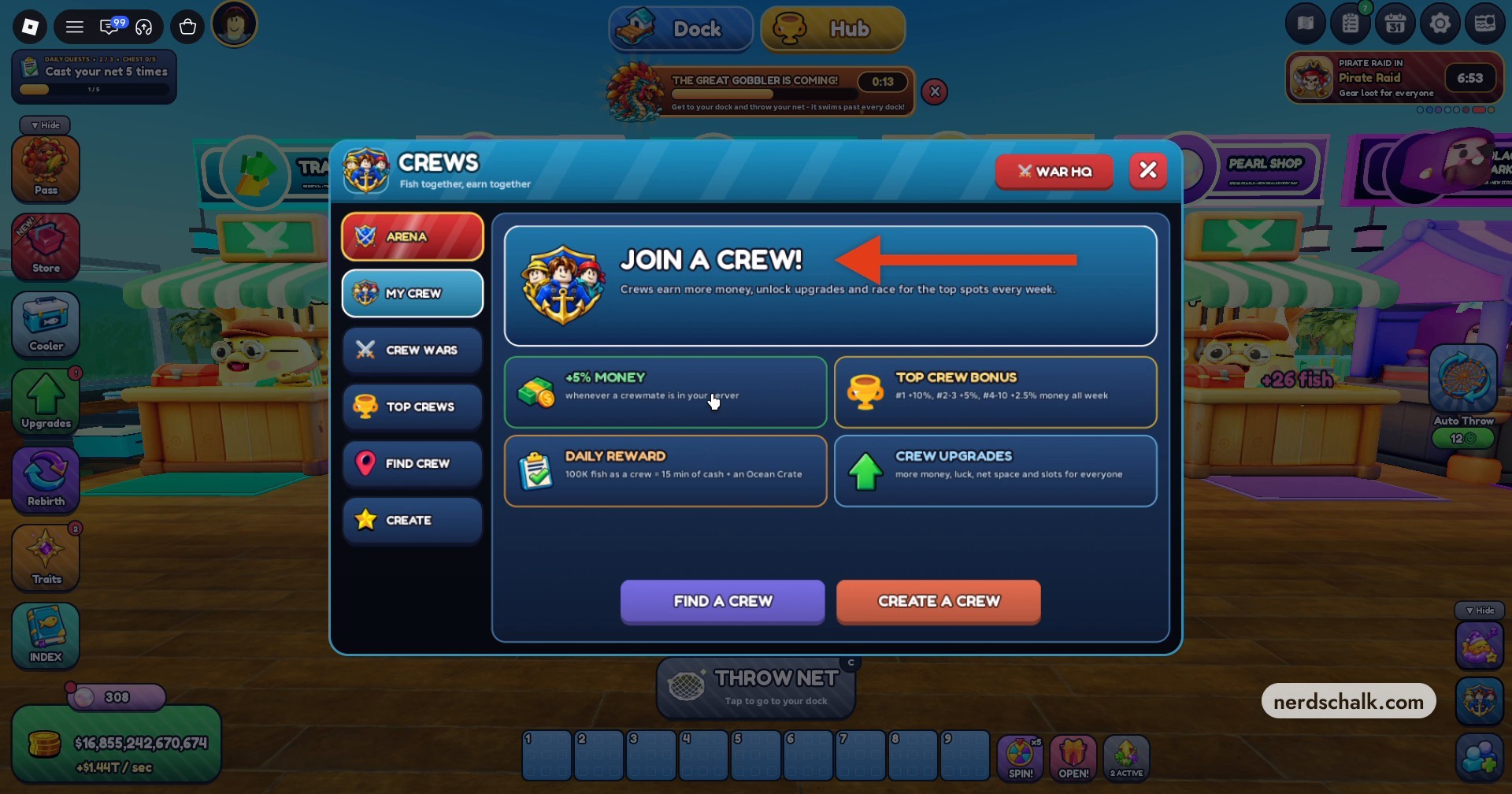
The JOIN A CREW! screen offers FIND A CREW and CREATE A CREW; choose the membership route you want.
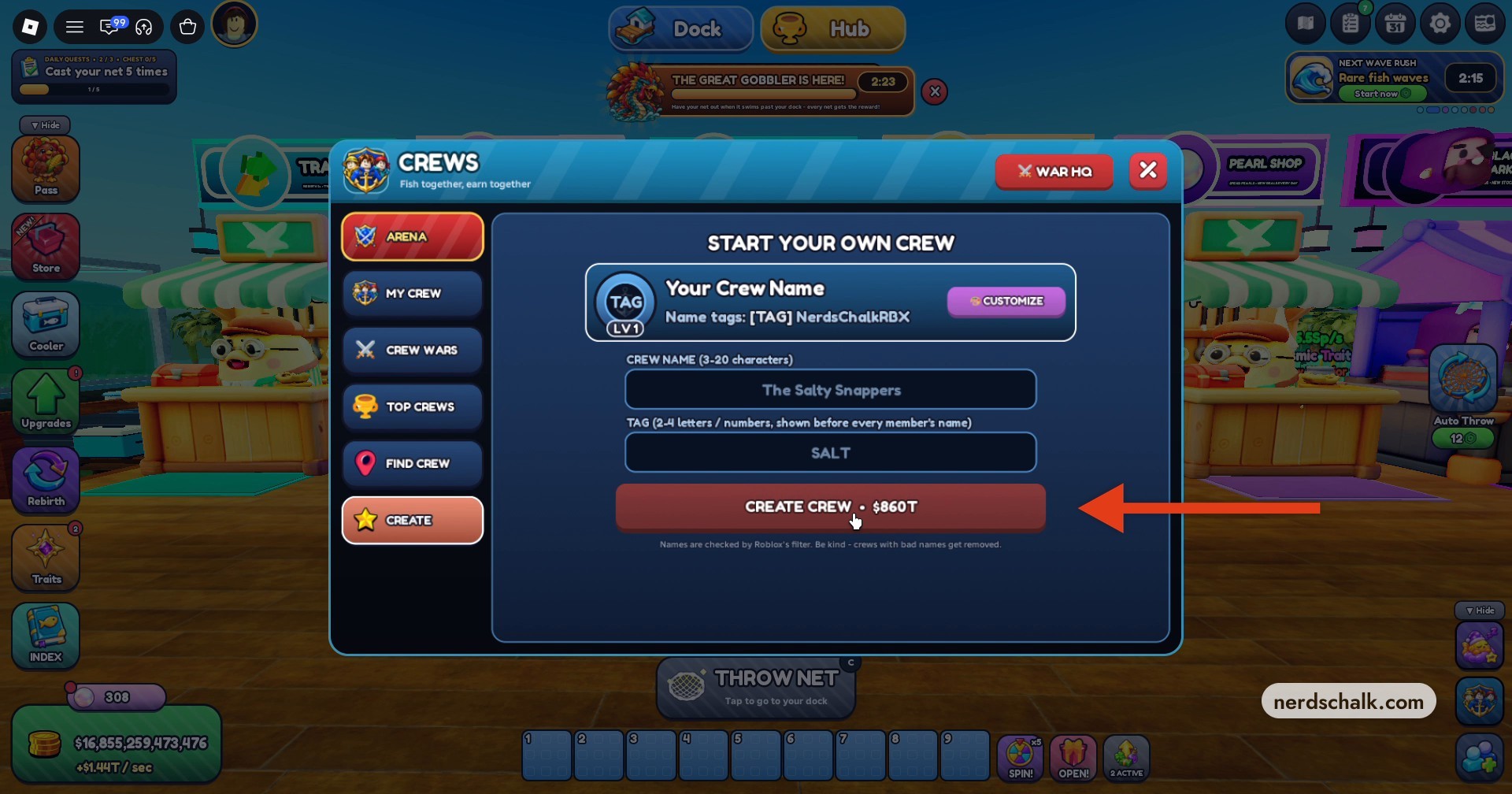
Open the creation tab
Select CREATE on the left to view the form for starting your own crew. If you want an existing crew, continue to the joining branch below.
Review the creation form
For your own crew, enter a 3–20-character name and a 2–4-character tag using letters or numbers. The tag appears before every member’s name. Roblox filters crew names, and crews with bad names can be removed. The form includes CUSTOMIZE and CREATE CREW. Read the creation price on the button before submitting the form.
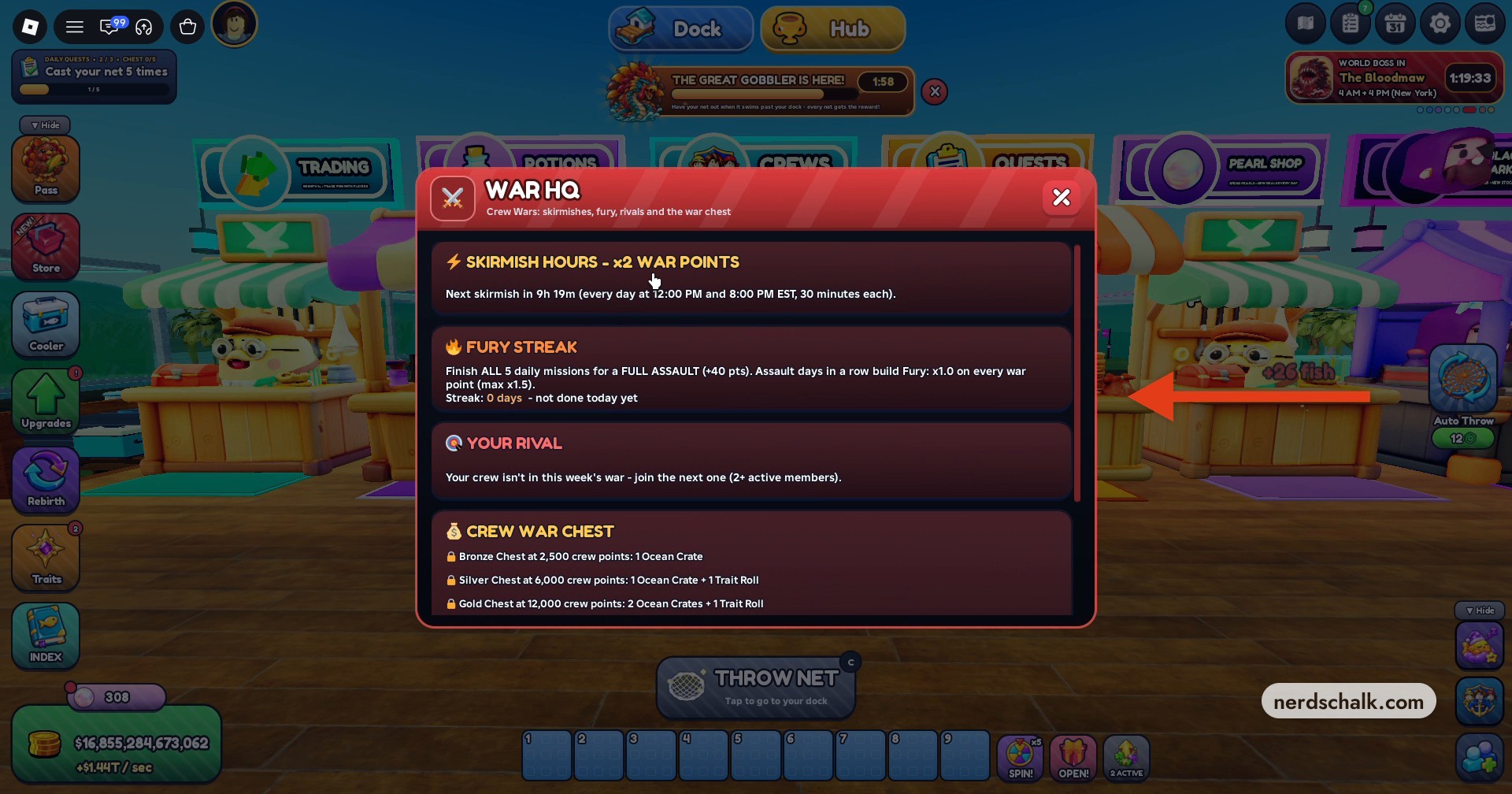
Open War HQ
Select the red WAR HQ button at the upper right to view Skirmish Hours, Fury Streak, Rival status, and War Chest information.
Part 2 – Choose membership and collect an available daily reward
Joining an existing crew is the alternative to creating one.
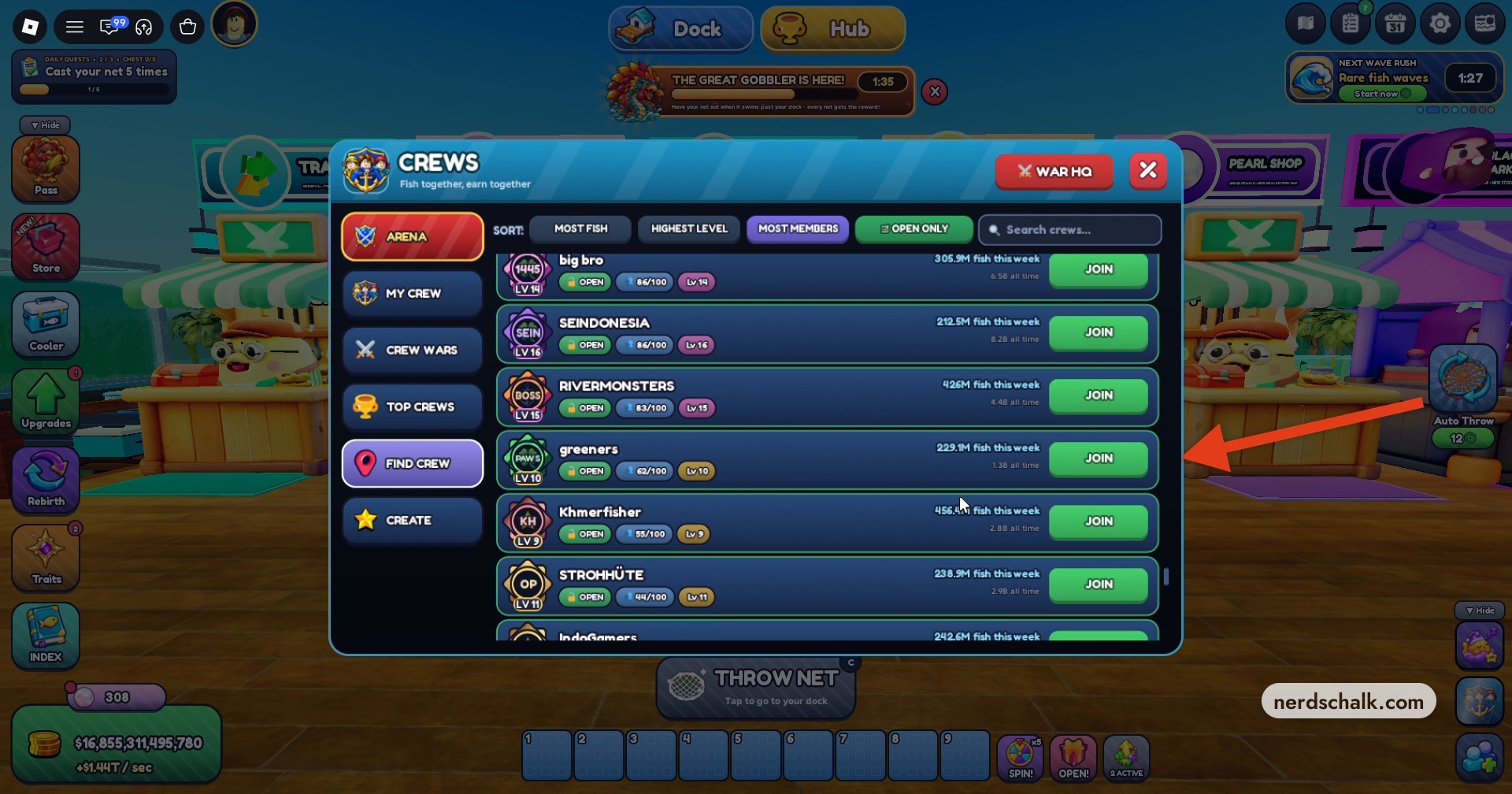
Find an open crew
For the joining route, open FIND CREW. Use Search crews..., the MOST FISH, HIGHEST LEVEL, or MOST MEMBERS sorting controls, and the OPEN ONLY filter to browse. Scroll as needed, then select the green JOIN control beside an open crew. The open-crew listings include greeners.
Collect an available daily reward
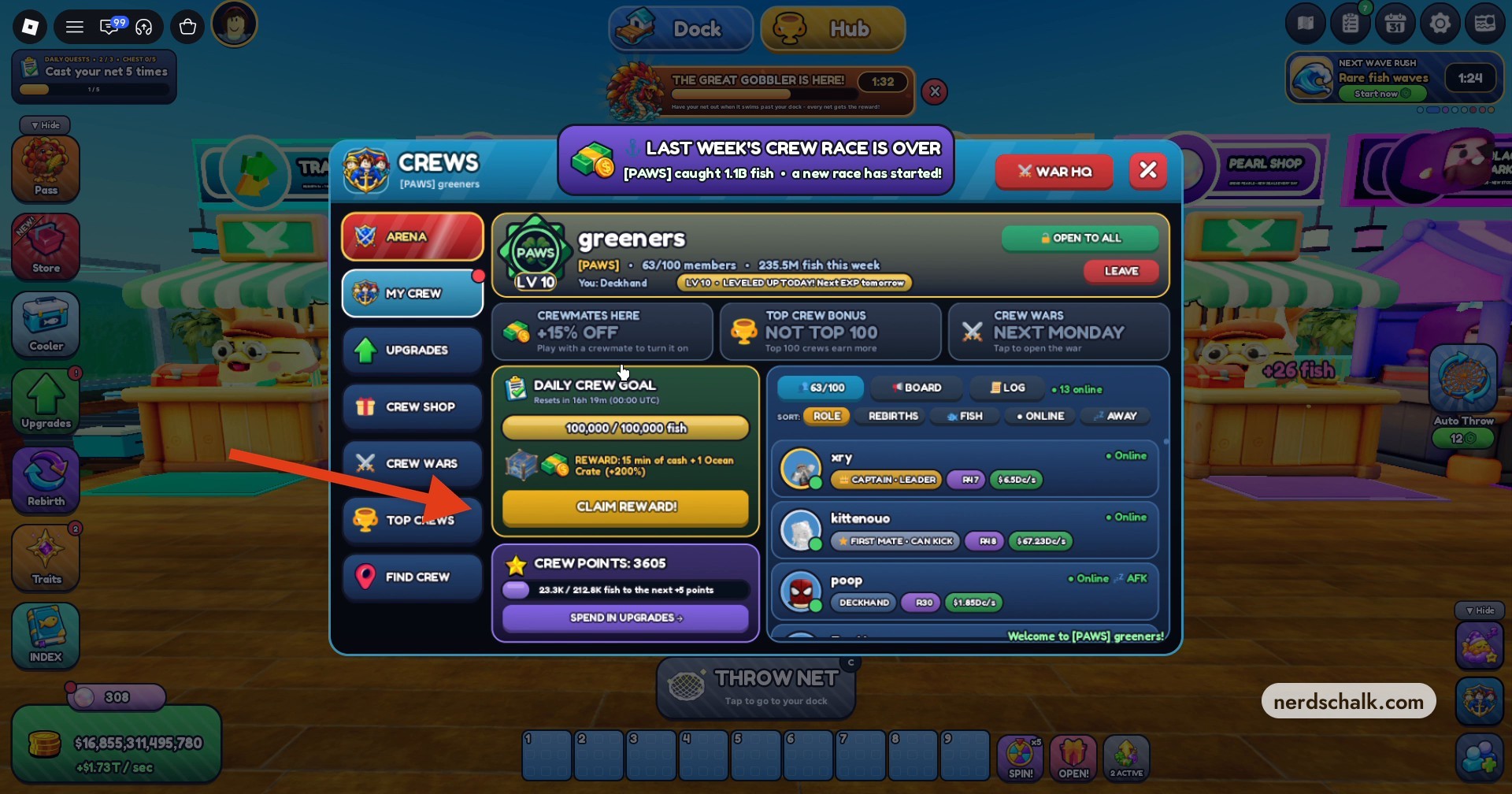
Once you’re a member, open MY CREW. A completed daily goal reads 100,000 / 100,000 fish; select CLAIM REWARD! when available. The member panel also includes LEAVE, BOARD, LOG, and SORT: ROLE. Its level line pairs LEVELED UP TODAY! with Next EXP tomorrow. The displayed membership summary shows the [PAWS] tag, 63 of 100 member slots filled, and a weekly catch total of 235.5M fish.
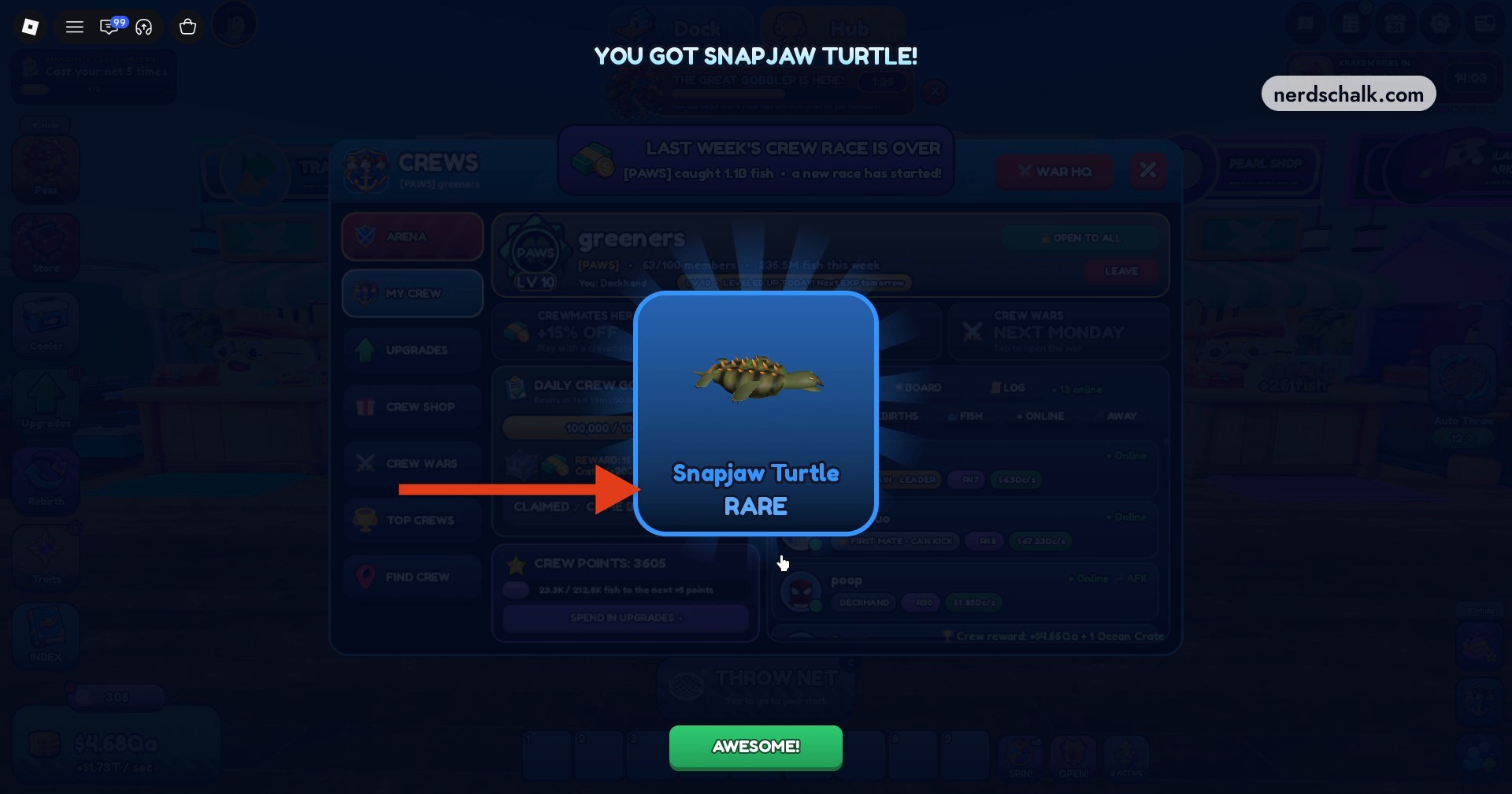
The reward popup shows the opened Ocean Crate result. This popup displays a Snapjaw Turtle marked RARE.
Part 3 – Access upgrades, the Crew Shop, and war missions
The remaining tabs hold shared perks, purchases, and objectives.
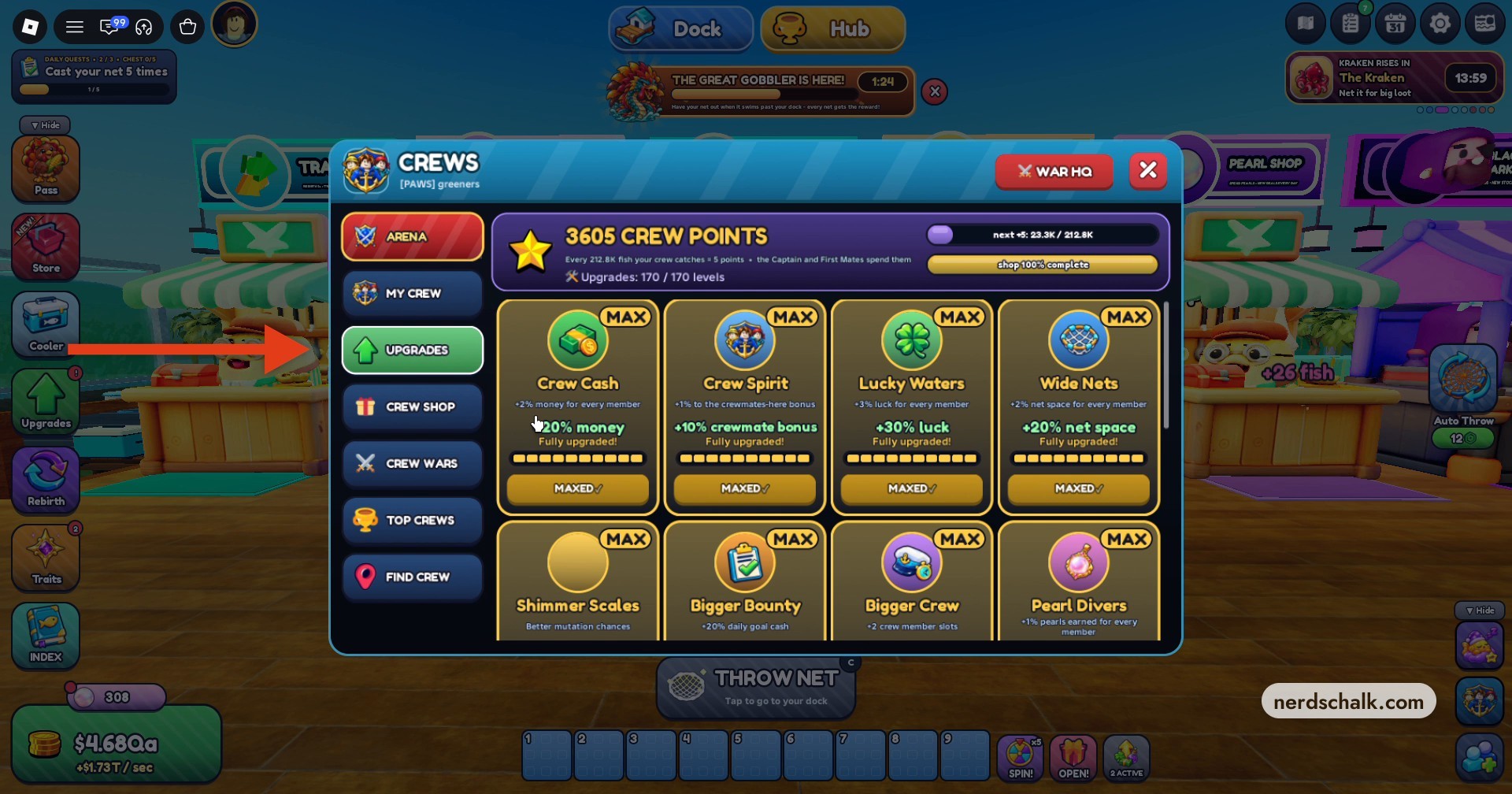
Open Upgrades
Select UPGRADES to view your crew’s shared upgrade menu.
Open the Crew Shop
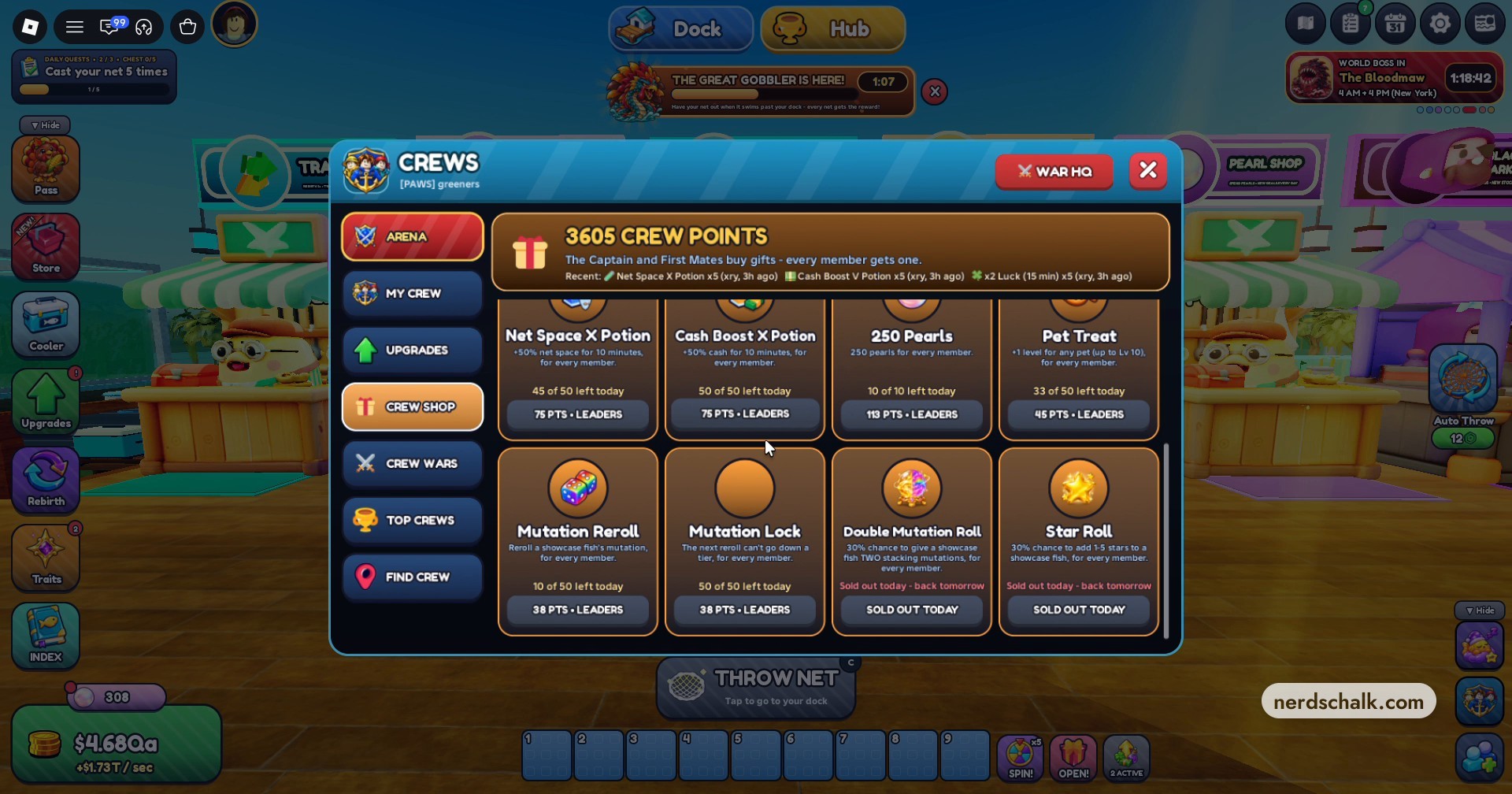
Select CREW SHOP to review the available gifts and potions.
Open Crew Wars missions
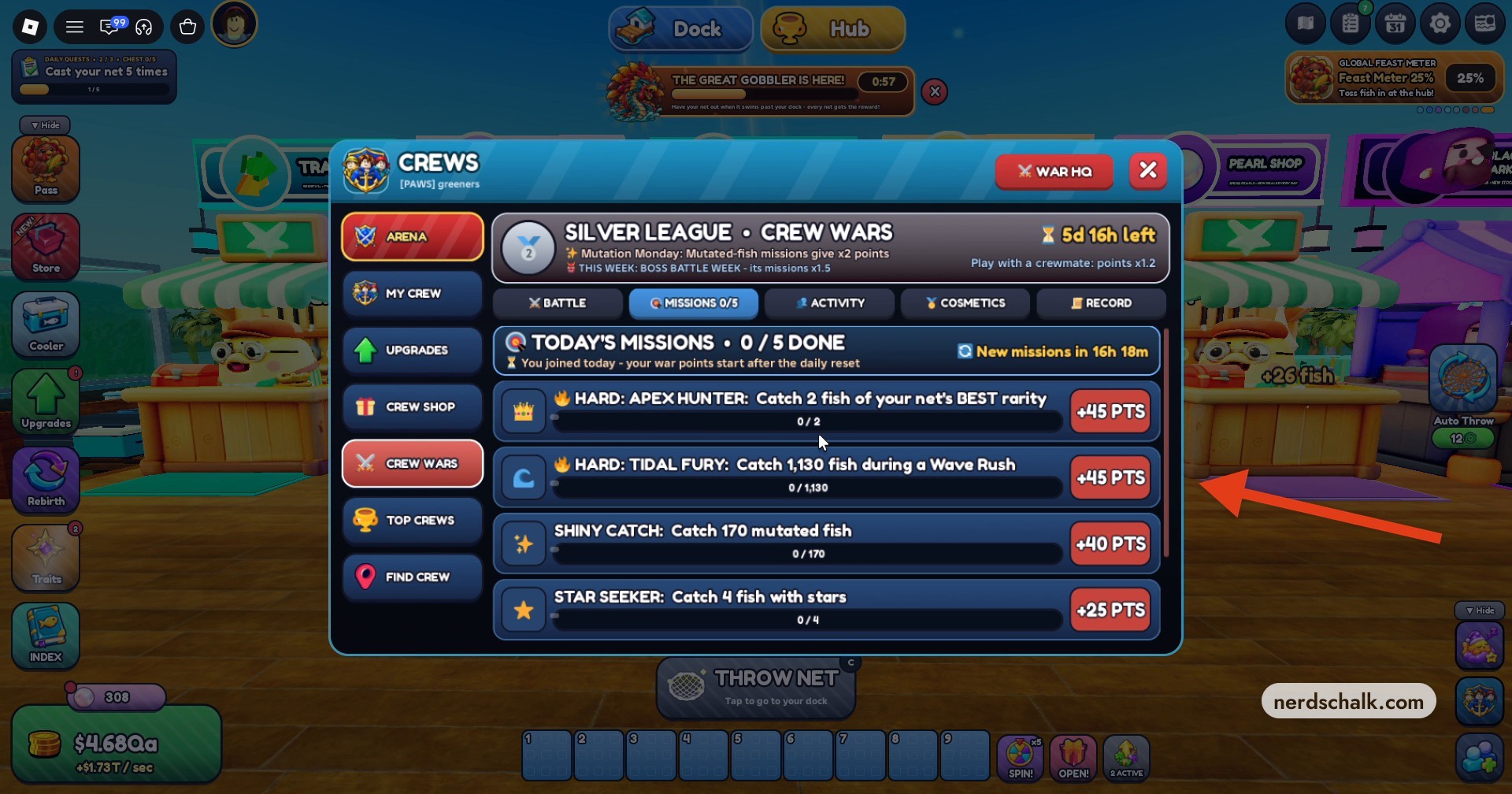
Select CREW WARS, then MISSIONS to reach TODAY’S MISSIONS. The member panel’s CREW WARS tile also opens the war, while TOP CREWS and ARENA are available elsewhere in the Crews menu. The war shortcut displays NEXT MONDAY.
Which money bonuses do crews provide in Net a Fish!?
| Weekly crew placement | Money bonus all week |
|---|---|
| #1 | +10% |
| #2–3 | +5% |
| #4–10 | +2.5% |
The member panel also says Top 100 crews earn more, while the overview gives specific percentages for the leading placement bands.
What does the daily crew goal reward give in Net a Fish!?
The daily crew goal pays 15 minutes of cash and one Ocean Crate. The goal resets at 00:00 UTC, giving the crew a fresh daily target.
The crate is part of the payout; opening it reveals the item you receive.
The reward line also displays a (+200%) modifier.
| Upgrade | Displayed fully upgraded effect |
|---|---|
| Crew Cash | +20% money |
| Crew Spirit | +10% crewmate bonus |
| Lucky Waters | +30% luck |
| Wide Nets | +20% net space |
| Shimmer Scales | Better mutation chances |
| Bigger Bounty | +20% daily goal cash |
| Bigger Crew | +2 member slots |
| Pearl Divers | +1% pearls earned for every member |
You can spend crew points on upgrades, and their benefits are shared by the crew’s members. These values are the effects displayed with the upgrades fully maxed.
What can you buy in the Crew Shop in Net a Fish!?
| Gift | Crew-point cost | Effect | Daily allowance shown |
|---|---|---|---|
| Net Space X Potion | 75 | +50% net space for 10 minutes | 50 |
| Cash Boost X Potion | 75 | +50% cash for 10 minutes | 50 |
| 250 Pearls | 113 | 250 pearls | 10 |
| Pet Treat | 45 | +1 level for any pet, up to Lv 10 | 50 |
| Mutation Reroll | 38 | Reroll a showcase fish’s mutation | 50 |
The Crew Shop uses crew points for gifts and potions. Its listings include temporary boosts, currency, pet progression, and a showcase-fish mutation reroll.
The daily allowances are the totals displayed for those shop listings. Mutation Lock also appears among the available listings.
Before spending crew points, compare a potion’s timed benefit with a pet level or mutation reroll to choose the gift that fits your crew’s plans.
How do Crew Wars missions and point bonuses work in Net a Fish!?
| Mission example | Objective | War points |
|---|---|---|
| HARD APEX HUNTER | Catch two fish of your net’s BEST rarity | +45 |
| HARD TIDAL FURY | Catch 1,130 fish during a Wave Rush | +45 |
| SHINY CATCH | Catch 170 mutated fish |
Completing Crew Wars mission objectives earns war points for your crew. Alongside war information, the interface includes Battle, Missions, Activity, Cosmetics, and Record views. The displayed competition carries the SILVER LEAGUE label.
The daily mission list includes objectives tied to your net’s rarity, Wave Rush catches, and mutated fish. Displayed examples include:
Mutation Monday gives mutated-fish missions x2 points. Playing with a crewmate gives x1.2 points.
The weekly theme displayed is BOSS BATTLE WEEK, which gives its missions x1.5 points.
How does War HQ handle skirmishes, Fury, rivals, and chests in Net a Fish!?
Your daily mission completion also feeds into Full Assault, part of War HQ’s streak system.
Skirmish schedule and Fury multiplier
| War HQ mechanic | Rule |
|---|---|
| Skirmish schedule | Daily at 12:00 PM and 8:00 PM EST, for 30 minutes each |
| Skirmish points | x2 war points |
| Fury | Consecutive Assault days build the multiplier applied to every war point, from the displayed x1.0 toward a maximum of x1.5 |
The Your Rival area carries rival status and a message about your crew’s participation in the war.
War Chests attach reward milestones to crew-point thresholds. The listed tiers include:
War Chest thresholds and rewards
| War Chest | Crew-point threshold | Rewards |
|---|---|---|
| Bronze | 2,500 | One Ocean Crate |
| Silver | 6,000 | One Ocean Crate and one Trait Roll |
| Gold | 12,000 | Two Ocean Crates and one Trait Roll |
| Legend | 22,000 | |
| Mythic | 40,000 |
War participation gives your crew milestones to work toward, with Ocean Crates and Trait Rolls among the chest payouts.
Related Net a Fish! guides




Leave a Reply