

No — NBA 2K27’s launch build lacks a dedicated “rename Crew” feature. Open the president-only Crew Management menu (where 2K26 lets you edit the name) and try there first; if the field is locked, disband the Crew and recreate it under a new name.
Everyone who sets a Crew Name in a hurry wants the same thing: a clean rename without nuking the whole squad. For the August 26, 2026 launch build, 2K includes no dedicated rename tool. The correct move is to use the menu that handled this in NBA 2K26 and keep a fallback ready in case the field is locked.

As of the August 26, 2026 launch, the Crew HQ and Crews menus lack an in-game “Rename Crew” or rebrand option. The team-play systems moved into Crew HQ and Proving Grounds inside The City, and a single Crew runs several 5v5 games at once — all of which relies on a persistent Crew identity behind the scenes, but 2K provides no way to edit that Crew Name after creation.
Key Until a rename option shows up in a menu or is called out in patch notes or a Courtside Report, treat your starting Crew Name as permanent. 2K folds quality-of-life menus like rename and rebrand tools into early-season patches, so recheck after each update — but do not count on it before then.
How to change Crew name in NBA 2K27
Head into The City

Load into The City hub where Crew HQ and the rest of the modes live.
Open the Main Menu

Bring up the in-game Main Menu from The City.
Slide over to the Crews tab

Move across the top menu until you land on the Crews tab.
Select Crew Management
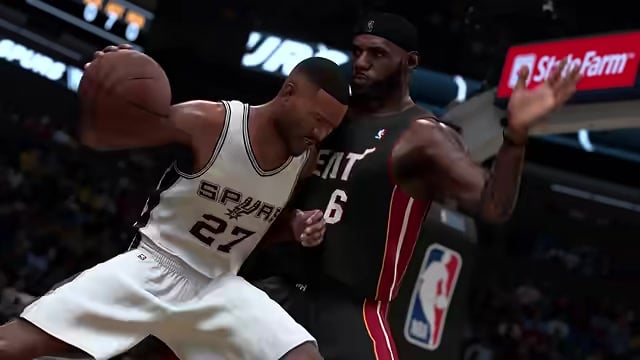
Choose Crew Management to surface your Crew’s name, vibes and focus in one place.
Edit the Crew Name field

Look for the name field and change it; this is also where you can adjust the vibes and focus, or disband the Crew entirely.
If the name won’t budge, disband and rebuild
If Crew Management shows the name as read-only, the fallback is the standard move 2K’s team systems use: disband the existing Crew and start a fresh one. The Crew Creator asks for a Crew Name, an abbreviation, team colors, a logo, a bio and more at creation, so the new name goes in cleanly the second time around.
This is a reset, not a rename. Disbanding wipes the Crew’s identity and all progression tied to it, and members have to regroup under the new banner — so only use this if the name will not change any other way. This route matches how past 2K Crews and team menus work, so check Crew Management first before you tear anything down.
Before you disband anything, check Crew Management for an editable name field — recreating the Crew costs you all of its progression and identity, so it’s the last resort, not the first.
Only the Crew President can make the change

Crews are entirely owner-managed, so updating the name, image or focus is the Crew President’s call — a regular member can’t touch it. The president is the person who created the Crew, and role transfer is the murky part: the presidency only moves when the current president leaves, and the menu otherwise pushes you toward disbanding rather than a clean handoff. If you need someone else to hold the reins before any rebrand, sort the president role out first.
Crew Name versus the fields people confuse it with
| Name | What it is |
|---|---|
| Crew Name | Your squad’s identity in Crew HQ, set in the Crew Creator and managed by the president. |
| MyPLAYER name | Your individual build’s name in MyCAREER and The City — separate from the Crew entirely. |
| PSN / Xbox / Steam ID | Your platform account gamertag, changed on the platform, not in 2K27. |
| Crew abbreviation | The short Crew tag set alongside the name in the Crew Creator, not the full name. |
| Crew member title / role | A member’s rank inside the Crew, handled through membership settings, not the name field. |
| NBA 2K Mobile crew | A crew in the separate mobile app, edited in its own Crews tab — unrelated to console Crews. |
| MyLEAGUE roster / team name | An offline team name changed through roster editing and relocation, nothing to do with online Crews. |
A lot of “how to change your Crew name” advice online is really about a completely different field. Your Crew Name is the squad’s identity in Crew HQ — it is not your player’s name, your platform ID, the short tag next to it, or a member’s role, and it has nothing to do with the mobile app or offline roster editing. Sorting those apart keeps you from chasing a method that was never meant for console Crews in the first place.
Frequently Asked Questions
Can the president change the Crew’s abbreviation, logo, vibes or focus too?
Yes. The vibes and focus sit right alongside the name inside Crew Management, so the president can adjust those from the same screen. The abbreviation, team colors, logo, bio, background and privacy are all set in the Crew Creator at creation, so a full visual rebrand means recreating the Crew if those fields are not exposed for editing after the fact.
How do you change a crew member’s title or role?
That’s a different setting from the Crew Name and it’s handled through membership management, not the name field. Because the president is the creator, reassigning roles or the presidency itself only works when the current president steps away, and the menu often only offers to disband. If you can’t reassign a title cleanly, that’s a known rough edge rather than something you’re missing.
Will 2K add a dedicated Crew rename option later?
It’s possible — 2K regularly adds quality-of-life menus like rename and rebrand tools in early-season patches. If one arrives, it’ll show up as a new option inside Crew Management or Crew HQ and get called out in the patch notes or a Courtside Report, so those are the two places to watch after each update.
Video help






Leave a Reply