
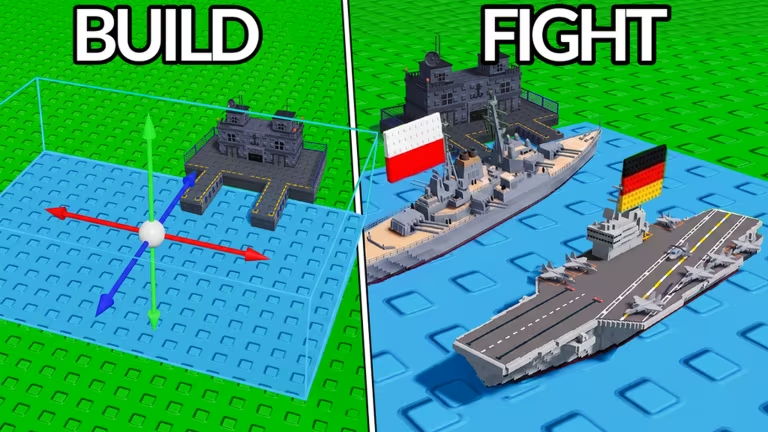
Navy War is a Roblox naval combat experience where gems help you unlock and upgrade ships. Codes from the developer hand you a stack of free gems, so redeeming them regularly keeps your fleet growing without extra grinding.
Here’s every code that’s currently redeemable for gems in Navy War.
SUPERSECRET
100 gems
New
KRAKEN
75 gems
DECORATIONS
50 gems
ADMIRALS
50 gems
DIAMONDZ
25 gems
Redeeming codes in Navy War only takes a few taps once the game has loaded. Follow these steps in order to make sure your gems land correctly.
You’ll know it worked because your gem total updates right away on screen. Note: paste each code exactly as written, since an extra space or a mistyped letter will stop it from working.
New codes for Navy War typically come from the game’s official Discord server, where the developers post updates and reward drops. Joining the Navy War Discord is the most direct way to catch a fresh code as soon as it goes live.
It also helps to check the Codes section inside the Shop menu every so often, since that’s the exact spot where redemption happens anyway. You can jump into the game itself through the Navy War Roblox page to redeem as soon as you spot a new one.
Are Navy War codes free?
Yes. Every code listed above is free to redeem and grants gems at no cost, as long as you enter it correctly through the Shop menu.
Why didn’t my code work?
A code usually fails because of a small typo or an extra space when it’s pasted into the field. Double-check the spelling against the list above and try again.
Checking back regularly and keeping an eye on the Discord server puts you in the best position to grab new gems the moment they’re released.





Leave a Reply