

My Jail Cell is a Roblox experience where you decorate and upgrade your own cell, and codes are the fastest way to boost your Coziness score without grinding for it. Here’s every code you can redeem right now, plus how to actually use them.
Working My Jail Cell codes
Only one code is confirmed active at the moment, so redeem it while it’s still working.
Sploing
+15 Coziness
New
How to redeem codes in My Jail Cell
You’ll need to be inside your cell before the code window will work, so let it load fully first. Once you’re in, redeeming takes a few seconds.
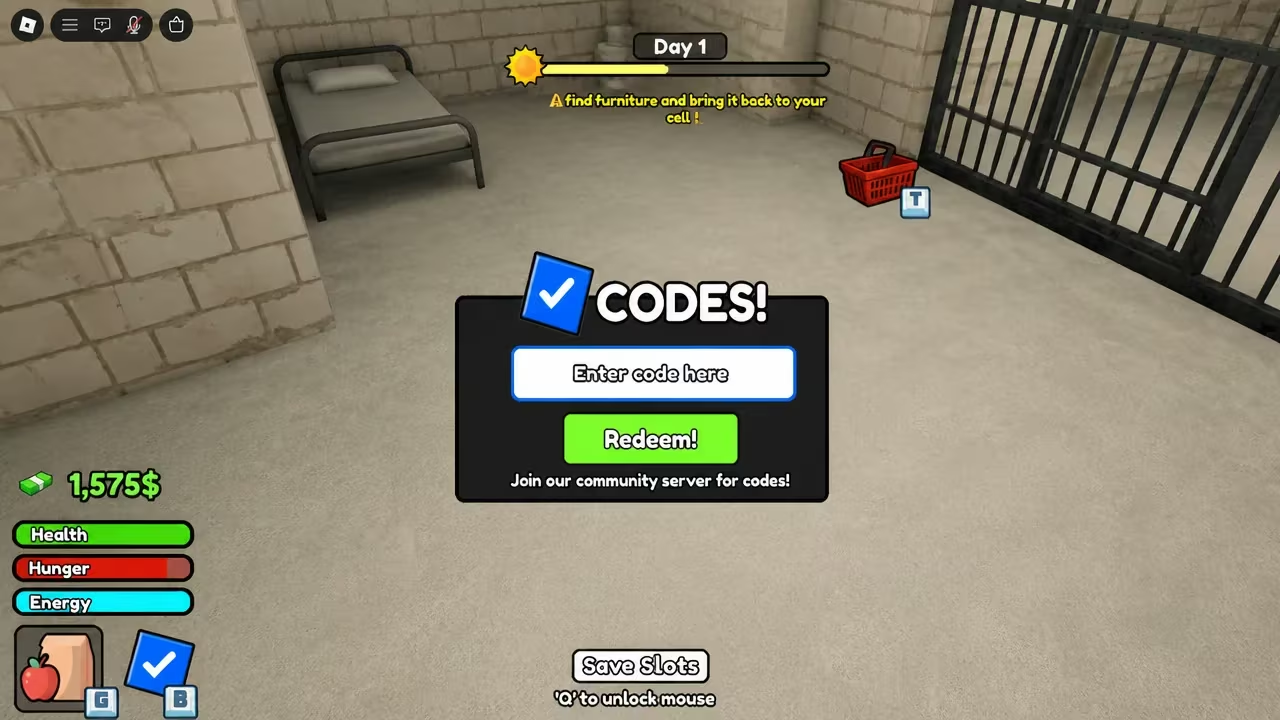
If nothing changes after redeeming, double-check for stray spaces or typos in the code and try again. You can find the game itself on the My Jail Cell Roblox page.
How to get more My Jail Cell codes
New codes for My Jail Cell tend to show up around updates and milestones, so keeping an eye on the developer’s official channels is your best bet for catching them early. The game’s official Discord server is where announcements typically land first.
Bookmark this page too, since it gets checked and updated whenever a new code goes live or an old one stops working.
Why didn’t my code work?
The most common cause is a typo or an extra space when entering the code. Codes are also case-sensitive in some Roblox games, so type it exactly as shown rather than relying on autocorrect or memory.
Redeeming your Coziness boost only takes a few seconds once you know where the codes window is, so it’s worth checking back for Sploing and any new codes that follow it.






Leave a Reply