
My Dino Life is a Roblox experience where you raise and customize dinosaurs, and codes are the game’s way of handing out free Cash you can spend in the shop. Here’s what’s redeemable right now and how to claim it.
Working My Dino Life Codes
There’s one code active at the moment, and it drops a solid chunk of Cash straight into your account.
RELEASE
100 Cash
New
You’ll know the code worked because your Cash balance updates the moment you press Redeem. If the number on screen doesn’t move, the code didn’t go through.
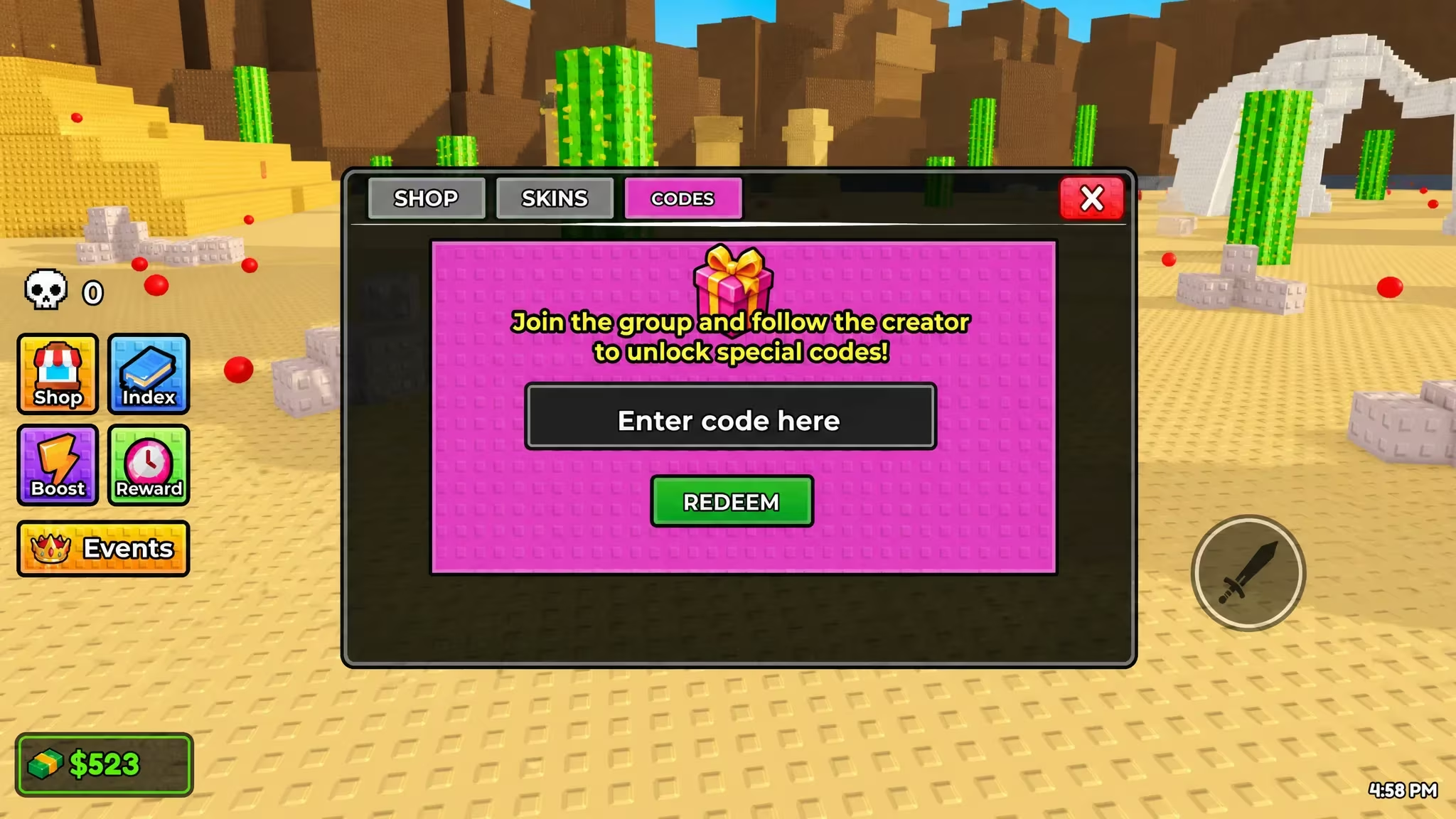
How to redeem codes in My Dino Life
Redeeming a code takes just a few taps once you’re inside the game. Follow these steps in order.
Note: If nothing happens after you press Redeem, check for extra spaces or a typo before trying again. Codes are case-sensitive.
How to get more My Dino Life codes
New codes for My Dino Life typically show up around content updates, milestones, or special promotions tied to the game. The developer shares them through the game’s own official channels, so keeping an eye on those is your best bet for catching a fresh code before it expires.
Since codes don’t come out on a fixed schedule, it’s worth checking back periodically and testing any new code as soon as you spot it, since some are only active for a limited time.
Are My Dino Life codes free to use?
Yes. Every code just needs to be typed into the Codes box in the shop, and the Cash reward is added to your account at no cost.
Why didn’t my code work?
The most common reason is a typo or wrong capitalization. Retype the code carefully, since the redemption box treats it as case-sensitive.
You’ve got everything you need to grab the current Cash bonus and stay ready for whatever code comes next.





Leave a Reply