
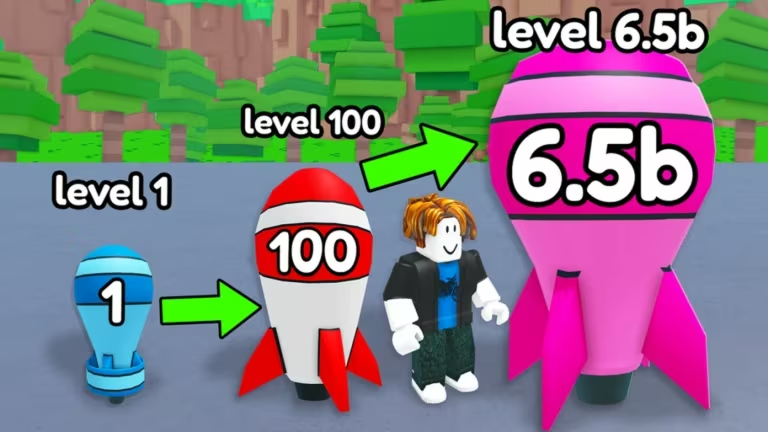
Merge a Nuke is a Roblox merge game where you combine items to build up your nuclear arsenal, and the developer hands out codes now and then for free Cash and Nuclear Waste to help you merge faster.
Working Merge a Nuke Codes
Here’s every code that’s redeeming rewards right now. Grab them before they get pulled.
DELAY
300 Nuclear Waste
New
BOOM
5,000 Cash
How to redeem codes in Merge a Nuke
You don’t need to leave the game or visit any outside website to cash these in. Everything happens through the Store menu, and since the code box is case-sensitive, copying and pasting each code straight from the list above saves you from a typo ruining a code.
Expired Merge a Nuke codes
These codes have stopped working, so don’t waste time typing them in.
MAGMA
ATOMIC
UPDATE2
How to get more Merge a Nuke codes
New codes for Merge a Nuke tend to show up around updates or milestones, and the developer’s official channels are your best bet for catching them early. Joining the official Discord server puts you in front of announcements as soon as they’re posted. The Roblox community page for the game is also worth following for updates.
If you haven’t picked up the game yet, you can jump into Merge a Nuke on Roblox and start merging right away.
Are Merge a Nuke codes free?
Yes. Every code listed here is free to redeem and gives you Cash or Nuclear Waste at no cost, straight from the Store menu.
Why didn’t my code work?
The most common cause is a typo, since the code box is case-sensitive. Try copying the code directly rather than typing it out, and double-check it hasn’t already expired.
Keep this page bookmarked and check back for fresh codes as they roll out, since new drops don’t stick around forever.





Leave a Reply