
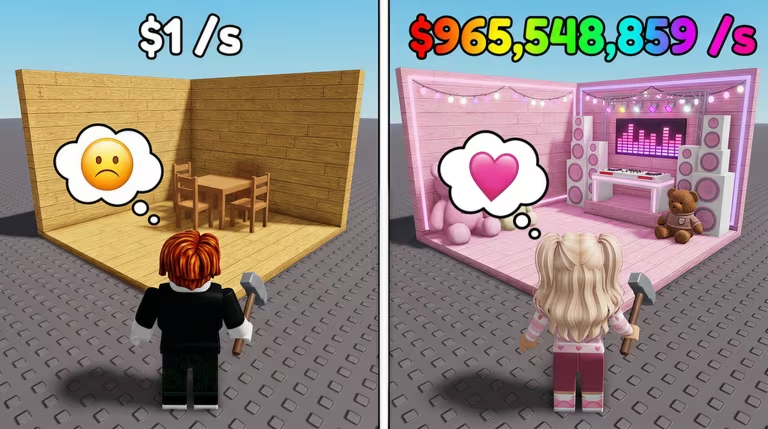
Make a Party is a Roblox game where you build and run your own party base, and codes are the fastest way to boost your cash without grinding for it.
Working Make a Party codes
There’s one code live right now, and it hands you free cash the moment you type it in.
RELEASE
Free cash
New
How to redeem codes in Make a Party
You don’t need a separate codes page for this one, everything happens right inside your party base through the Shop menu.
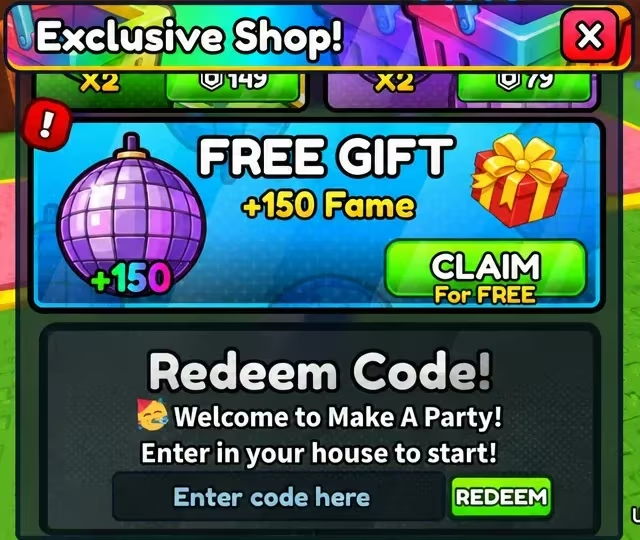
You’ll know it worked if your cash total jumps right after you tap redeem, or if a confirmation message pops up next to the code box on the Exclusive Shop screen. If nothing happens, check for typos in the code and try again before assuming it’s expired.
How to get more Make a Party codes
New codes for Make a Party typically show up alongside updates to the game, so keeping an eye on the developer’s official social channels and the in-game announcements is your best bet for catching them early. Once a new code drops, head straight to the Shop menu and punch it into the code box before it runs out.
Are Make a Party codes free?
Yes. Every code is issued by the developer at no cost and simply needs to be typed into the Shop menu’s code box to claim the reward attached to it.
Why didn’t my code work?
A code that doesn’t redeem is almost always a typing issue. Retype it carefully into the code box, since even one extra space or a mismatched letter will stop it from working.
Check back on the Shop menu every so often, since that’s where any new code gets claimed the moment it becomes available.







Leave a Reply