
Lost Rooms is a Roblox experience where codes hand you free Credits, User Credits, Emotes, and other cosmetic extras without spending real money. Punching in a working code takes seconds and can boost your Wardrobe collection or currency balance right away.
Working Lost Rooms codes
Type these in exactly as shown, since Lost Rooms codes are case-sensitive and won’t register if you add extra spaces or characters.
EMOTIONS
3 free Emotes
FREELOSTROOMS
200 Credits, 200 User Credits, and a Banhammer
How to redeem codes in Lost Rooms
The redeem box isn’t sitting out in the open on the main menu, so you’ll need to dig into the Wardrobe first.

Note: if nothing pops up after you hit Redeem, double-check the spelling and capitalization of the code before trying again.
How to get more Lost Rooms codes
New codes for Lost Rooms typically show up through the developer’s own channels rather than in-game announcements. Joining the official Lost Rooms Discord is your best bet for catching new codes as soon as they’re posted, since that’s where the team shares updates directly. The MorbidStudios Roblox community is another place worth following for the same reason.
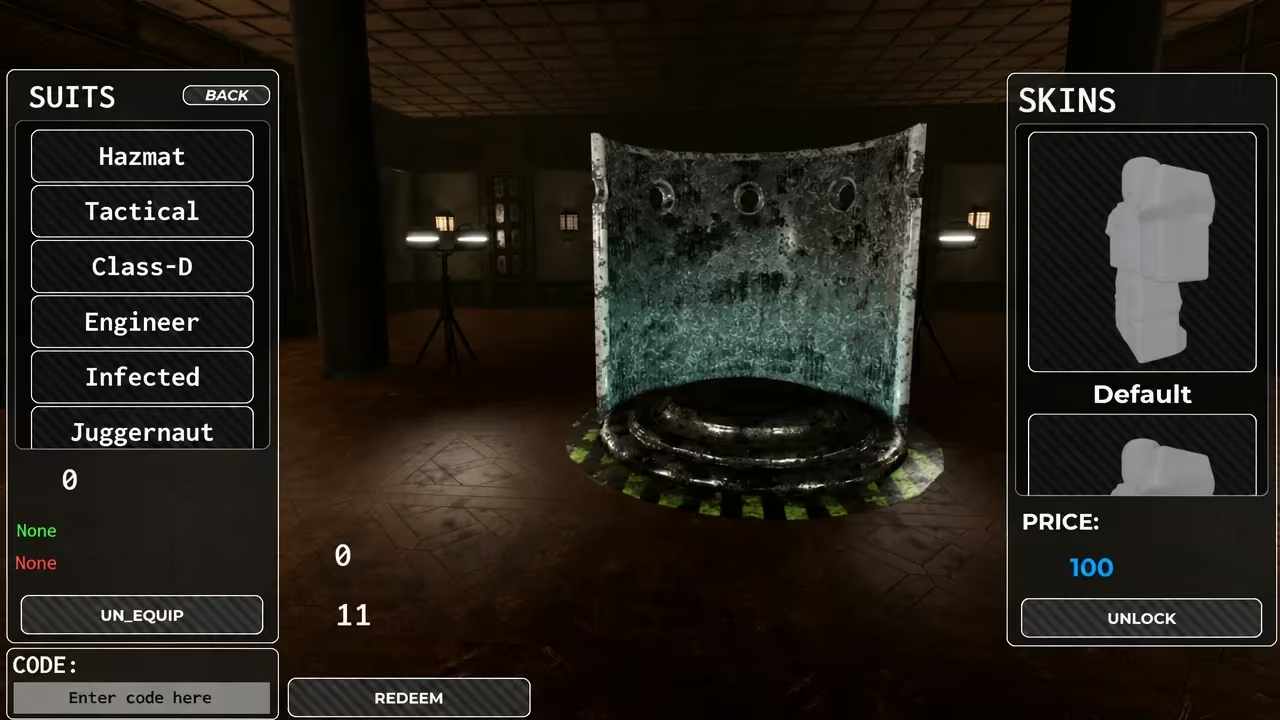
If you want to jump straight into the game to test a code, you can find Lost Rooms on the Roblox experience page.
Are Lost Rooms codes free?
Yes, every code is free to redeem and only requires an active Roblox account playing Lost Rooms.
Why didn’t my code work?
A code that’s already expired, or one typed with a typo or extra space, won’t trigger the reward notification. Make sure you’re copying the code precisely, capitalization included.
Redeeming both codes now nets you free Emotes plus a solid Credits and User Credits boost, so it’s worth running through the Wardrobe menu before you dive into a match.






Leave a Reply