
Kenichi’s third move is currently glitching some Shindo Life bosses by keeping them trapped in its flying animation, letting you deal massive damage and often kill normal bosses or Gen 1 tailed beasts with one use.
The method is built around Kenichi’s third move, not a full boss-farming build. When the bug happens, the move appears to skip or delay its normal finishing behavior and keeps the boss caught in repeated flying hits for roughly half a minute.
That is enough damage to delete normal bosses cleanly and shred Gen 1 tailed beasts. The “any boss with one move” claim is too broad, though, because Gen 3 tailed beasts have enough health to survive one use unless you add more damage.
- What the Kenichi third-move glitch does
- What you need before trying Kenichi
- How to use Kenichi’s third move boss glitch in Shindo Life
- Bosses that work best with Kenichi
- Extra damage for bosses that survive
- Positioning fixes when Kenichi drops early
- Jinshiki frozen-server glitch is separate
- Kenichi glitch patch risk
- Frequently Asked Questions
What the Kenichi third-move glitch does
Kenichi’s third move normally should finish with a down-smash style ending. Right now, the broken behavior comes from the move staying in its flying animation instead, which keeps the boss suspended in the hit sequence while damage keeps stacking.
That is why the glitch feels so strong against regular bosses. You are not using Kenichi as a normal burst move; you are trying to make the animation stick long enough for the repeated hits to drain the boss before it can reset.
What you need before trying Kenichi
| Requirement | Use |
|---|---|
| Kenichi bloodline | Needed so you can equip the third move. |
| Kenichi’s third move | The move that triggers the flying-animation damage loop. |
| Boss target | Normal bosses are the cleanest test target. |
| Second bloodline | Optional backup damage for high-HP bosses. |
| Companion | Optional help mainly for tailed beasts. |
KEY!The setup is short because the glitch comes from one bloodline move. Extra tools only matter when the target has enough health to live through the first Kenichi use.
How to use Kenichi’s third move boss glitch in Shindo Life
Use Kenichi’s third move as the opener and keep the boss inside the stuck flying animation for as long as it lasts.
STEP 1/5
Equip Kenichi’s third move
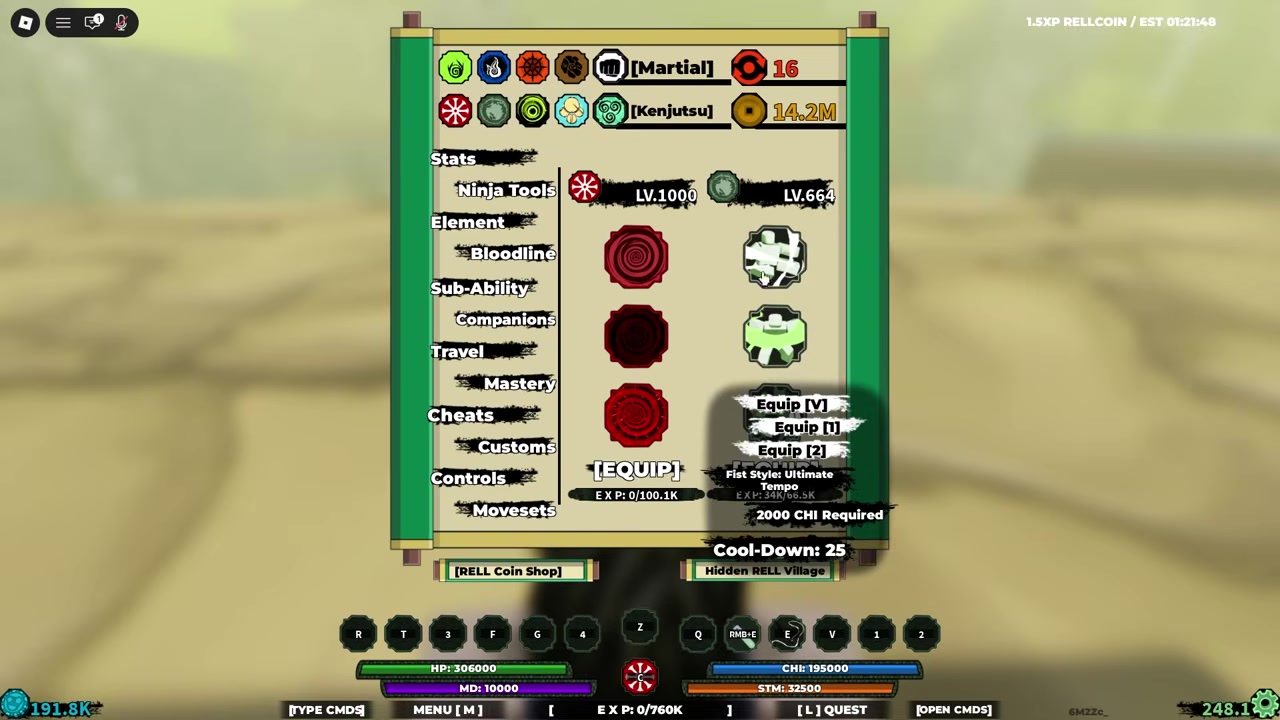
Put Kenichi’s third move on your moveset before starting the boss fight.
STEP 2/5
Start the boss fight

Engage the boss normally and get close enough for the Kenichi hit to connect.
STEP 3/5
Land the third move
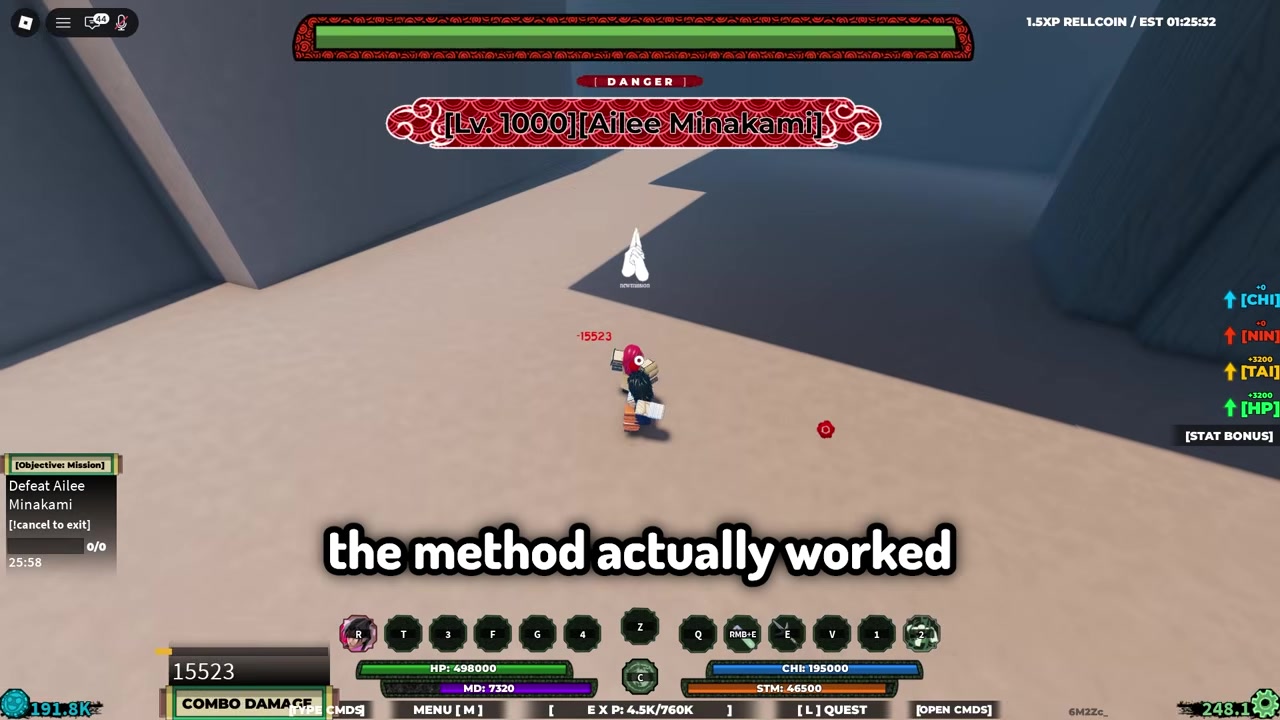
Use the move on the boss so the down-smash does not trigger and the flying animation sticks.
STEP 4/5
Let the animation run
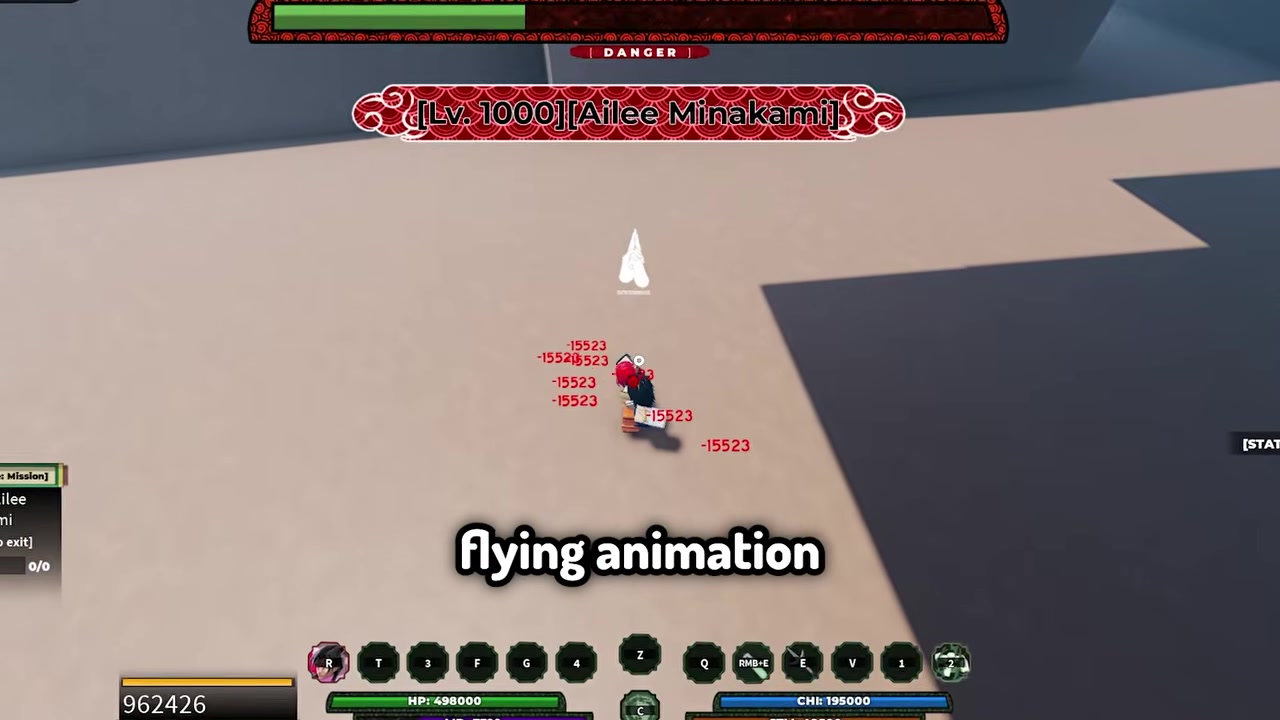
Stay with the hit sequence while it keeps damaging the boss for around 30 seconds.
STEP 5/5
Finish from the damage loop
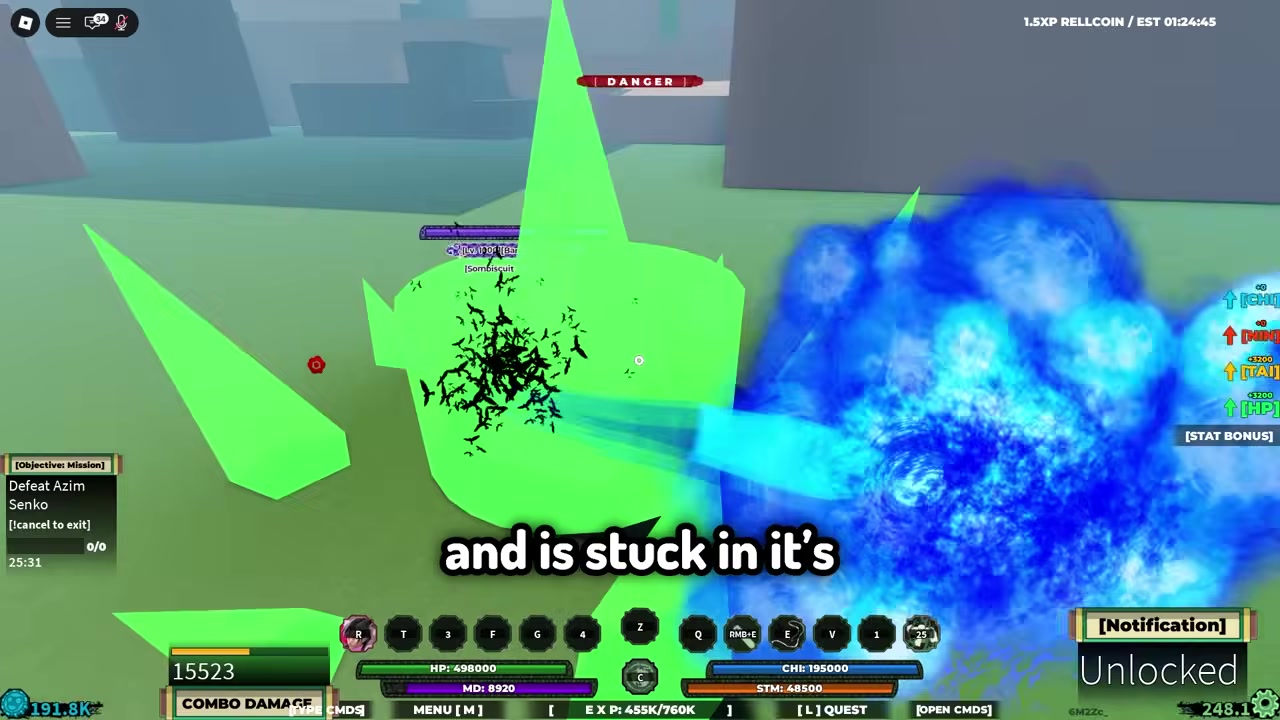
Let the repeated hits drain the boss, which can deal millions of damage from one use.
Video help
Bosses that work best with Kenichi
| Boss type | Result |
|---|---|
| Normal bosses | Best one-use target; they can get one-shot by the glitch. |
| Gen 1 tailed beasts | Take massive damage and can be shredded quickly. |
| Gen 3 tailed beasts | May need two Kenichi uses or extra damage. |
Normal bosses are where this glitch is most useful because they can get wiped out by the stuck third move without needing a second setup. Gen 1 tailed beasts also take heavy enough damage that the method is still very fast.
Gen 3 tailed beasts are the main exception. Their health pool is large enough that one Kenichi use may leave them alive, so plan on a second Kenichi cast or backup attacks instead of expecting a clean one-move kill.
Extra damage for bosses that survive
If the boss lives after the Kenichi loop, use Apollo Sand in your second bloodline slot. It gives you a practical follow-up option without changing the core Kenichi setup.
You can also add Chaos second move or an Earth move for extra boss damage. This is most useful on Gen 3 tailed beasts, where Kenichi can start the kill but may not finish it alone.
Use companions only for tailed beasts; normal bosses already die fast enough that companion damage is usually wasted.
Positioning fixes when Kenichi drops early
Some bosses have awkward hitboxes, with Gen 3 Kurama being the main example. If the move looks like it should connect but starts carrying you away, the issue is usually your angle on the active hitbox.
Once you find the spot where the hits are landing, keep making small backward adjustments. The goal is to stay close enough for Kenichi’s flying animation to keep touching the boss instead of drifting out of range.
- Test the boss from a slightly different angle if the first Kenichi hit whiffs.
- Watch for the position where the repeated hits start landing consistently.
- Move backward a little at a time while the animation continues.
- Stop overcorrecting once the damage loop stays connected.
Jinshiki frozen-server glitch is separate
There is also a different Jinshiki event-server glitch where the Lv. 2000 Jinshiki boss can spawn frozen in place. That method is about finding a frozen event server and then using high-damage attacks while Jinshiki does not move.
Do not mix that up with the Kenichi method. The Kenichi glitch is about Kenichi’s third move trapping bosses in its flying animation; the Jinshiki bug is a separate frozen-boss server behavior.
Kenichi glitch patch risk
This is a live glitch, so it can disappear in any update or server-side fix. If Kenichi’s third move starts ending with its normal down-smash again, the boss-killing loop is gone.
It also may not behave the same on every server or every boss attempt. Use it while it works, but do not build your whole farming route around it staying active forever.
Frequently Asked Questions
Does Kenichi’s third move really one-shot every boss?
No. The clean one-shot use case is normal bosses; high-HP targets can survive and need follow-up damage.
Why does the Kenichi third move do so much damage right now?
The move keeps the target caught in the flying hit sequence instead of ending normally, so the same cast keeps applying damage.
Does the glitch work on Gen 3 tailed beasts?
Yes, but not as a guaranteed one-use kill. Bring a second Kenichi cast or extra boss damage for them.
What should I do if the move carries me away from the boss?
Reposition around the boss until the hits connect, then back up slowly so the animation keeps touching the hitbox.
Can this glitch get patched?
Yes. Since the damage loop depends on broken move behavior, it can stop working whenever the move is fixed.






Leave a Reply