

What to know
- You can now select choose whether you want the Voice Record or Start Dictation in the Messages app text field.
- You can also choose to have none of these.
- The ability to choose what (if anything( appears to the right of the text field will prevent many accidental presses.
The placement of the Voice Record or Start Dictation button in the iMessages app is a hit or miss, depending on who you ask. Many end up accidentally pressing it only to realize later that they conversations were being recorded.
With iOS 27, Apple has finally fixed this. You can now choose whether you want to see the Voice Record or Start Dictation button or None of these in the text field in the Messages app.
The options are available in Settings > Apps > Messages > Show in Text Field.
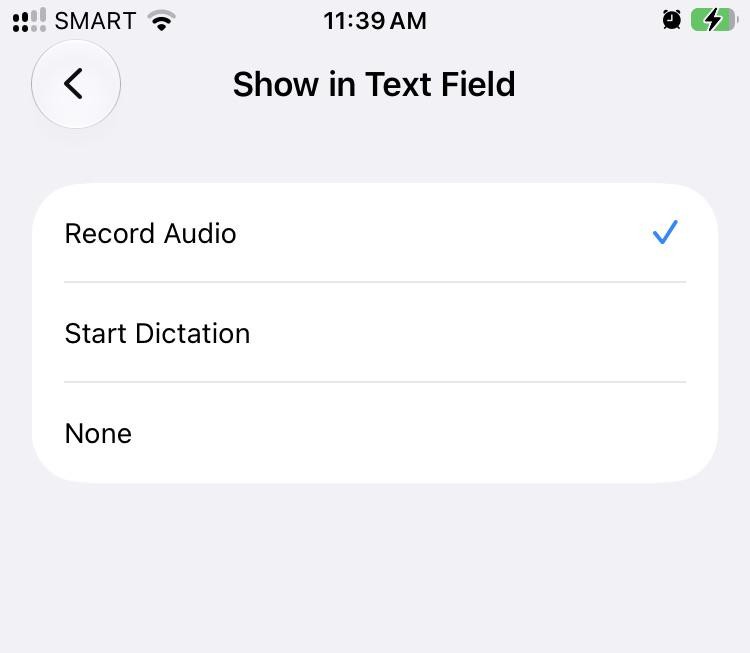
You can choose between:
- Record Audio
- Start Dictation
- None
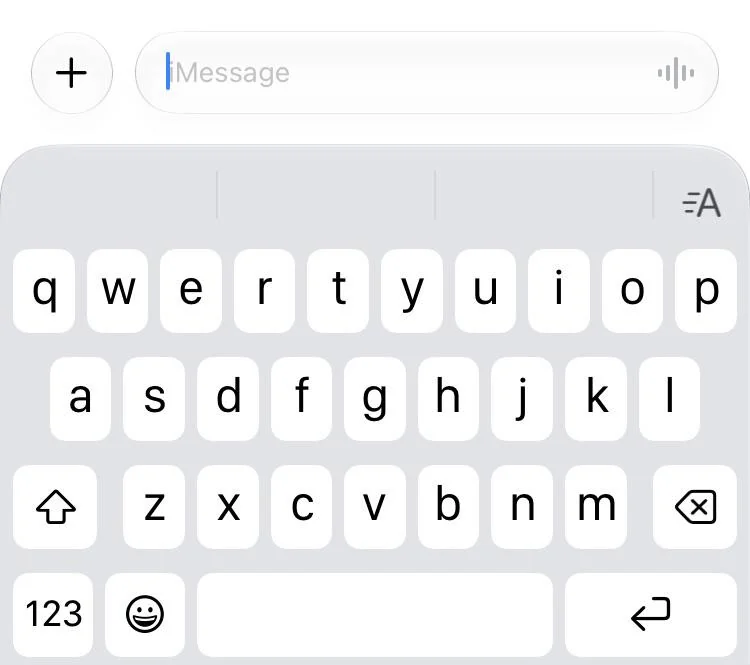
If you keep Record Audio on, this is what it looks like in the text field:
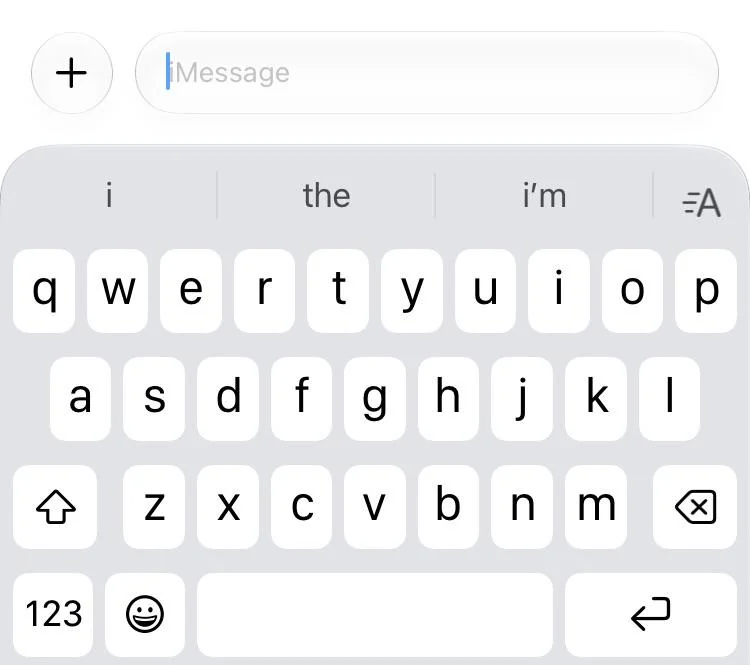
If you keep None, this is what it looks like:
For those who don’t want to accidentally press the button, like Justin Bieber (who took it to social media to express his discontent with the button placement), it’s best to keep it at None. For everyone else, the option to choose between Record Audio and Start Dictation should suffice.




Leave a Reply