

To Tree Jump in Shindo Life, aim at a nearby tree or solid surface until the white indicator turns green, hold jump to charge, then release to lunge toward it.
Tree Jump is Shindo Life’s reworked movement tool for getting off the ground and crossing wide spaces quickly. It is most useful in forests, villages, mission areas, and escape routes where normal ground travel would slow you down.
What Tree Jump does in Shindo Life
Tree Jump lets your character launch toward a selected tree or solid surface, giving you more speed and reach than a normal jump. Once you get the timing down, it turns forest routes into fast movement chains instead of stop-start climbing.
The current version is built around an on-screen indicator, so do not rely only on old tree-hop habits. Older Tree Jump behavior used 2% stamina per jump, so keep an eye on stamina during long chains, but the reworked input is all about aiming, waiting for green, charging, and releasing.
Tree Jump controls and green indicator
The marker is the part that matters most. If you try to jump before the target is accepted, you will usually get a normal jump or a weak attempt instead of the full lunge.
| Point | Detail |
|---|---|
| Indicator | A white four-point star appears on a target and turns green when the jump is ready. |
| PC input | Aim with the camera or cursor, hold Space to charge, then release Space to launch. |
| Console input | Use your platform’s jump button; the exact label depends on your controller setup. |
| Aim | Point at a solid tree part, wall, cliff, building side, or other hard surface. |
| Accuracy aid | First-person can make the marker easier to line up, though third-person also works. |
| Charge cue | Holding jump can show black motion lines and a zoom effect before the lunge. |
Think of the green marker as your go signal. Keep your camera steady while charging so the lock does not slip off the surface right before release.
How to Tree Jump in Shindo Life
Use this sequence whenever you want to launch toward a nearby tree and start moving faster across the map.
STEP 1/6
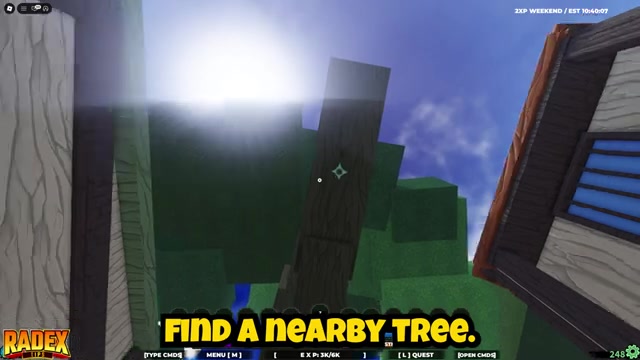
Find a nearby tree
Start close to a tree or another solid target you can clearly point at.

STEP 2/6
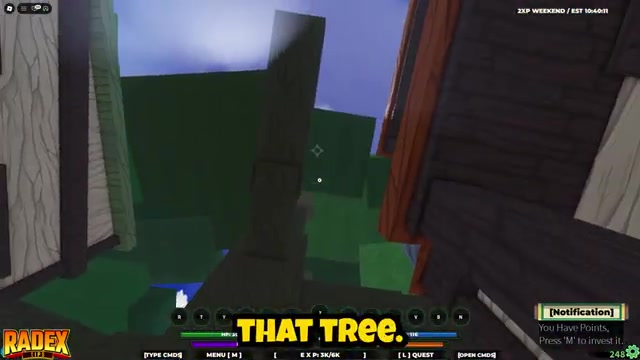
Aim your cursor at the tree
Move your camera until the cursor faces the trunk or solid surface you want to jump toward.
STEP 3/6
Wait for the indicator
Look for the Tree Jump marker and do not start the input until it turns green.
STEP 4/6
Hold the jump key
Hold Space on PC, or your platform’s jump button, to charge the launch.

STEP 5/6
Release to launch
Let go of the jump input to lunge toward the selected tree.

STEP 6/6
Line up the next target
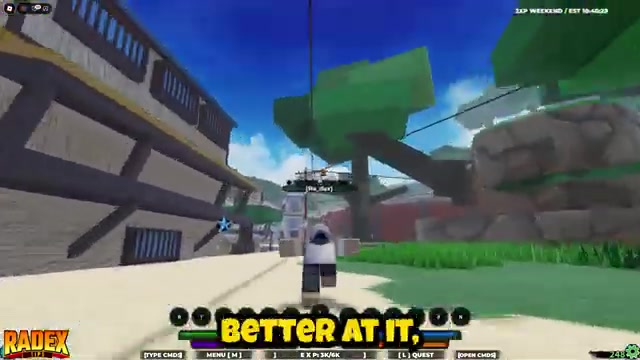
Before you land, keep the camera aimed toward another tree so you can continue the chain.
Video help
Build faster Tree Jump chains
Chaining Tree Jumps is where the movement starts to feel fast. Instead of waiting until your character lands, turn the camera during the travel arc and prepare the next target early.
- Pre-aim during flight. Put the next tree in view before your current jump ends, so the indicator has time to settle.
- Respect your longest reliable gap. If the marker will not turn green, pick a closer tree instead of forcing the jump.
- Blend in wall movement. When a route passes a wall, cliff, or building, use that surface to stay moving instead of dropping back to the ground.
Practice chains in dense forest areas because close trees give you more chances to lock the green indicator before landing.
Fix Tree Jump failures
Most failed Tree Jumps come from the target, range, or camera angle. If the launch does not trigger cleanly, slow the input down and check the marker before blaming the button press.
| Issue | Fix |
|---|---|
| Jumping on the white marker | Wait until the indicator turns green, then charge the jump. |
| Aiming at leaves | Aim at the trunk, branch, wall, or solid surface; leaves are unreliable. |
| Camera drifting while charging | Keep the target centered until you release the jump input. |
| Starting too far away | Move closer or choose a nearer surface until the marker accepts it. |
| Using old tree-hop timing | Use the current indicator flow: aim, wait for green, hold jump, release. |
Flat, solid parts of a tree are the most dependable landing and launch points. If you keep sliding, falling through leaves, or losing the marker, reposition on bark or a branch before trying again.
Frequently Asked Questions
Does Tree Jump work on console in Shindo Life?
Yes. Use the platform’s normal jump button and follow the same indicator timing instead of looking for a separate console-only command.
Why is Tree Jump not activating?
The usual reason is that the target is not valid yet. If the marker is still white, the target is too far away, poorly aimed, or not a solid enough surface for the lunge.
Do you need to unlock or buy Tree Jump?
No. Tree Jump is a mobility technique anyone can use, with no stat requirement and no shop purchase needed.
Can you chain Tree Jumps in Shindo Life?
Yes. Chaining works by setting up the next valid target during your current jump, which is why routes with many nearby trees are much faster than open ground.
Can Tree Jump work on walls or other solid surfaces?
Yes. The current movement can lock onto hard surfaces such as walls, cliffs, building sides, and trees, so treat it as solid-surface mobility, not only tree movement.






Leave a Reply