
To split a household in Paralives, open map view, click your active household’s green lot, choose the Split Household icon, select the Para or Paras moving out, transfer any Paradimes you want, confirm, then place the new household on its own lot.
Splitting a household is how you send a grown-up Para off to live on their own, or break up a couple so each side gets their own place. The Para you move out doesn’t vanish — they become a separate, fully playable household with their own home and their own share of the money. It’s a quick job once you know which button to hit, so here’s the full process plus what to line up first.
What splitting a household does
When you split a household, you take one or more Paras out of your current family and turn them into their own independent household. The original family stays exactly where it is, and the moved-out Para lands in a new home you control separately — you can switch between the two households from then on. Along the way you decide how much of the shared Paradimes balance goes with them, so the split covers both who leaves and what they take.
How to split a household in Paralives
The whole thing runs from the map view and takes under a minute once you know which icon to click.
STEP 1/7
Open map view
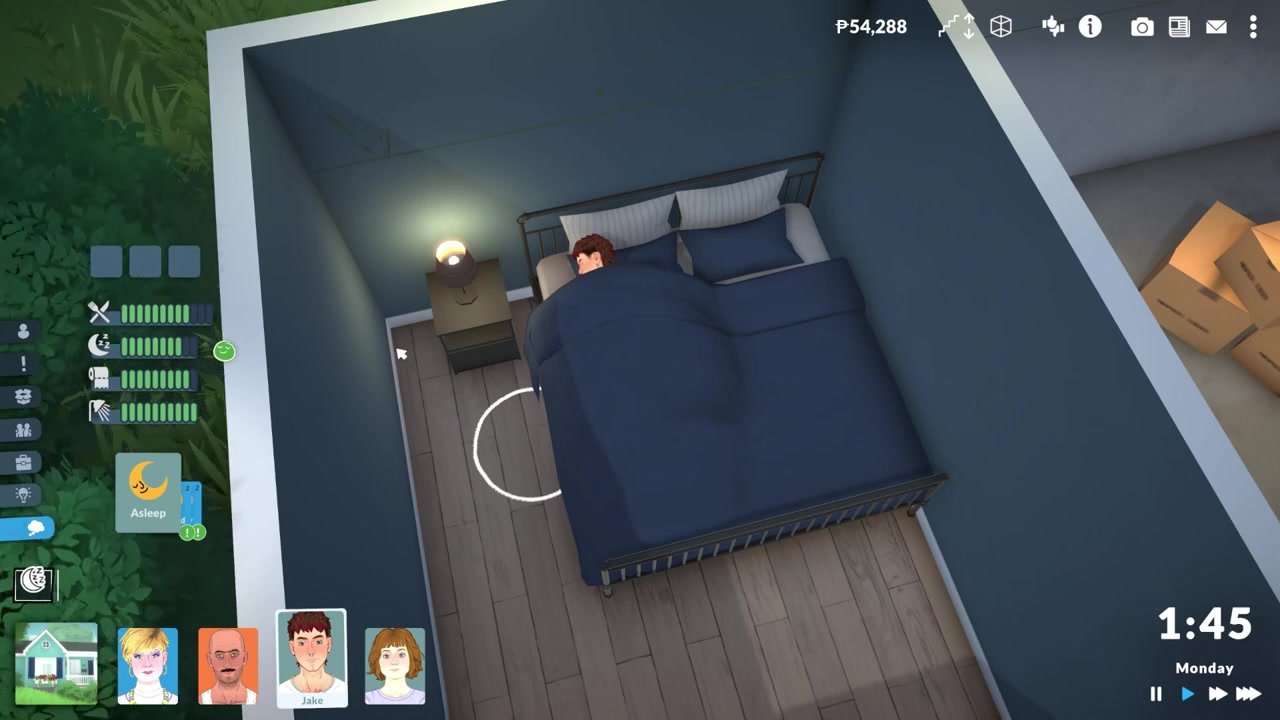
Press M to zoom out to the map view, where every lot in town appears.
STEP 2/7
Select the green household
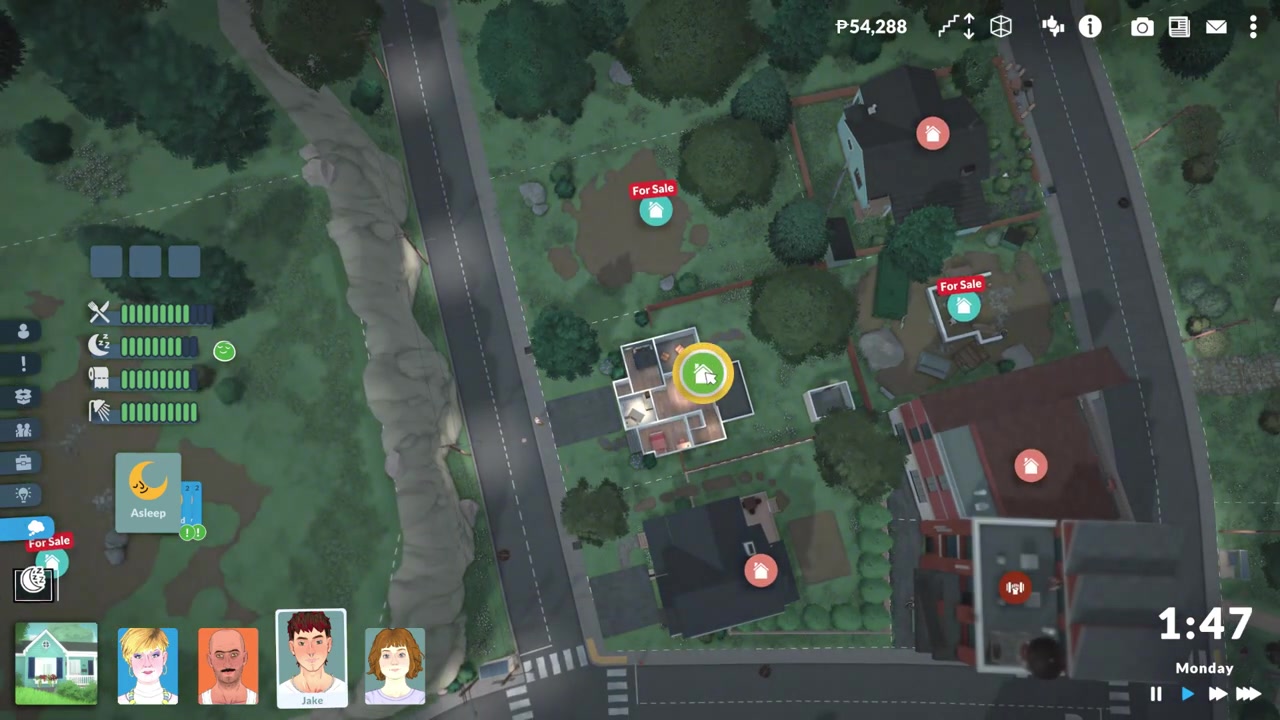
Click your active household’s lot — it shows up green — to open its lot menu.
STEP 3/7
Click the split household icon
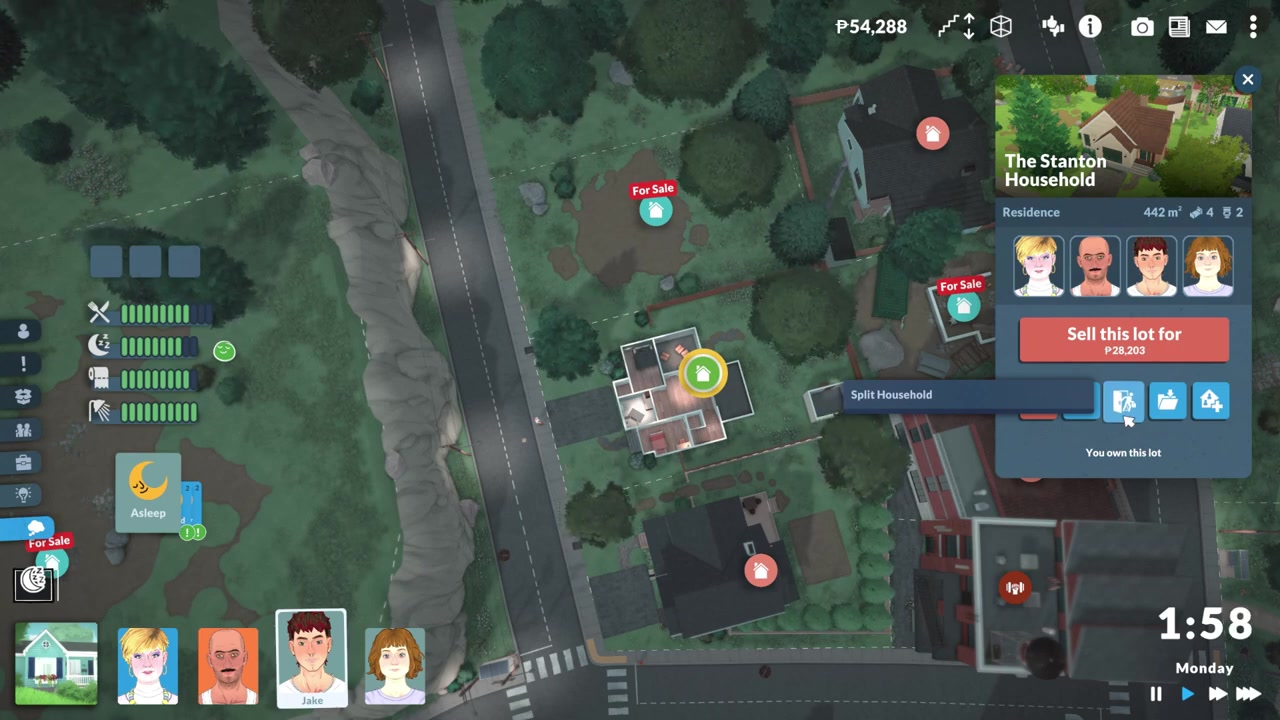
Choose the middle icon showing a person walking out of a door to begin the split.
STEP 4/7
Pick the Para moving out
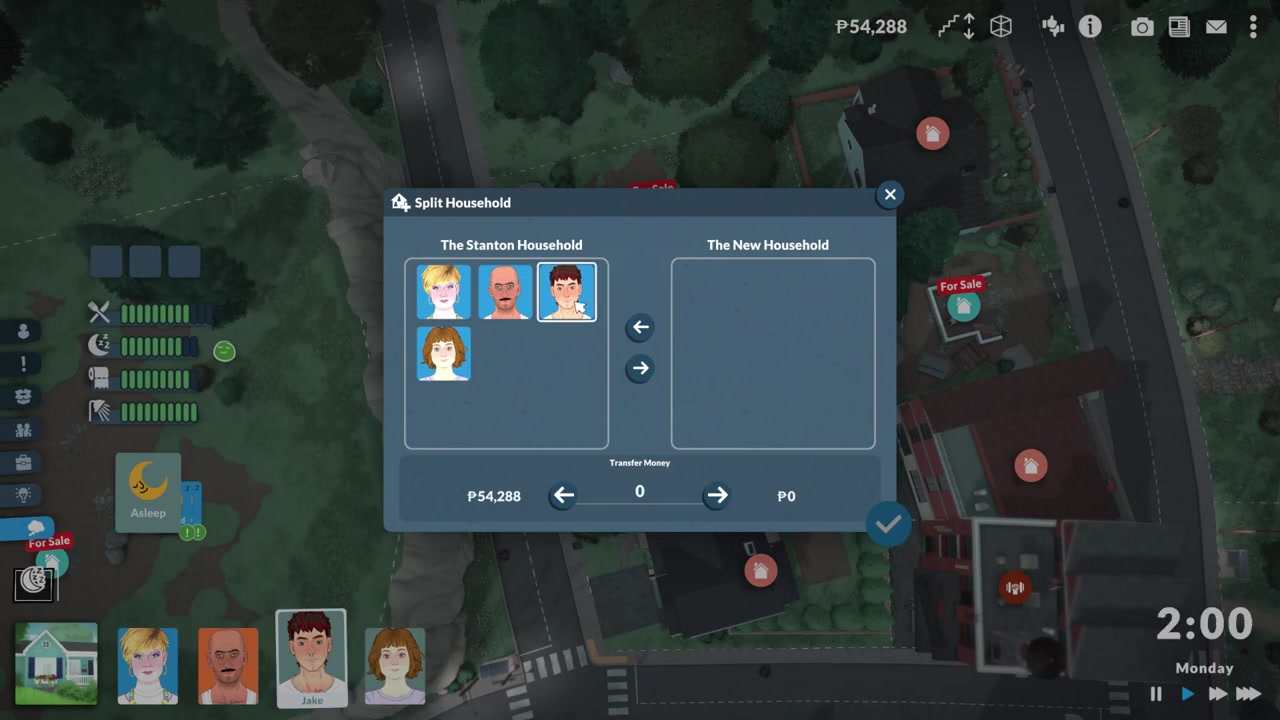
Select whichever Parafolk you want to leave the household.
STEP 5/7
Transfer Paradimes
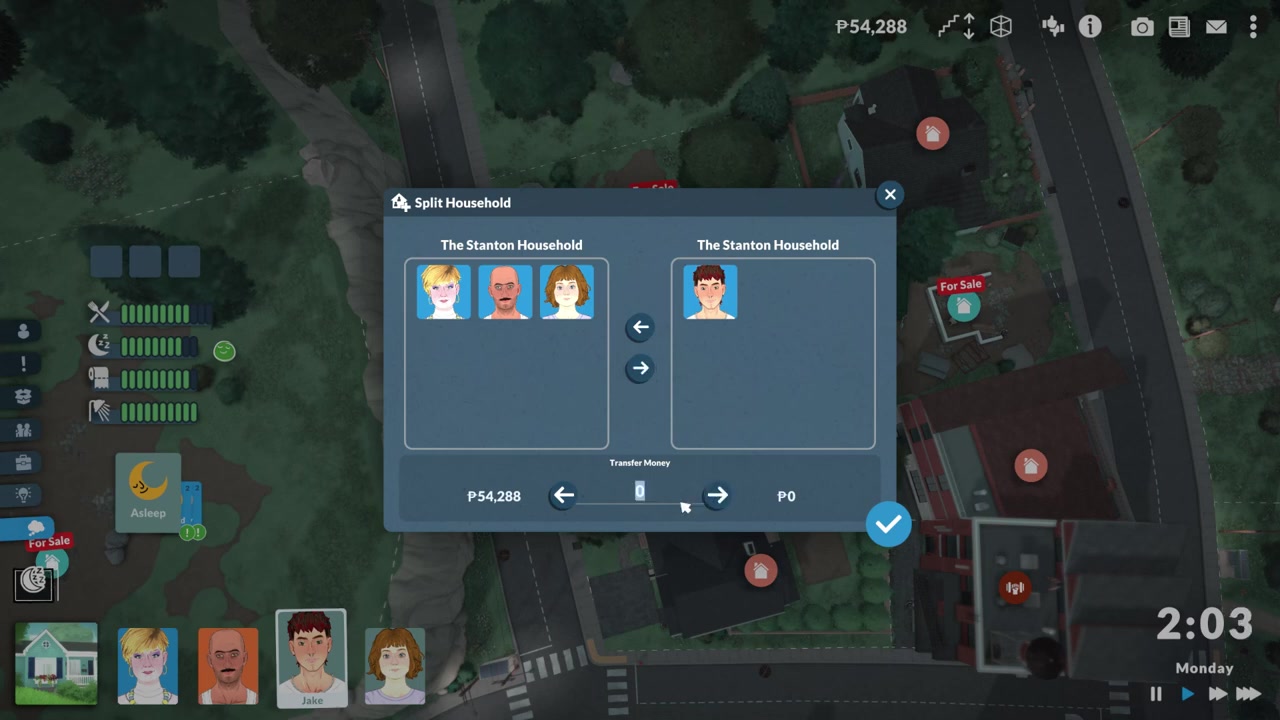
Give the departing Para as much of the household funds as you want, from a full cushion down to nothing.
STEP 6/7
Confirm the split
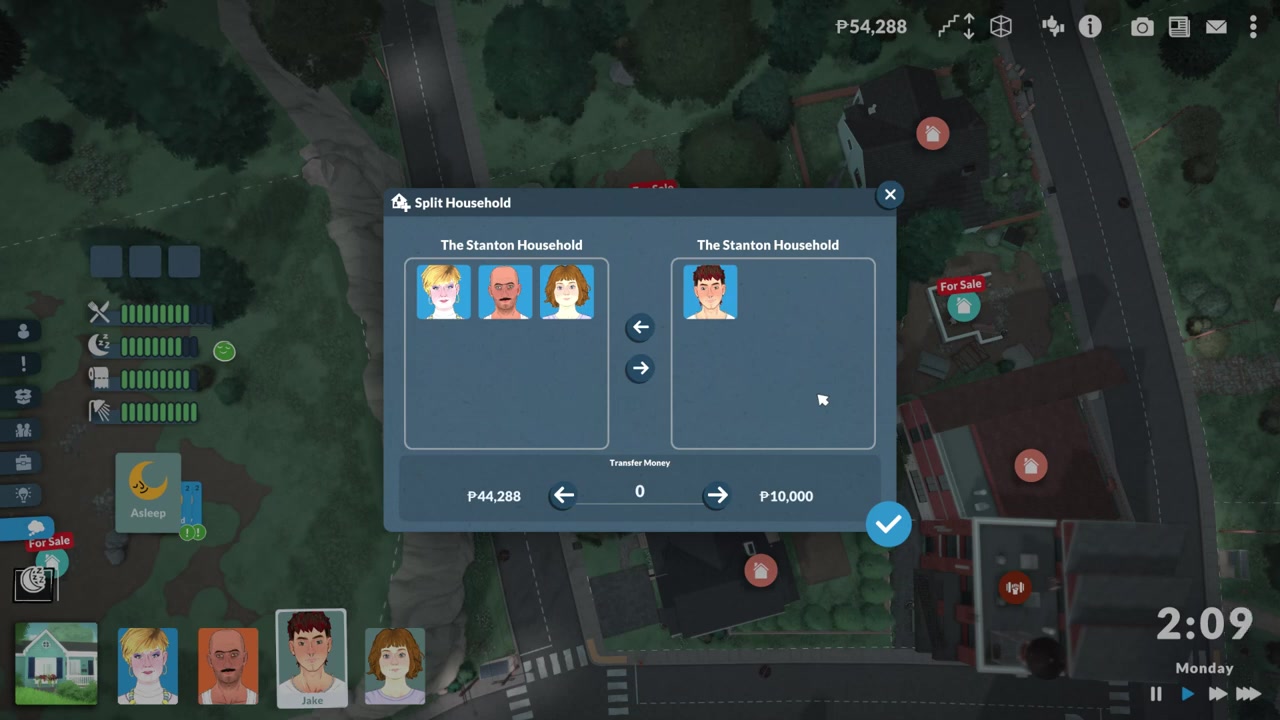
Hit the check mark and that Para becomes their own household.
STEP 7/7
Buy their new lot
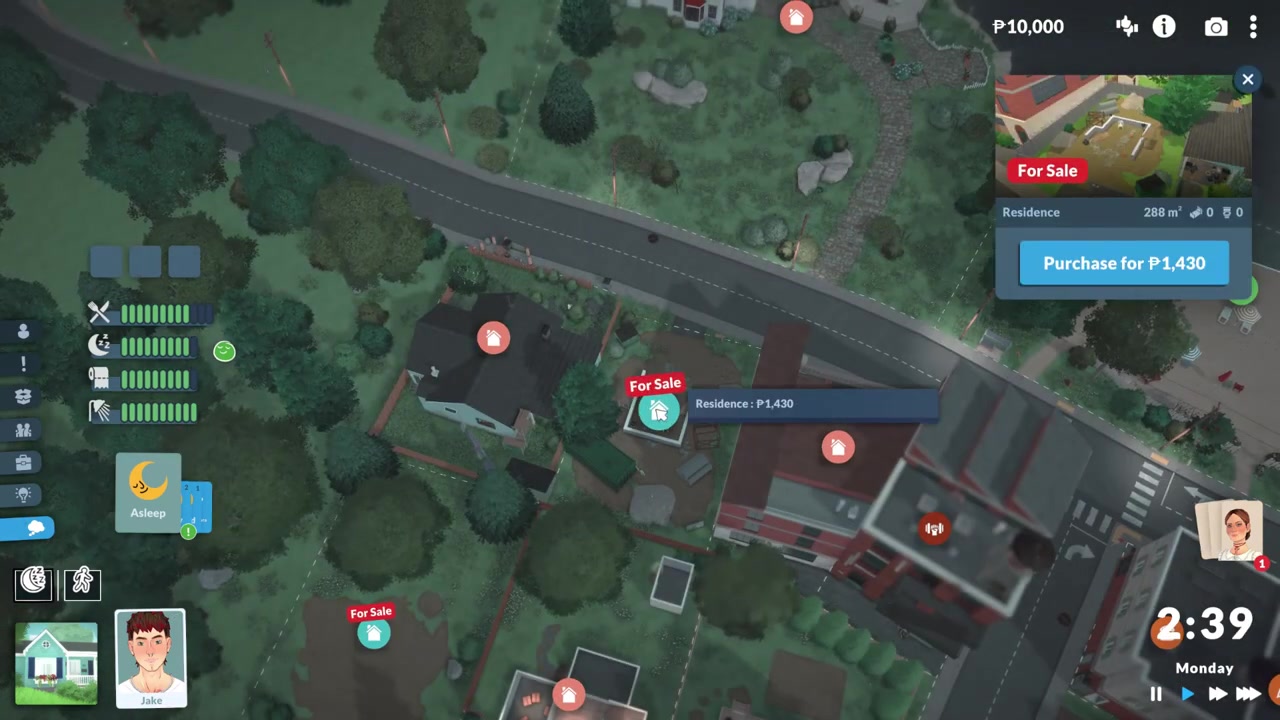
You now control the moved-out Para, so pick a lot and purchase it as their new home.
Video help
Second lots and Paradime transfers
KEY!Two things decide whether a split actually sticks: a place for the new household to live, and enough money to survive there. The moment you confirm, the departing Para becomes the household you’re controlling, and you then pick out a lot for them to buy — in the run shown above that lot ran 1,400 Paradimes. You can split first and shop for the lot afterward, the way the in-game flow walks you through it, but buying the destination lot before you split is the more reliable route, since it guarantees the new Para has somewhere to land instead of sitting homeless.
The money transfer is entirely your call. Move the Para out, then set any amount from the household funds — including zero — though a stingy send-off means bills and furniture come out of an empty wallet, so most players hand over a starter cushion. In the example above the family sent off 10,000 Paradimes, which even then is a lean start. There’s one firm rule on who can leave: the new household needs at least one Teen or older Para, so a child can’t be moved out on their own. One note on the currency itself — it’s Paradimes, occasionally written as Paradays elsewhere, but Paradimes is the in-game spelling.
Buy the new lot before you split so the departing Para has a home waiting the moment they move out, instead of ending up with nowhere to live.
Common split-household mistakes and fixes
| Problem | Fix |
|---|---|
| New Para has no home after splitting | Buy a livable second lot so they have somewhere to move into. |
| Too few Paradimes sent along | Transfer enough to cover early bills and furnishing the new place. |
| Trying to move out only a child | Include at least one Teen or older Para in the group that leaves. |
| Selling the lot instead of splitting | Use Split Household — selling keeps furniture with the property and won’t separate the family. |
| Assuming two houses means two households | You play one household until you split; only then can you switch between the two. |
Most split-household trouble traces back to a handful of habits, and every one of them is easy to head off. The biggest is treating the split as finished at the check mark — it isn’t done until the new Para actually owns a lot. Money slip-ups and mixing up the Split Household option with selling or moving a lot cause the rest.
Managing households after the split
Once both households exist, you’ll want the rest of the household toolkit close by. From town view you can pick either home and choose to play as that household, hopping between the family you split and the one that stayed. You can also own more than one lot at a time, which is handy for keeping tabs on grown-up relatives without fully cutting them loose.
Beyond that, moving houses lets you relocate either household to a better lot down the line, and the in-game library plus workshop sharing let you save a household or hand it off entirely. Those are separate jobs from the split itself, but they’re the natural next steps once your family has branched into two.
Frequently Asked Questions
Can you split off more than one Para at once?
Yes. In the split menu you can move several Paras out together to form the new household, not just a single one — as long as the group includes at least one Teen or older Para.
Can children move out by themselves?
No. A new household needs at least one Teen or older Para, so a child can’t be split off alone. Pair them with an older Para if you want them to leave.
Do you have to buy a second lot before splitting?
The game lets you split first and then go buy the new lot, and that’s the order the flow naturally walks you through. That said, purchasing the second lot before you split is the more reliable approach — it means the new Para has a home ready the instant they move out.
Can you transfer zero Paradimes?
Yes, you can set the transfer to zero and send the Para off with nothing. It’s rarely a good idea, though, since they’ll still owe bills and need furniture, so a small starting sum saves a rough rags-to-riches stretch.
How do you switch back to the original household?
Head to town view, select the original family’s home lot, and choose to play as that household. Since the two are now separate, you can jump back and forth between them whenever you like.






Leave a Reply