In a short span, OnePlus has emerged as one of the leading smartphone manufacturers in the world. The Chinese OEM makes exceptionally capable smartphones, blessing its devices with arguably the most bleeding-edge tech on the market. But adjudging OnePlus’ greatness only through its industry-leading internals would be nothing short of blasphemous.
The company takes great pride in its open and exceptionally helpful OnePlus community, which more often than not has a solution for all your hardware/software needs. The “issue” we’re dealing with today is cosmetic in nature but can feel quite frustrating to many users.
OnePlus 7 Pro users have been reporting the presence of an annoying black bar at the end of their keyboard. Not only does the keyboard eat a sizable chunk of screen real estate, but it also makes fast-typing a tad more difficult due to the realignment of keys.
Thankfully, a user over at XDA Developers has found a “solution” to this problem, fixing the issue by typing a simple command in ADB:
wm overscan 0,0,0,-100
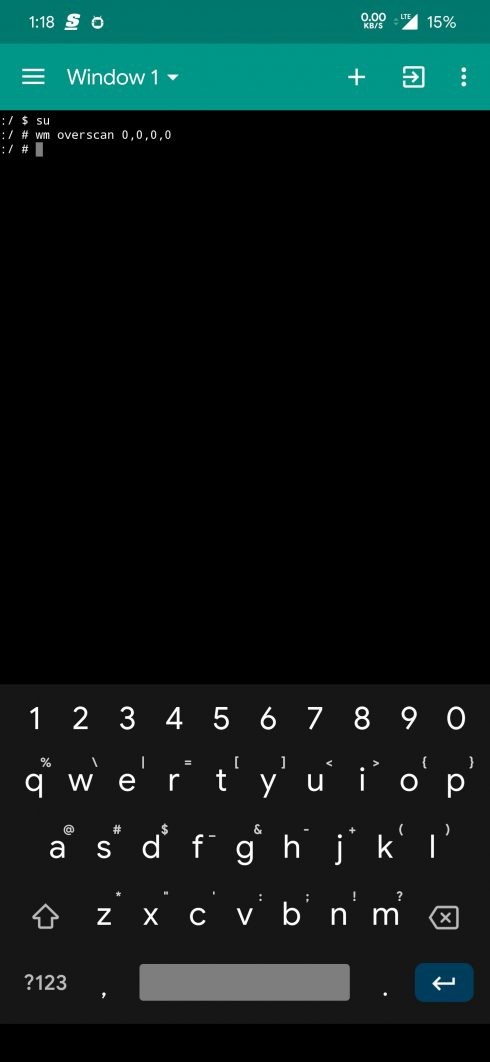
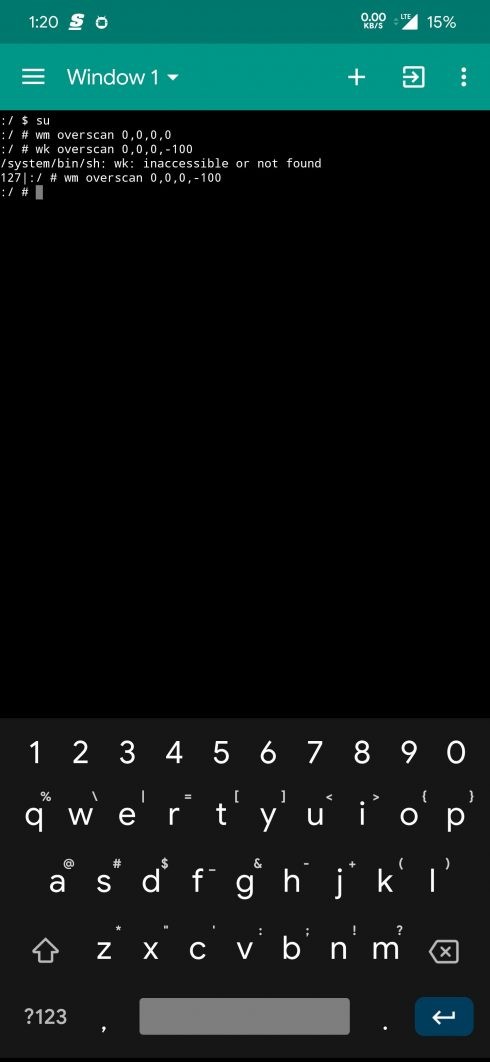
The trick works for both rooted and non-rooted OnePlus 7 Pro users, but there’s a downside to this neat trick. As you are effectively decreasing the pill height, Toast messages, which appear at the bottom of the screen, also gets cut off. The messages are still readable but aren’t in their usual glory.
How to remove the empty space below the keyboard
If you are new to ADB, then here’s a step-by-step process to do this:
wm overscan 0,0,0,-100
That’s all. BTW, you can change the value of -100 to something like -75 or -50, as it suits you.
When done, remove the cable from your phone and check out if the problem is gone now.
How to revert back the changes?
Well, simply run this command to go back to normal:
wm overscan 0,0,0,0
Let us know if you need any help regarding this.