

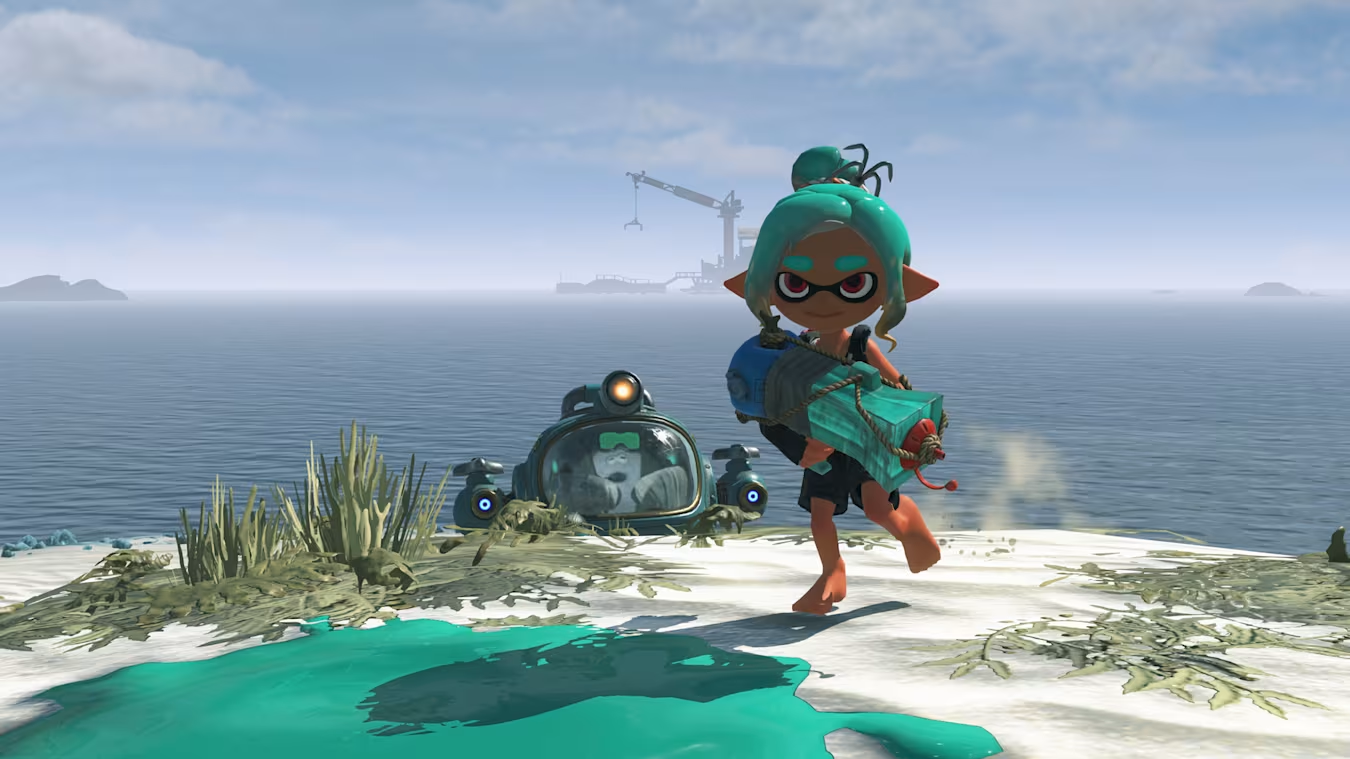
If you want to explore the Spirhalite Islands with other players, Splatoon Raiders lets you form online co-op teams after you complete the game’s opening progression. The multiplayer system is straightforward once it’s unlocked, allowing you to host private sessions with friends or invite others using a shared keyword.
| Quick Overview | Details |
|---|---|
| Multiplayer Type | Online Co-op |
| Unlock Requirement | Open the third treasure chest and unlock the corresponding islands |
| Player Limit | Up to the game’s supported online party size |
| Hub Location | Radio/communication machine at the dock |
| Private Rooms | Yes, with optional passcode |
| Keyword Matchmaking | Yes |
| Start Requirement | Host confirms once all players join |
Requirements to unlock co-op in Splatoon Raiders
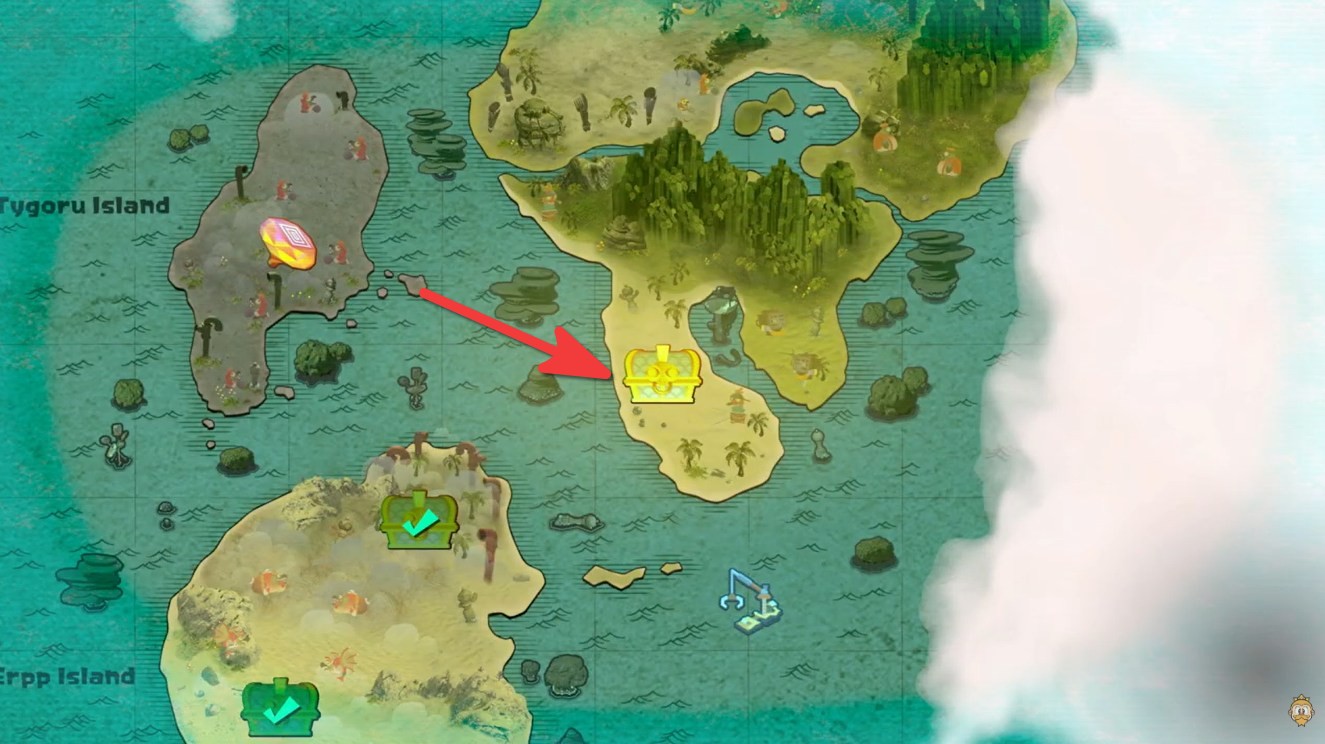
Online multiplayer isn’t available immediately after starting the game. You’ll first need to continue through the main story until you’ve opened the third treasure chest and unlocked the next set of islands. Once this milestone is reached, the game enables its online features.
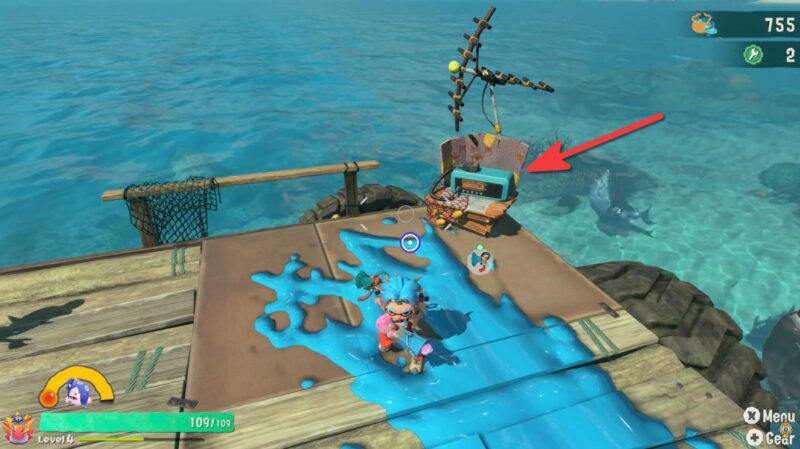
After returning to the hub, you’ll notice a radio (communication) machine located on the dock. This becomes the central location for all online multiplayer activities.
Location of Communication Radio in Splatoon Raiders
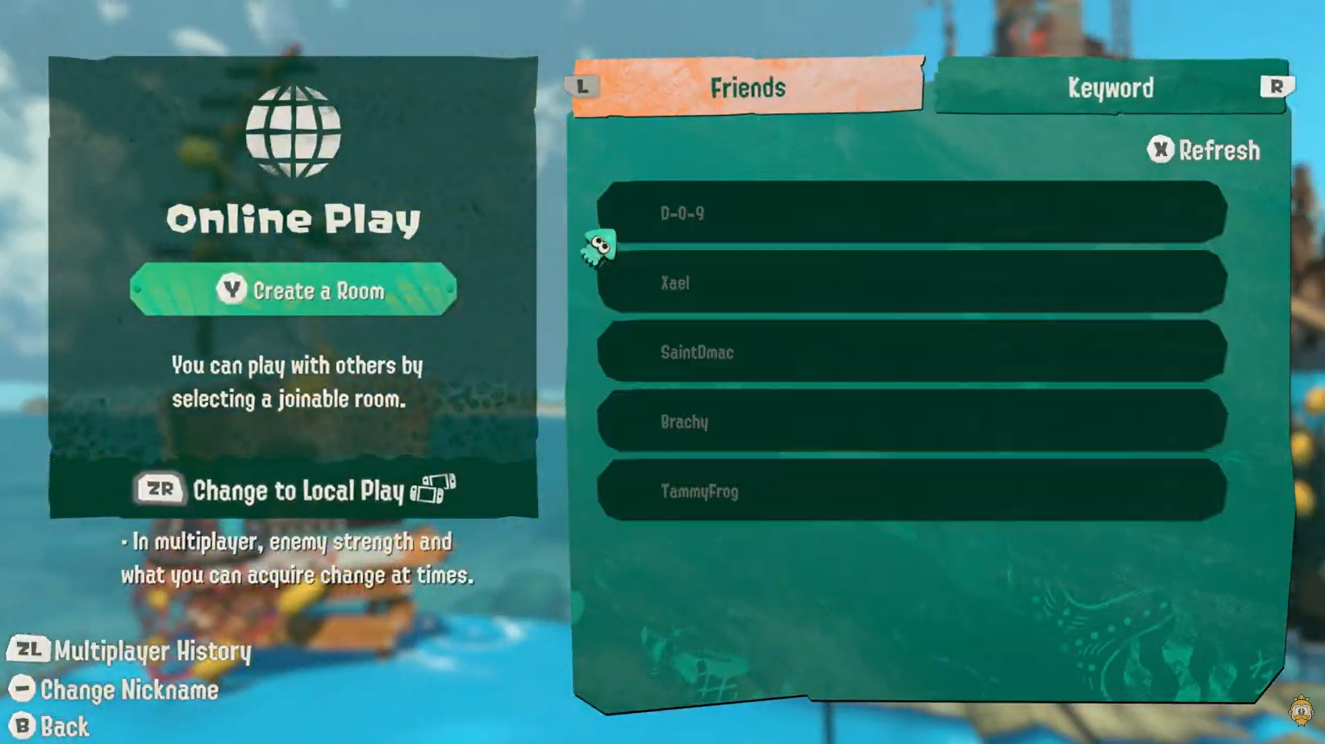
All online sessions are managed from the communication machine in the hub area. Interacting with it opens the multiplayer menu, where you can either host your own game or join someone else’s room.
This menu includes separate options for joining friends directly and using keywords for matchmaking.
How to play online with friends in Splatoon Raiders
Continue progressing through the main story until you’ve opened the third treasure chest. This unlocks the online multiplayer feature and activates the communication machine at the dock.
Head to the dock in the hub area and interact with the radio/communication machine to open the online multiplayer menu. Follow these steps to play co-op in Splatoon Raiders:
Step 1
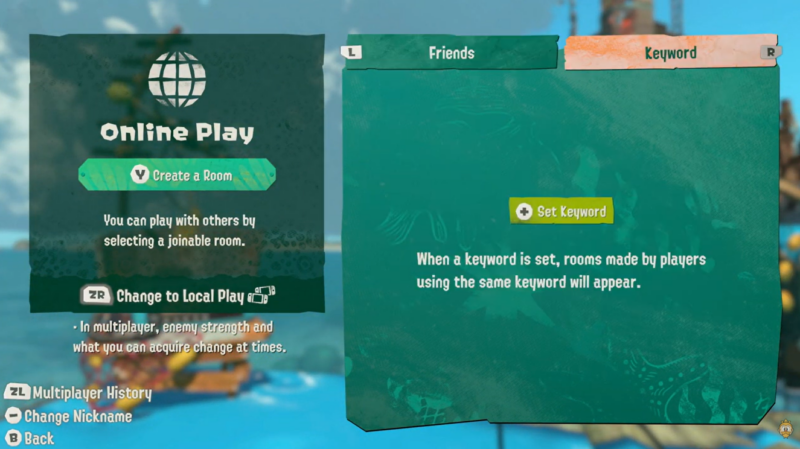
Select the Friends tab and choose Create a Room if you want to host your own co-op session.
Step 2
If you want to keep your room private, press Y to create a passcode. Only players who know the passcode will be able to join your room.
Step 3
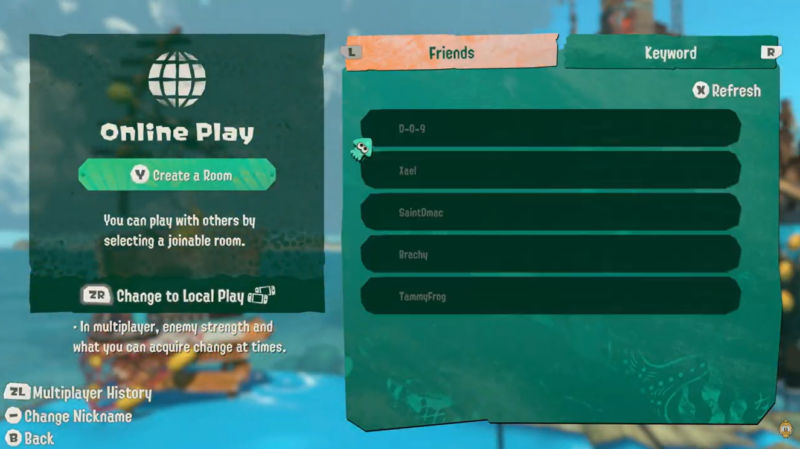
Invite your friends to join your lobby. Once everyone has entered the room, they’ll appear in your player list.
Step 4
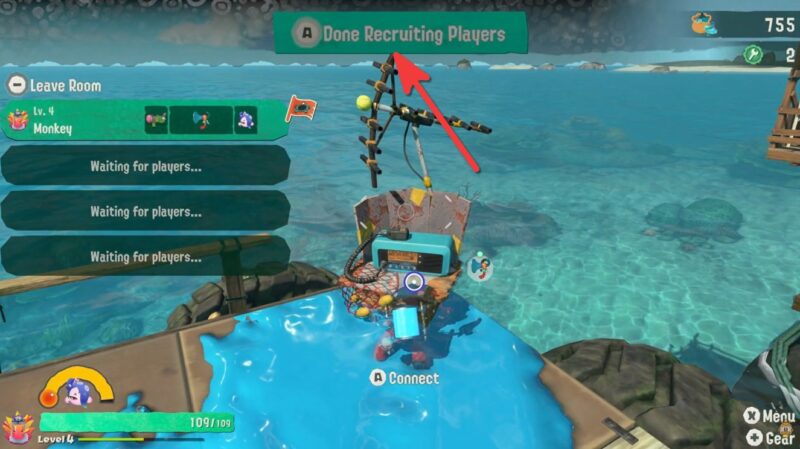
Press A and choose Done Recruiting Players to launch the expedition and begin playing together.
How to set keyword and how it works in Splatoon Raiders
If the people you want to play with aren’t on your friends list, Keyword matchmaking provides another way to connect.
Step 1
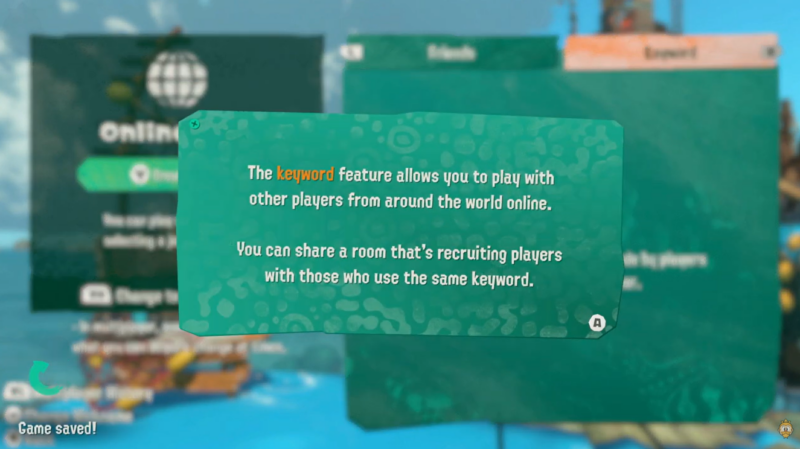
Open the multiplayer menu and switch to the Keyword tab.
Step 2
Select Set Keyword.
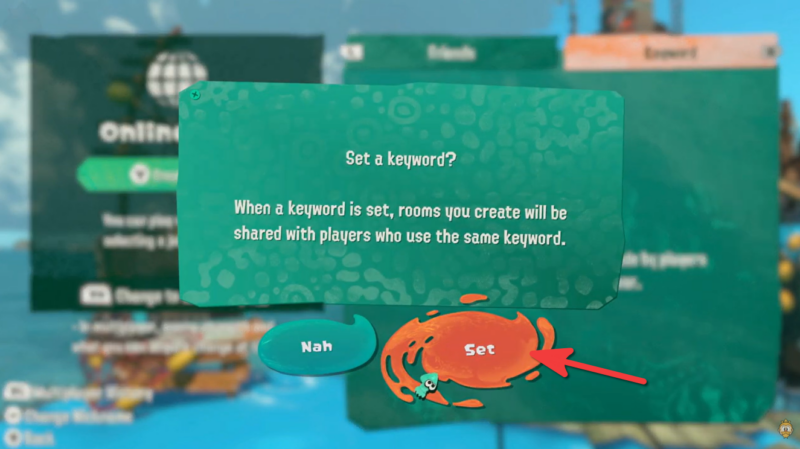
Step 3
Enter a unique keyword that everyone in your group agrees to use.
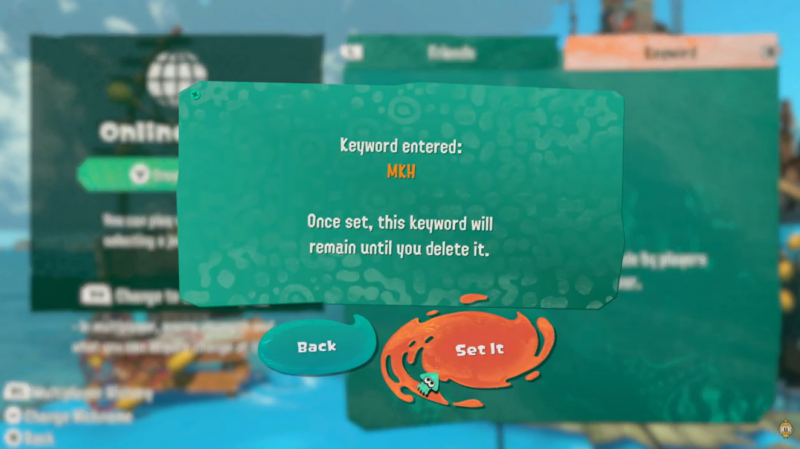
Step 4
Players who enter the exact same keyword can find your room and join without needing to be Nintendo Switch friends.
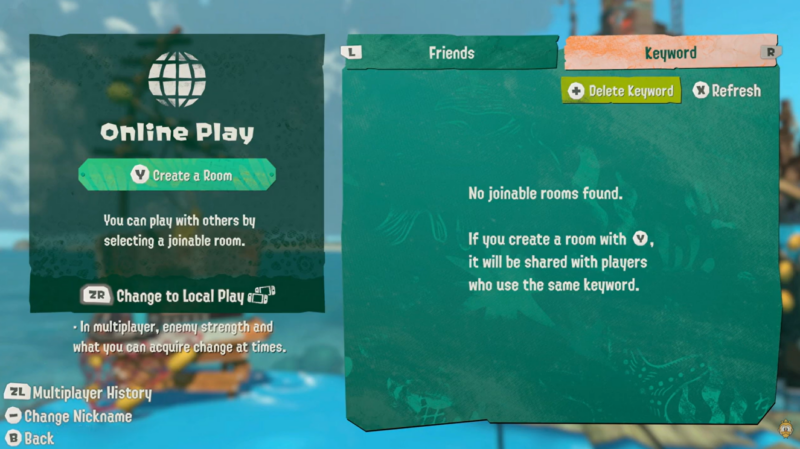
This method is especially useful for community events, Discord groups, or coordinating games with players you’ve recently met online.
Friends rooms vs keyword rooms
| Feature | Friends Room | Keyword Room |
|---|---|---|
| Requires Friends List | Yes | No |
| Optional Passcode | Yes | No (uses keyword instead) |
| Best For | Existing friends | Community groups and online players |
| Easy to Find | Through Friends tab | Through shared keyword |
Tips for smoother co-op sessions
Before starting a session, make sure everyone has progressed far enough to unlock online play. If you’re hosting a private game, use a passcode to prevent random players from entering. For larger community groups or players outside your friends list, choose a unique keyword to avoid matching with unintended rooms.
It’s also a good idea to wait until every player has fully loaded into the lobby before starting the expedition to ensure everyone joins successfully.
Splatoon Raiders keeps its online co-op system easy to use once you’ve unlocked it through the early story. Whether you’re creating a private room for friends or using keyword matchmaking to team up with other players, the entire setup takes only a few minutes. After everyone joins your lobby, the host simply confirms the party, and your co-op adventure can begin.






Leave a Reply