
To increase storage space, open the storage menu, use the upgrade button in the upper-left inventory panel, pay the crown cost, and confirm the upgrade; for raid loot, also use green storage boxes on Trampler shelves so extra items actually extract.
Storage pressure builds fast in SAND: Raiders of Sophie because every good expedition leaves you choosing what to keep, stack, sell, or abandon. The menu upgrade increases your stash capacity directly, while green storage boxes solve a different problem: getting more loot out of a raid without stuffing your character inventory.
When your stash reaches max capacity
Your stash can hit its maximum capacity as you bring back more expedition loot. When it is full, the game warns you in the storage menu and on the expedition screen, which is your signal to stop delaying the upgrade.
How to upgrade storage capacity in SAND: Raiders of Sophie
STEP 1/7
Open Storage
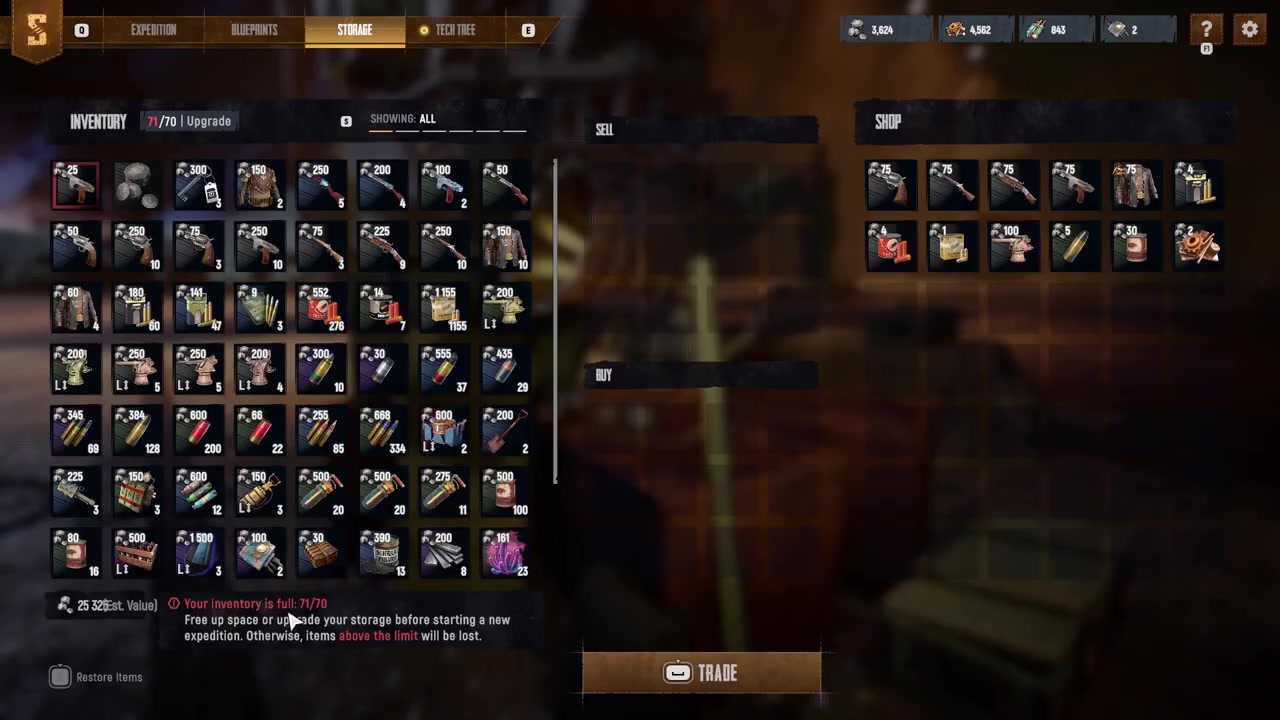
Open the Storage menu when you are ready to expand your stash.
STEP 2/7
Check your capacity
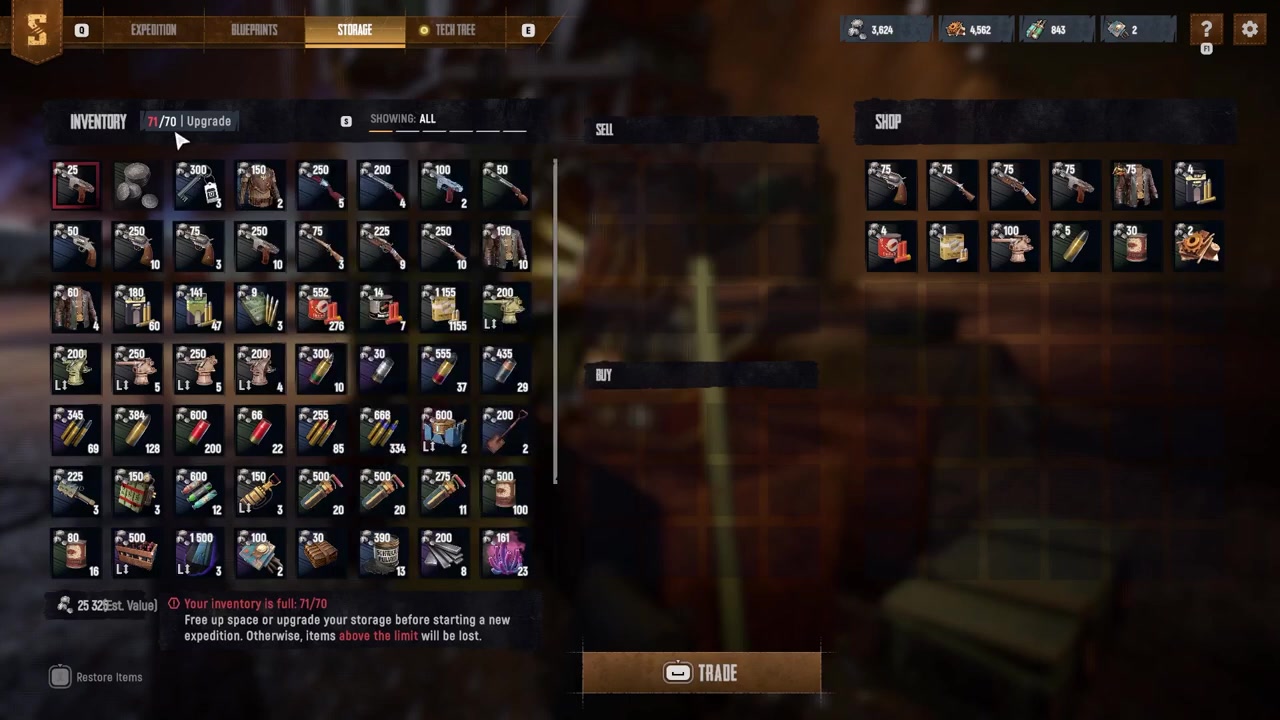
Loot at the upper-left inventory panel to see your current storage use and maximum capacity.
STEP 3/7
Choose Upgrade
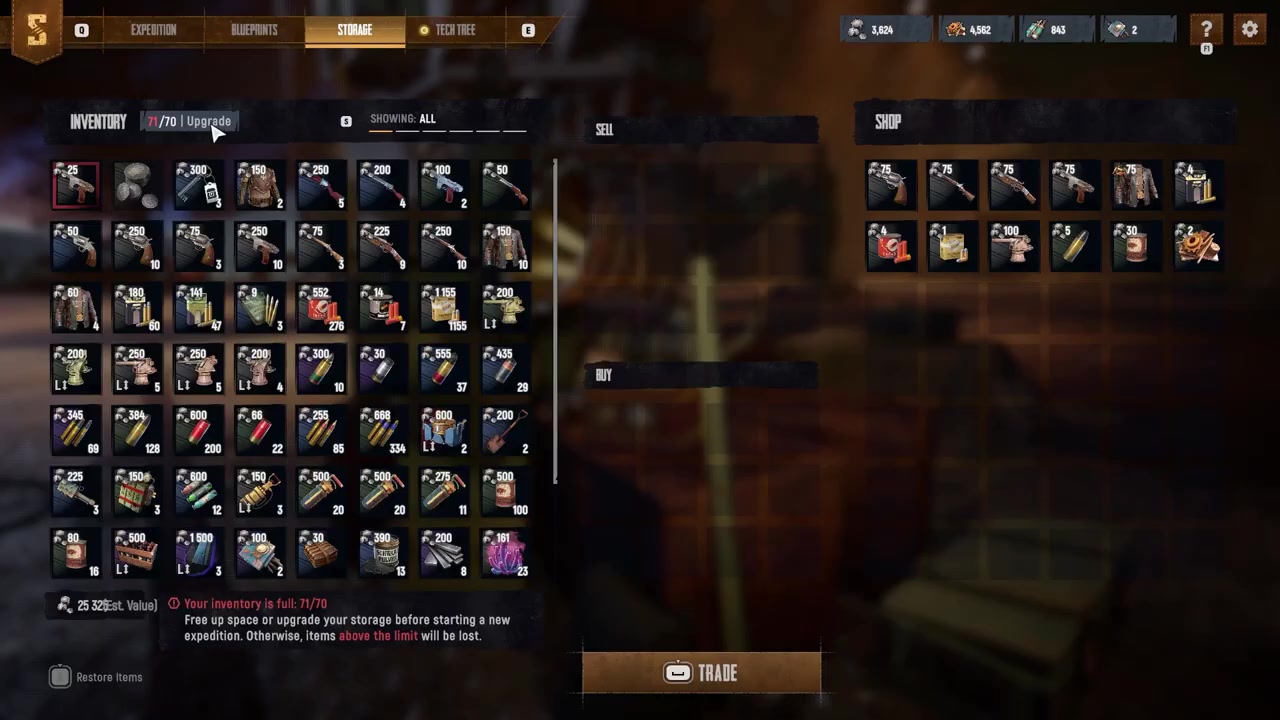
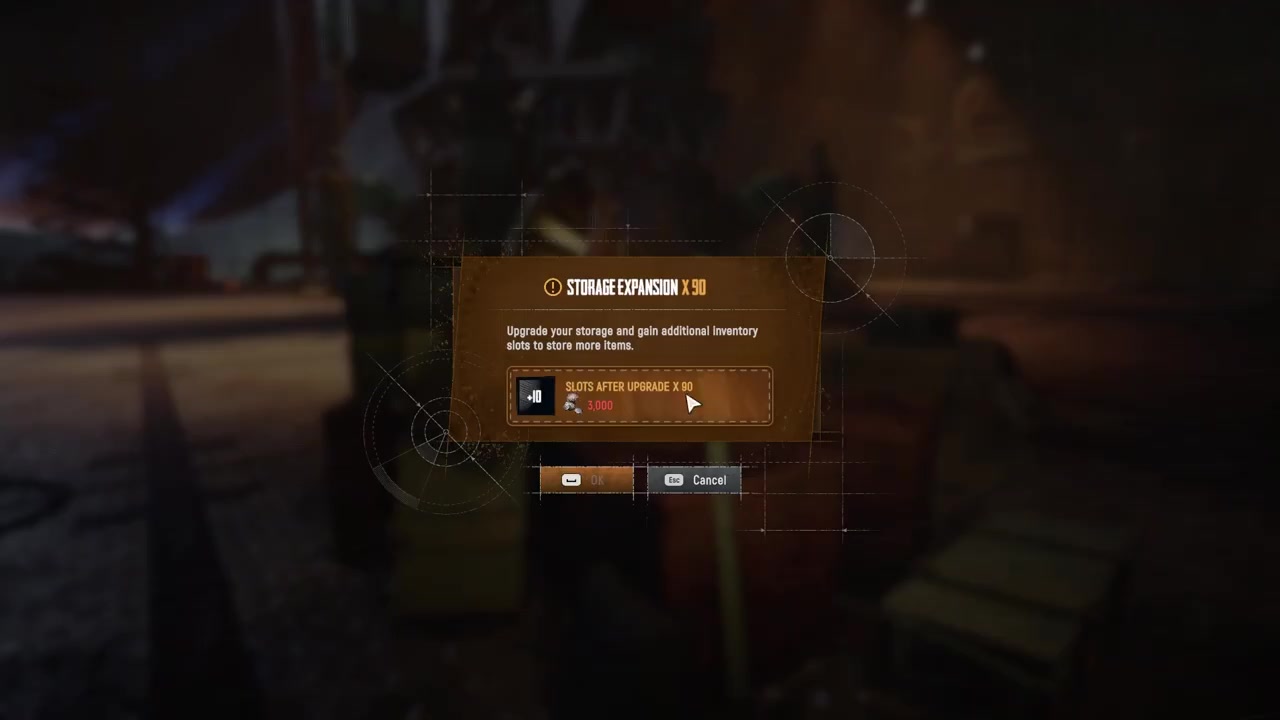
Click the Upgrade button in that same upper-left storage panel.
STEP 4/7
Review the crown cost
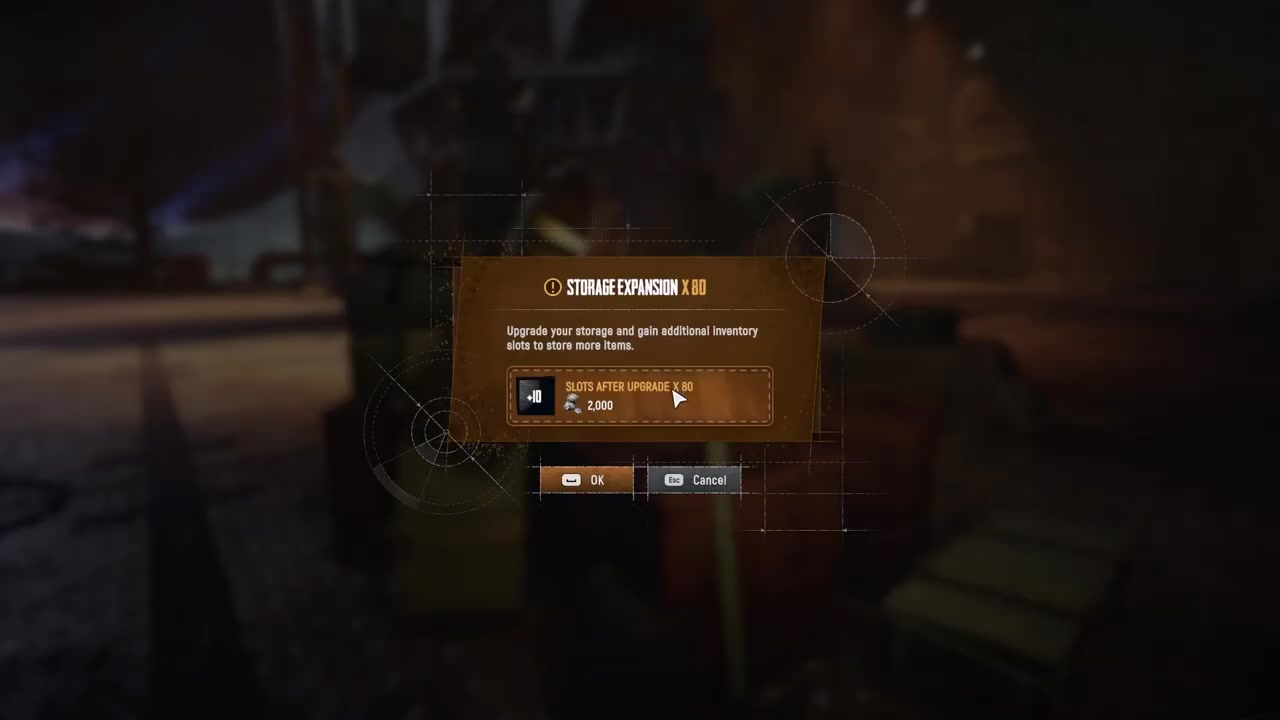
Check the confirmation window for the crowns cost and the added storage space.
STEP 5/7
Confirm the purchase
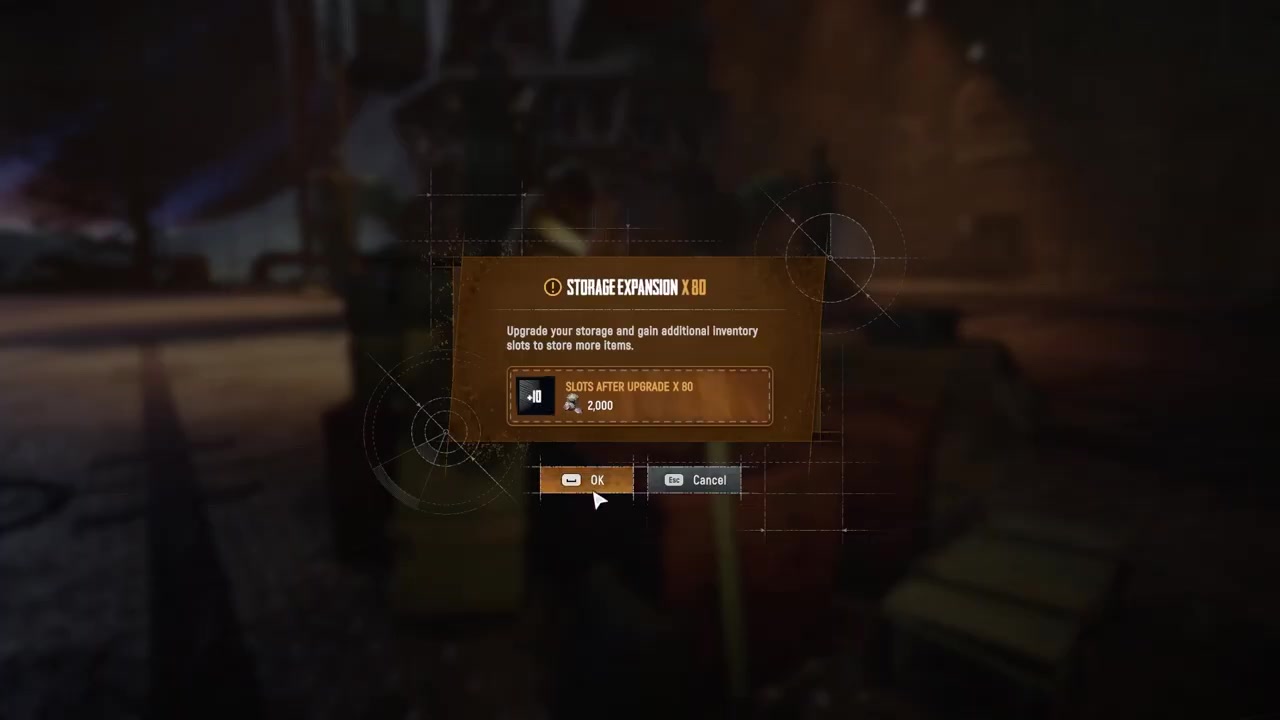
Click OK or press Space if you want to buy the upgrade.
STEP 6/7
Use the new capacity
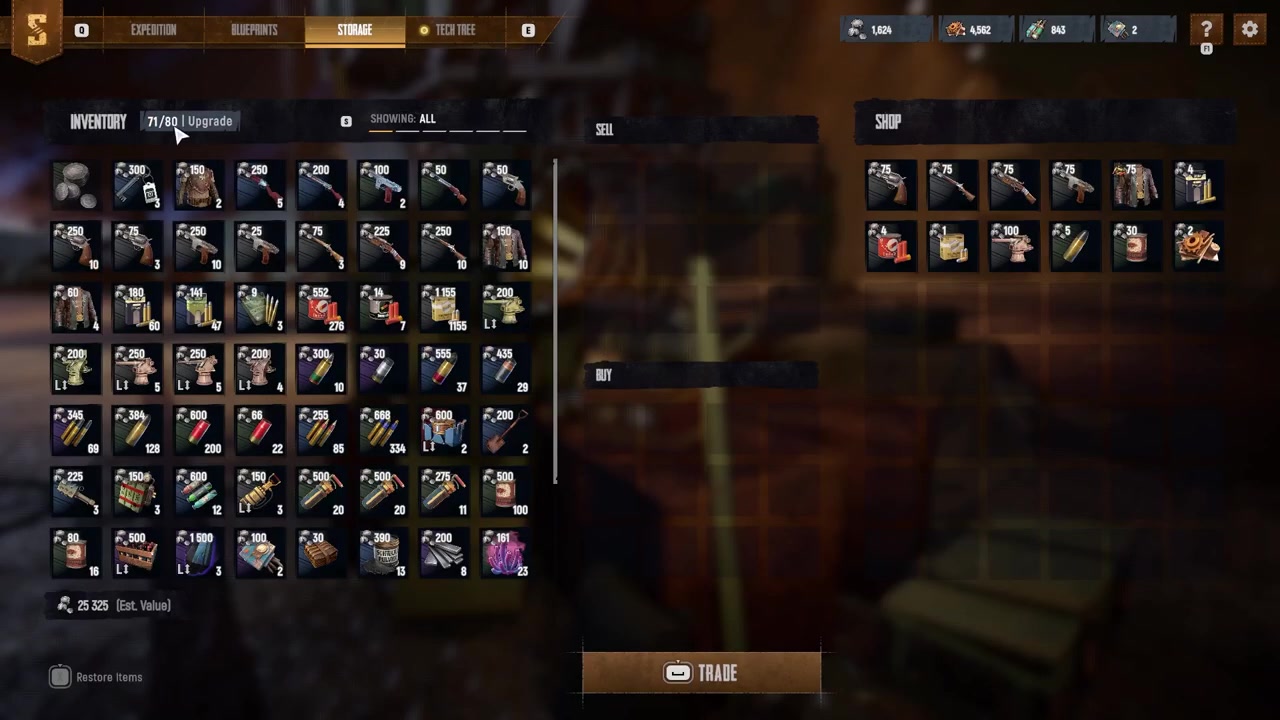
Your storage capacity increases immediately, giving future expedition loot more room.
STEP 7/7
Save crowns for later
Video help
How green storage boxes help during raids
Green storage boxes are raid storage, not the same thing as the menu-based stash upgrade. They help you carry more loot during a run because your character inventory is small, while boxes can hold more items and keep bulk loot together.
- Grab a green box before you start looting heavily; players report spare boxes can be found around the map and in storage areas on the Trampler.
- Fill the box while looting instead of moving everything into your character inventory.
- Bring filled boxes back to the Trampler before extraction, especially after clearing valuable containers or monuments.
- Place boxes on racks or shelves in the Trampler, including captain and crew areas where shelving is available.
- Consolidate duplicate stacks between boxes so scattered partial stacks do not waste usable space.
Put every full green box on a Trampler shelf or rack before extracting, because loose boxes are the easiest way to lose loot you already carried home.
How to avoid losing loot on extraction
| Storage action | What it does | Important warning |
|---|---|---|
| Storage menu upgrade | Raises stash capacity after paying crowns. | Exact costs can change by upgrade and are not safely listed as fixed values. |
| Green storage boxes | Let you carry more raid loot than your character inventory alone. | They improve raid hauling, not necessarily your permanent stash limit. |
| Trampler shelves or racks | Mark filled boxes as stored for extraction. | Boxes left loose on the floor may not extract and can be lost. |
| Stack consolidation | Combines duplicate item stacks to free wasted slots. | Partial stacks spread across boxes make your storage look full sooner. |
The storage upgrade gives your stash more room, but extraction still depends on how you pack the Trampler. Loose boxes, scattered stacks, and a full character inventory can all make a good run feel smaller than it should.
Before leaving a dangerous area, take a short moment to sort the haul. Move duplicate items into the same boxes, clear your character inventory where possible, and make sure the boxes you care about are actually sitting on valid shelves or racks.
What is still unconfirmed about storage expansion
The clearest confirmed upgrade path is the Storage menu upgrade that costs crowns and increases capacity immediately. Some early player reports also mention Trampler storage compartments or personal storage increases of about 10 slots at a time, but exact labels, prices, and slot gains are not consistently verified.
Frequently Asked Questions
Can you increase storage with crowns?
Yes. The storage menu has an Upgrade option that shows a crowns cost and the extra capacity you will receive. Confirm it increases capacity immediately.
Where is the storage upgrade button?
Open Storage and look at the upper-left corner of the inventory panel, near your current and maximum storage capacity readout.
Do green boxes increase storage capacity or just carrying capacity?
Green boxes mainly increase your raid carrying capacity. They let you haul more loot back to the Trampler, but they are separate from the menu upgrade that raises stash capacity.
Do boxes on the Trampler floor extract?
Do not rely on floor placement. Filled boxes should be placed on shelves or racks; loose boxes on the Trampler floor may fail to extract and the loot can be lost.
Do storage upgrades carry across regions or characters?
That is not fully confirmed. Early evidence suggests inventory and progression can be per character per region, so assume upgrades may not be universal unless your in-game menus prove otherwise.



Leave a Reply