

QUICK ANSWER
To set up auto-sell in Anime Dice, choose Edit auto sell settings! at Sell Units, enter your rarity denominator, and press the red X to save.
To set up auto-sell in Anime Dice, choose Edit auto sell settings! at Sell Units, enter your rarity denominator, and press the red X to save.
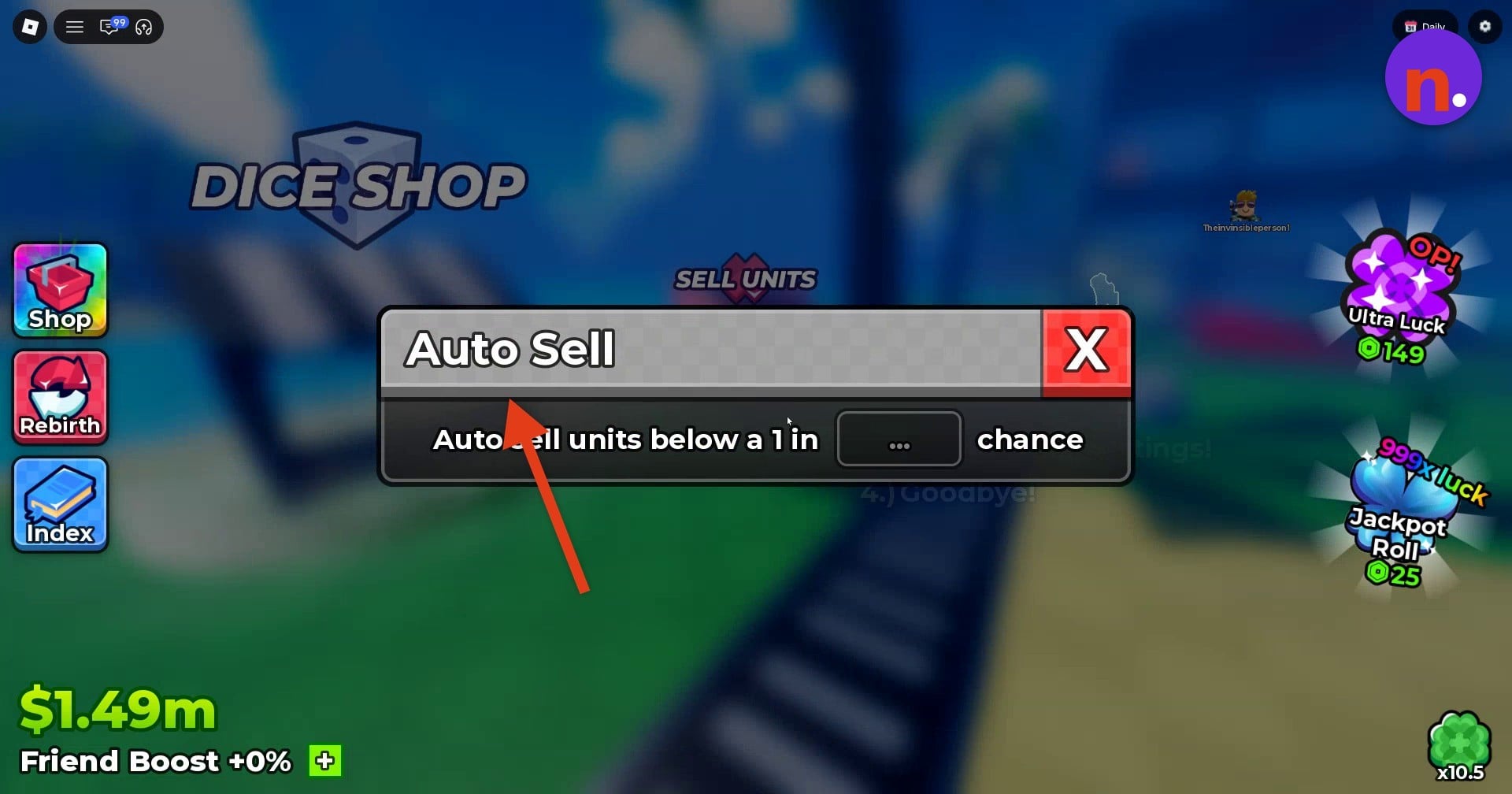
Auto-sell is configured through the Sell Units booth. Its cutoff uses a rarity expressed as a 1-in chance. This guide covers choosing that value, saving it, and checking that it stays saved.
locationShop areanearby landmarkDICE SHOPsettings windowAuto Sell
How to set up auto-sell in Anime Dice
STEP 1
Find the Sell Units booth
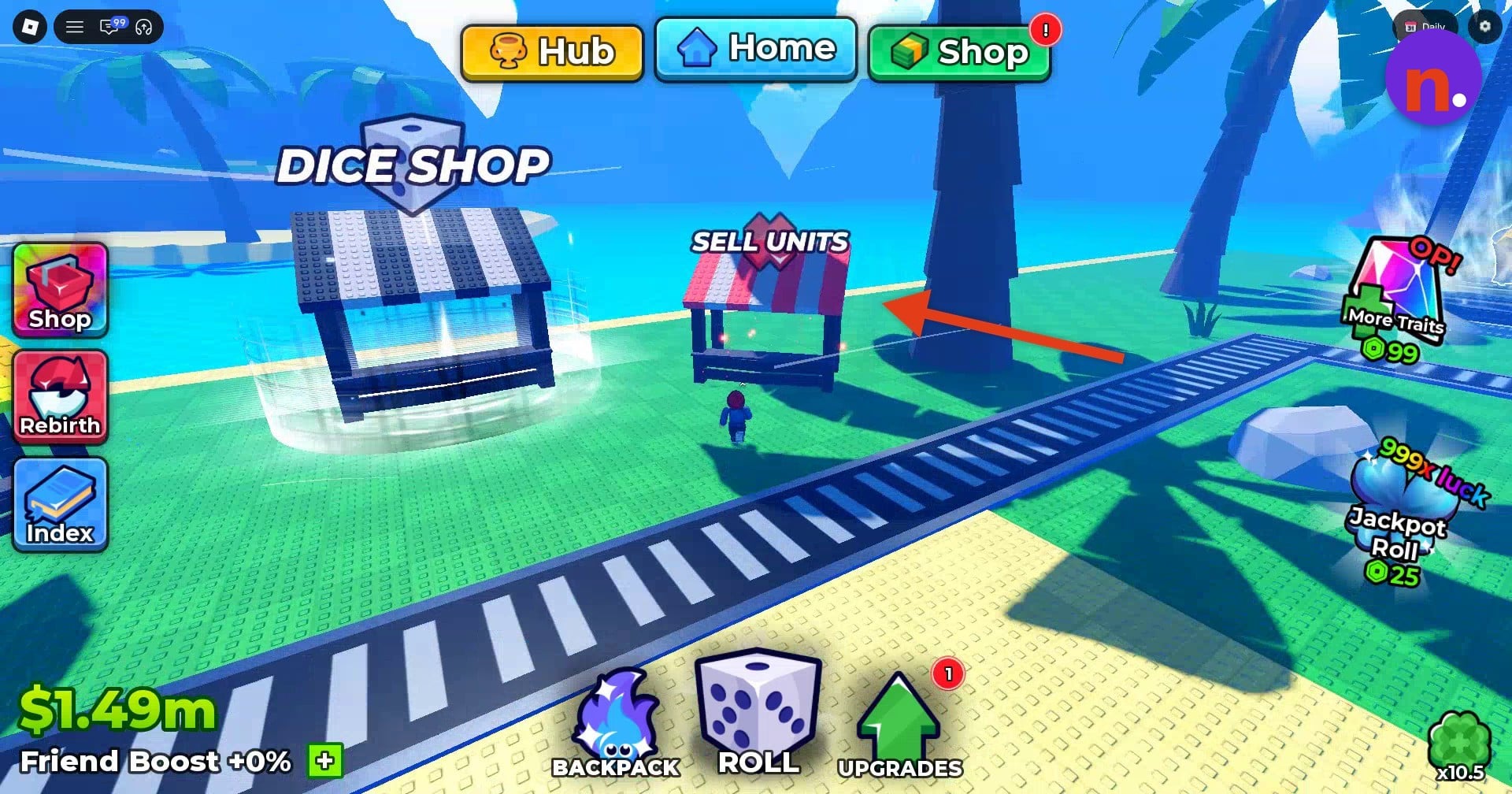
Walk up to the red-and-white striped booth marked SELL UNITS and interact with it.
STEP 2
Open the settings
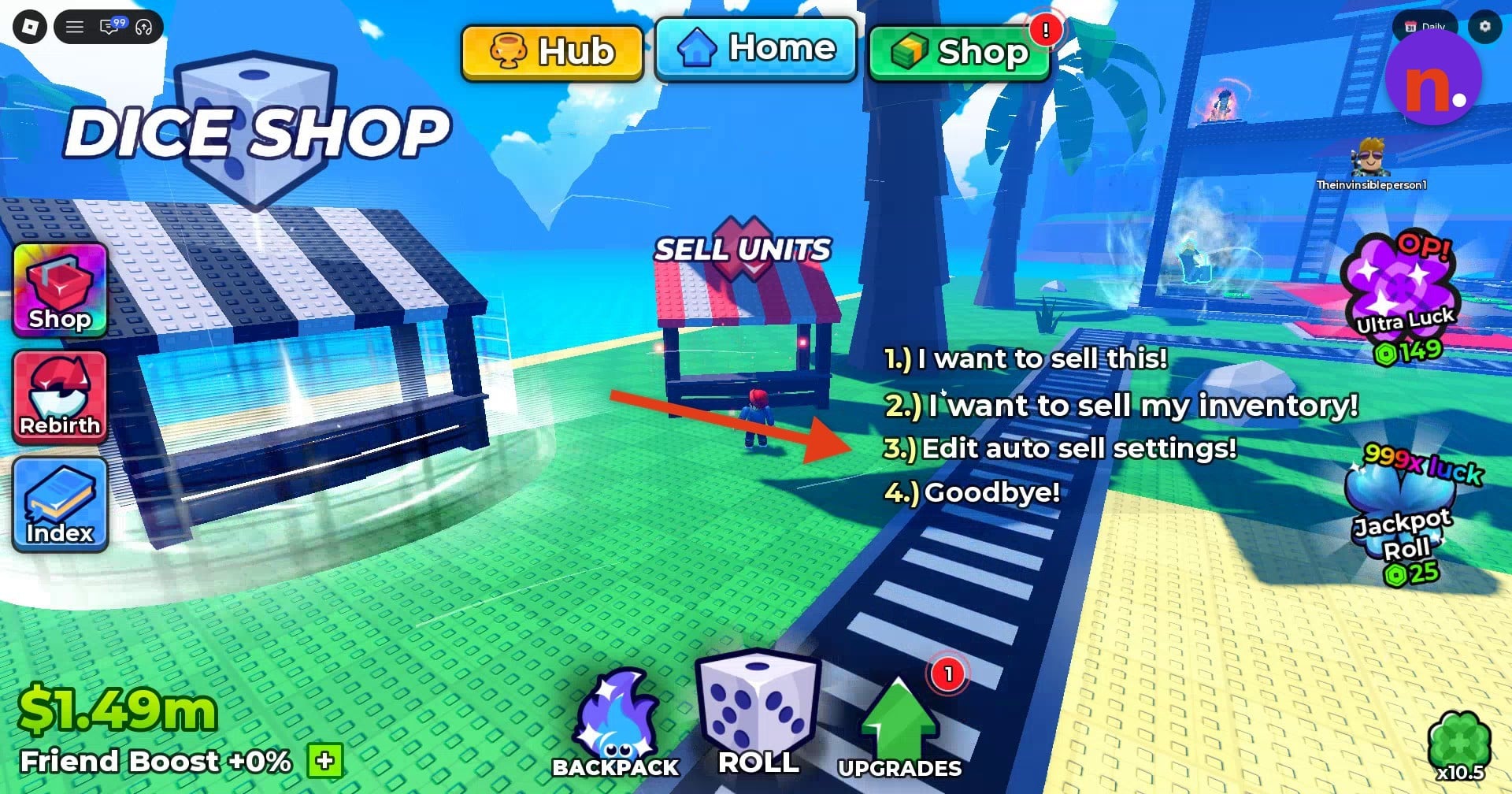
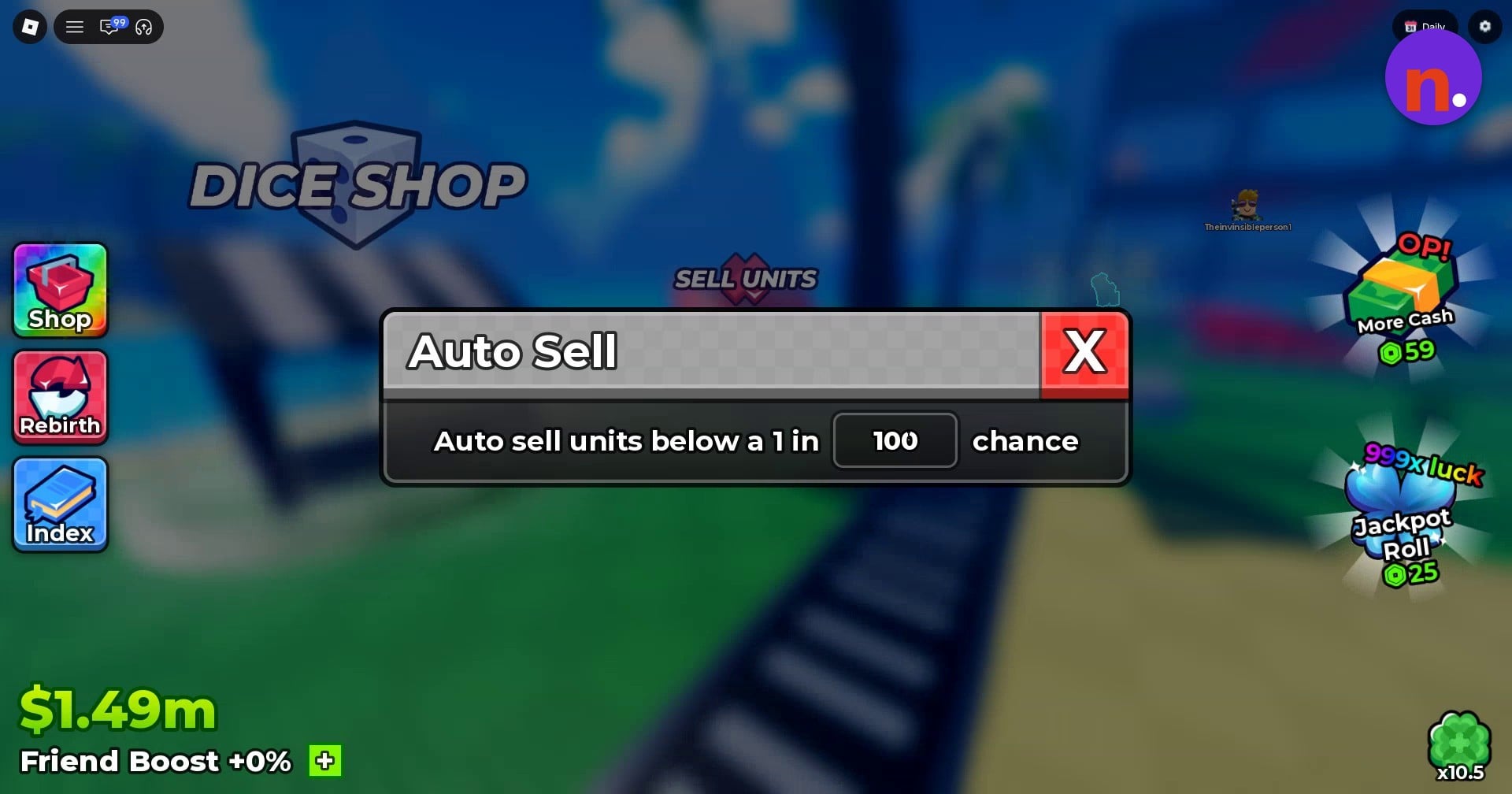
Select 3.) Edit auto sell settings! to bring up the Auto Sell window.
STEP 3
Enter your rarity cutoff
Click the numeric field between “Auto sell units below a 1 in” and “chance” and type your desired rarity denominator.
STEP 4
Save and check the setting
Press the red X to save the threshold and close the window. Interact with the booth again and reopen the settings; your entered value should still be there. That saved value is your completion cue.
Don’t miss thisBelow thresholdUnits whose chance is lower than your threshold sell automaticallyEnter the threshold as the denominator of a 1-in chance.
QUICK WIN
For a 1 in 100 cutoff, enter 100 in the field.
Related Anime Dice guides




Leave a Reply