
Increase Koo’s rapport by using his downtime interactions regularly: talk or listen to him, pet or stroke him, feed him or give treats when available, and shower or clean him in the Cleanse Walker after the early unlock point.
Koo rapport is a companion bond track, not just a reward for bringing him into fights. Build it into your downtime rhythm: check on Koo, use the available interaction options, then head back out with his setup moving forward.
Koo rapport actions
| Action | Where to do it |
|---|---|
| Talk or listen to Koo | Camp or downtime prompts |
| Pet or stroke Koo | Cleanse Walker interaction menu |
| Feed Koo | When Koo-focused feeding is available |
| Give Koo treats | Downtime when treats are stocked |
| Shower or clean Koo | Cleanse Walker shower or cleaning interaction |
KEY!Run through these whenever the game gives you a camp or Cleanse Walker pause. The game does not show exact point values for each interaction or the exact thresholds for each extra slot, so the reliable method is steady repetition between outings.
When Koo petting opens
You cannot pet Koo right from the opening minutes. The option becomes available after you win the first Rangifer encounter and finish the short flashback that follows.
After that, go inside the Cleanse Walker and stand in front of Koo until the Talk prompt appears. Open Koo’s interaction menu and choose Stroke to trigger the petting scene.
How to Increase Koo Rapport in Beast of Reincarnation
Return to camp or the Cleanse Walker

Check Koo before leaving again so his interaction menu becomes part of your between-mission reset.
Stand close enough for the prompt

Face Koo and open the interaction prompt when Talk appears.
Use the dialogue and affection options

Choose Talk, Listen, or Stroke when those options are available.
Feed Koo when the game offers it
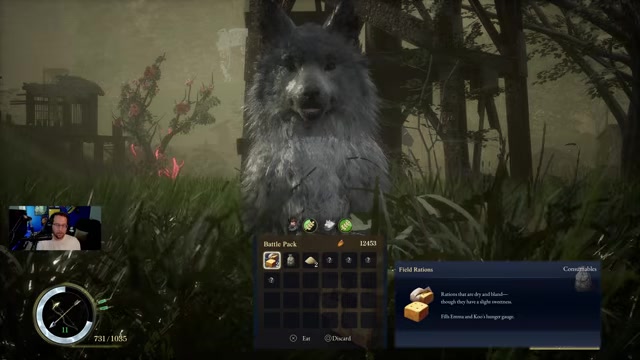
Use Koo-focused food or treats when you have them instead of hoarding them through downtime.
Clean Koo after expeditions
Use the Cleaner once that base interaction is available.
Repeat between missions
Leave, progress normally, then run the same check again the next time you get a camp or Cleanse Walker window.
Pet or clean Koo before you launch the next mission so rapport gains happen during every normal downtime stop.
What higher Koo rapport gives you
Higher Koo rapport expands how much you can do with his setup. As the bond rises, Koo gains more charm and skill slots, which means you can keep more utility active instead of constantly choosing between survivability, combat control, and exploration help.
It also makes Koo-focused synergy more valuable, because a better-equipped Koo can support Emma in more ways during tougher fights. Rapport progress also feeds into the Closest Companion achievement/trophy track.
Combat is not the rapport route

Pounce, Bloom Arts, parries, and Florescence Points are Koo combat systems. Use them to win fights, control enemies, and keep pressure up, then handle rapport during downtime.
If you are only sending Koo into enemies or spending FP in combat, count that as combat progress. For rapport, return to Koo’s interaction prompts, feeding, treats, and Cleanse Walker care.
Koo upgrades for extra slots
| Upgrade | Use |
|---|---|
| Recovery Tonic S automatic use | Lets Koo use a healing item for Emma during fights. |
| Taunt | Pulls enemy attention onto Koo so Emma can reposition or attack. |
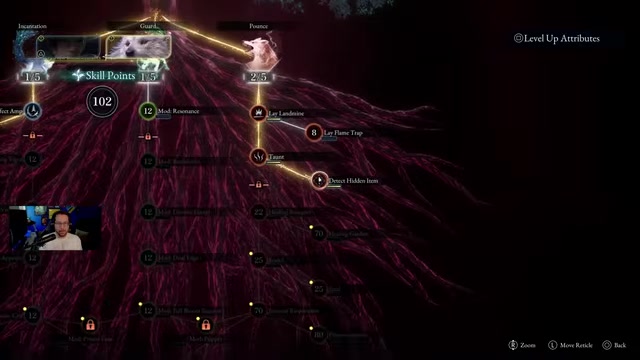
| Detect Hidden Item | Lets Koo dig up extra items while exploring, with the effect toggleable from Koo’s setup. |
| Pounce investment | Improves the pounce rate shown when aiming at enemies and sending Koo in; two points opens the path to Taunt and Detect Hidden Item. |
| Higanbana: Seeds with Rapid Cooling | Early Bloom Art pairing that can regain energy when it burns an enemy. |
| Roots with End of the Line | Grants Emma +3 Vigor after hitting a foe with a status ailment. |
Once rapport gives Koo more room, equip effects you will actually feel in regular play. Some Koo skills need to be equipped after you unlock them, and Koo can also carry an automatic recovery item for Emma.
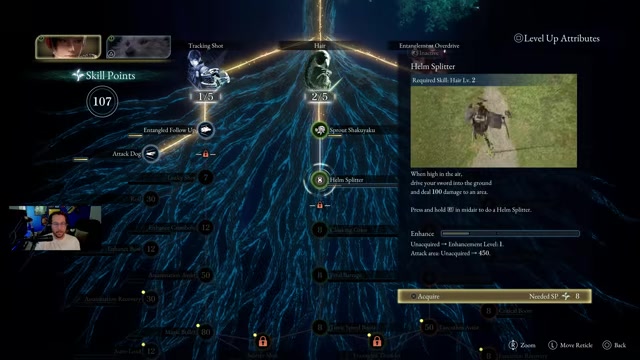
For a send-Koo-in playstyle, Emma’s Attack Dog skill is the adjacent pickup to remember because it increases Koo’s damage when he is sent at a target.
Frequently Asked Questions
When can you pet Koo?
You can pet Koo after the first Rangifer fight and the brief flashback that follows. The Stroke option appears through Koo’s Talk menu in the Cleanse Walker.
Does petting Koo increase rapport?
Yes. Stroke is one of Koo’s rapport interactions, so use it regularly when you return to downtime.
What does Koo rapport give you?
It gives Koo more room for charms and skills, making his combat and support setup more flexible.
Does using Koo in combat increase rapport?
Combat use is separate from the rapport loop. Pounce, Bloom Arts, parries, and FP spending are valuable in battle, but rapport comes from Koo’s interaction and care options.
How do you get the Closest Companion achievement?
Raise Koo’s rapport to the maximum level. Keep repeating his downtime interactions until the Closest Companion achievement/trophy unlocks.
Video help






Leave a Reply