

Start an auction at Scrap Garage, collect your purchases, drive back to your shop, unload them, then display an item and accept a customer’s offer.
Storage Hunters’ opening tutorial connects an auction purchase with your first shop sale. It begins at Scrap Garage, where you bid for the garage contents before collecting the goods inside.
Your purchases give you stock to display and sell, with item inspection providing details such as weight and condition. This guide covers starting the auction, bringing your purchases home, and completing your first customer transaction.
How to get started in Storage Hunters
Start with the Scrap Garage auction, collect its contents, return to your shop, and finish by selling a displayed item.
1 – Start and win a Scrap Garage auction
The marked area outside the garage has the starting interaction.
9%
Start the auction
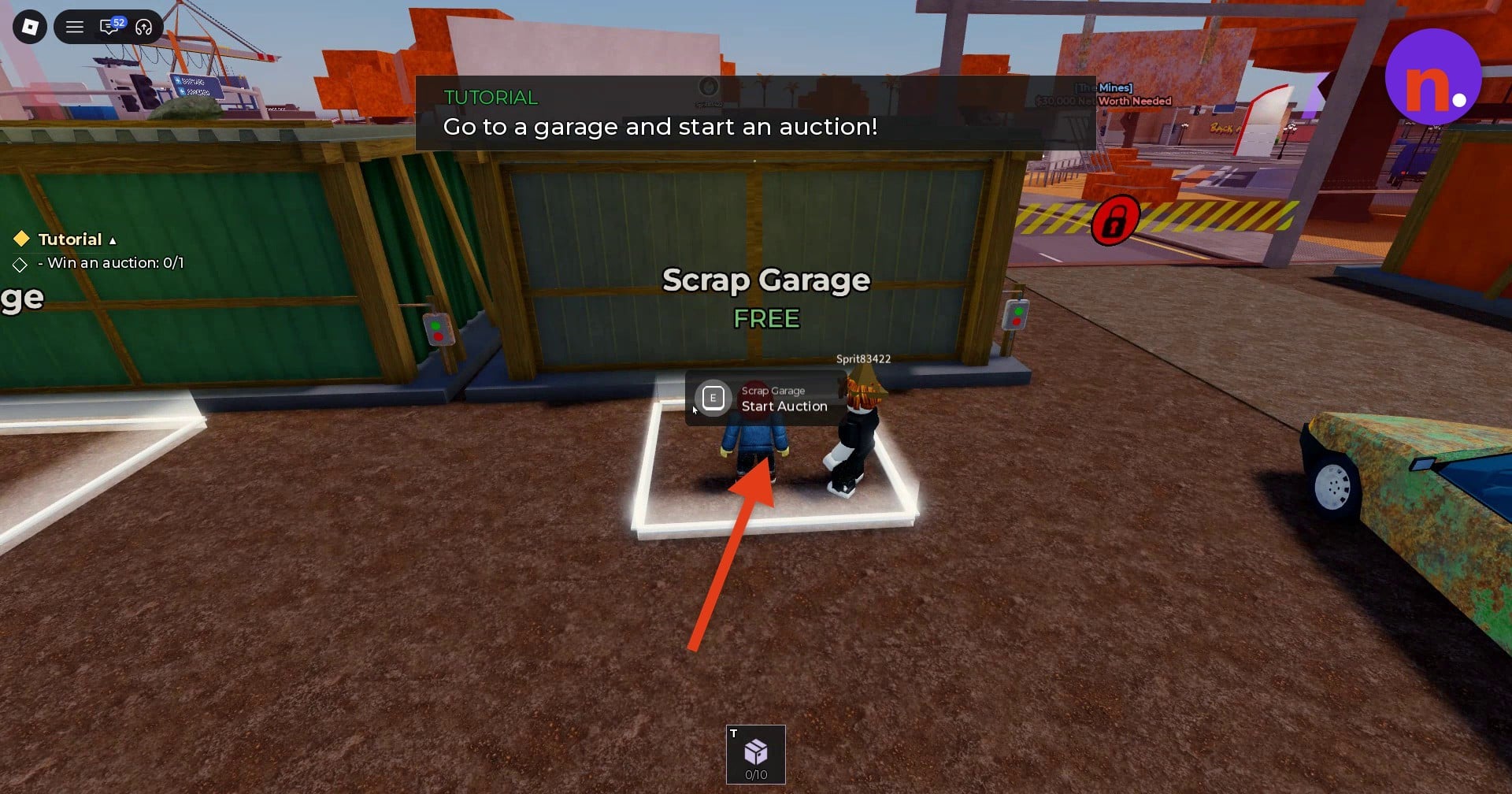
Stand in the marked area in front of Scrap Garage and press E at Start Auction. The auctioneer raises the shutter as NPC bidders arrive. The tutorial’s initial objective reads Win an auction: 0/1.
18%
Watch the opening countdown
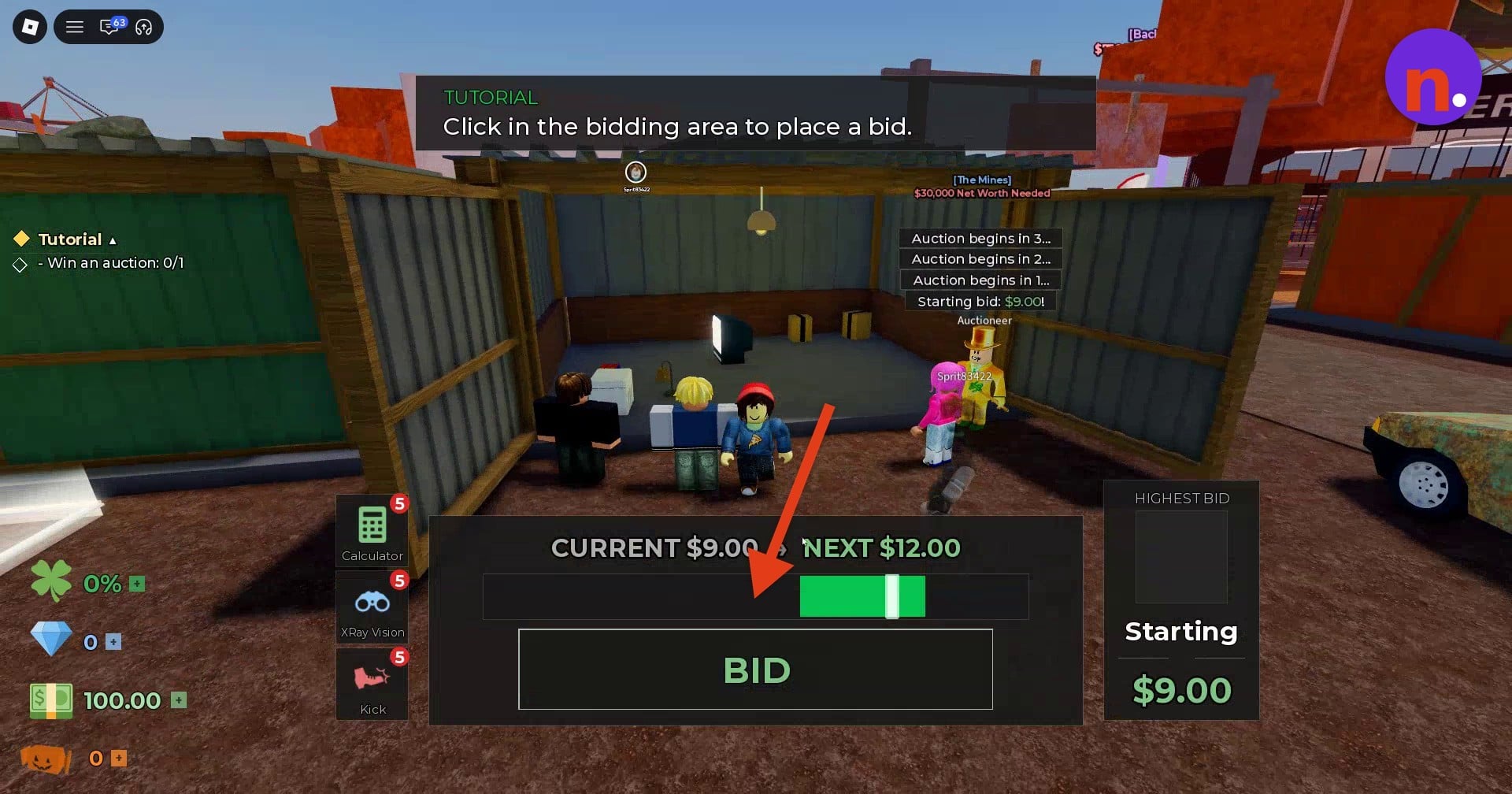
The auction counts down through 3, 2, 1 before bidding begins. Once the bidding interface appears, read CURRENT for the current bid and NEXT for the next bid amount. The opening screen shows a $9.00 starting bid, pairing CURRENT $9.00 with NEXT $12.00.
27%
Place your bids
Click the bidding area or use BID to submit a bid against the NPCs. Watch the timing bar and the WINNING indicator as bidding continues. The bidding exchange with Curtis ends with a $30.00 winning payment, with CURRENT $30.00 and NEXT $33.00 on the bidding screen. Immediately after that win, the accounting display reads VALUE $0.00 and LOSS -$30.00, before you collect the purchases.
2 – Collect the garage contents into your vehicle
Your purchases go into vehicle storage before you take them back to the shop.
36%
Collect the Table Lamp
Pick up the Table Lamp into vehicle storage when you encounter it. Collecting it triggers the item-storage tutorial tip.
45%
Add the other purchases
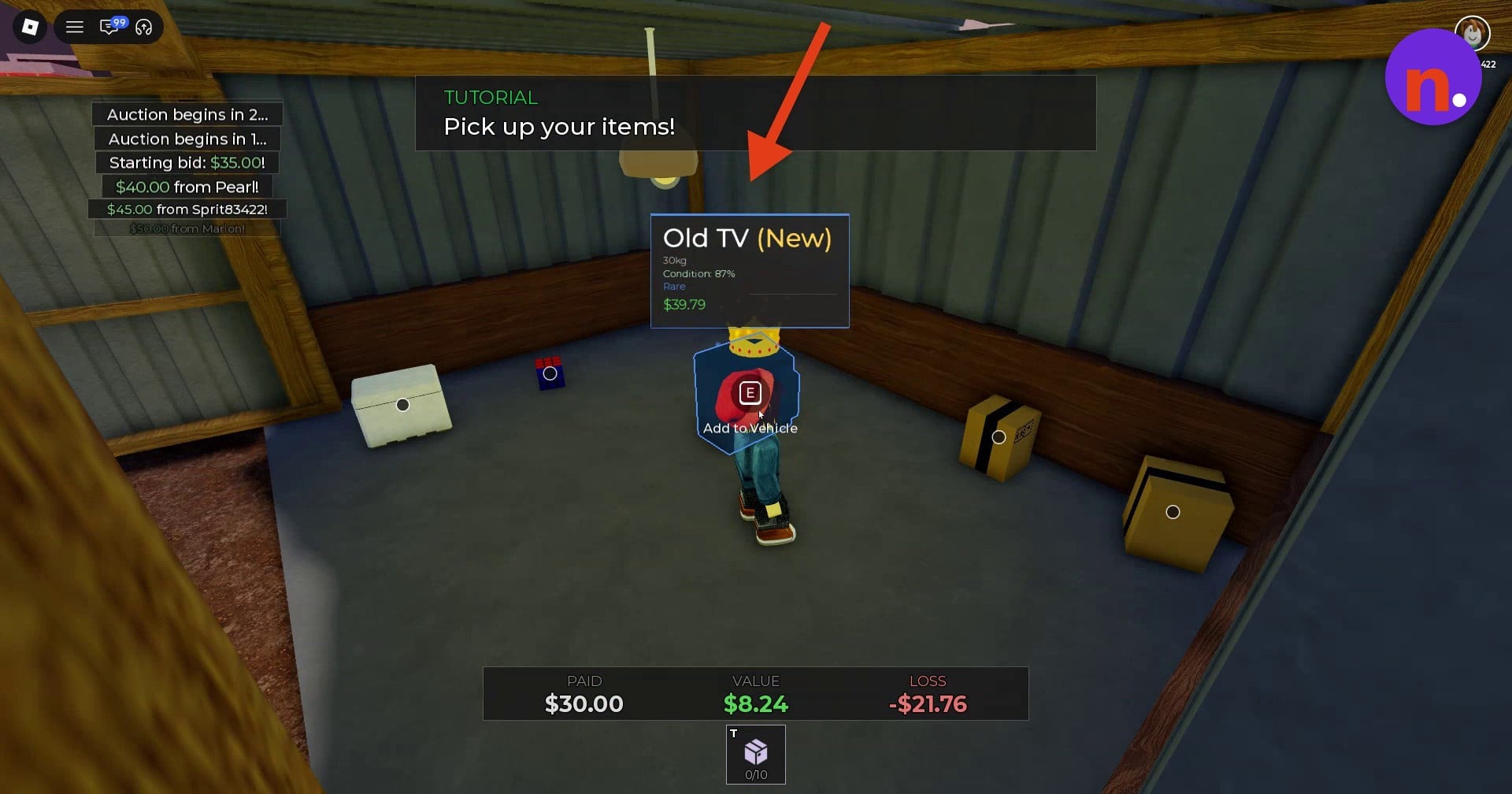
Collect the Old TV, Wooden Mug, Bucket, Rubik’s Cube and Wall Clock when you encounter them. The Old TV displays E with Add to Vehicle; the Added to vehicle! message confirms collection.
55%
Open a Small Box
When you find a Small Box, press E at its Open prompt. The load reading beside this interaction is 33 / 50kg.
64%
Open a Stereofoam crate
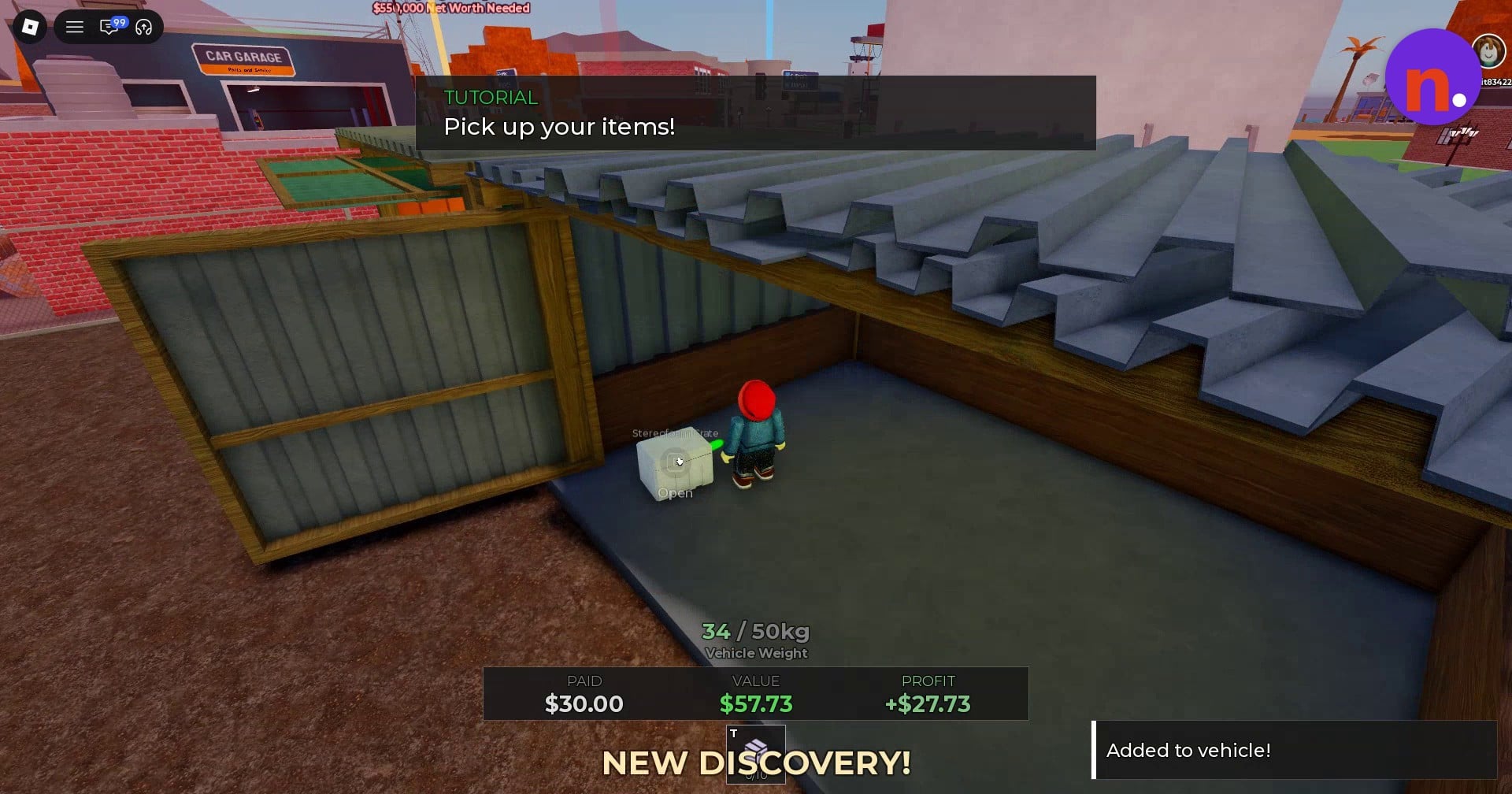
Use the Open interaction on a Stereofoam crate when you encounter one. At this collection stage, Vehicle Weight reads 34 / 50kg.
3 – Return to your shop and unload
The vehicle carries your purchases back to the shop’s front unloading area.
73%
Drive back to the shop
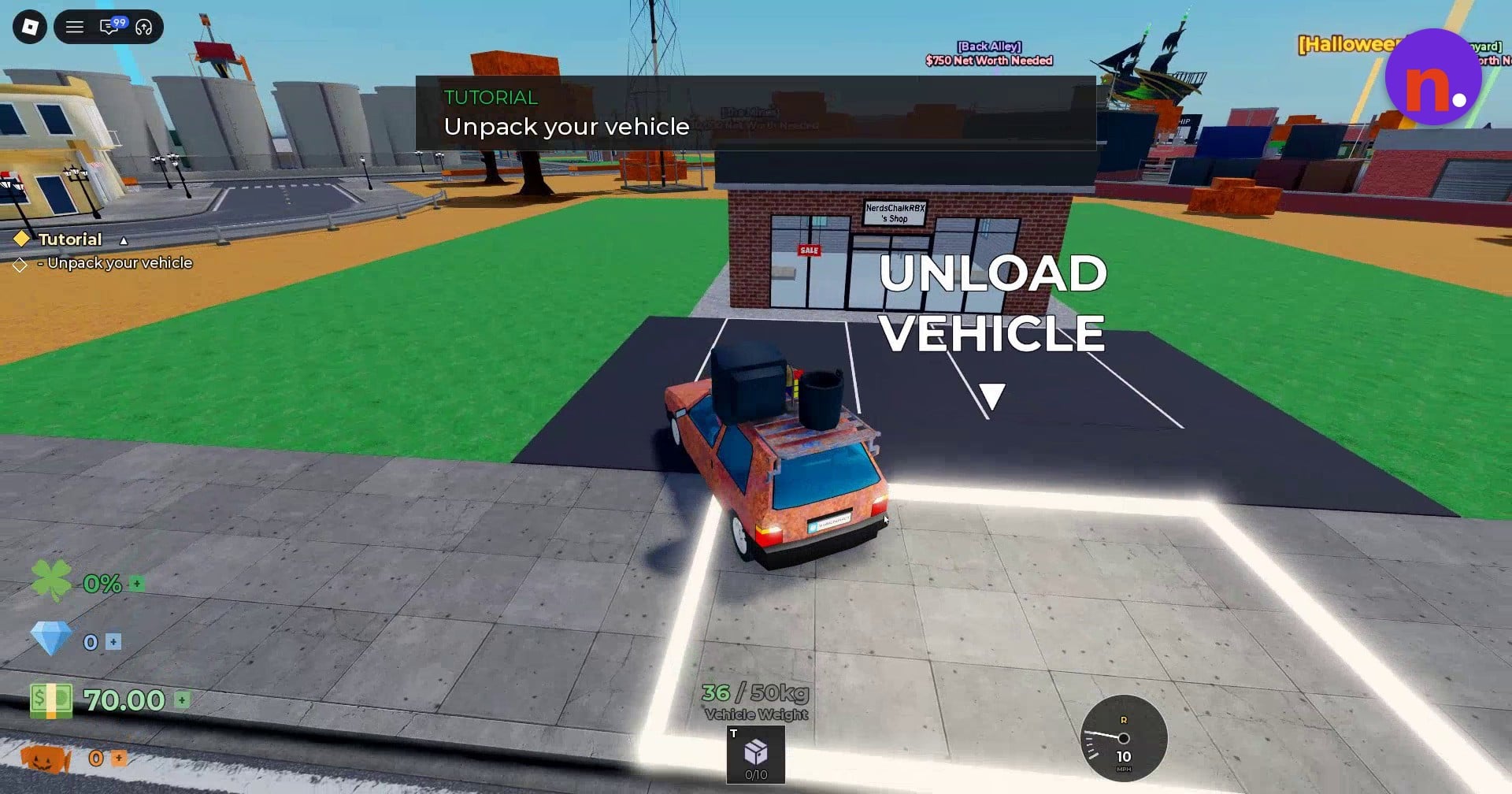
Return to your vehicle parked outside and follow the waypoints to your shop. On the shop approach screen, the loaded vehicle reads 36 / 50kg, cash is $70.00, and personal inventory remains at 0/10 before unloading.
82%
Unload your purchases
Unload your vehicle in the unloading area in front of the building. The unloading menu lists your loaded goods; transfer them into your personal inventory, which initially has 10 free slots. For the six-item load, the transfer button reads UNLOAD 6; after unloading, the inventory counter inside the shop reads 6/10.
4 – Display an item and complete your first sale
A customer examines the Old TV after you put it on display.
91%
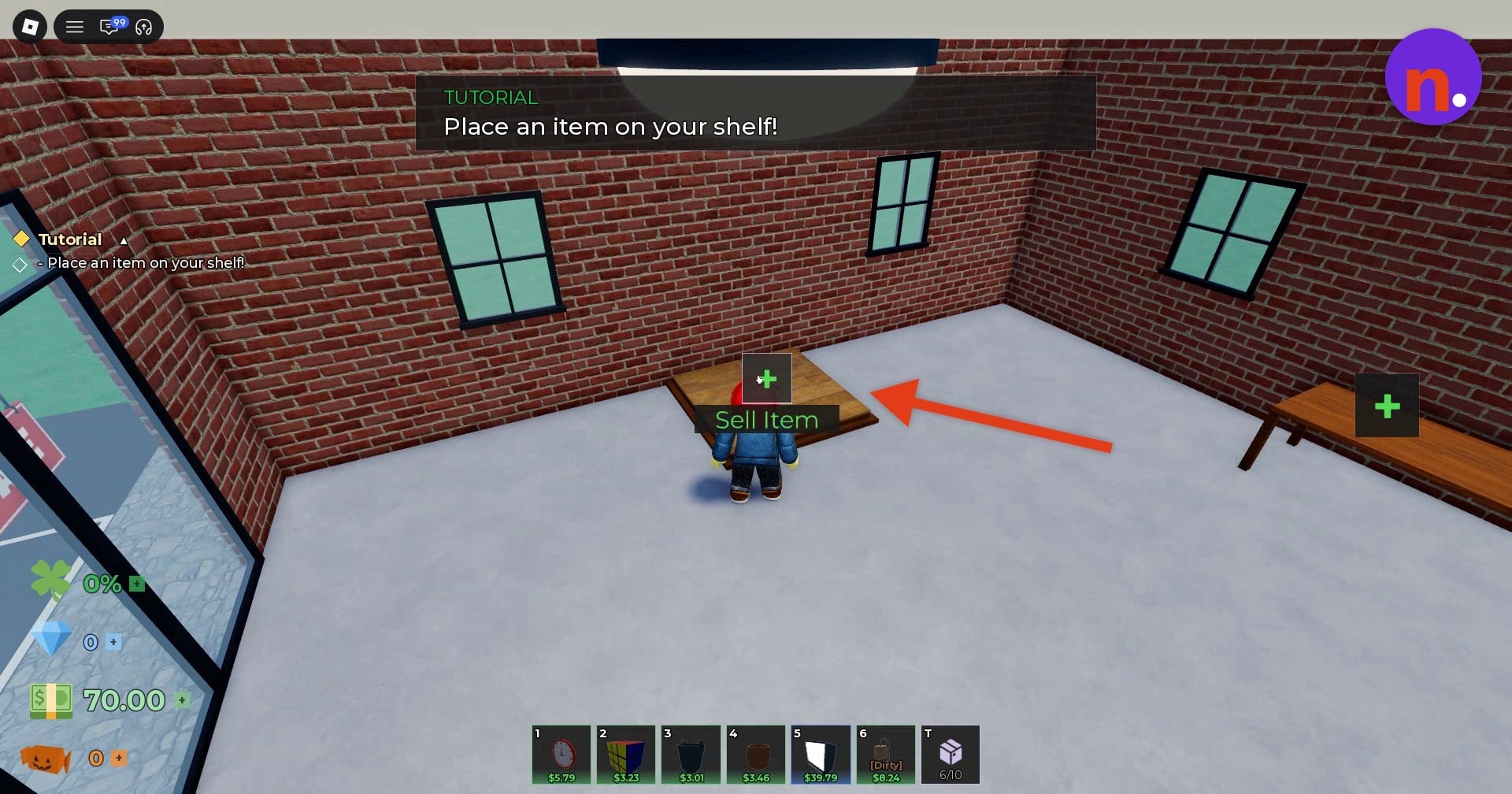
Put the Old TV on display
Enter your shop and use the shelf’s Sell Item interaction. Select the Old TV through the Add Item to Shelf menu to place it on display.
100%
Accept the customer’s offer
Let the arriving customer inspect the displayed TV, then accept the offer they make. That sells the item and completes the tutorial. The offer screen for Rich shows $53.32 for the Old TV, marked +34% over its base value. Accepting that offer brings the cash balance to $123.32.
What item details can you check before selling?
An item’s inspection card lets you read its attributes before putting it up for sale. The inspected Old TV (New) shows a weight of 30kg, 87% condition and Rare rarity. These attributes and the estimated base values apply to the inspected copies.
Read condition separately from the item’s name. The parenthetical label and the condition percentage are separate fields on the inspection card.
Estimated base value gives you an item valuation, not the customer’s offer. The following goods are identifiable purchases to look for.
Estimated base values for inspected items
| Item | Base value |
|---|---|
| Table Lamp | $8.24 |
| Old TV | $39.79 |
| Wooden Mug | $3.46 |
| Bucket | $3.01 |
| Rubik’s Cube | $3.23 |
| Wall Clock | $5.79 |
Your collected goods become the stock your customers can buy. The payoff is turning those auction purchases into shop sales, with the customer’s offer providing the selling price.
Related Storage Hunters guides





Leave a Reply