
To get the Shop Assistant in Storage Hunters: Open World, go inside your shop, click the person icon on the right side above the shopping cart icon, hire the assistant for 100 Diamonds, then set the minimum profit near 20%.
The Shop Assistant is one of the most useful shop-management upgrades once you start placing enough items that customer offers become annoying to handle manually. The unlock flow is short, but the button is easy to miss because it is tucked into the right-side shop UI, not placed as a big NPC marker outside your store.
Fast way to hire the Shop Assistant
Stand inside your own shop and look at the icons on the right side of the screen. The button you want is the person icon above the shopping cart icon.
What the Shop Assistant handles
The Shop Assistant takes over the repetitive part of selling: dealing with customer offers that come into your shop. Instead of standing there and manually accepting or declining every offer, you can let the assistant follow your profit rule automatically.
That matters most when your shop has a lot of items placed. You can spend more time buying storage units, hauling back better finds, grading your inventory, and restocking shelves while the assistant keeps the selling loop moving in the background.
It is not just a comfort upgrade. Used with a sensible minimum profit percentage, it helps your shop sell consistently without forcing you to micromanage every customer interaction.
How to hire the Shop Assistant in Storage Hunters: Open World
STEP 1/4
Stand inside your shop
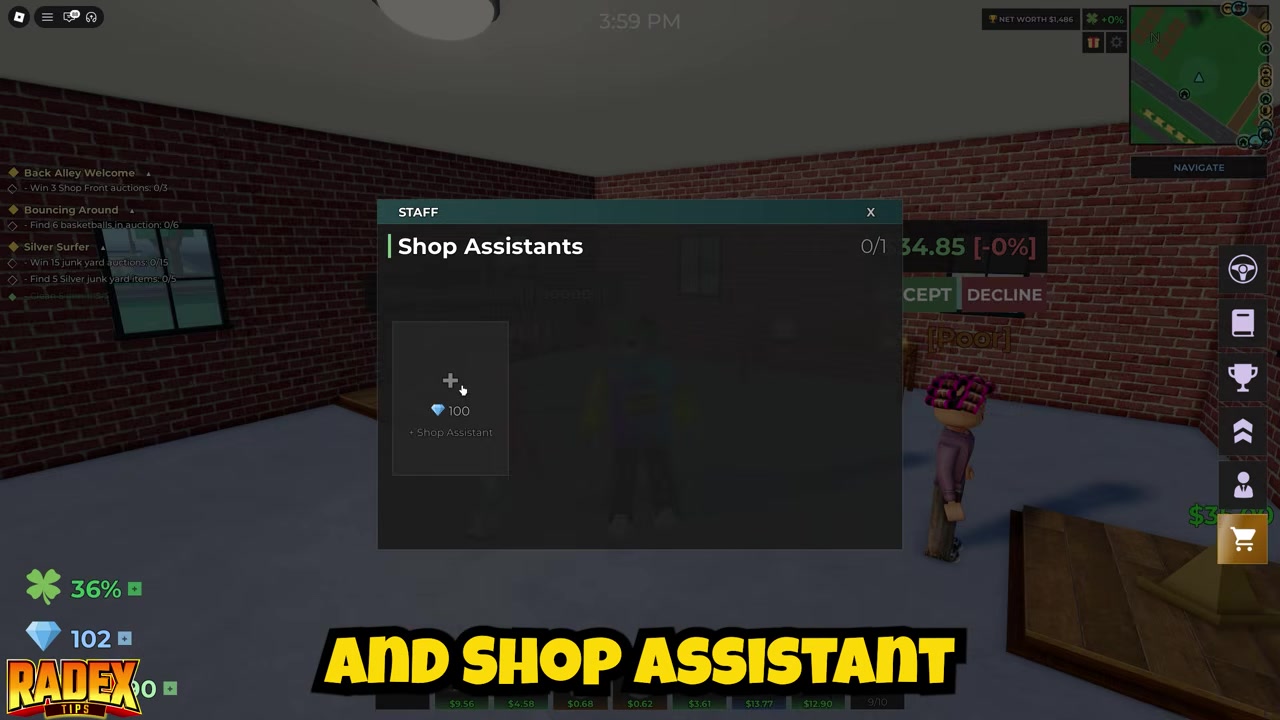
Go into your own shop first, because the assistant option appears through the shop UI.
STEP 2/4
Check the right-side icons
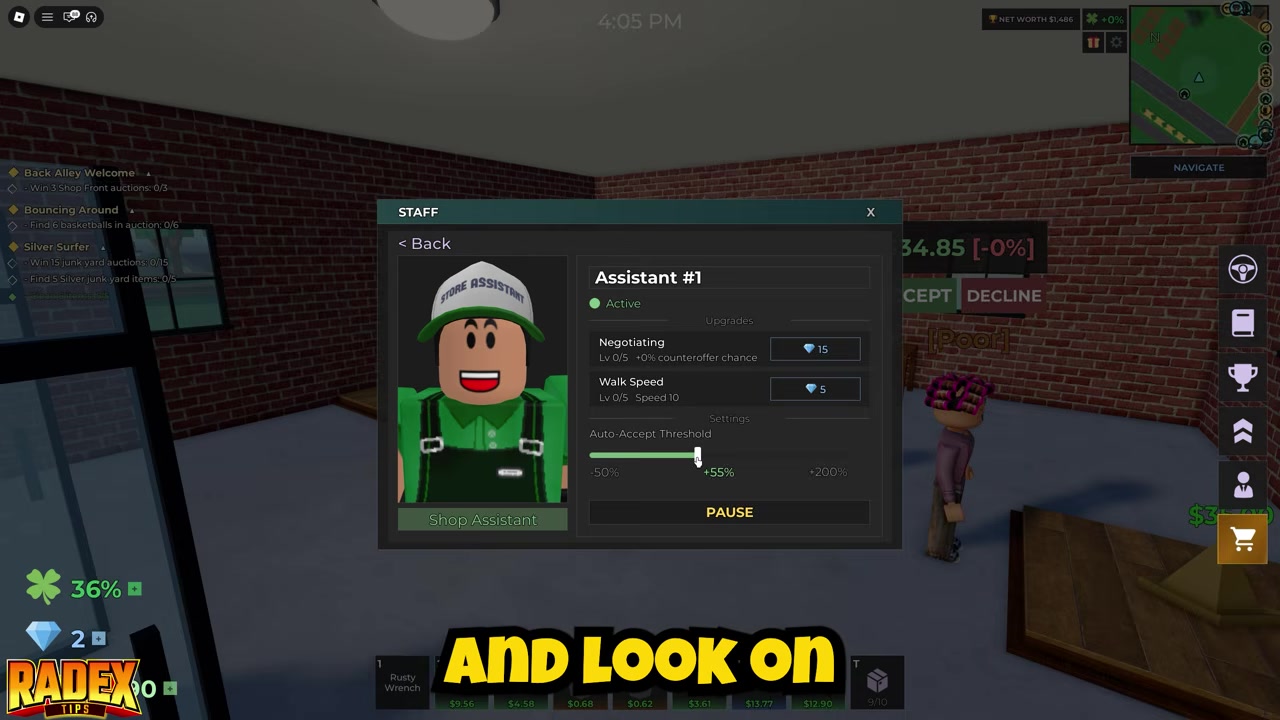
Look on the right side of the screen for the shop-management buttons.
STEP 3/4
Clock the person icon
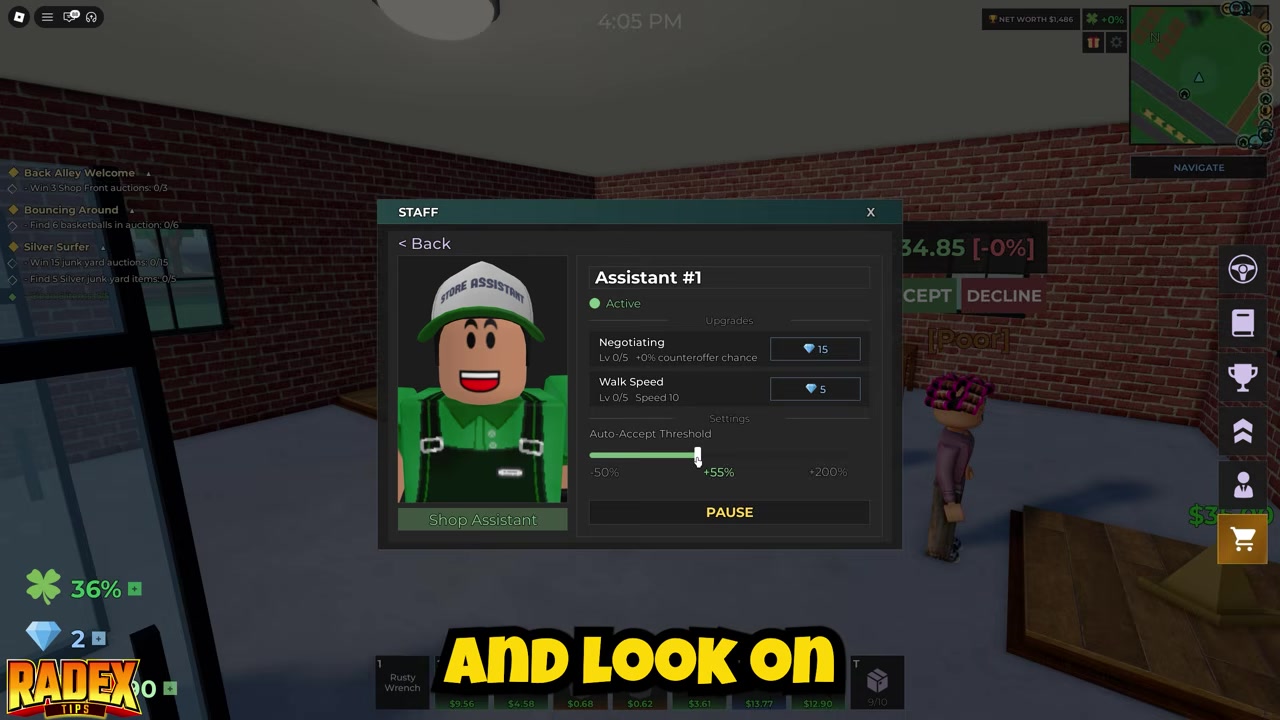
Select the person icon sitting above the shopping cart icon.
STEP 4/4
Hire the Shop Assistant
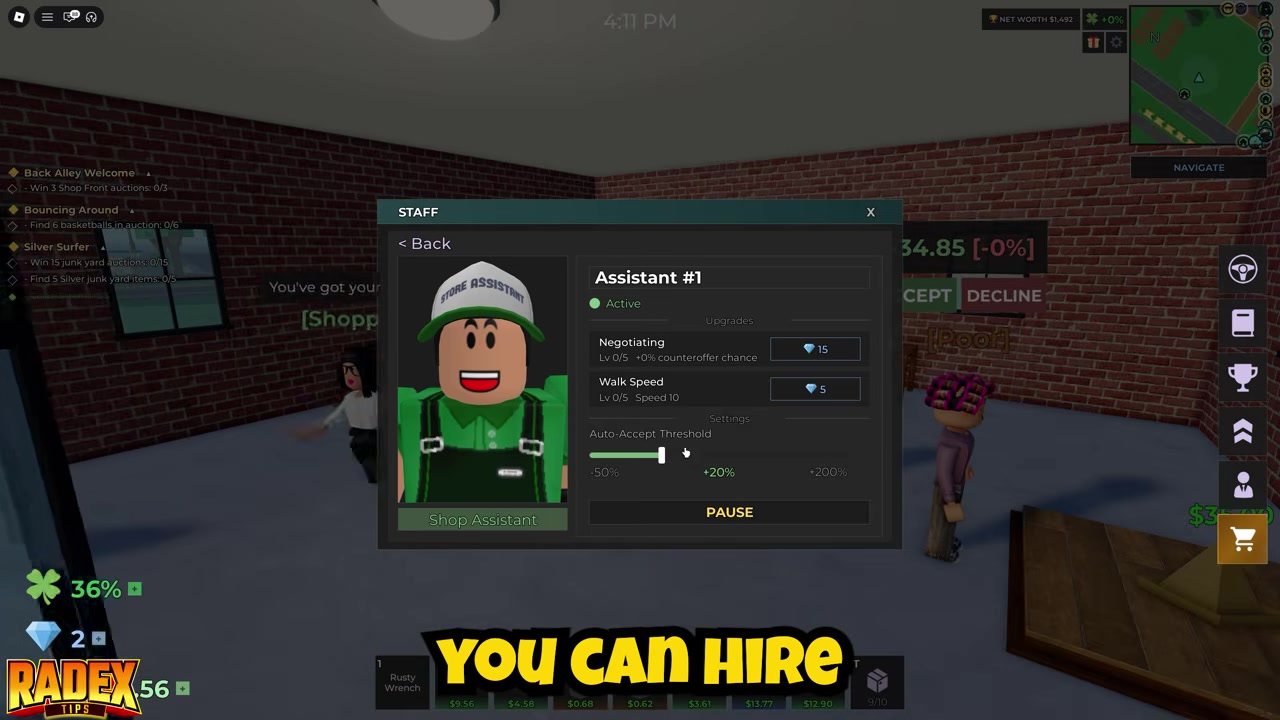
Buy the Shop Assistant from that menu for the reported cost of 100 Diamonds.
Video help
Best minimum profit setting for the Shop Assistant
| Minimum profit setting | What happens | Best use |
|---|---|---|
| Low | Items sell more easily, but profit can be weaker. | Clearing cheap stock quickly. |
| Around 20% | Balances steady sales with a reasonable profit floor. | Best starting setting for most shops. |
| High | More offers get rejected, so stock may sit longer. | Holding out on valuable items. |
After hiring the assistant, set the minimum profit carefully. A good first setting is around 20% minimum profit, because it gives the assistant enough room to accept decent offers while still keeping items moving through your shop.
Start at 20% minimum profit, then only raise it if your best items are selling too cheaply or lower it if your shop is getting clogged with unsold stock.
What is confirmed so far
Public text snippets do not independently confirm a shop level gate, quest requirement, Robux price, gamepass requirement, NPC location, or tiered upgrade path. Since Storage Hunters: Open World is a live Roblox game, those details may change with updates, so treat the menu and current in-game price as the final check.
Mistakes that make the Shop Assistant harder to find
The most common mistake is looking outside the shop for an NPC or marker. The assistant is found through the right-side shop UI while you are inside your own shop, specifically through the person icon above the shopping cart icon.
Another mistake is treating the Shop Assistant like a Lost Item. It is a shop automation feature, not something you find by searching the map or completing a Lost Item route.
Once you have it, do not set the minimum profit blindly. Setting it too high can freeze your sales because the assistant rejects too many offers, while setting it too low can make your shop sell items for weaker profit than they deserve.
Also avoid mixing this up with unrelated Roblox shop systems. Storage Hunters uses its own shop-management loop, so advice about seed shops, gear shops, or other game economies will not tell you where this assistant button is.
Frequently Asked Questions
How much does the Shop Assistant cost?
The reported cost is 100 Diamonds. Public text snippets do not separately verify that price, so check the in-game hire menu before spending.
Where is the Shop Assistant button?
Go inside your shop and look on the right side of the screen. Clock the person icon above the shopping cart icon.
What minimum profit should I set?
Start around 20% minimum profit. It is a balanced setting that keeps items moving without selling them too cheaply.
Is the Shop Assistant worth buying?
Yes, if you are actively selling from your shop. It saves time by handling customer offers automatically, which lets you focus on finding and bringing back more valuable storage items.
Is the Shop Assistant a Lost Item, NPC, or shop upgrade?
It is best treated as a shop-management feature found through the in-shop UI. It is not confirmed as a Lost Item, and the available public text does not confirm a separate NPC location or upgrade tier path.



Leave a Reply