

This error is almost always a 2K server-side or account-authentication problem, not your hardware — so check the official 2K server status first, then force a data update through Play Now and re-sign into your 2K account, and use the temporary internet-disconnect trick only when the Connect screen won’t even show you the email prompt.
Getting locked out of NBA 2K27 with “You must be online to enter MyCAREER” or “Unable to connect to 2K servers” feels like a broken install, but it rarely is. In nearly every case the game simply can’t reach 2K’s online backend, and the fixes that actually work are about server status and account authentication — not reinstalling or messing with your PC. Here’s how to tell what’s happening and how to get back in.
What the error blocks and which modes stay offline
| Mode | Needs online connection? |
|---|---|
| MyCAREER | Yes |
| MyTEAM | Yes |
| Play Now Online | Yes |
| Play Now (exhibition) | No |
| The W (single-player) | No |
| MyNBA (base/offline rosters) | No |
Key “You must be online to enter MyCAREER” and “Unable to connect to 2K servers” mean the same thing: NBA 2K27 can’t talk to 2K’s online services, so any mode that lives on those servers shuts you out. It hits MyCAREER, MyTEAM and Play Now Online hardest, and the message is almost never about your console or PC — it points at 2K’s servers or your 2K account.
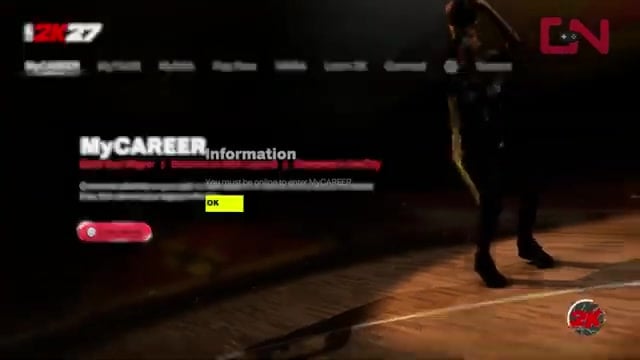
That split matters because it tells you whether a fix is even possible right now. If Play Now exhibition, The W or an offline MyNBA roster all load fine, your game files and network are healthy and the block is specific to online services. A large share of these errors trace back to an expired NBA 2K account token, which a fresh email confirmation on the Connect screen clears.
There’s also one case where nothing you do locally will help: if 2K’s status page shows a live outage for your platform or mode, the servers are down for everyone and waiting is the only fix. That’s exactly why the first move is to check status, never to start changing settings.
Start an offline Play Now exhibition before anything else — if it loads but MyCAREER and MyTEAM still fail, you’ve proven the problem is 2K’s servers or your account, not your console, so you can skip every hardware fix.
Check server status before changing any settings

Before you power-cycle a router or touch a network menu, confirm the servers are actually up. Open the 2K server-status grid and look for your platform and mode — MyCAREER, MyTEAM or Play Now Online — and check your platform’s own network status for a PSN, Xbox Live or Steam outage at the same time. If any of those is flagged, the fault isn’t on your side and there is nothing to fix locally.
The dedicated NBA 2K27 troubleshooting page is still marked coming soon, so for now the general 2K status grid and the platform status pages are the sources that matter. Only once they’re all green does it make sense to work through the steps below.
The fix ladder: update, account, then Connect
Force the latest data update
Launch NBA 2K27, enter Play Now, start a quick game against the CPU, and stay on the court until an update notice appears in a corner of the screen, then exit to the Main Menu so the client can apply it before you retry online modes.
Refresh your 2K account sign-in
In a browser, sign in to the official NBA 2K site with the same PSN, Xbox or Steam account you play on, then close the browser, relaunch NBA 2K27, and try connecting again to renew a stale account token.
Stabilize your connection
Power-cycle your router for about 60 seconds, switch to a wired LAN connection if you can, and set DNS to 1.1.1.1 and 1.0.0.1; if you forward ports, enable UPnP rather than guessing a range, since there is no single agreed-on NBA 2K27 port list.
Go to Connect and enter your email
On the main menu choose Connect, accept the Terms of Service and Privacy Policy, then enter and confirm your 2K account email so the servers can re-authenticate you — if it fails with a “2K Sports server is unavailable” message, try again.
Escalate to the disconnect trick
If Connect still won’t show the email or agreement prompt at all, drop to the internet-disconnect method below to force that screen to load.
Force the Connect screen with the internet disconnect trick
Open Connect and watch for the email prompt
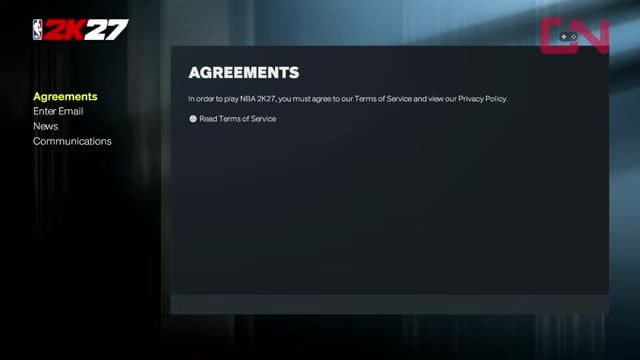
From the main menu select Connect; if it never reaches the email and agreement screen and instead throws a “2K Sports server is unavailable” message, move on to the disconnect.
Disable your internet while the game runs
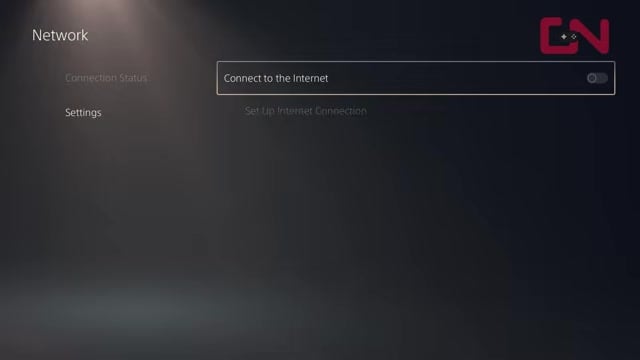
Leave NBA 2K27 open, go to Settings > Network on your console and turn the connection off — or unplug the LAN cable or switch off Wi-Fi — and let the game notice that it’s offline.
Reconnect and hit Connect again
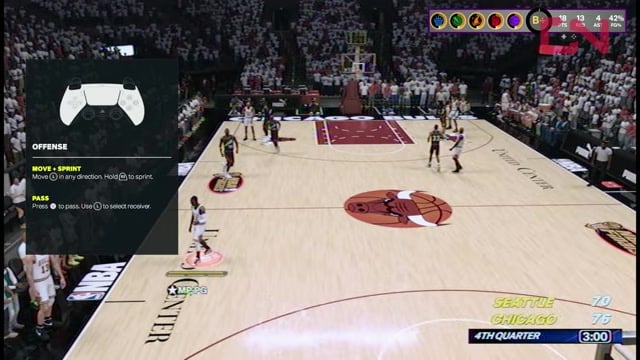
Re-enable the connection, return to the game, and choose Connect once more to force the agreement and email-entry screens to finally load.
Confirm your email and keep retrying
Accept the agreements, enter and confirm your 2K account email, and if it fails with a server message, repeat the attempt until the servers are healthy enough to let you through.
Frequently Asked Questions
Why does my screen say NBA 2K25 during the account and agreement prompts?
The account sign-in and Terms of Service screens are shared across recent NBA 2K releases, so on some setups the older NBA 2K25 label still appears on the agreement and email prompts even though you launched NBA 2K27. It’s a cosmetic carryover from the shared 2K account system, not a sign you opened the wrong game or that anything is broken — confirm your email and the connection goes through normally.
How long do NBA 2K server outages last, and how do I know if it’s my end or theirs?
There’s no published length for 2K outages — brief scheduled maintenance can clear in under an hour, while launch-window load spikes can drag on longer. To tell whose problem it is, read the server-status grid and your platform’s status page: if your mode is flagged there, it’s on 2K’s side and waiting is the only move. If everything shows green but you still can’t connect, the fault is your account or network, so work back through the fix ladder above.
Does the disconnect-and-reconnect trick work on PC and Steam, or only on PlayStation and Xbox?
The steps are worded for PlayStation, but the underlying idea — drop your connection, let NBA 2K27 register that it’s offline, then reconnect and press Connect — works the same on Xbox and PC; on PC you toggle the network adapter or pull the Ethernet cable instead of using console settings. This route was really proven on the PC version of last year’s NBA 2K26, so treat it as a carryover rather than an official NBA 2K27 method. Steam players have one extra lever: set the game’s launch option to ask which app to start, then pick NBA 2K27 from that prompt, which has cleared the error for some.
Video help






Leave a Reply