

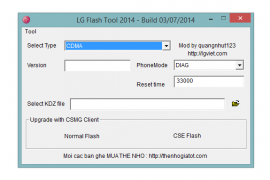
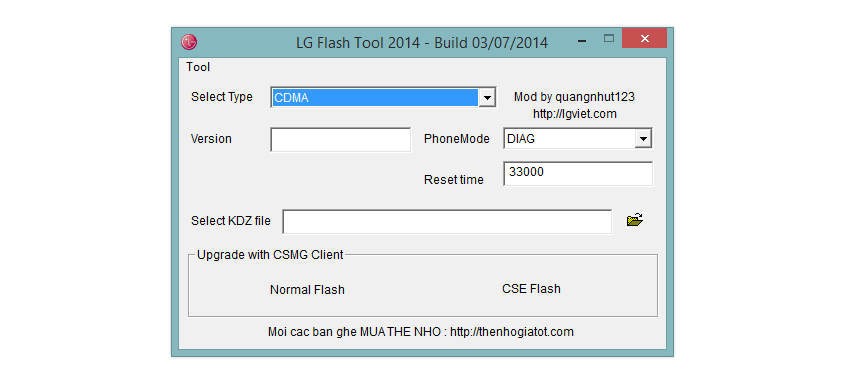
If you run into a problem where LG Flashtool will stop working after installing 4% of the firmware, then here’s a fix just for you. This problem basically arises when there is not a proper .dll file located in certain folder. To fix this, check the guide below.
The fix is confirmed to work on Windows 7 64-bit system, while it didn’t work out on Windows 8 64-bit system. You can try on your own Windows system and let us know how it works out for you.
Fix LG Flashtool 4% Install stuck problem
- Download the file wx.rar
- Extract it using 7-zip software to get wx.dll file
- Copy the wx.dll file
- Now, go to this folder: C:ProgramDataLGMOBILEAXPhone
- Paste the wx.dll file in the phone folder
- Now, try installing the KDX firmware using the LGFlashTool2014. It should work fine on Windows 7 64-bit systems.
Do let us know whether it solves the problem for you.




26 responses to “How to Fix LG Flashtool problem when it stops at 4% while flash KDZ firmware”
which folder we have paste wx.dll
hey…have u fixed it?
even i didn`t also getting location…to paste .dll file
which folder we have paste wx.dll
hey…have u fixed it?
even i didn`t also getting location…to paste .dll file
Didnt work on win10 64bit 🙁
Didnt work on win10 64bit 🙁
Did not work on windows 10 x64
Did not work on windows 10 x64
Not worked…
Not worked…
dont work in windows 7 64…
dont work in windows 7 64…
does not work on window 10 x64
does not work on window 10 x64
Windows 10 64x
Easy way to access the folder, on Win Explorer go to C:ProgramDataLGMOBILEAXPHONE. If LG was installed correct, it should load normally.
Tutorial to access the folder manually: Go to Control Panel, File Explorer Options, Exhibition Mode, tick true Display Hidden Folders. Program Data folder should be visible at C:/. My windows isn’t in English so I may have got some descriptions wrong, just google a “how to display hidden folders on windows” tutorial
Windows 10 64x
Easy way to access the folder, on Win Explorer go to C:ProgramDataLGMOBILEAXPHONE. If LG was installed correct, it should load normally.
Tutorial to access the folder manually: Go to Control Panel, File Explorer Options, Exhibition Mode, tick true Display Hidden Folders. Program Data folder should be visible at C:/. My windows isn’t in English so I may have got some descriptions wrong, just google a “how to display hidden folders on windows” tutorial
Great, now it stops at 15%
i’ve discovered there is a driver to new version of lg flash tool in the folder %programdata%LGMOBILEAXPhone actually starting the name with LG#…dll where # is a number,
sfmbe
Great, now it stops at 15%
i’ve discovered there is a driver to new version of lg flash tool in the folder %programdata%LGMOBILEAXPhone actually starting the name with LG#…dll where # is a number,
sfmbe
Tried that Method, it still doesnt work
My computer does not have this folder. Does it serve another directory?