


To level up an Evomon, open Evomon Team, select it, choose EXP items through Feed, review the gains, and press Feed again.
The Feed an Evomon objective starts at 0/1 on your HUD. Feeding one of your creatures is the task.
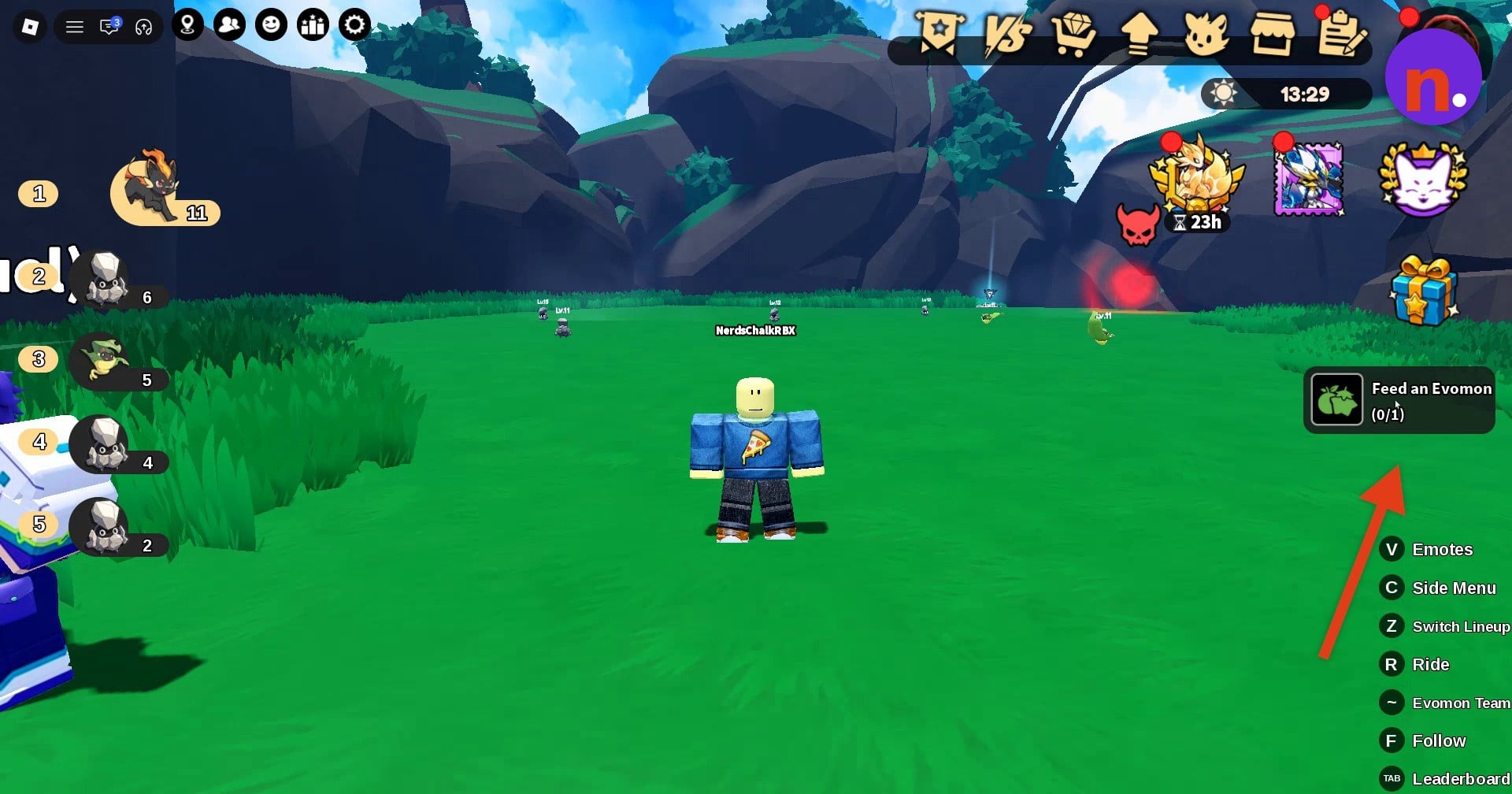
Confirming a feed gives your chosen Evomon EXP. This guide covers selecting its food, reading the growth preview, and completing the feeding objective.
How to feed Evomons to level up in Evomon
Open Evomon Team
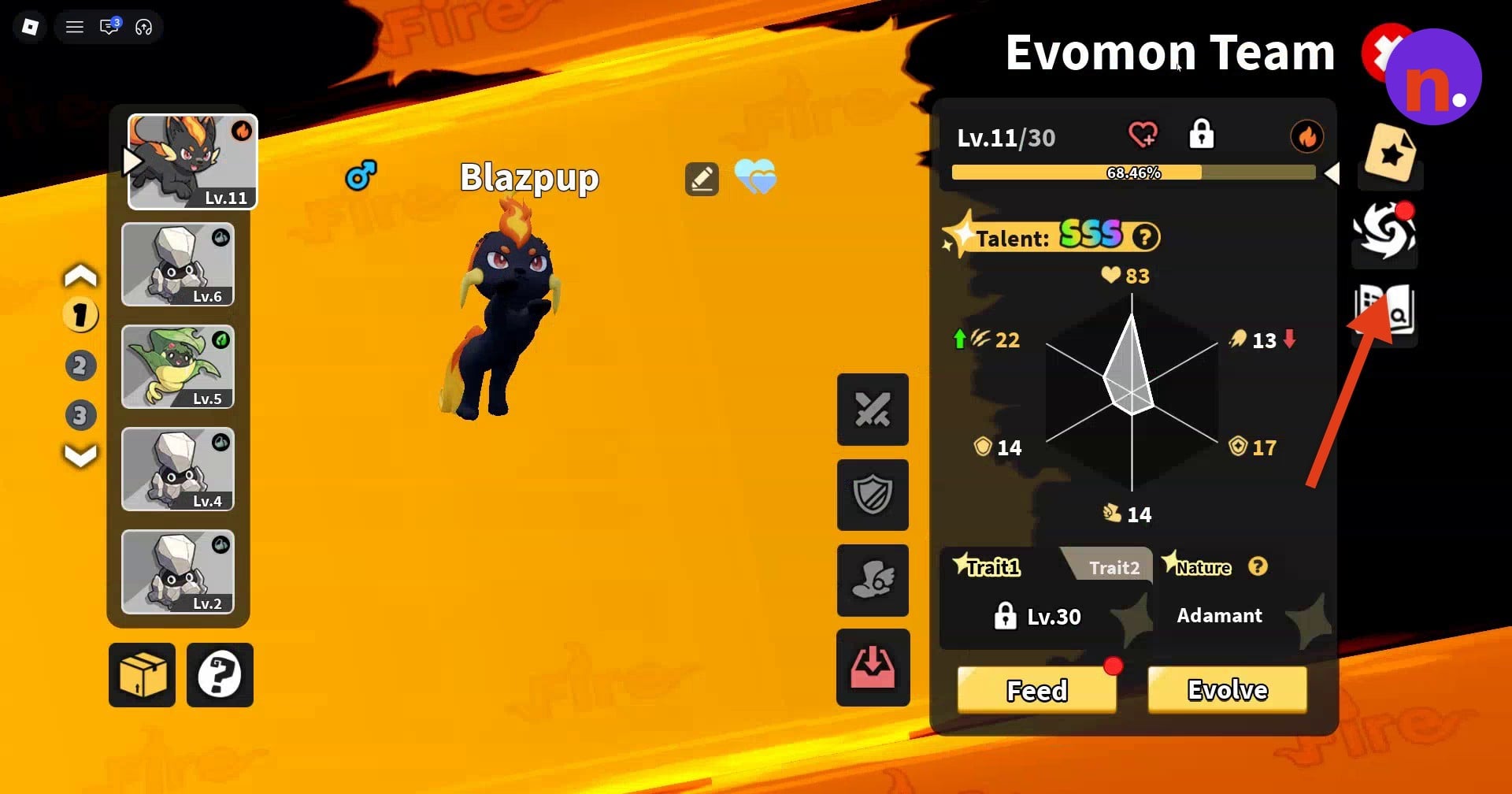
Click Evomon Team on the right side of the screen to view your current roster.
Choose the Evomon to feed
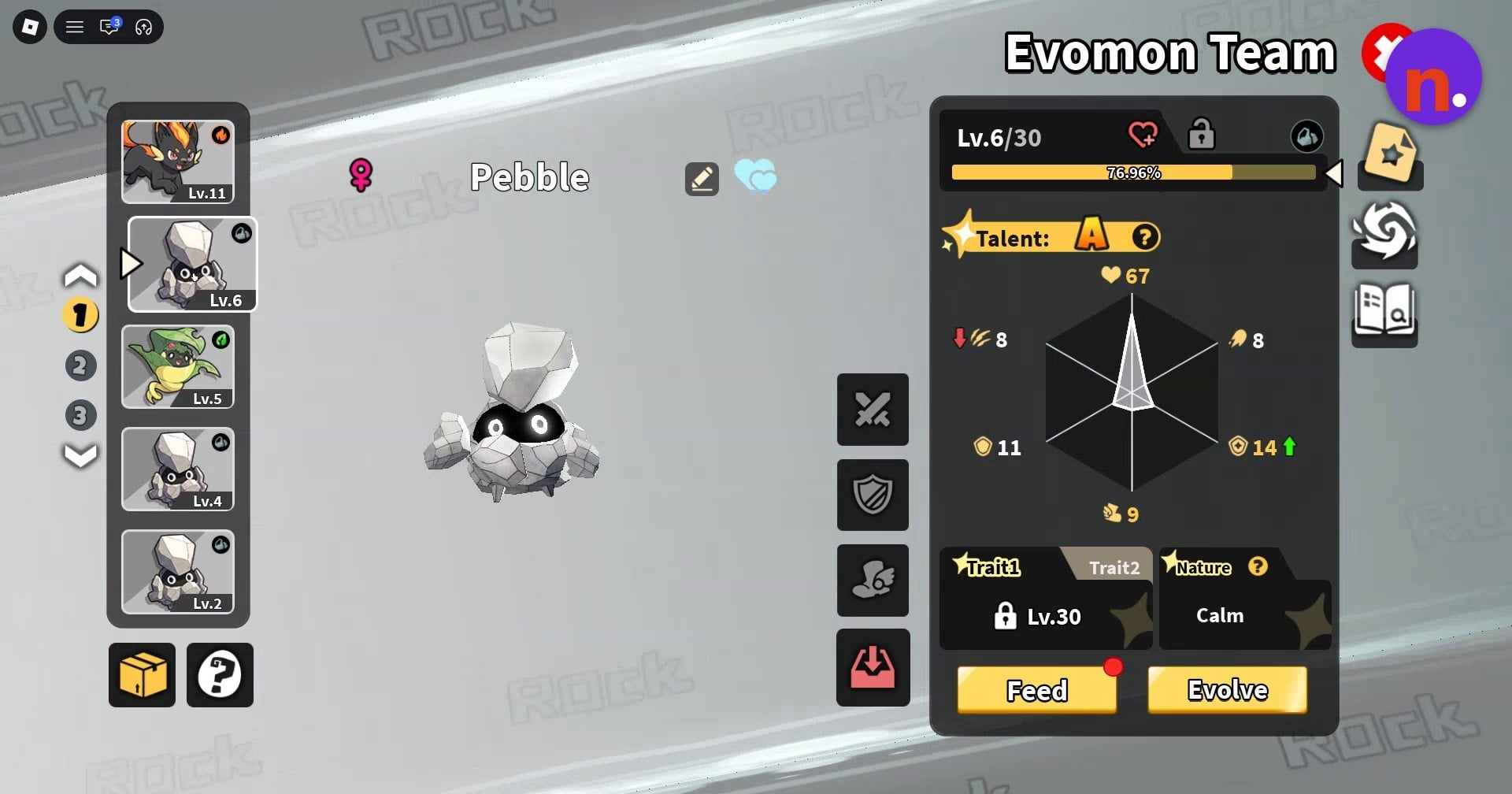
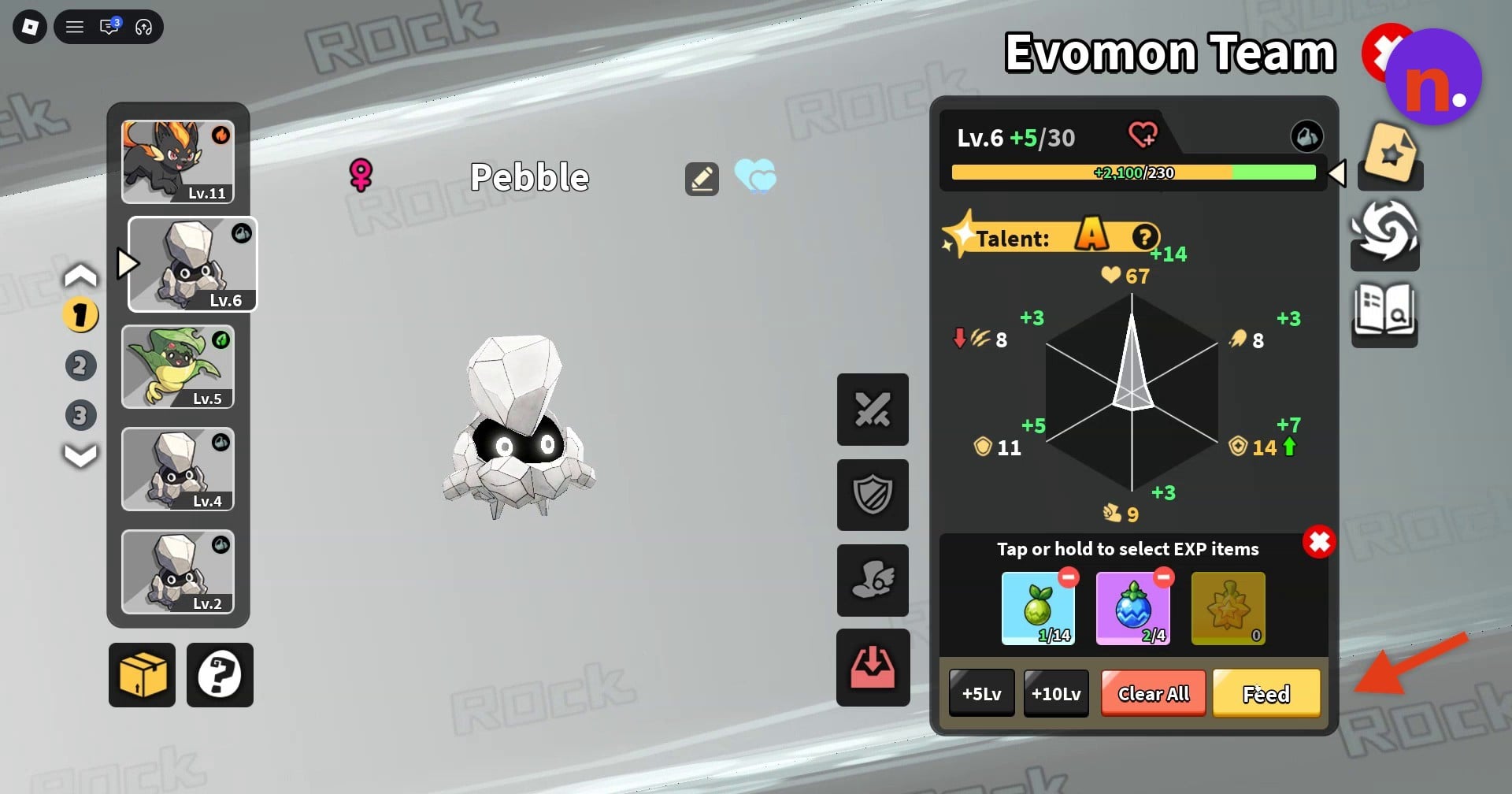
Select the Evomon you want to level up from the roster on the left side of the menu. The selected creature appears alongside its stats. The Blazpup menu displays Lv.11/30, while Pebble’s starting display reads Lv.6/30.
Open the food tray
Press the yellow Feed button at the bottom of the screen to bring up the food-selection tray.
Select your EXP items
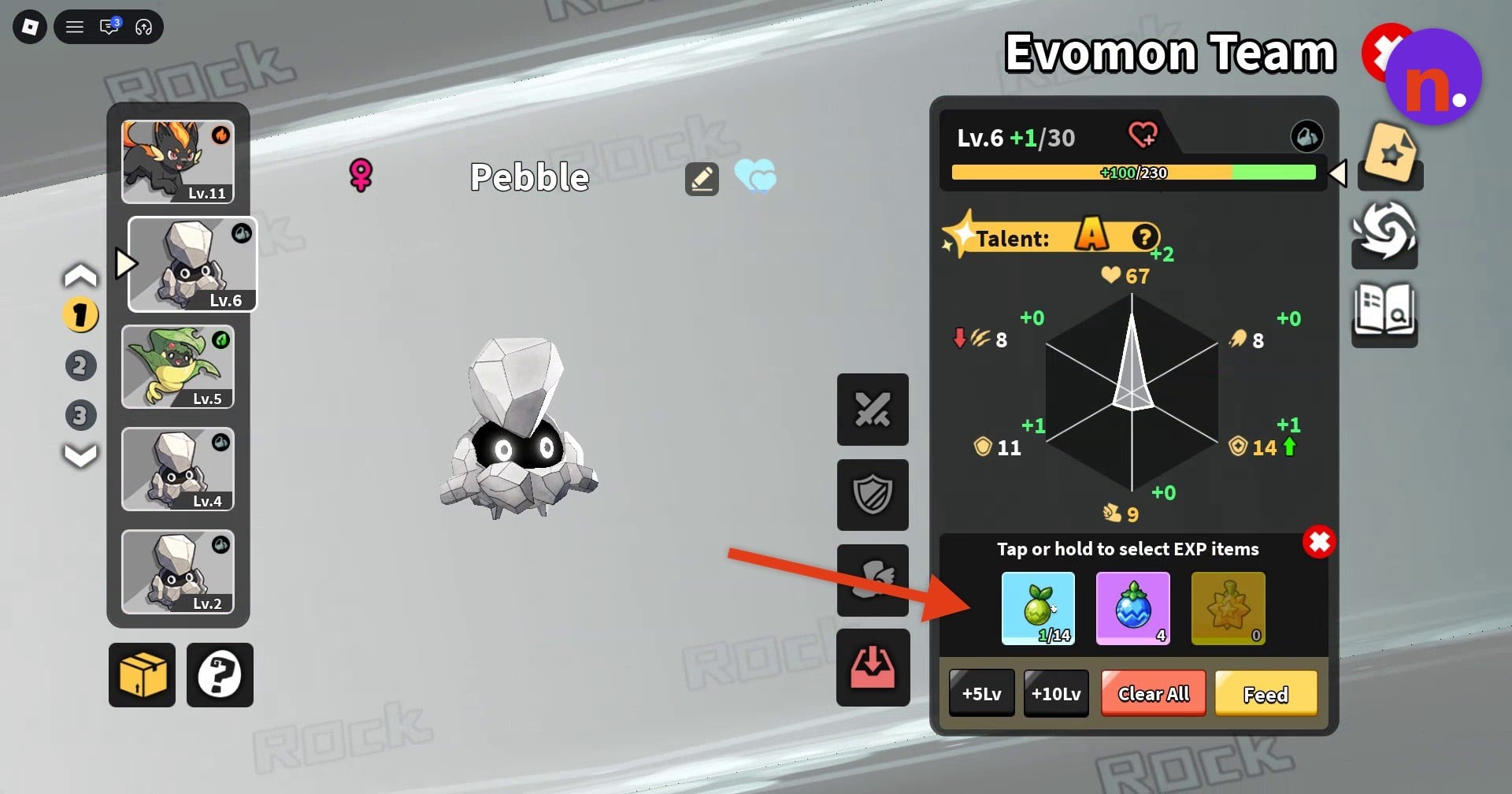
Tap or hold the food or EXP berry icons to select what you want to feed. The tray also contains +5Lv, +10Lv, and Clear All controls alongside the item selection.
Review the growth preview
Read the level bar for the projected level increase, then look at the radar chart for the anticipated attribute gains before confirming.
Confirm the feed
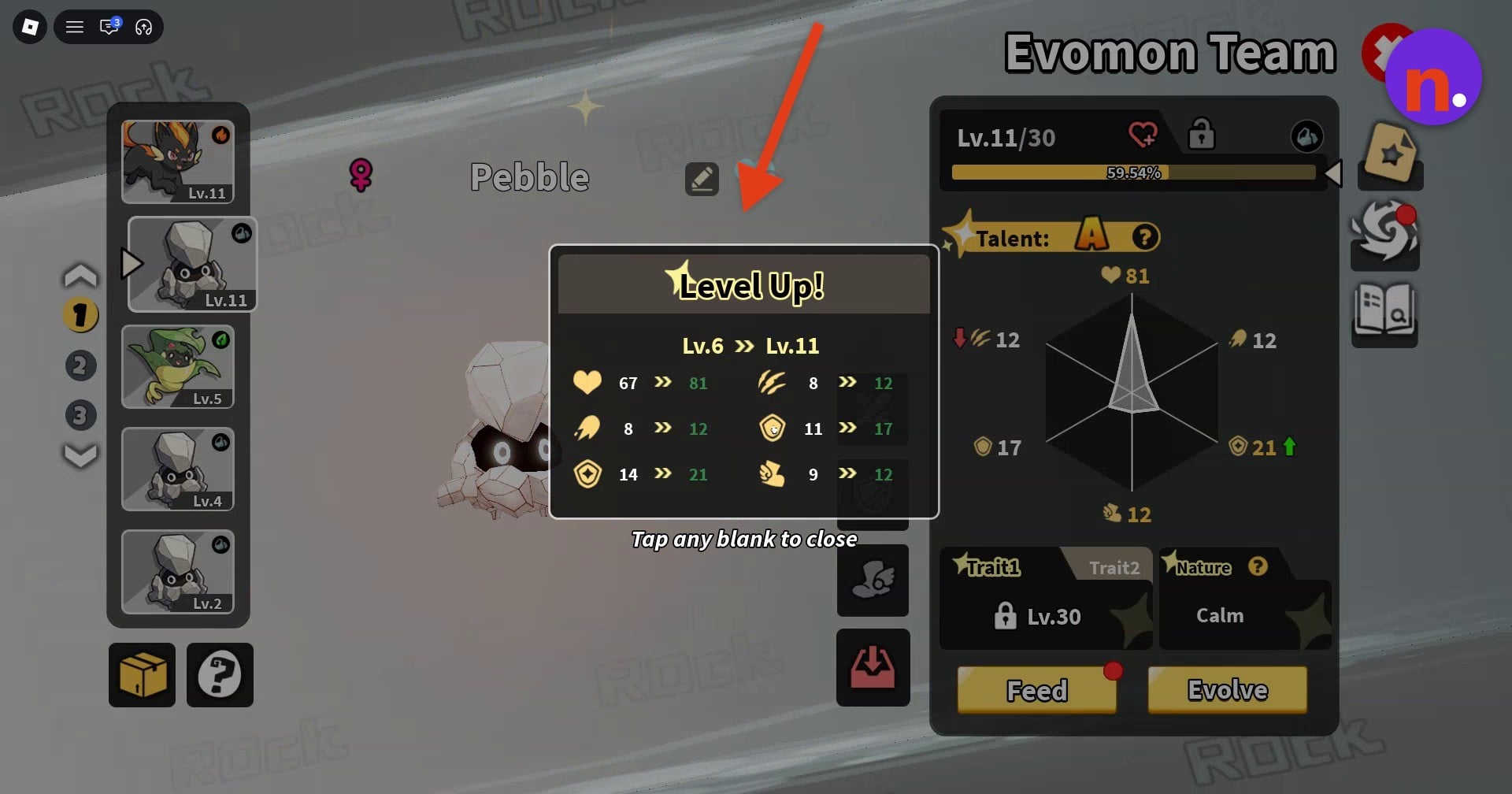
Press Feed again to confirm your selection. This consumes the selected items and applies their EXP to your Evomon. Pebble’s feeding result takes it from Lv.6 to Lv.11.
Dismiss the results
Tap a blank area to close the Level Up notification. If a new-skill popup appears, tap anywhere to dismiss it. Pebble’s skill notification announces that it learned Boulder Dash. The objective’s notification changes to Feed an Evomon (1/1) when complete. Close the team menu before claiming task rewards.
Back in the open world, claim your completed task rewards; the feeding objective awards x17. The second completed quest awards x50 EXP and x10 berries. The third quest awards x9 coins.
Related Evomon guides

Leave a Reply