

To enhance equipment in Beast of Reincarnation, examine a Camp, choose Enhance Equipment, pick the equipment category and item you want to upgrade, then confirm the enhancement by spending the required Amber.
Equipment enhancement is handled from the Camp interface, so the fastest route is to interact with a Camp and go straight into Enhance Equipment. From there, choose the matching enhancement category, select the item, review the cost, and approve the upgrade prompt.
| Menu option | Use |
|---|---|
| Level Up Attributes | Spend progression on character attributes. |
| Acquire Skills | Open skill acquisition. |
| Enhance Equipment | Upgrade eligible equipment with Amber. |
| View Pack | Check your carried items. |
| Tutorials | Review tutorial entries. |
| Save Game | Save at the Camp. |
Start by finding one of the Camps placed around the map. The Camp location is Village by the Bridge, and examining it opens the full Camp menu.
KEY!The option you need for this guide is Enhance Equipment. The same Camp screen also groups other progression and utility choices, so make sure you pick the equipment option rather than attributes, skills, inventory, tutorials, or saving.
How to enhance equipment in Beast of Reincarnation
Use this route when you are at a Camp and want to turn Amber into a direct equipment upgrade.
STEP 1/6
Examine a Camp

Approach a Camp such as Village by the Bridge and examine it to open the Camp menu.
STEP 2/6
Select Enhance Equipment
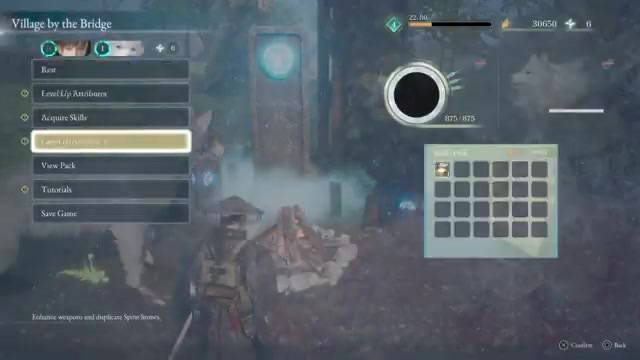
Choose Enhance Equipment from the Camp menu.
STEP 3/6
Pick an enhancement category
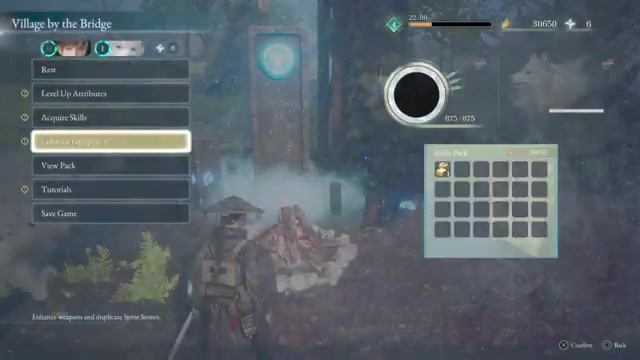
Select the relevant category, such as Sword Enhancement, from the enhancement list.
STEP 4/6
Choose the item
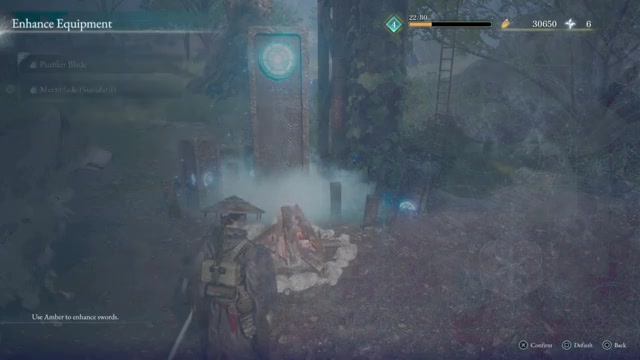
Pick the equipment you want to upgrade, such as Purifier Blade under Sword Enhancement.
STEP 5/6
Confirm the Amber cost
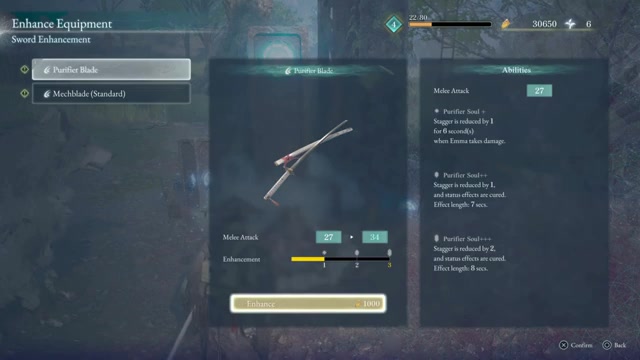
Check the prompt, then press X to confirm the enhancement.
STEP 6/6
Choose Yes
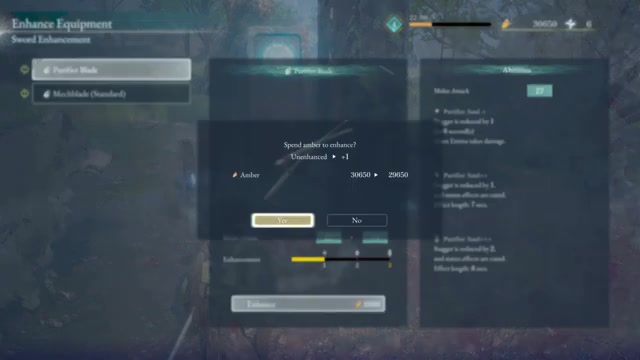
Select Yes to spend the required Amber and apply the upgrade.
Video help
Equipment categories shown in Enhance Equipment
| Category | What it affects |
|---|---|
| Sword Enhancement | Sword weapons such as Purifier Blade and Mechblade (Standard). |
| Projectile Enhancement | Projectile equipment upgrades. |
| Ranged Weapon Enhancement | Ranged weapon upgrades. |
| Spirit Stone Duplication | Spirit Stone duplication. |
The enhancement screen separates upgrades by equipment type. Only the categories visible in this menu should be treated as available from this Camp route.
Amber costs, stat gains, and blocked upgrades

The Purifier Blade enhancement prompt uses Amber. Its on-screen cost is shown as Amber 300/50 -> 250/150, meaning the upgrade consumes 50 Amber from the amount currently held and raises the requirement display to the next value afterward.
That upgrade changes Purifier Blade from Unenhanced to +1. It also raises Melee Attack from 27 to 34 and improves weapon abilities shown on the item panel, including Purifier Soul+.
If an option cannot be used, the game can block it with the message “Basera lacks the capability to perform this action.” When that appears, back out and try an available enhancement instead of repeatedly confirming the same blocked action.
Check the Amber line before confirming so you know both the current upgrade cost and what the next requirement will be after the enhancement.
Frequently Asked Questions
Where do you enhance equipment in Beast of Reincarnation?
Use a Camp. Camps appear around the map as interaction points, and examining one opens the menu that contains equipment enhancement.
What material do equipment enhancements use?
Enhancements use Amber. The confirmation prompt shows your held amount, the cost being spent, and the next displayed requirement.
What does enhancing a weapon change?
A weapon enhancement can increase the weapon’s enhancement level, improve its attack stat, and upgrade listed weapon abilities on the item panel.
Why does the game say Basera lacks the capability to perform this action?
That message means the selected enhancement action is unavailable through Basera at that moment. Choose another available item or category from the same enhancement menu.



Leave a Reply