

Get eggs from Frostbound Tower, hatch them at the hub’s Pets stall, open the finished egg, then select your pet and press Follow to equip it.
Pets are companions that give you multipliers for combat damage and skills in Loot to Forge. Getting one starts with an egg, and the eggs available from Frostbound Tower vary by floor level.
Hatching an egg gives you a pet to select and equip. This guide covers the tower rewards, the hatching process, and the pet stats and menu controls.
How to get and use pets in Loot to Forge
Have the tower’s entry item ready before you begin. Starting the challenge is your first commitment on the way to collecting eggs.
Collect an egg from the tower, hatch and open it at the Pets stall, then equip your companion.
Part 1 – Get an egg from Frostbound Tower
Begin at the hub’s central staircase.
Reach the tower entrance
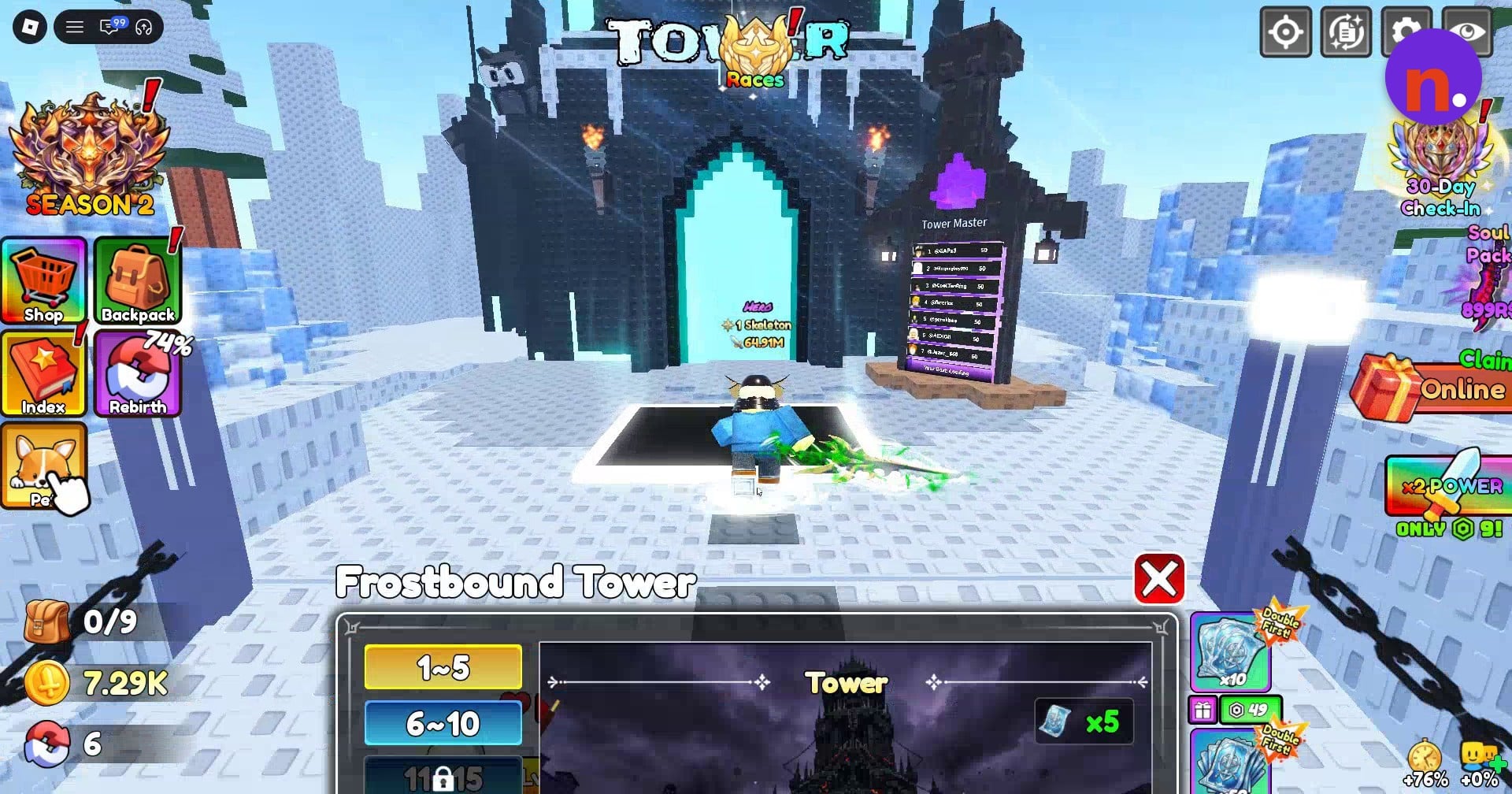
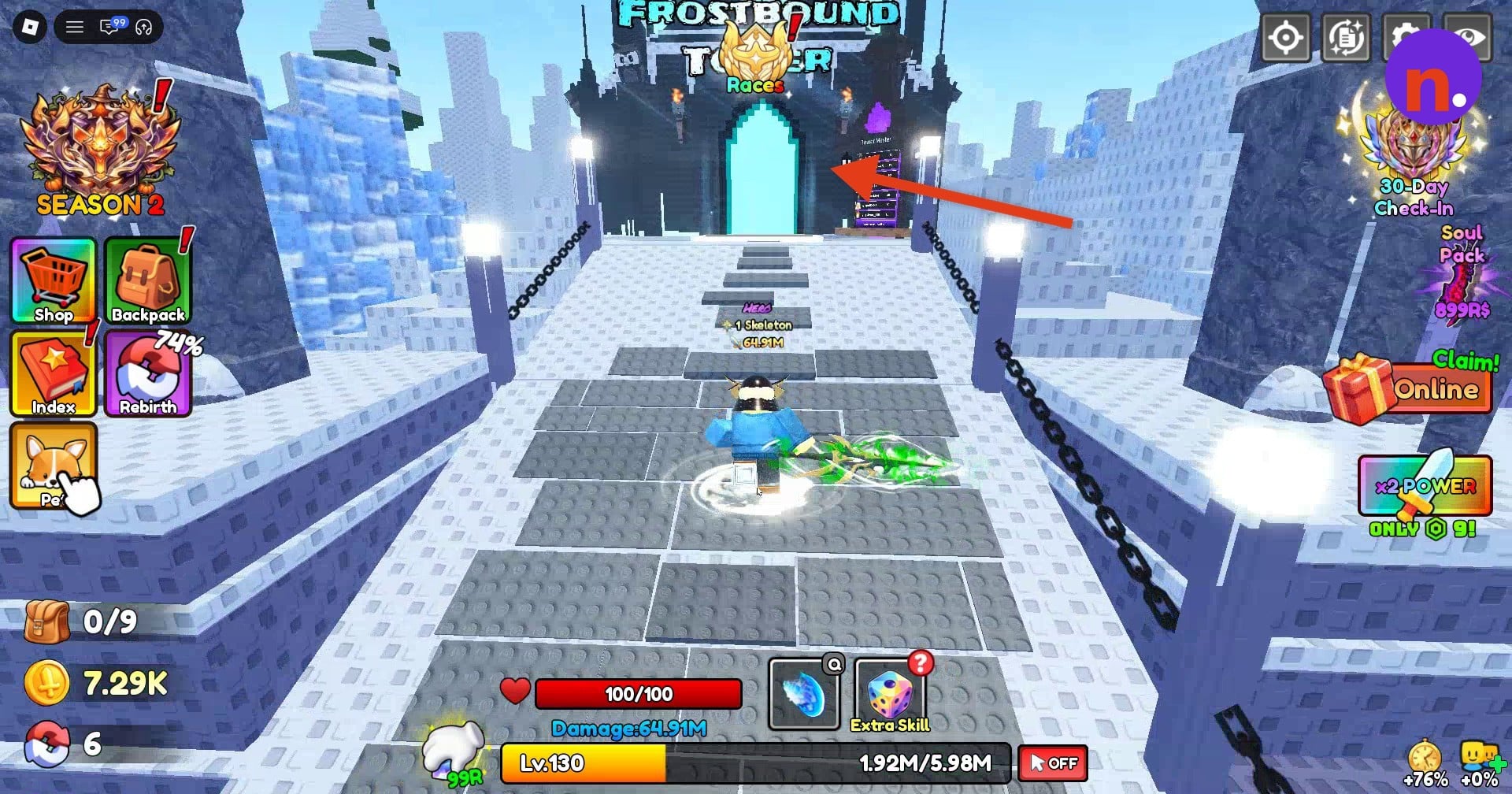
Climb the central stairs in the hub and step onto the glowing Frostbound Tower portal at the top to open its menu.
Start your tower challenge
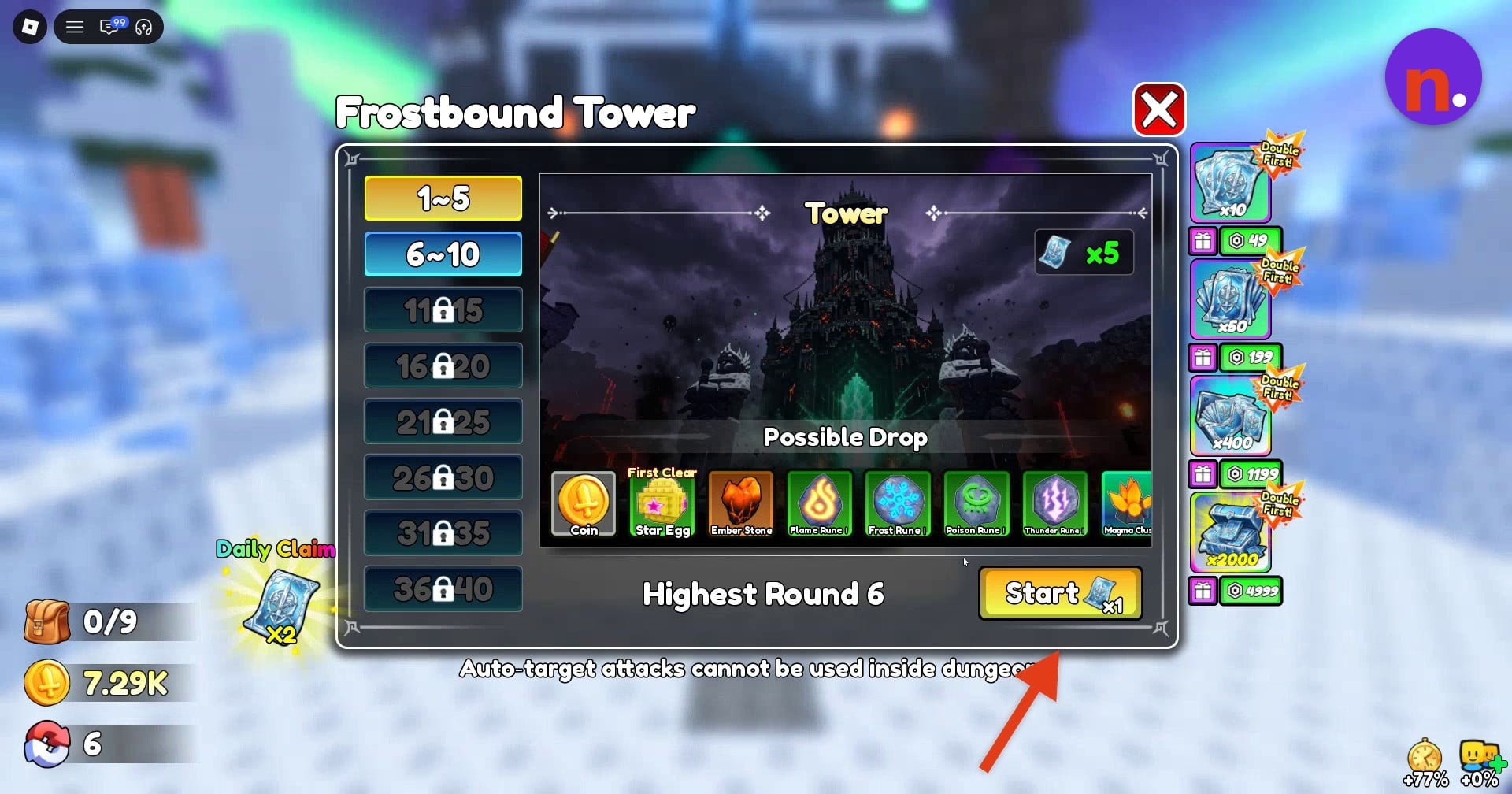
Choose an unlocked round tier and review its possible drops and first-clear rewards before pressing Start. Star Egg is among the rounds 1–5 first-clear rewards; egg types vary by floor level. Star Egg also appears in the menu’s possible drops.
Clear the tower floor
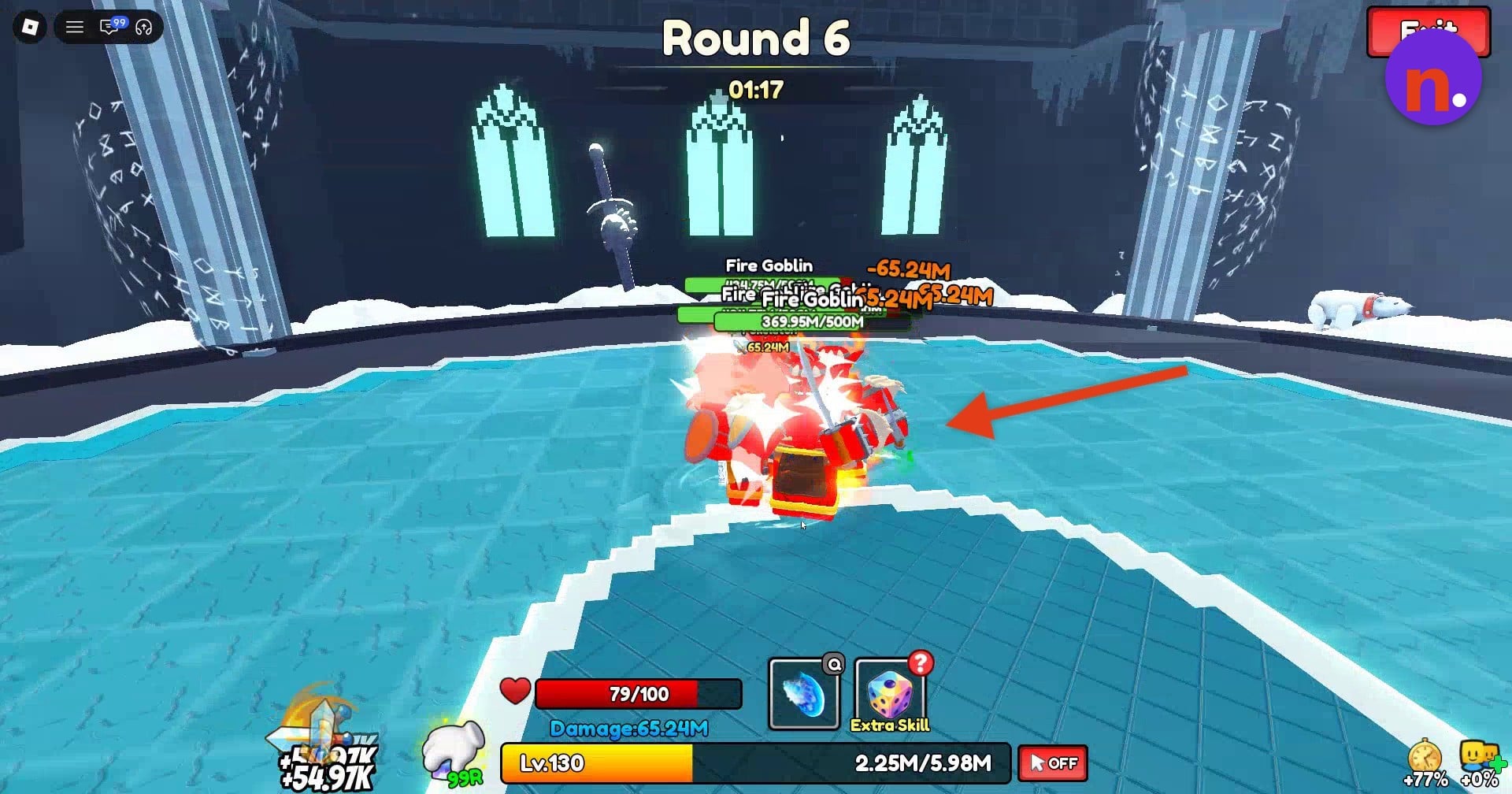
Attack the enemies on the circular arena until the entire wave is defeated. Clearing tower floors is how you obtain eggs for hatching.
Part 2 – Hatch and open the egg at the Pets stall
Return to the main hub with an egg available to hatch.
Find the Pets booth
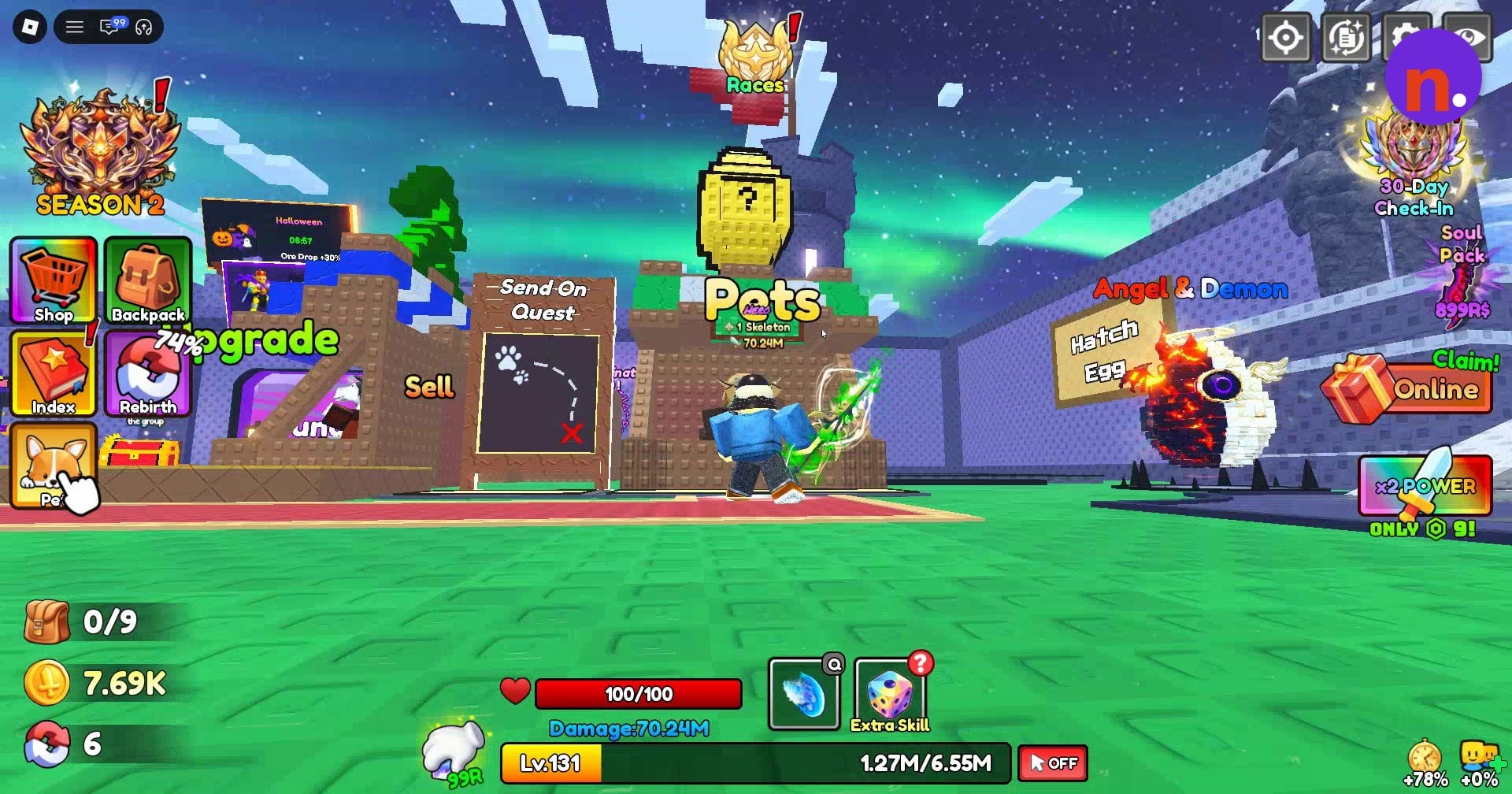
After your tower run, return to the hub and approach the wooden booth labeled Pets, near the Angel & Demon egg.
Open your hatchable eggs
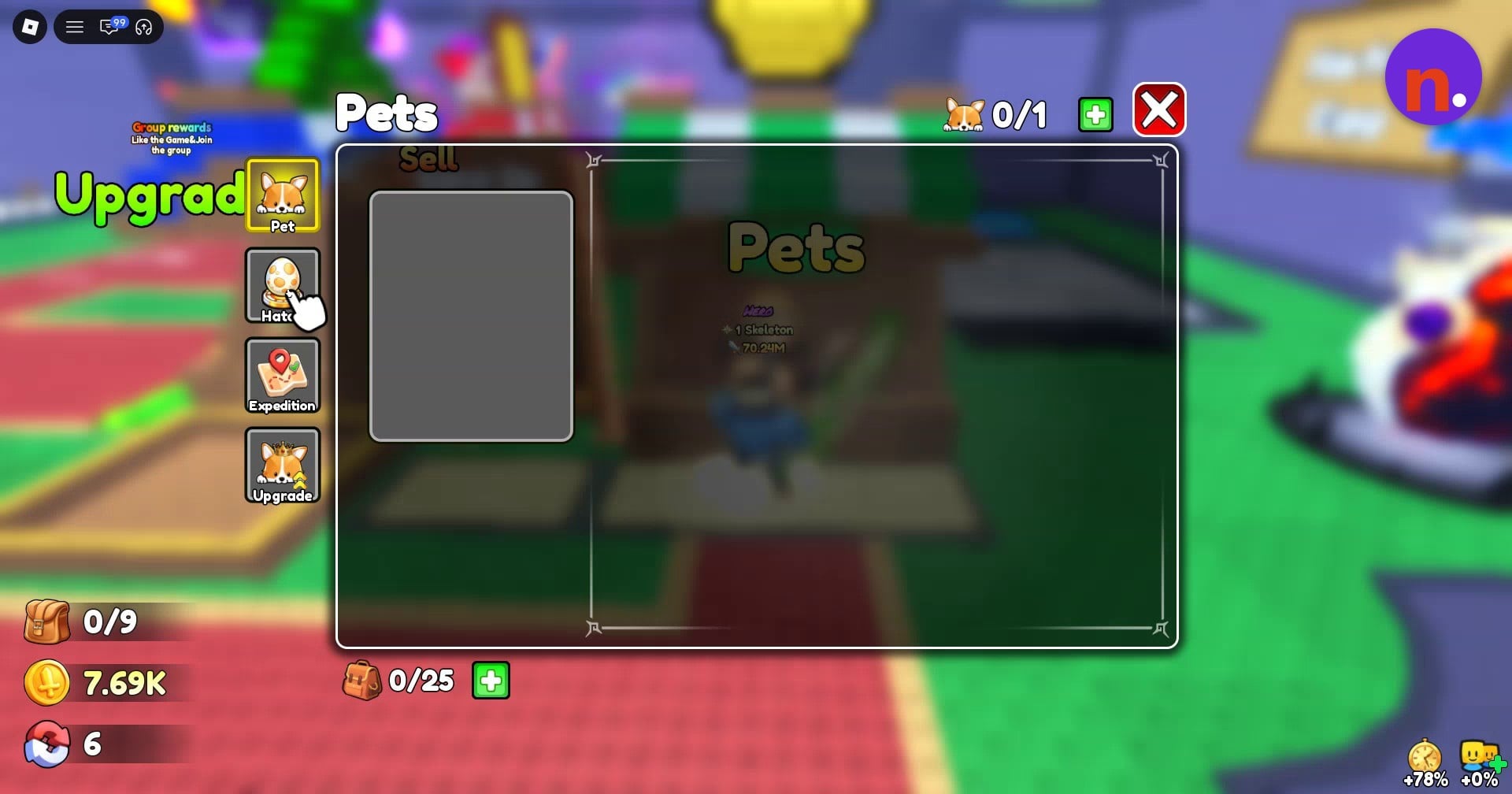
Select the egg-shaped Hatch tab on the left side of the Pets interface. Hatch Egg displays the eggs you have available.
Start hatching a Star Egg
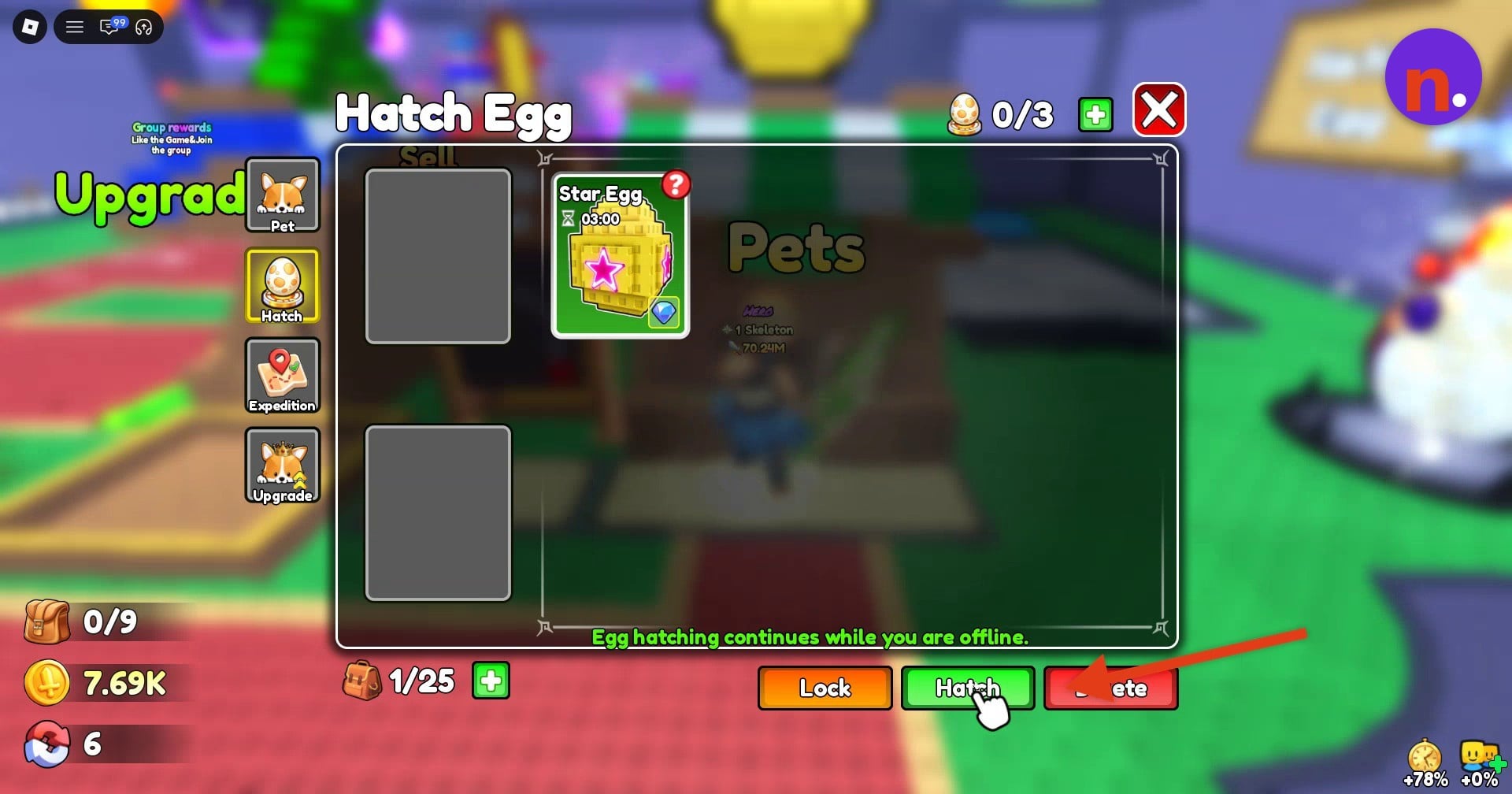
Select Star Egg from your egg inventory, then press the green Hatch button at the bottom of the window.
Let the countdown finish
A Star Egg has a base hatch time of 03:00. Leave the egg hatching until its countdown reaches the end.
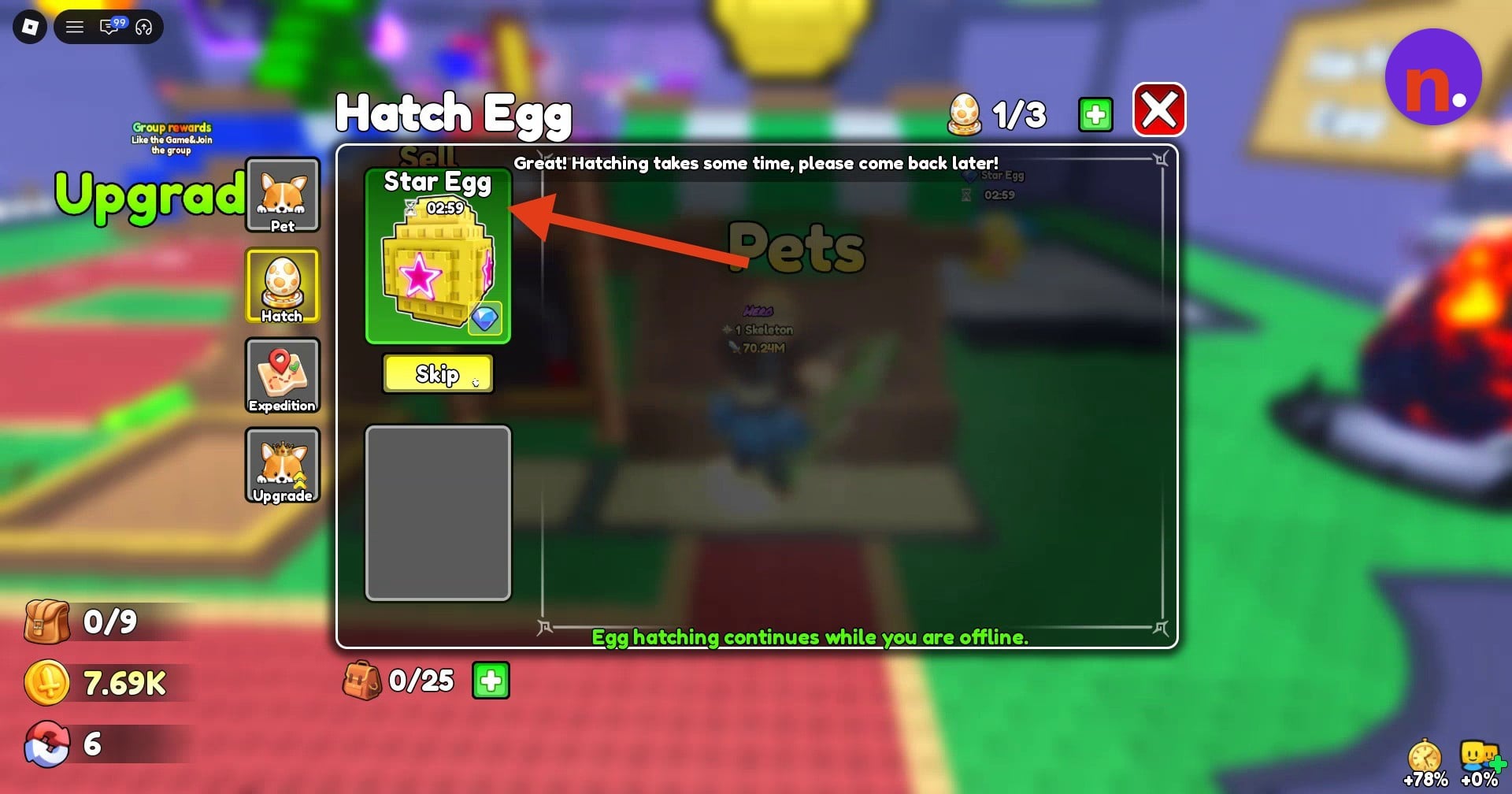
Open the ready egg
When the completion notification appears and the egg reads Ready!, approach the hatching platform behind the booth. Use the E Open prompt on the golden platform to open it.
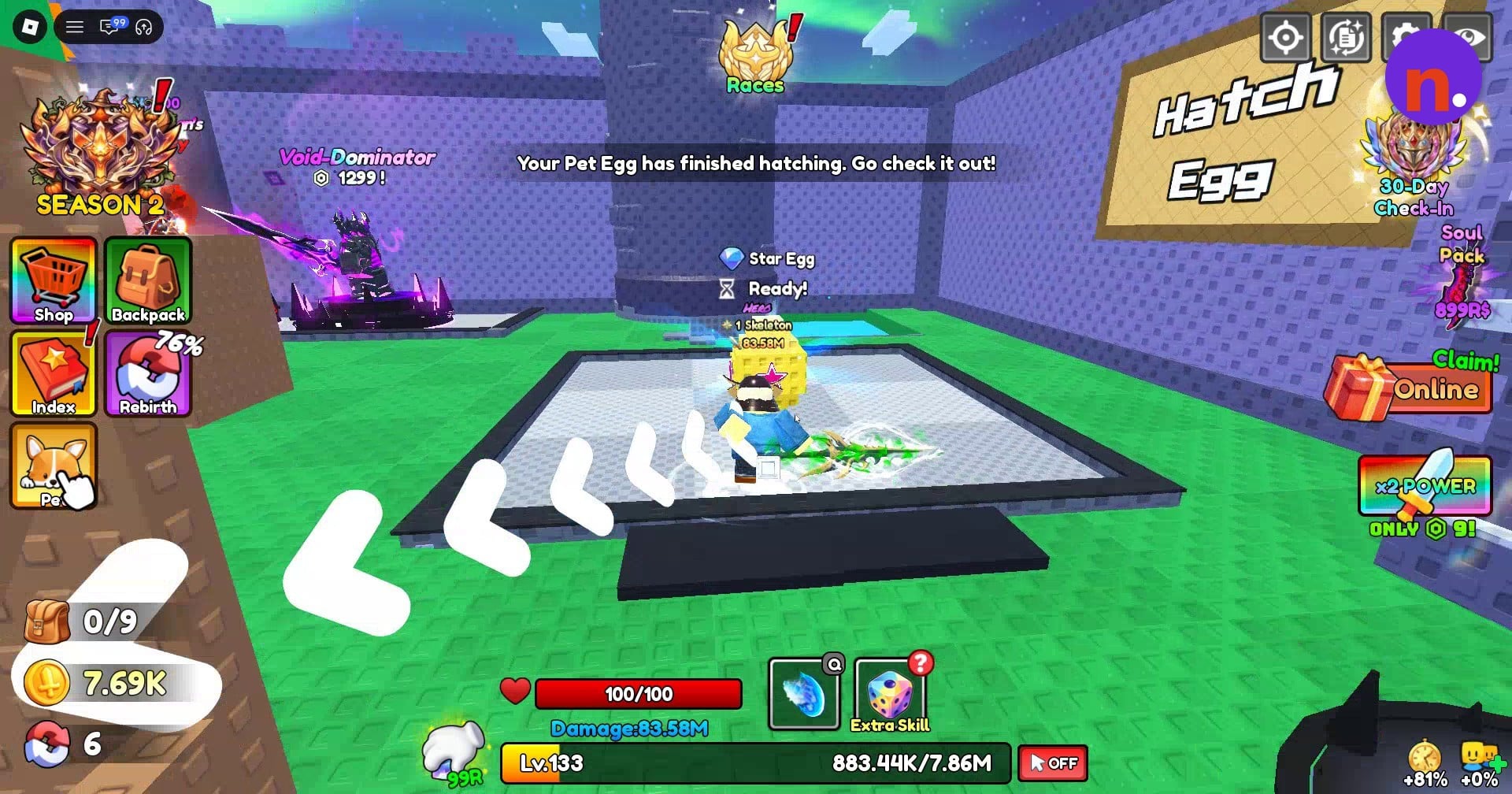
Part 3 – Equip and use your pet
Activate your newly hatched companion from the Pet menu.
Select your pet and equip it
Open Pet through the sidebar or the stall and select your newly hatched pet. The acquisition tutorial prompts you to equip it: press the green Follow button beneath its stats.
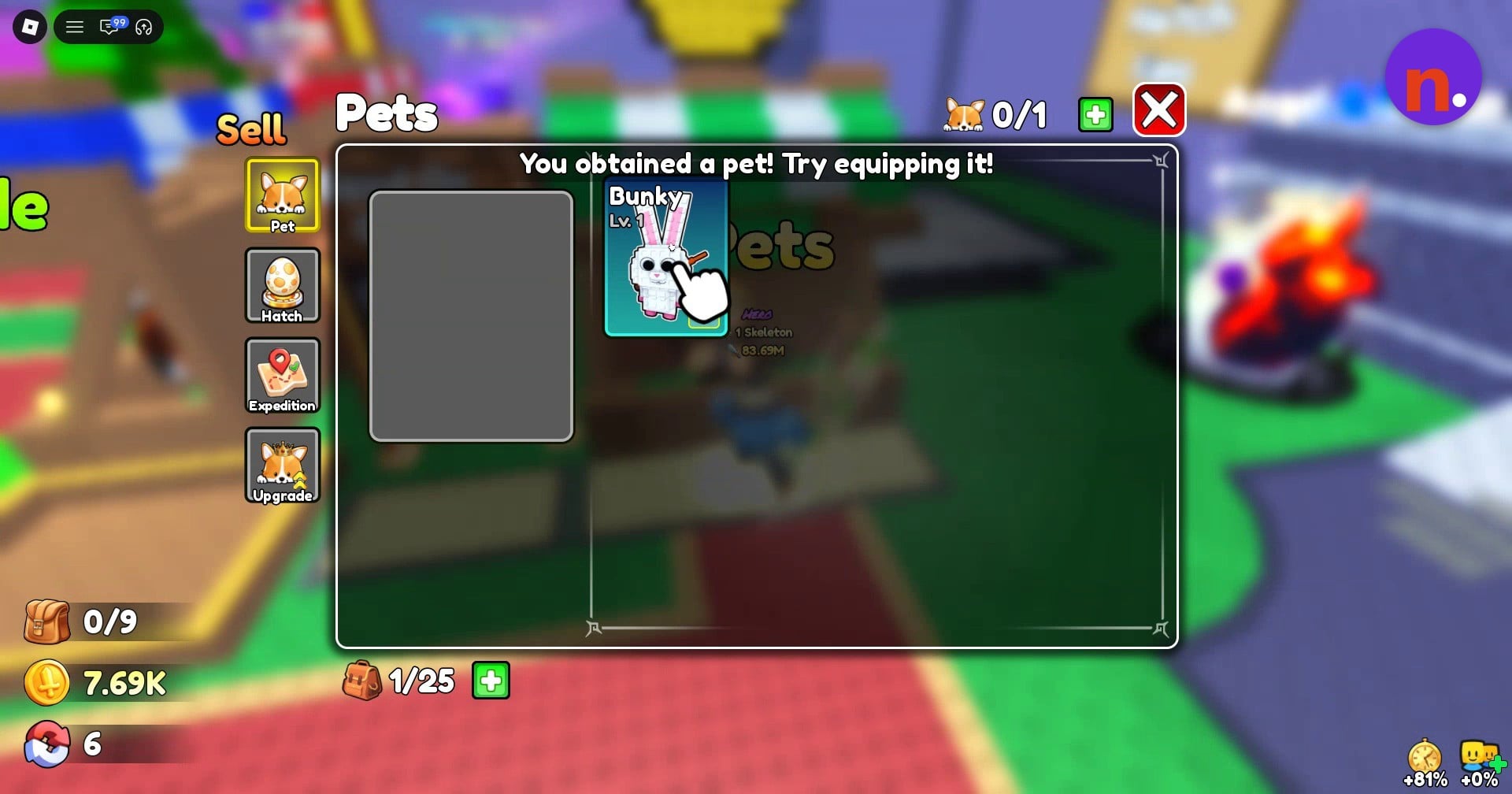
Check your active companion
Your equipped pet appears beside your character. Swing your weapon and observe the power gain with it active; to switch the pet off, select it and press Unfollow, then use Follow whenever you want to equip it again. A swing without a pet yielded +54.91K power; a swing with Bunky equipped yielded +89.84K power.
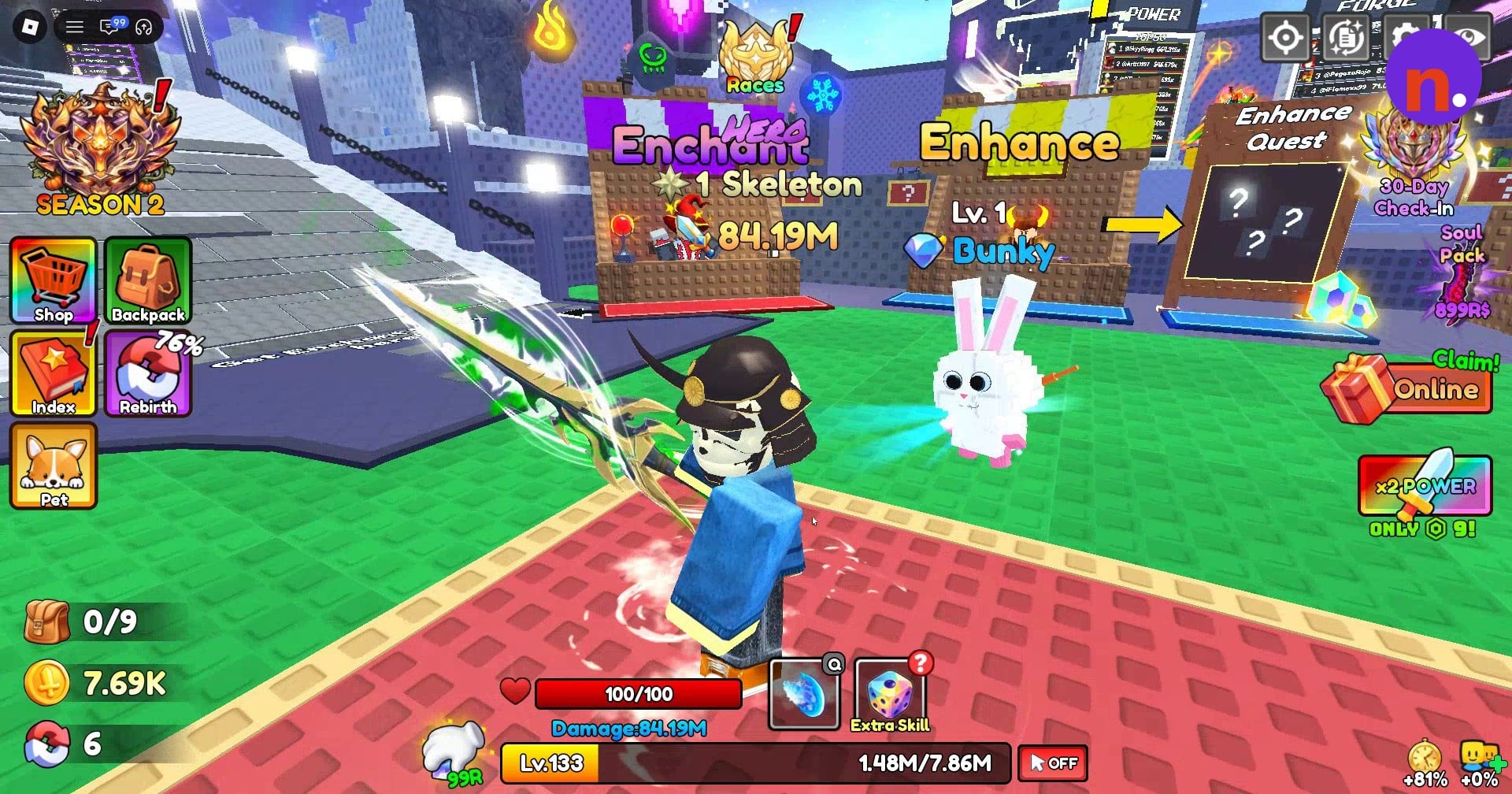
Leave your egg hatching when you log off. The countdown continues while you’re offline.
What bonuses do pets give in Loot to Forge?
| Bunky | Detail |
|---|---|
| Egg association | Star Egg, possible hatch result |
| Rarity | Rare |
| Displayed level | 1 |
| Displayed power bonus | +60% |
Your pet’s stats include its displayed power bonus alongside its level. For Bunky, the pet detail panel shows the following profile.
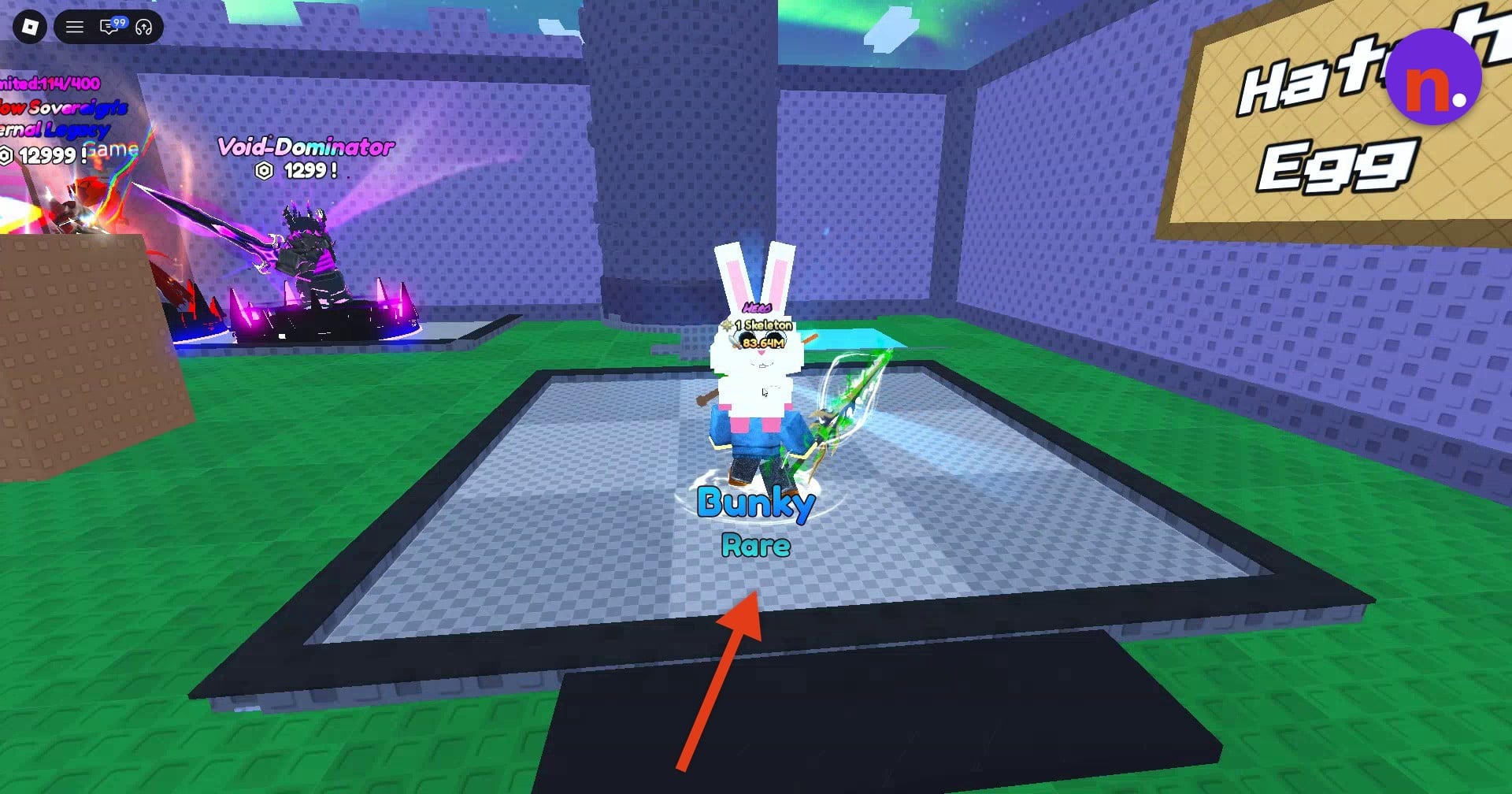
| Counter | Display |
|---|---|
| Hatch Egg | 0/3 before starting; 1/3 during the hatch |
| Equipped pets | 0/1 before equipping; 1/1 afterward |
| Pet inventory | 1/25 with Bunky present |
While an egg is hatching, a Skip option appears beside its countdown. The Pets interface also includes Expedition and Upgrade tabs, while the selected pet’s controls include Lock, Feed and Delete.
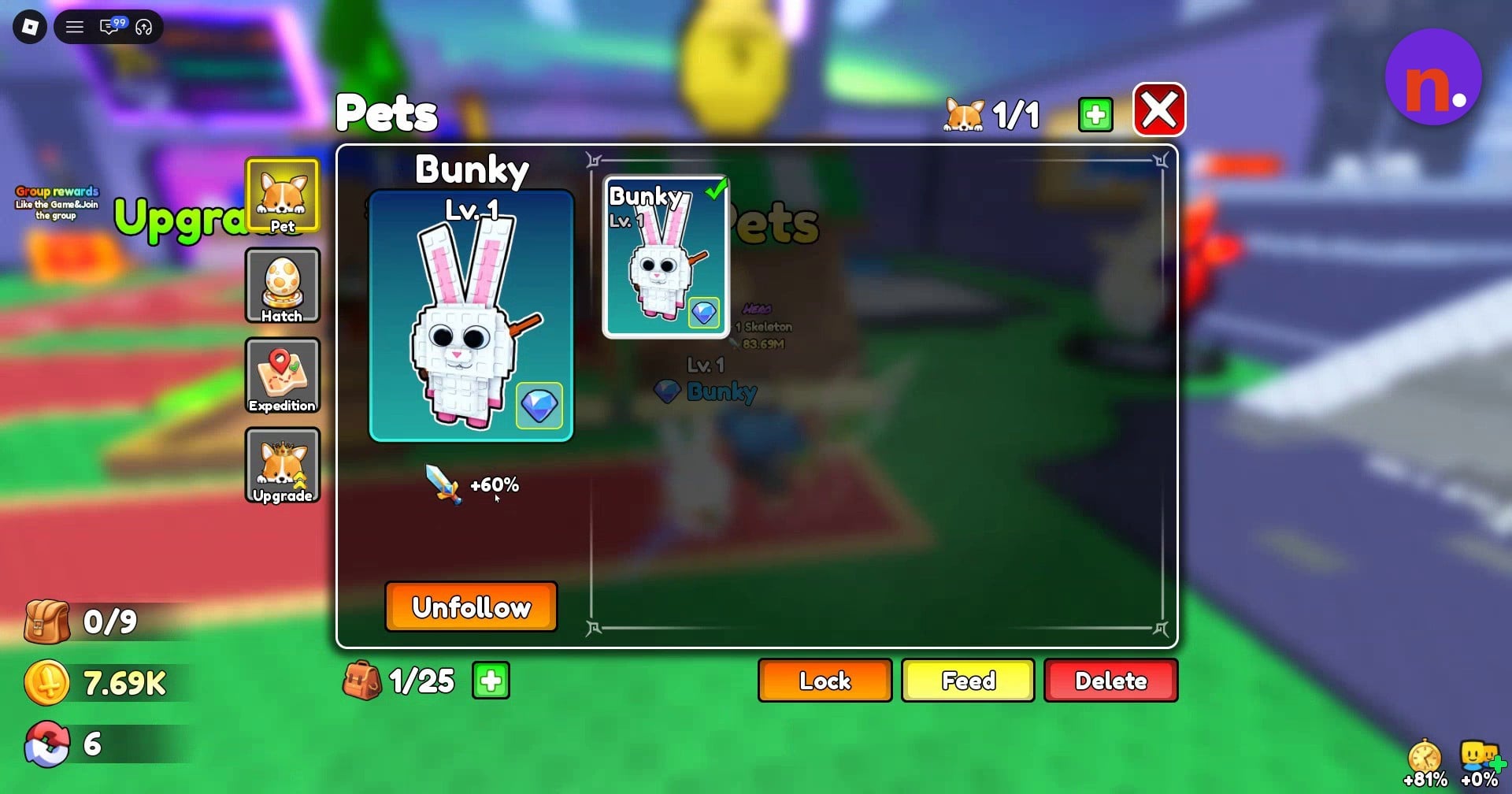
The menu counters change as you start a hatch and equip a companion. With a Star Egg hatching and Bunky added to your pets, the corresponding interface states read as follows.
An equipped companion brings combat damage and skill multipliers into your fighting setup. That’s the payoff for taking an egg through to an active pet.
Related Loot to Forge guides




Leave a Reply