
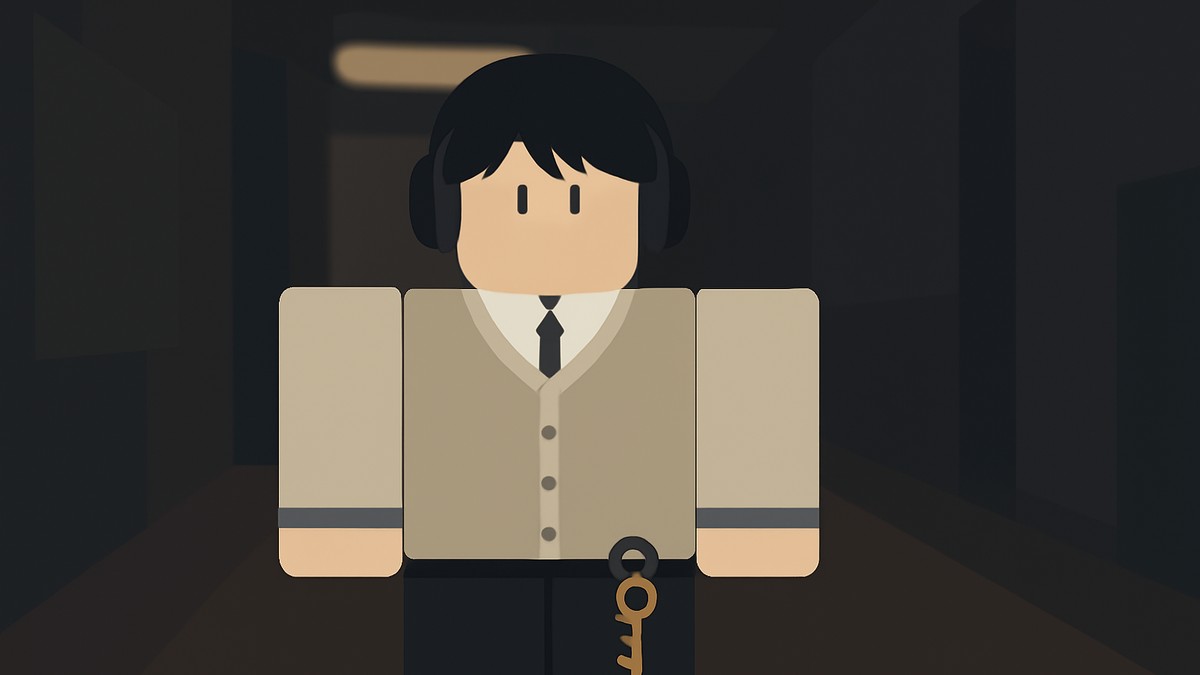
Headphones in Gakuran are obtained by rerolling the Head Accessory slot in the Stats menu until they appear in your character preview; you need accessory rerolls from codes or Robux first.
Headphones are not a shop item, quest reward, NPC reward, crafting result, or fixed pickup in Gakuran. They come from the accessory reroll system, so the whole job is getting enough rerolls, choosing the correct slot, and watching the character preview closely.
Headphones come from Head Accessory rerolls
| Item | How it works |
|---|---|
| Accessory slot | Head Accessory, not face, neck, or arm. |
| Required resource | At least one accessory reroll. |
| Menu location | Stats menu, then the Accessory section. |
| Reroll button | The circular arrow beside the Head Accessory slot. |
| How to know it worked | Headphones appear on your character’s head in the preview. |
To get Headphones, open your character’s Stats menu, go to the Accessory section, and reroll the Head Accessory slot. The game can show a long accessory ID after a roll, but you do not need to memorize it. The visual preview is what matters.
Because the roll is random, you may get another head accessory first. Keep rerolling the same Head Accessory slot until the model appears on your character.
Rerolls you need before trying
You need at least one reroll before you can try for Headphones. Rerolls can come from redeeming active Gakuran codes, and if you do not have any free rerolls available, you can also buy rerolls with Robux.
Code validity changes often, so check the game’s official and community channels before you spend Robux. This is also why it is better to think of codes as a way to stock up on rerolls, not as a permanent Headphones method by themselves.
If you only have one or two rerolls, be ready for the roll to miss. Headphones are part of the Head Accessory pool, so getting them can take several attempts.
How to reroll Head Accessory for Headphones in Gakuran
Use this route when you already have, or are about to get, an accessory reroll for your character.
STEP 1/7
Get a reroll
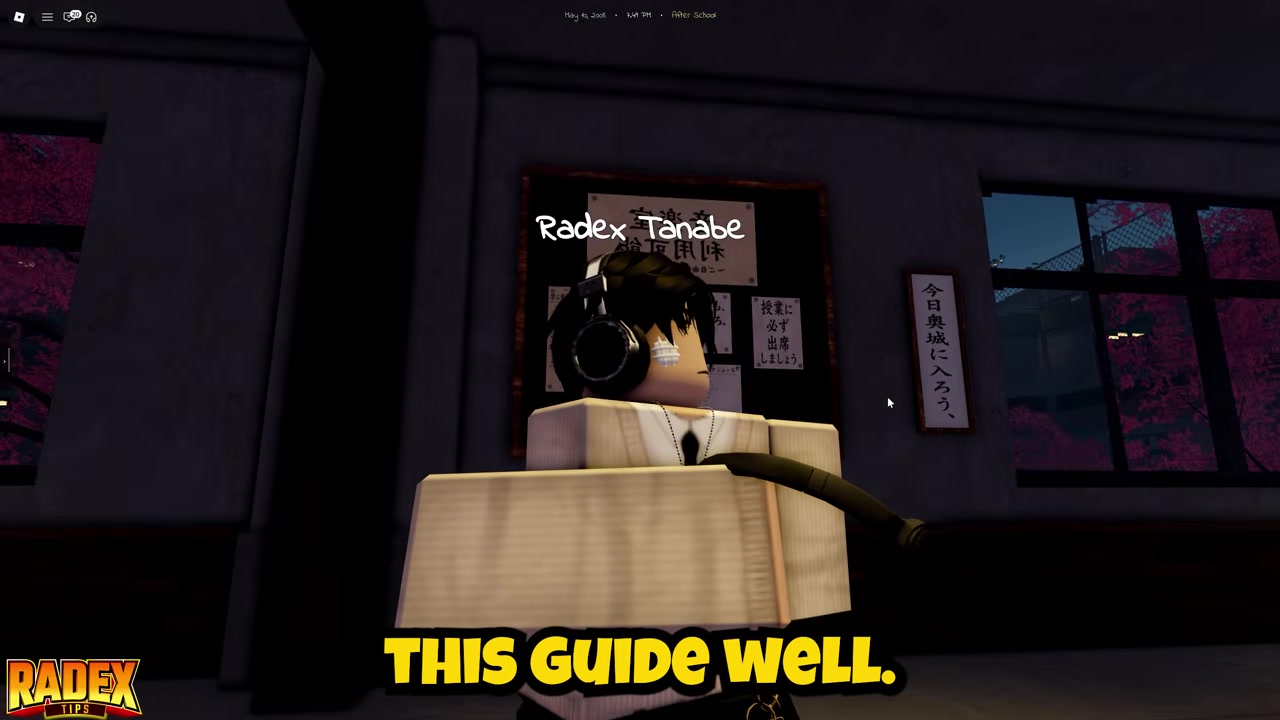
Get at least one accessory reroll from active codes, or buy rerolls with Robux if you do not have free ones.
STEP 2/7
Open Stats
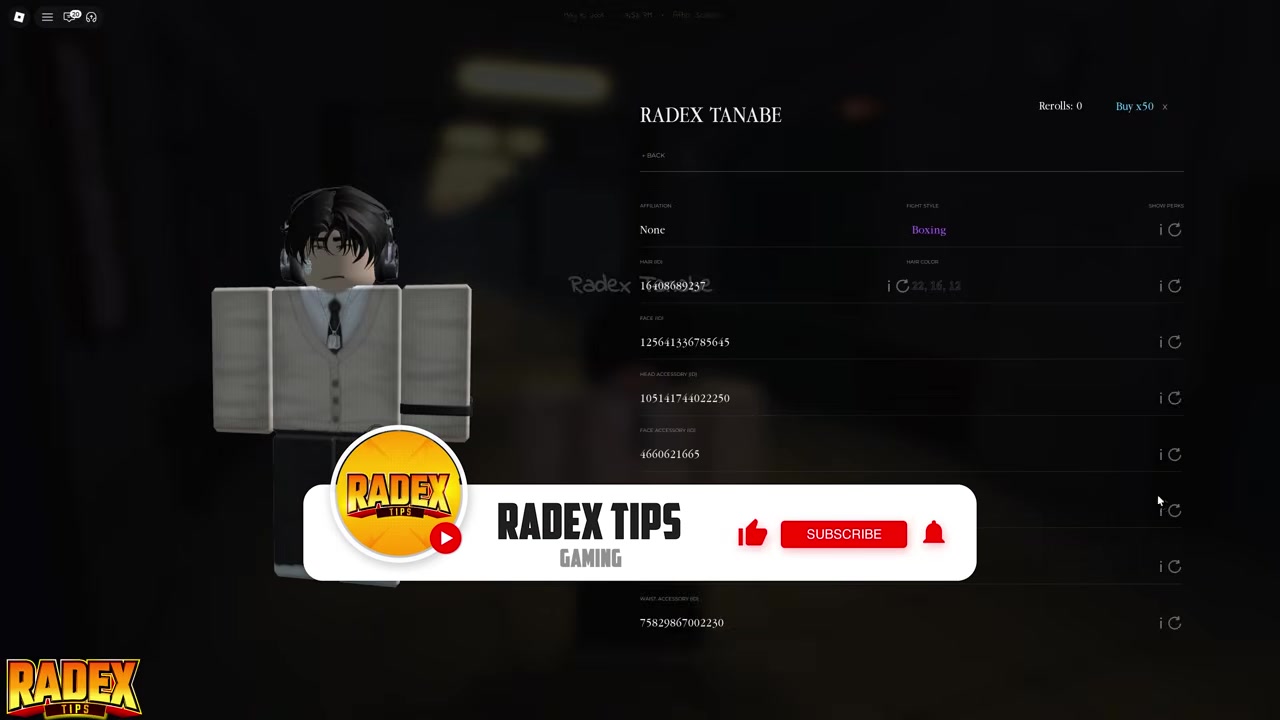
Open the Stats menu once you have a reroll ready.
STEP 3/7
Go to Accessory

Switch to the Accessory section where the character accessory slots are shown.
STEP 4/7
Choose Head Accessory
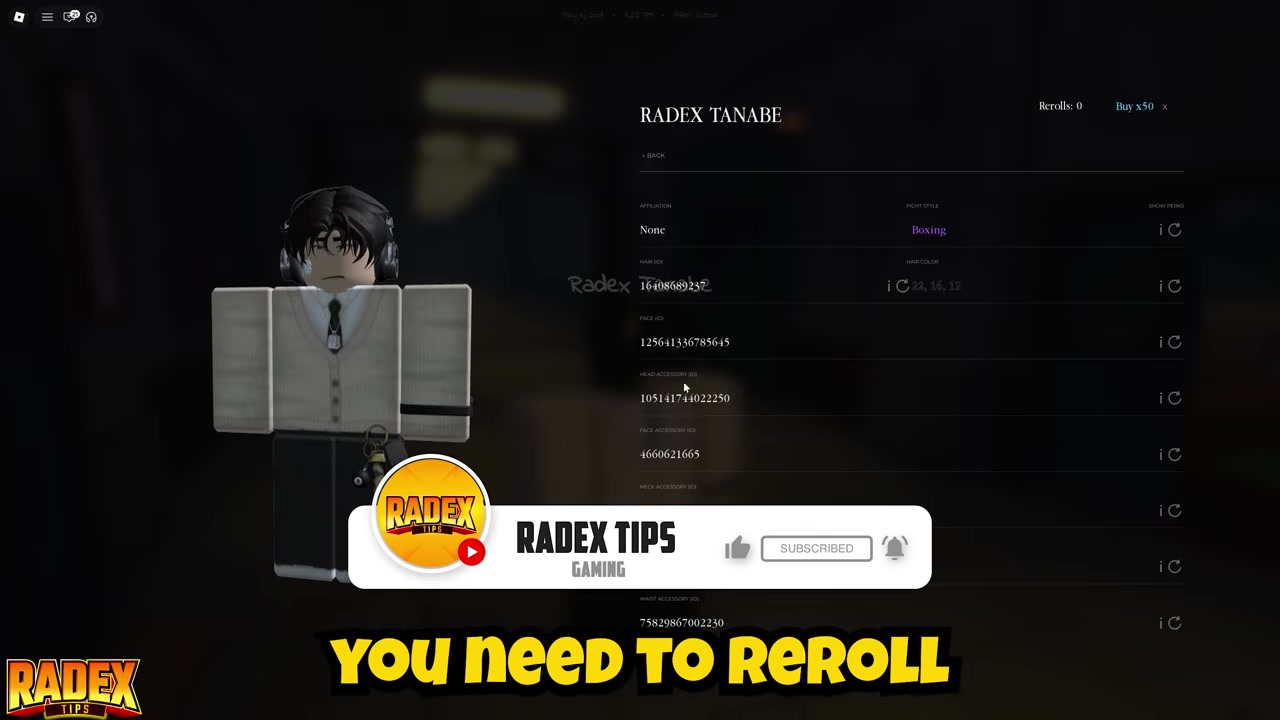
Select the Head Accessory slot because Headphones belong to the head slot.
STEP 5/7
Press the circular reroll arrow
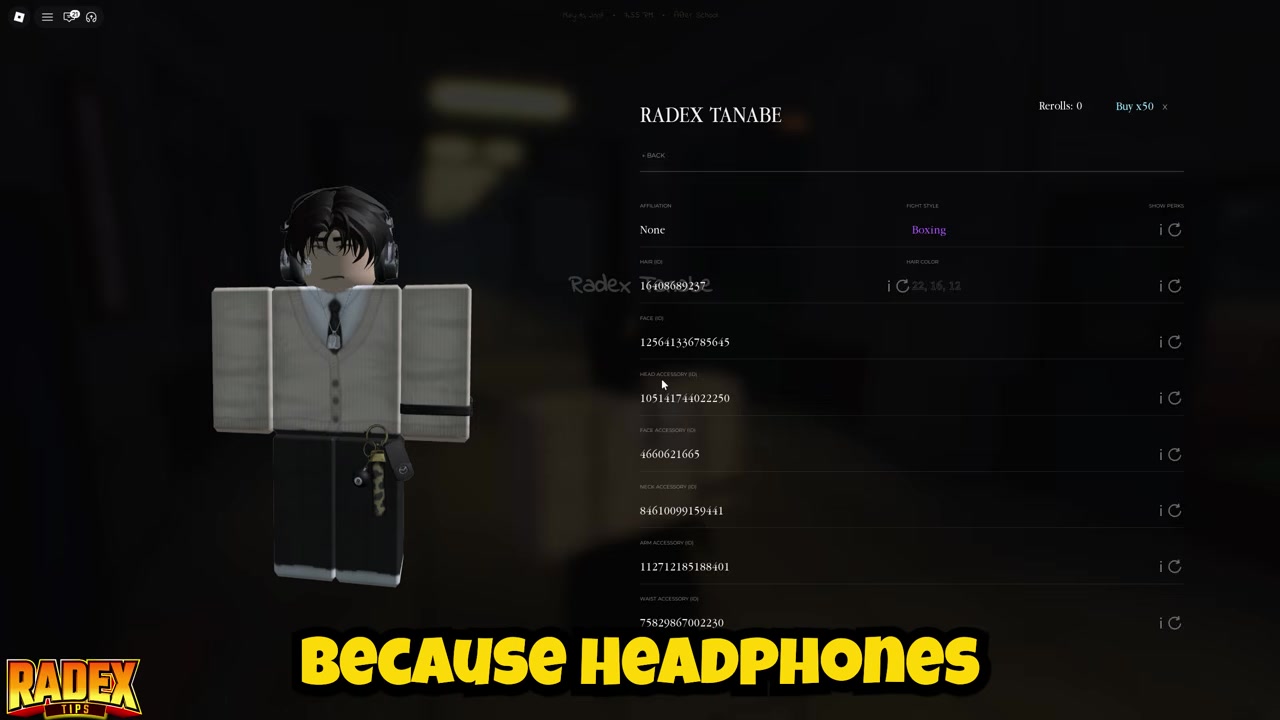
Use the circular arrow button on the Head Accessory slot to roll a new head item.
STEP 6/7
Keep rolling for Headphones
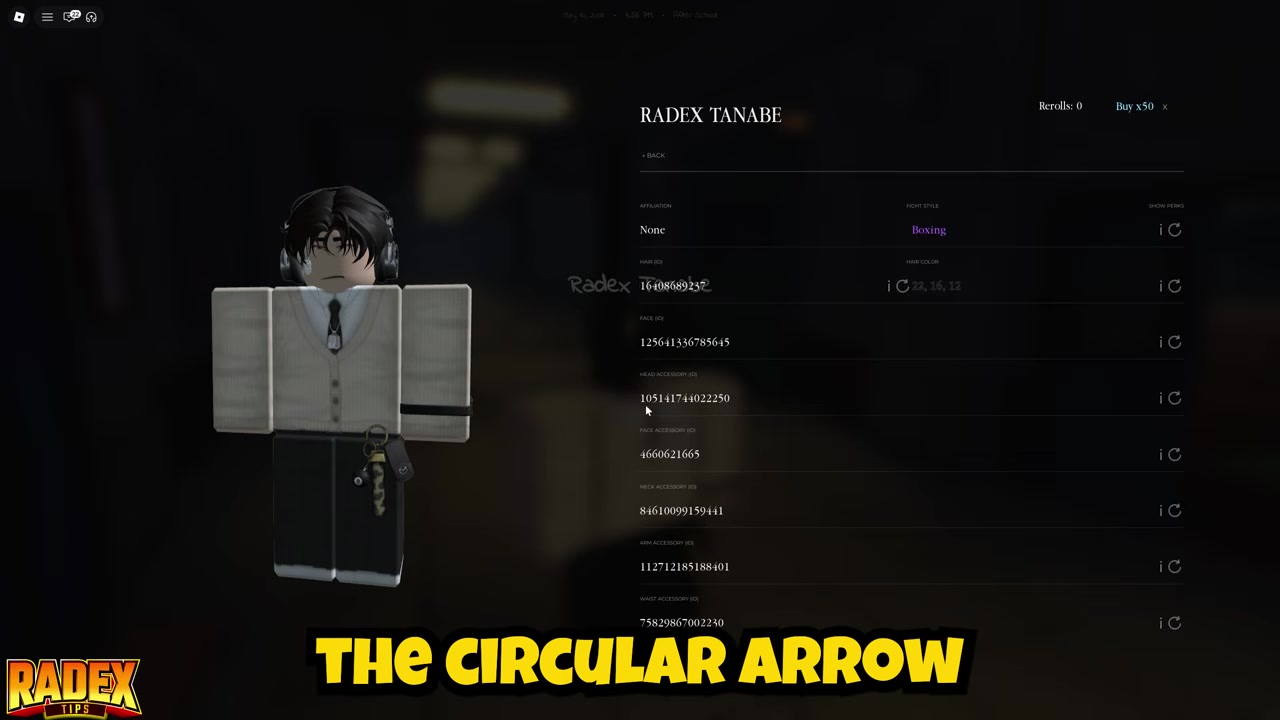
Repeat the Head Accessory reroll until Headphones appear on your character preview.
STEP 7/7
Check the preview

Ignore the long accessory ID and use the visual preview to confirm Headphones are on your character’s head.
Video help
How to confirm Headphones and use them
You have the right item when the Headphones model is visible on your character’s head in the preview. The slot may show a long ID number, but the ID is not the practical check. Look at the character model instead.
Headphones are more than a cosmetic head item. Once equipped, they interact with your phone’s Music app, letting music play privately while your character walks, chats, works, or fights.
Under normal use, the music is for you rather than everyone nearby. That is the main reason players chase Headphones instead of treating them like another visual accessory.
RNG and Headphones variants
Headphones are random from Head Accessory rerolls, so there is no fixed route where you walk to a place and pick them up. You press the reroll button, check the preview, and repeat until the Headphones model appears.
Players commonly use about 17% as the Headphones reroll chance, but treat that as a rough accessory-pool number rather than a promise from the current build. You may also see players refer to five styles, while the commonly named variants are standard black and thin brown, so the exact style count can vary by build and accessory listing.
KEY!The practical expectation is simple: bring multiple rerolls if you can. One roll can hit, but several misses in a row are normal for a random head accessory.
Only reroll the Head Accessory slot; rolling face, neck, or arm accessories will not give you Headphones.
Common Headphones mistakes
The biggest mistake is rerolling the wrong slot. Headphones are a Head Accessory, so spending rerolls on face, neck, or arm slots will chase the wrong pool.
Another common mistake is searching for a vendor, map pickup, NPC, or crafting recipe. Headphones come from rerolls, so if you are not using the Stats menu and the circular reroll arrow, you are not doing the actual unlock method.
Do not ignore the preview after each roll. The accessory ID can be long and hard to recognize, but the character preview clearly shows whether Headphones are sitting on your character’s head.
Also, do not assume Headphones are only cosmetic. A strong punch can knock them off during combat, and dropped Headphones can make your music audible to nearby players until they are recovered or picked up.
After you get Headphones, the next thing to learn is the phone’s Music app, since that is what makes the accessory useful beyond appearance. The private music behavior is the main function tied to wearing them.
Other functional accessories are worth checking later, especially Glasses, Scarves, and Keychains. They use the same broader accessory system, but each belongs to its own slot and should not be mixed up with the Head Accessory reroll you need for Headphones.
Frequently Asked Questions
Can you buy Headphones directly in Gakuran?
No. Headphones are not bought directly from a shop or vendor. You get them by rerolling the Head Accessory slot.
Which accessory slot should you reroll for Headphones?
Reroll the Head Accessory slot. Headphones do not come from the face, neck, or arm accessory slots.
Do Headphones have a guaranteed drop or pity system?
No guaranteed drop or pity system is part of the Headphones method. Each Head Accessory reroll is random, so you may need multiple attempts.
How do you know the reroll gave you Headphones?
Check the character preview on the left side of the menu. If Headphones are visible on your character’s head, you got the right accessory.
What do Headphones do with the Music app?
When equipped, Headphones work with the phone’s Music app so you can listen privately while moving, chatting, working, or fighting.
More questions⤵
Can Headphones fall off during combat?
Yes. Strong punches can knock Headphones off, and dropped Headphones can make the music audible nearby until they are recovered or picked up.






Leave a Reply