
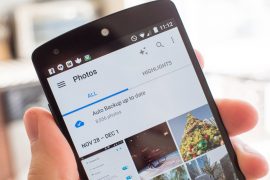
A recent update to Oxygen OS on OnePlus devices messed up Gallery for some users. Apparently, for no reason, the Gallery app stopped showing images stored on the device. This is just one of many cases where Android users are met with an empty Gallery.
The reason for this is .nomedia file. Android uses a .nomedia extension file to restrict images stored inside a folder on the device to appear on the Gallery apps.
In very rare cases, .nomedia file is generated by error inside every media directory on the device, restricting Gallery apps from indexing the media files inside those folders.
To fix this issue, we’re going to use a file manager and an app that can rescan media files after we’ve deleted the .nomedia files from each media directory.
How to Fix “Gallery Not Showing Images” Issue on Android
- Download & install both ES File Explorer and Media Rescan apps on your Android device.
- Open ES File Explorer app, touch the search icon on top bar and type .nomedia.
└ You’ll get a list of all .nomedia files stored on your device. If not, touch the “File not found? Try deeper search” bar at the bottom of screen. - Delete all .nomedia files found on your device.
- Open Media Rescan app » tick All media checkbox » and hit the Start Media Scan button.
- Once all media files are rescanned, open the Gallery app. All your media files should be visible on your device now.
That’s all. Happy Androiding!
Image Source: Android Central

5 responses to “Gallery not showing images on Android? Here’s How to Fix it”
Your suggestion for Media Rescan saved my life. Thanks so much!
Hi Shivam, I have done the above but still no joy in viewing a load of my photos in WhatsApp or Instagram, is there anything else I can do?
Couldn’t find .nomediq files using was file explorer, any other ways ?
Sorry, it’s es file explorer
It didnt quite work…. The pics are back but er.when I click on a pic it turns to a blank grey pic & if I send it to messenger it shows as a blank pic to the person I sent it to or doesnt even show in messeng