
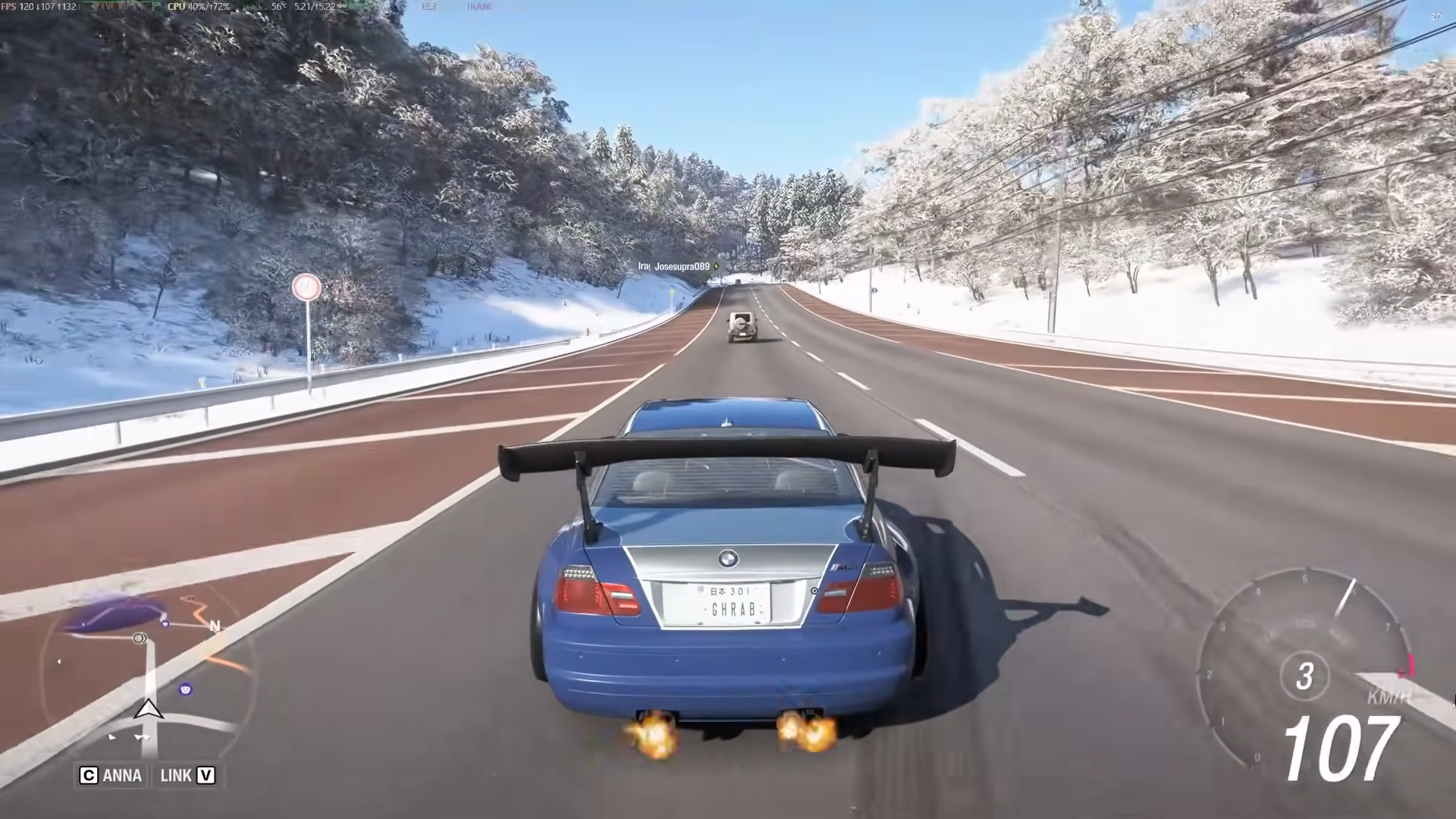
To unlock Winter instantly in Forza Horizon 6 and complete the Discovery Challenge, go offline, disable your internet, manually change your system date to June 6th (or any active Winter date), then launch the game offline and select “Play Offline” when prompted.
Winter Instant Unlock Method
How to Unlock Winter Instantly
Step 1: Completely Close Forza Horizon 6
Fully exit the game from your system. Do not just minimize it—ensure it’s completely closed so the next launch picks up your system changes.
Step 2: Disconnect Your Internet Connection
On PC, open network settings and disable your active connection (Wi-Fi or Ethernet). On Xbox or other consoles, disconnect the console from the internet through system settings.
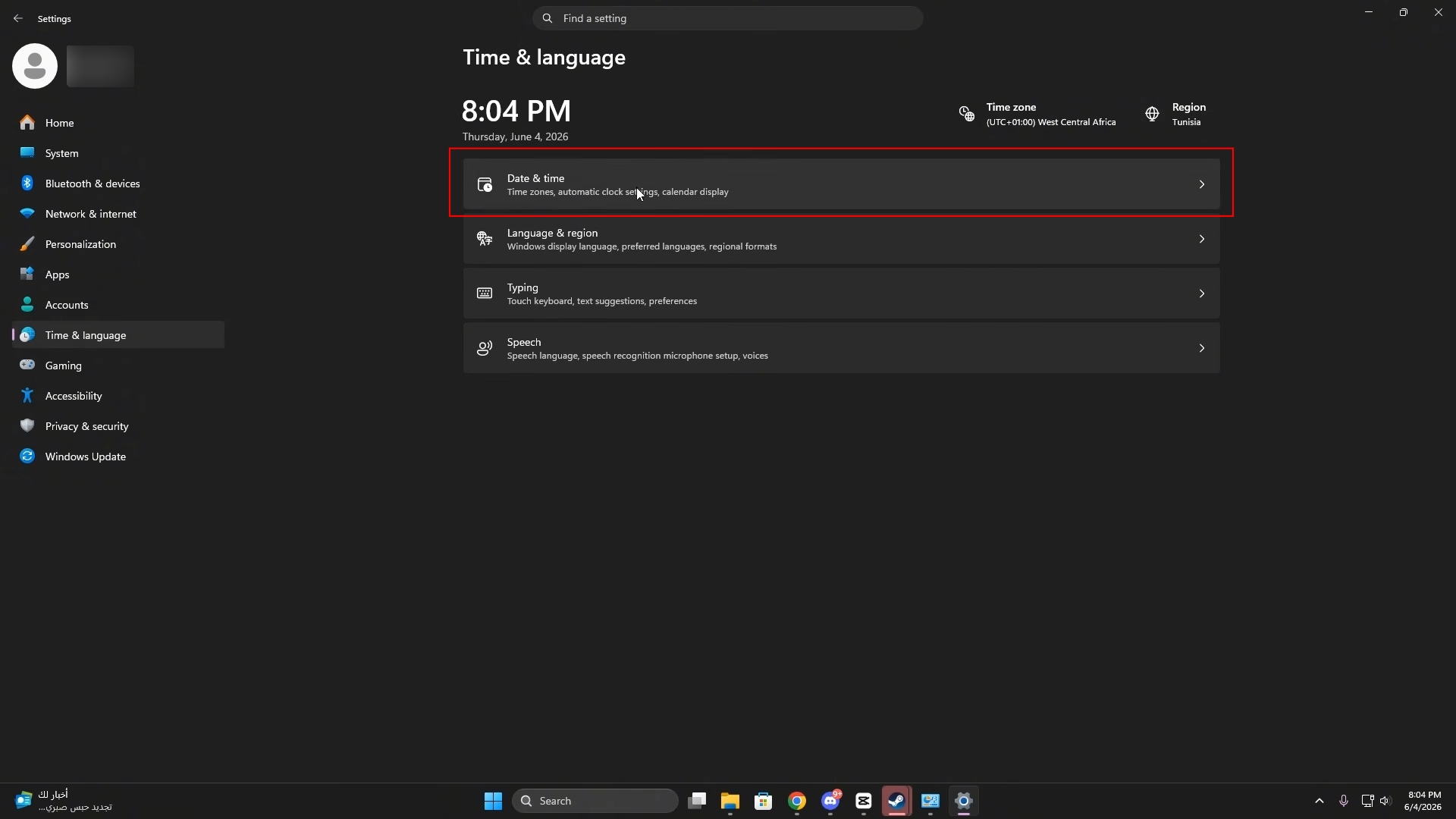
Step 3: Open Windows Date & Time Settings
Navigate to Windows Settings → Time & Language → Date & Time. This is where you’ll manually control your system date.
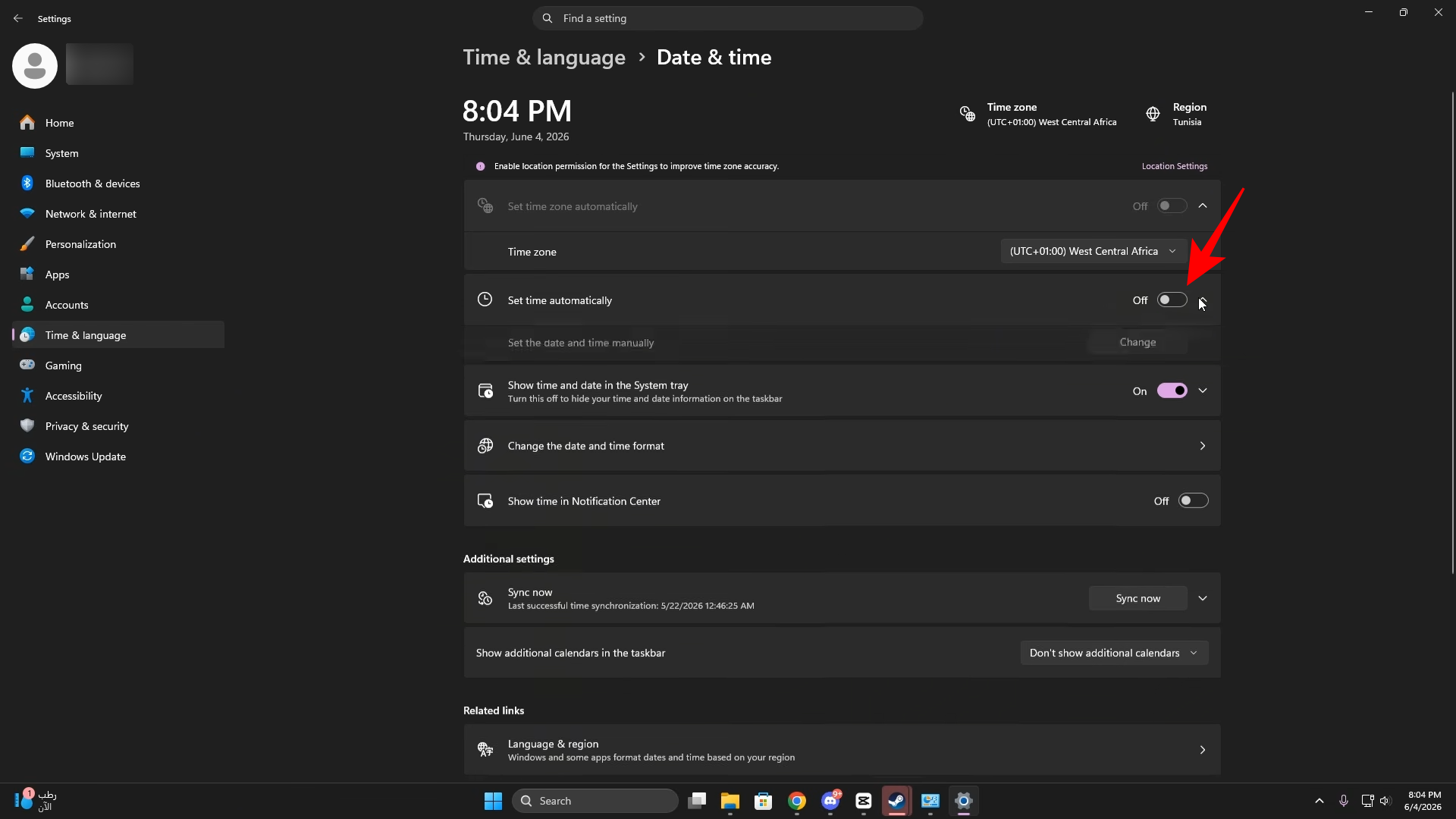
Step 4: Disable Automatic Time Settings
Turn off both “Set time automatically” and “Set time zone automatically”. This unlocks the manual date change option.
Step 5: Manually Change the Date to June 6th
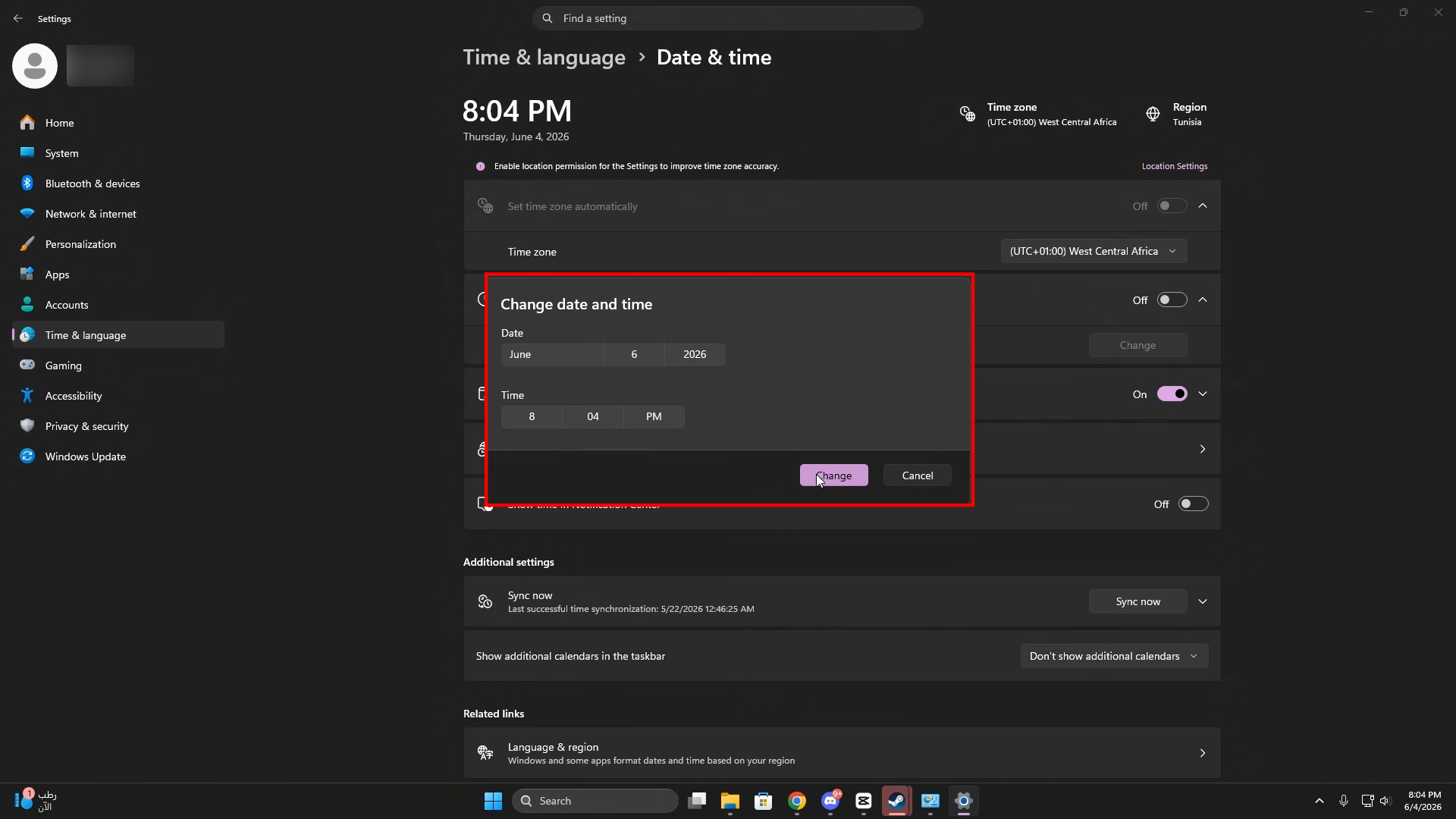
Click “Change” under the date settings.
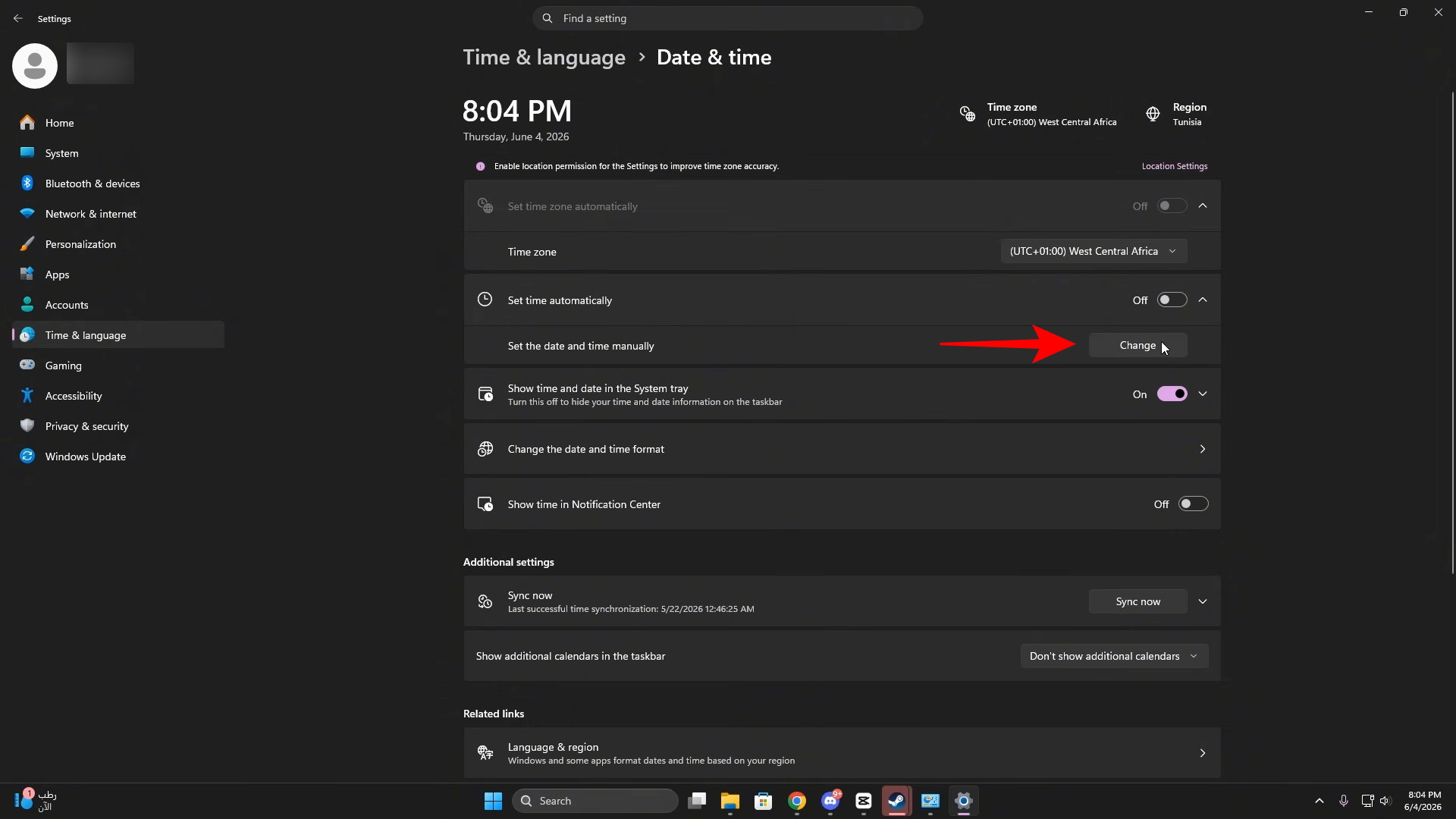
And set your system date to June 6th. This date falls within the active Winter season (June 4–June 11, 2026).
Step 6: Launch Forza Horizon 6 While Offline
With internet still disabled, start Forza Horizon 6. The game will attempt to sync with the cloud but fail since you’re offline.
Step 7: Select “Play Offline” When Prompted
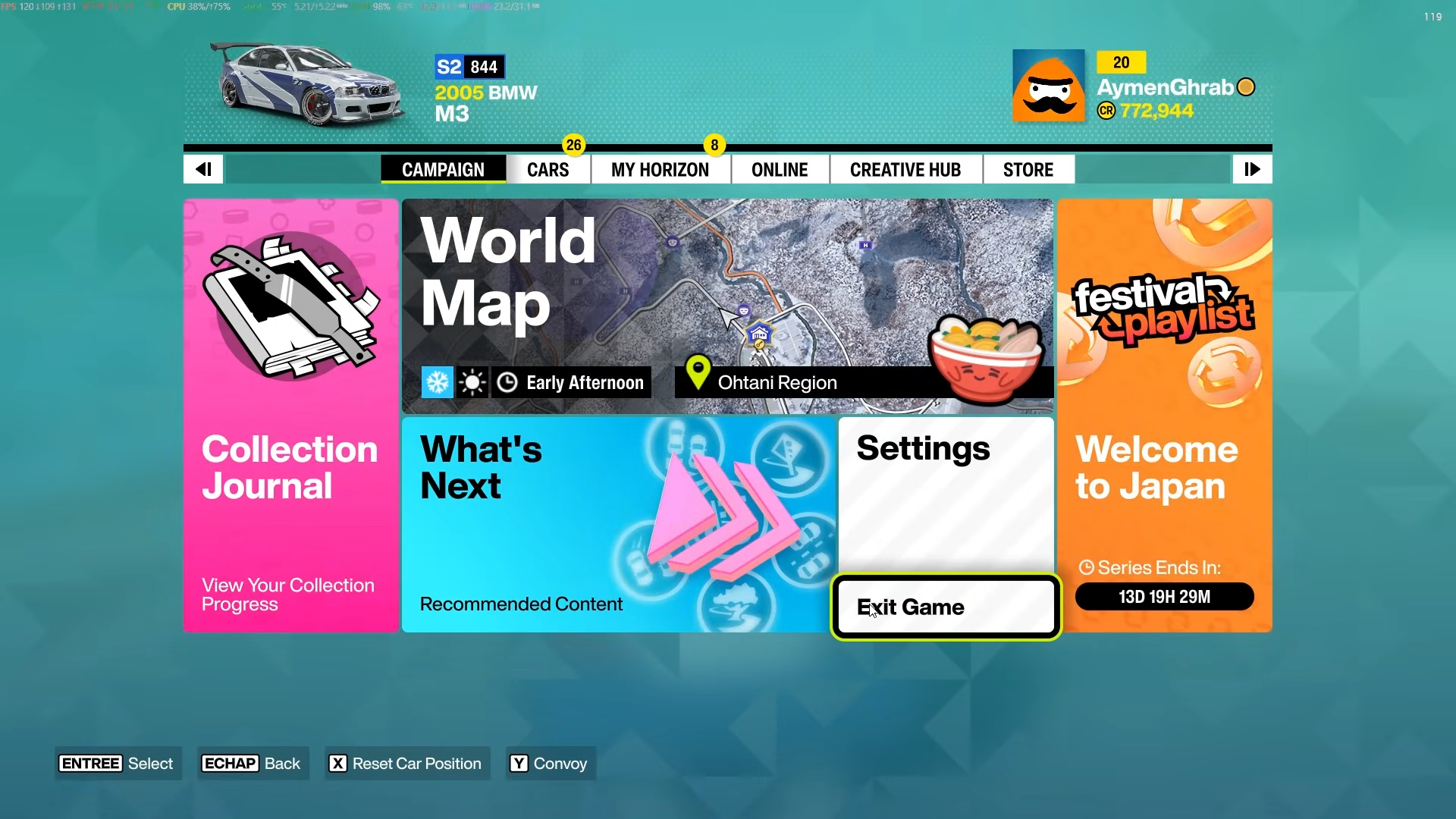
When you see the message “We can’t sync your data with the cloud right now,” select “Play Offline” and press Continue twice to proceed.
Step 8: Verify Winter is Unlocked in Discovery
Navigate to Discovery → Collection → Journal → Navigator. Winter will now appear as unlocked, and the Discovery Challenge will be complete.
Critical Mistakes to Avoid
-
Don’t skip closing the game first — The game must restart fresh to detect your date change.
-
Don’t reconnect internet before launching — Stay offline until you’ve selected “Play Offline”.
-
Don’t use auto-resume — Fully turn the game off and back on instead.
-
Don’t forget to disable auto-time — If automatic time stays on, your manual date change won’t work.
-
Don’t pick a random date — Use June 6th or another confirmed Winter season date (June 4–11).
orza Horizon 6’s seasonal Discovery Challenge tracks which seasons you’ve played in. Normally, you’d wait for the weekly Thursday reset (10:30 AM EDT) when Winter arrives. This offline date-spoofing method forces the game to recognize Winter as your current season immediately, bypassing the wait time entirely.



Leave a Reply