
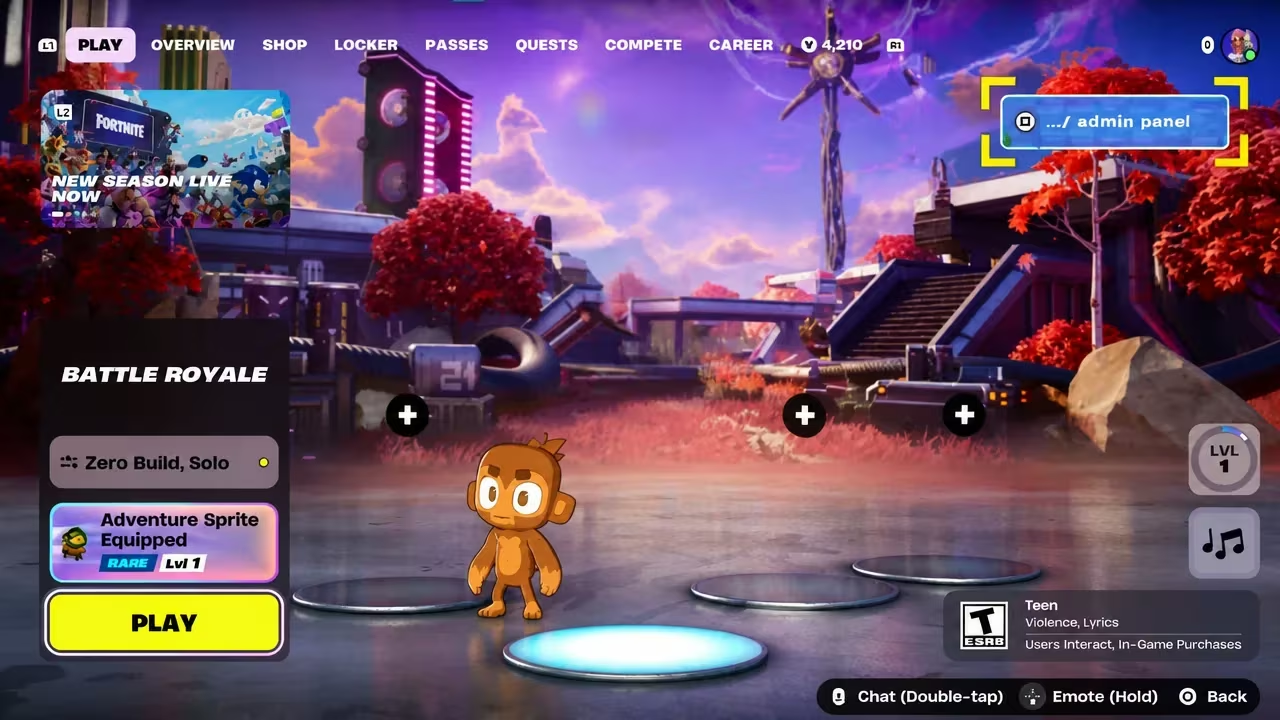
The Admin Panel in Fortnite’s Chapter 7 Season 4: Override lets you punch in codes for free Sprite Dust, Cheat Code Locators, Extraction Accelerators, sprays, loading screens, and a handful of goofy lobby transformations. You don’t need to buy anything or grind challenges for most of these; you just type the right code into the right menu and the reward lands in your account.
Working Fortnite Admin Panel Codes
Every code below is confirmed working right now, including five fresh additions. Copy each one exactly as it’s written, since the panel treats capitalization as part of the code.
SAYH12WR1X3L
Wrixel’s Hero Portrait Spray
New
BeamMeUp
2 Extraction Accelerators
New
DustInTheWind
5,000 Sprite Dust
New
NOPROLLAMA
1 Llama Supply Drop Gizmo
New
WhereIsTheDustyTree
5,000 Sprite Dust
New
InsertCoinToContinue
Turns you into an Arcade Machine in the lobby
BRB
Turns you into a toilet in the lobby
YourThoughtsAreMine
5,000 Sprite Dust and the Void Master Geno outfit style (requires finishing the Geno Story quest first)
ChatWhereDoYouFindTheKey
2 Extraction Accelerators
INVALIDCHEAT
2 Cheat Code Locators
FindItChat
2 Cheat Code Locators
JonesyisGolden
Golden Jonesy Sprite
H0p0nVC
2,000 Sprite Dust
GatherAndCraft
Cheat Master Bush Sprite (requires progress on the Wrixel/Ziggy story quest)
Play4All
Cheat Master Jonesy Sprite
OVERRIDEXP
40,000 XP
REACHYOURIMPOSSIBLE
Block Party Loading Screen
ABGESTAUBT
2,000 Sprite Dust
PERLIMPINPIN
2,000 Sprite Dust
CHISPAMBO
2,000 Sprite Dust
BEMOREALIEN
Override Ready Loading Screen
Magilume
2,000 Sprite Dust
Born2play
Cheat Master Adventure Sprite
8BitBlast
Cheat Master 8-Bit Sprite
DontBlockMe
Turns you into a Tetris block in the lobby (reusable)
LetsBlockAndRoll
Turns you into a Tetris block in the lobby (reusable)
PerfectOrder
4 Spicy Tacos Gizmos
SurviveTheNight
2 Cheat Code Locators
TakeYourHeart
2 Extraction Accelerators
IWannaFlyHigh
Cheat Master Tails Sprite
GottaGoFast
Cheat Master Sonic Sprite
O2OVERRIDE
1 Llama Supply Drop and 5 Portable Extractors
KLOMBERRY02Drive
Cheat Master Klombo
JackTransform
Cheat Master Jackrabbit
GottaCheatFast
Cheat Master Sonic
Tip: Sprite rewards and lobby transformations like the Arcade Machine or toilet skin apply instantly, so watch your character model change right after you submit a working code.
How to redeem codes in Fortnite Admin Panel
You’ll enter every code from your own lobby screen once you’re in the right season, so make sure you’re loaded into Chapter 7 Season 4: Override before you start typing.
How to get more Fortnite Admin Panel codes
New Admin Panel codes tend to roll out alongside story beats in the Override season, so it’s worth checking back inside the panel itself as you progress through quests tied to characters like Wrixel and Geno. Keep an eye on in-game announcements and official Fortnite social channels too, since new codes are typically shared there as they go live rather than on a fixed schedule.
Are these Admin Panel codes free?
Yes. Every code listed above is redeemed at no cost through the in-game panel, and rewards range from Sprite Dust and sprays to full cosmetic sprites and lobby transformations.
Why didn’t my code work?
Double-check that you typed the code exactly as shown, including capital letters, since the entry field is case-sensitive. Codes tied to story progress, like YourThoughtsAreMine or GatherAndCraft, also require you to reach a specific point in the related quest before they’ll register.






Leave a Reply