
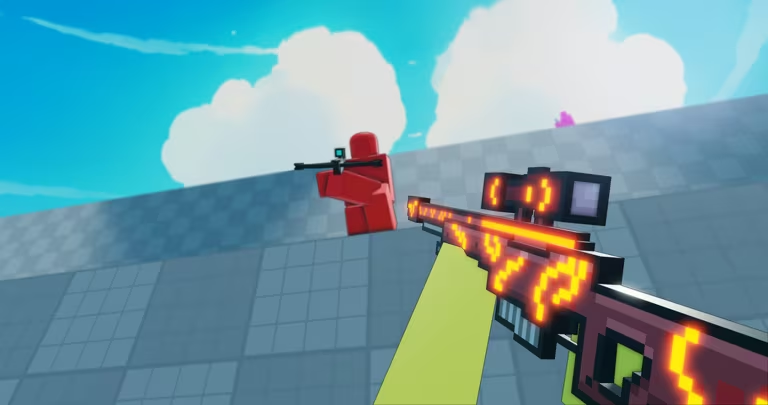
Flick is a fast-paced shooter on Roblox, and like most competitive shooters on the platform, codes are the quickest way to grab free rewards without grinding matches. Once the developers turn on a code system, you can expect drops tied to weapon skins, in-game currency, or limited-time cosmetics.
Working Flick Codes
There aren’t any active Flick codes right now. No code system has gone live in the game yet, so there’s nothing to redeem at this point. Check back here regularly, since this list gets updated the moment new codes are confirmed and working.
How to redeem codes in Flick
You don’t need to worry about tracking down a separate code page for Flick. Once codes are added, you’ll be able to claim them straight from inside the game using its menu system. Here’s what to do the moment that feature goes live.
You can also jump into the game directly through its Roblox experience page if you’d rather launch it from there instead of your Roblox home screen.
How to get more Flick codes
The most reliable place to catch new Flick codes as soon as they’re announced is the game’s own Discord server. Developers of Roblox shooters typically post fresh codes there around updates, milestones, or special events, so keeping notifications on for that server is worth it if you don’t want to miss anything. We’ll also keep this page current, so you can always swing back here to see what’s redeemable.
Are Flick codes free?
Yes. Codes are released by the developers at no cost, and redeeming them doesn’t require spending Robux or any in-game currency.
Why didn’t my code work?
A code usually fails to redeem because it’s been typed incorrectly, has expired, or has already been used on your account. Since Flick doesn’t have an active code system yet, any code you come across outside of official channels shouldn’t be trusted.
Flick is still early in its life cycle, so a lot of its systems, including codes, are likely to evolve fast. Bookmark this page if you want the fastest way to grab rewards the second they become available.
Leave a Reply