

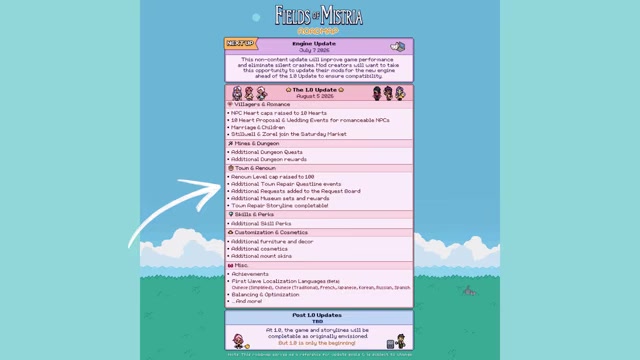
Fields of Mistria 1.0 launches on August 5, 2026, and the best preparation is to keep your current save, back it up manually, stockpile money and materials, finish key Early Access goals, and get romance, renown, mines, skills, and storage ready before the update lands.
This is a save-prep guide, not a restart plan. Your goal before 1.0 is to turn your existing farm into a cleaner, safer, better-stocked file so the new romance, story, renown, market, dungeon, and customization content is easier to start right away.
- Fields of Mistria facts before you prep
- Save preparation checklist for 1.0
- Romance, marriage, and children prep
- Stillwell and Zorel at the Saturday Market
- Backup timing before launch
- Town renown, repairs, requests, and museum prep
- Skill perks and essence prep
- Money, crops, storage, and farm layout prep
- Mods and engine-version prep
- Launch-day order for your existing save
- Frequently Asked Questions
Fields of Mistria facts before you prep
| Question | Answer |
|---|---|
| When does 1.0 launch on PC? | August 5, 2026. |
| Do saves carry over? | Yes. Existing saves carry into 1.0 and can access the new content. |
| Do achievements need a new save? | No. Achievements unlock retroactively for things already completed. |
| Will the price rise for 1.0? | No price increase is planned for the 1.0 release. |
| Will there be updates after 1.0? | Additional content updates and patches are planned after 1.0. |
| Which localization languages arrive first? | Beta versions for Chinese (Simplified), Chinese (Traditional), French, Japanese, Korean, Russian, and Spanish. |
| Is console part of the 1.0 launch? | No. The 1.0 focus is PC, with potential ports evaluated later. |
Use your current farm. Fields of Mistria 1.0 is built around save-file carryover, so the smartest prep is to protect the file you already have and bank progress that can pay off once the update is live.
Save preparation checklist for 1.0
| Prep task | What |
|---|---|
| Manual save backup | Make a diary save before updating and leave that backup untouched. |
| Money | Build a gold cushion for vendors, marriage, furniture, decor, cosmetics, and surprises. |
| Romance hearts | Raise likely marriage candidates to the current Early Access cap. |
| Request board turn-ins | Finish requests now, then hold completed hand-ins if your renown is capped. |
| Basic materials | Save wood, stone, bars, glass, fiber, and clay. |
| Mines | Complete current mine progress, improve tools where you can, and cook healing food. |
| Dungeon drops | Keep monster drops and dungeon materials instead of selling every stack. |
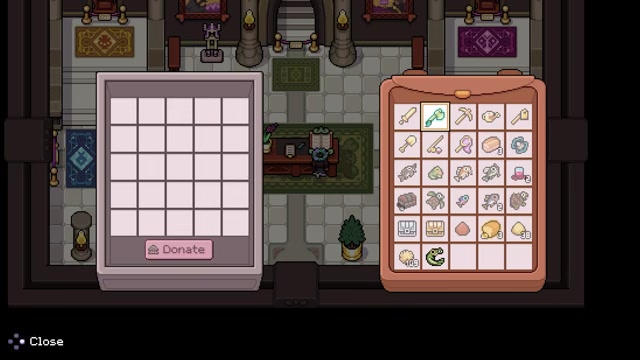
| Museum collections | Keep donating, but avoid giving away your only copy of a rare item. |
| Skills and essence | Keep leveling skills and save some essence for new perk choices. |
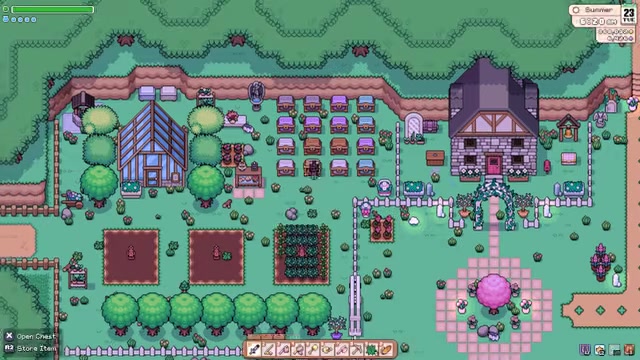
| Storage | Sort chests so repair materials, crops, gifts, and dungeon items are easy to find. |
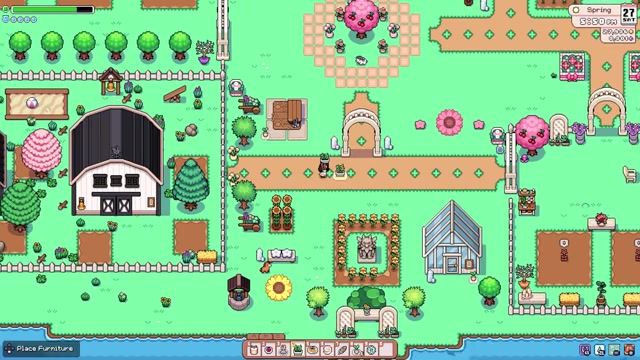
| Farm space | Leave open room for new furniture, decor, cosmetics, mount skins, and animal toys. |
KEY!Treat the checklist as a priority filter. The backup protects your file, money keeps your options open, and organized materials stop the first day of 1.0 from turning into a chest-searching session.
Romance, marriage, and children prep
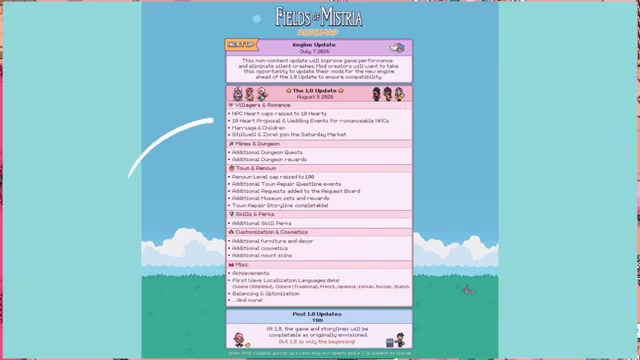
1.0 raises NPC heart caps to 10 hearts and adds proposal events, wedding events, marriage, and children for romanceable NPCs. Marriage and children are optional, so you can stay on the best-friend route if that fits your save better.
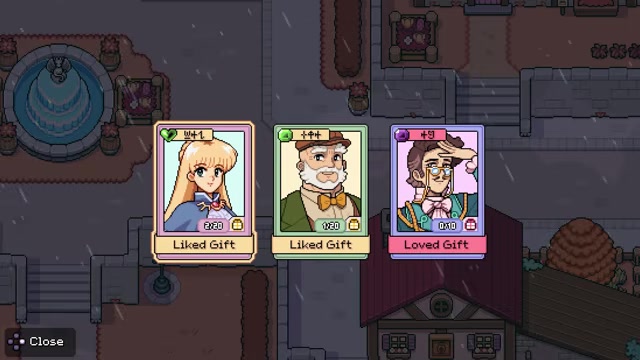
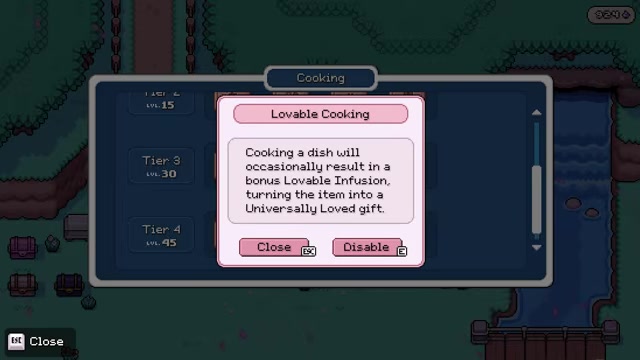
If you already know your pick, bring that candidate up to the current Early Access heart cap before launch. If you are still deciding, use Friday night at the inn and the Saturday Market to reach lots of villagers quickly, keep gifting daily, and batch-cook broad-use gifts if you have unlocked likable or loveable cooking options such as Loveable Bread.
If you are dating several romance candidates, marrying one will move the others into best-friend status. Marriage also unlocks three unique pieces of that spouse’s themed furniture for your house, so your choice affects both relationships and decorating.
Stillwell and Zorel at the Saturday Market
Stillwell and Zorel join the Saturday Market in 1.0. Keep extra money ready so you can check both vendors immediately instead of spending your first market day short on gold.
Their exact stock is a launch-day check, so the right prep is simple: save cash, leave bag space, and make the Saturday Market one of your first stops after updating.
Backup timing before launch
Organize storage

Put repair materials, dungeon drops, crops, gifts, and rare items into easy-to-read chest groups.
KEY!Make a manual diary save
Use the diary to create a manual save before installing 1.0.
Keep backup timing flexible
Save one day before launch if you can, or a couple days earlier if that is your last chance to play.
Update, then spend held progress
After 1.0 is installed, begin turning in saved requests or exploring romance, market, dungeon, and story content.
Use the diary to make a manual save before updating, then keep that file untouched until your farm loads normally in 1.0.
Town renown, repairs, requests, and museum prep
| Resource | Why to save it |
|---|---|
| Wood and stone | Common repair and crafting materials. |
| Bars | Useful for upgrades, repairs, and crafted items. |
| Glass | A frequent bottleneck when repairs or recipes need it. |
| Fiber and clay | Basic materials that are easier to gather before launch pressure hits. |
| Monster drops | Potential request, dungeon, or crafting requirements. |
| Dungeon materials | Useful insurance for added dungeon quests and rewards. |
| Rare museum duplicates | Let you donate without losing your only copy. |
| Essence | Gives you spending room when new skill perks arrive. |
Town renown rises to level 100 in 1.0, with the top rank reaching Mistril. If your renown is currently capped, finish request board tasks now but wait to hand them in until after the update so the rewards push into the new levels.
The update adds more request board tasks, more town repair questline events, and a completable town repair storyline. The exact repair and dungeon material asks are unknown before launch, so save broad-use resources instead of trying to predict one perfect shopping list.
The same stockpile logic applies to mines and dungeons. Finish your current mine progress, improve tools where you can, cook healing meals, and keep monster drops or dungeon materials because new dungeon quests and rewards can make old stacks useful again.
Museum sets and rewards are also expanding. Keep working on donations, but hold a rare item until you have a duplicate or are sure you will not need that copy for another task.
Skill perks and essence prep

Additional skill perks arrive with 1.0, so keep leveling your current skills during the final Early Access stretch. Any progress you make now gives you more flexibility once the new perk options are visible.
If you have been saving essence, avoid emptying it all into current perks right before launch. Hold enough to compare the new choices first, then spend based on your first 1.0 goal, whether that is mines, farming, crafting, or town progress.
Money, crops, storage, and farm layout prep
Grow repeat-income crops
Plant strawberries, peas, tomatoes, corn, wheat, and snow peas where seasonally available.
Process crops when profitable
Cook crops into meals or products if the result sells better than the raw crop.
Sort every chest
Group crops, cooking, gifts, repair materials, dungeon drops, fish, bugs, artifacts, and rare items.
Clear excess storage
Ship or move clutter so new 1.0 items have somewhere to go.
Hold crafting supplies
Keep extra wood, stone, bars, glass, fiber, clay, and general crafting materials.
Leave build space
Reserve open farm room for additional furniture, decor, cosmetics, mount skins, giant chicken mounts, and animal toys.
Mods and engine-version prep
If you play vanilla, your technical prep is mostly the manual save. If you use mods, audit them before opening your main file in 1.0.
The v0.16.2 engine migration on July 7, 2026 broke many older mods, and the current v0.16.4 patch from July 16, 2026 still sits on that newer engine while adding performance and crash fixes. Treat any pre-v0.16.2 mod as outdated unless it has been updated for the engine migration or newer builds.
Launch-day order for your existing save
Make a diary save

Open your existing file and create a final manual diary save before installing 1.0.
Disable outdated mods
If you use mods, turn off anything not updated for the v0.16.2 engine migration or newer.
Update the game
Install 1.0 only after your backup exists.
Load your existing save
Start from your current farm and check that your progress and achievements appear as expected.
Choose your first 1.0 target
Begin with romance events, saved renown hand-ins, Saturday Market vendors, or new story content.
Frequently Asked Questions
Do you need to start a new save for Fields of Mistria?
No. All existing saves carry over, and new content is available no matter how far into the game your file is.
Will achievements unlock retroactively in Fields of Mistria?
Yes. Achievements unlock retroactively for things you have already completed, including early-game progress.
What should you do first before updating Fields of Mistria?
Make a manual diary save from your current file before installing the update. Modded players should disable outdated mods before loading the save in 1.0.
Who joins the Saturday Market in Fields of Mistria?
Stillwell and Zorel join the Saturday Market in 1.0.
Are marriage and children required in Fields of Mistria?
No. Marriage and children are optional, and players can keep relationships on the best-friend route instead.
More questions⤵
What happens if you are dating multiple romance candidates?
When you marry one romance candidate, the other romance partners become best friends.
Is Fields of Mistria coming to console?
No console version is part of the 1.0 launch. Potential ports will be evaluated after the PC release.
Will the Fields of Mistria price increase at 1.0?
No. A 1.0 price increase is not planned.
Video help






Leave a Reply