
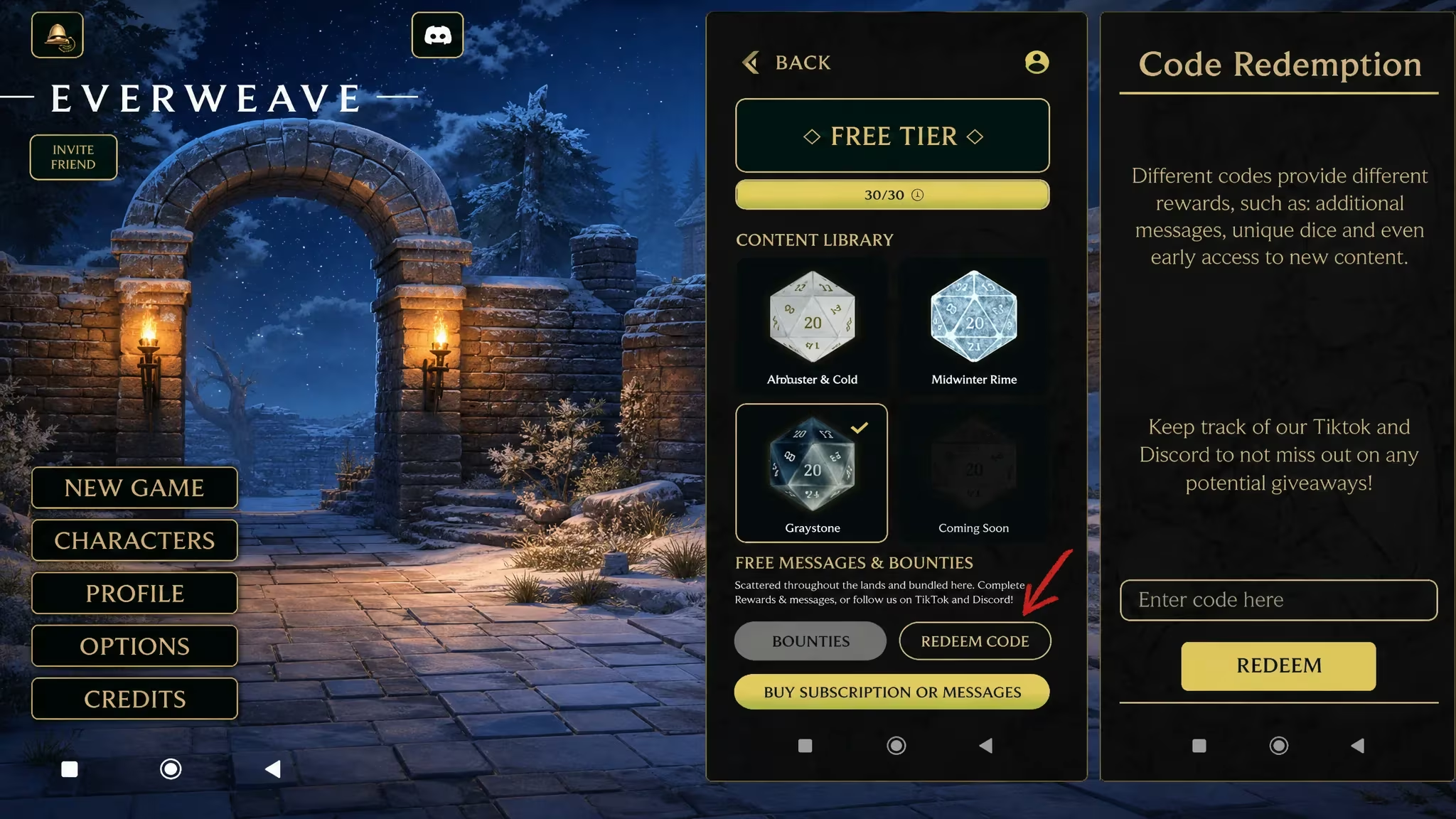
Everweave gives you extra messages to keep your conversations going, and codes are the fastest way to top that count up without waiting around. If you’re short on messages right now, redeeming a working code takes less than a minute.
Working Everweave Codes
Here’s the code that’s live right now. Redeem it before it expires, since Everweave codes don’t tend to stick around forever.
FRNDS30K
100 extra messages
New
How to redeem codes in Everweave
Redeeming a code in Everweave means digging into your profile rather than a dedicated codes menu on the home screen. Here’s exactly where to go.
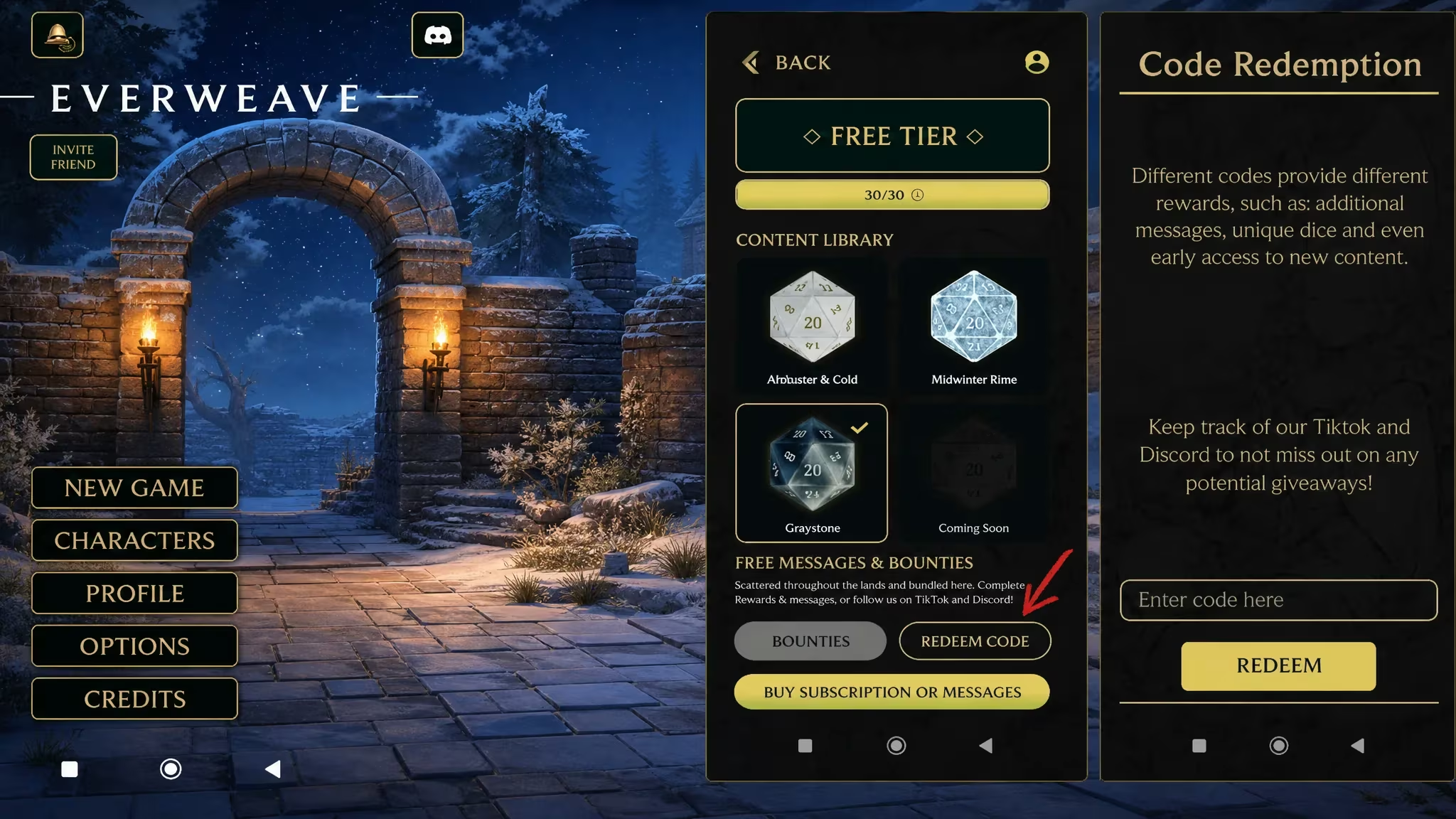
Note: Codes are case-sensitive, so type them exactly as shown rather than relying on autocorrect or memory.
Expired Everweave codes
These codes no longer work if you try to redeem them.
SVUEBI0H
MIDWINTR
WYK3DUZV
E460MXTB
How to get more Everweave codes
New codes for Everweave show up through the game’s official Discord server, where the team shares them alongside other updates. Joining is the most reliable way to catch a fresh code before it expires, since drops don’t follow a fixed schedule.
Check back on your profile’s BOUNTIES section whenever a new code surfaces, since that’s the only place redemption actually happens.
Why didn’t my code work?
If your message count doesn’t change after hitting Redeem, double-check the spelling and capitalization of the code first. If it still fails, the code has likely expired.
Keep an eye on your message count after redeeming FRNDS30K, and swing by the Discord every so often so you don’t miss the next code drop.






Leave a Reply