
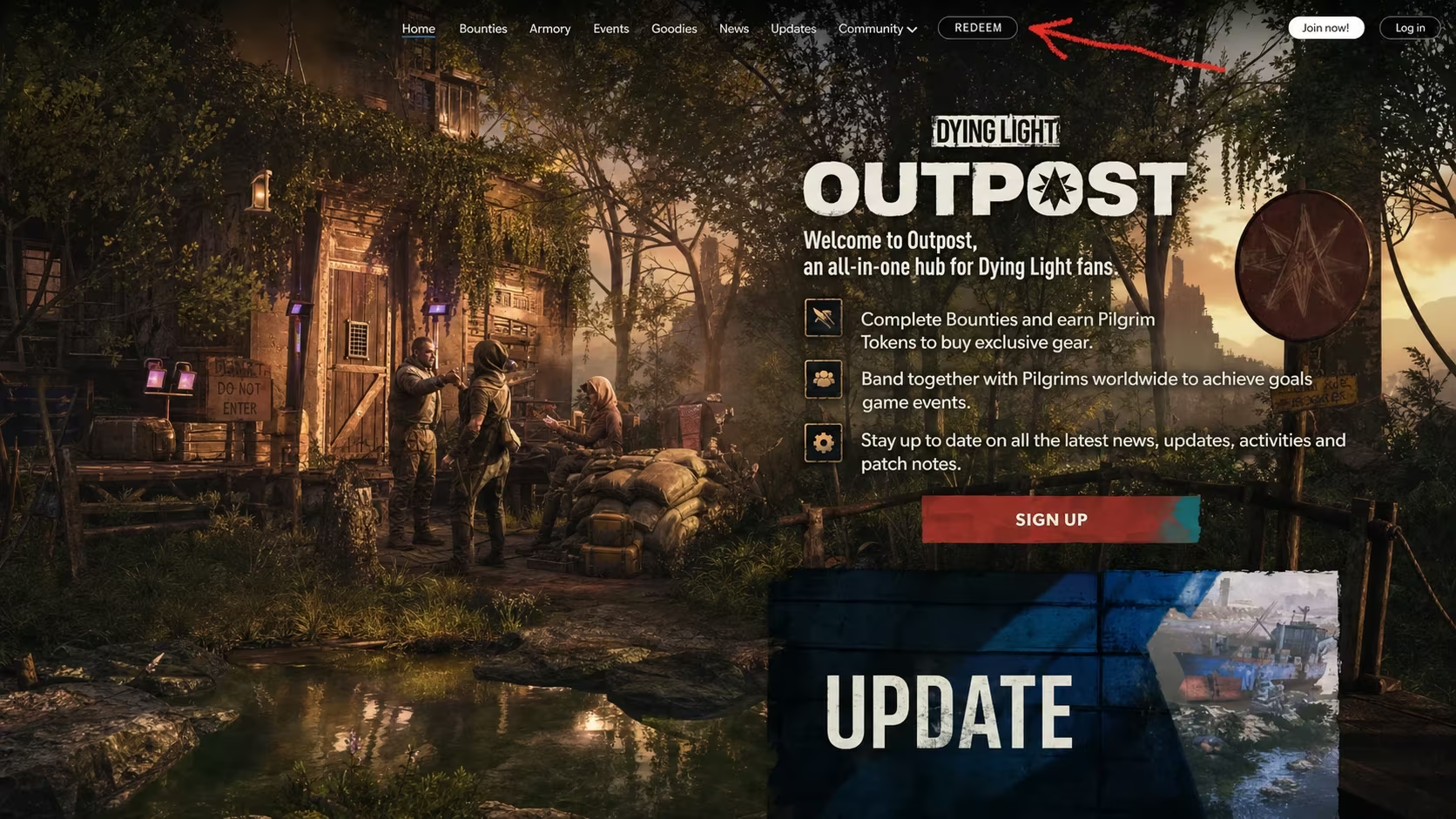
Dying Light: The Beast hands out weapons, gear, and other survival items through docket codes that you redeem outside the game itself. Most of these unlock random limited-tier weapons, though a few tie into specific rewards like key cards or Beast Docket items you pick up once you’re in-game.
Working Dying Light: The Beast codes
Every code below is active right now. Enter them exactly as shown, since a missing dash or extra space will stop a code from going through.
442E-4674-C97E-FFF8
Key card for convoys
PJ0H4G041
Random limited-tier weapon
PC4EXM062
Random limited-tier weapon
PSH4R3H0T
Random limited-tier weapon
PSR3TPRBX
Random limited-tier weapon
P371KN
Random limited-tier weapon
DROP4143
Random limited-tier weapon
NIGHT
Beast Docket reward
924E-D10C-A875
Random limited-tier weapon
23D4-CEEB-AA27
Random limited-tier weapon
1984R101P24601
Random limited-tier weapon
CH-29-600623-34
Random limited-tier weapon
TCR 10-09 18:37:11
Random limited-tier weapon
4 8 15 16 23 42
Random limited-tier weapon
THEULTIMATESURVIVOR
Random limited-tier weapon
4ff1-42d7-8c8b
Random limited-tier weapon
T1701
Random limited-tier weapon
3 5 7 9 11
Random limited-tier weapon
SP 02 41 07
Random limited-tier weapon
Xiaoheihe
Random limited-tier weapon
Ewa
Random limited-tier weapon
HalvaLover
Random limited-tier weapon
EDGAR
Random limited-tier weapon
321BCR
Random limited-tier weapon
WASD
Random limited-tier weapon
GUTTENTAGHERRBOBER
Random limited-tier weapon
DOCKETCODE
Random limited-tier weapon
How to redeem codes in Dying Light: The Beast
You won’t find a codes button anywhere in the game’s menus for this one. Techland routes every docket code through the Pilgrim’s Outpost website, and your reward only becomes claimable after you’ve finished the prologue.
You’ll know it worked once the item actually appears under Beast Docket. If nothing shows up there, the code either didn’t get accepted on the website or the stash hasn’t synced with your account yet.
How to get more Dying Light: The Beast codes
Techland drops new docket codes through its own official channels rather than in a predictable schedule, so keep an eye on the developer’s official social accounts and the Pilgrim’s Outpost site itself for fresh ones. Codes tend to show up around events, promotions, or partnership tie-ins, so there’s no fixed date you can count on for the next batch.
Are these codes free?
Yes. Docket codes are free rewards from Techland and don’t cost anything to redeem beyond having an account on Pilgrim’s Outpost and owning the game.
Why didn’t my code work?
Double-check that you typed the code exactly as shown, including dashes, spaces, and capitalization, and confirm you selected the correct platform before redeeming. A code that’s already been used on your account also won’t redeem a second time.
Once you’ve got your rewards sitting in the Beast Docket tab, you’re set. Just remember to check back on the stash after redeeming anything new, since that’s the only place these items actually land.






Leave a Reply