

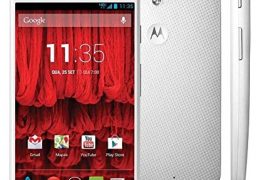
We shared the Android 5.1 update OTA of Verizon Moto X 1st Gen with your recently, and luckily, now we have the full firmware in FXZ format available for flashing.
If you could not take OTA for any reason, then installing the 5.1 update via RSDLite PC software using the firmware should be fine. Go ahead and give it a try if you are still making do with Android 4.4 KitKat.
Verizon Moto X 1st Gen Android 5.1 Update Firmware info:
- System Version: 222.26.7.ghost_verizon.Verizon.en.US
- Model number: Moto X
- Android Version: 5.1
- Baseband Version: MSM8960PRO_BP_23255.140.93.00R
- Build Number: LPA23.12-39.7
- Build Date: Mon Aug 17 07:45:30 CDT 2015
For those who were confused, 222.26.7 is the software version of Android 5.1 update while LPA23.12-39.7 is the build no.
Downloads
- Android 5.1 update: Direct Link | File: 292-ghost_verizon_51_lpa2312-397_cid2_cfcxml.zip (982.10 MB)
- RSDLite PC software — Link | File: RSDLite6.2.4.zip (7.13 MB)
Supported devices
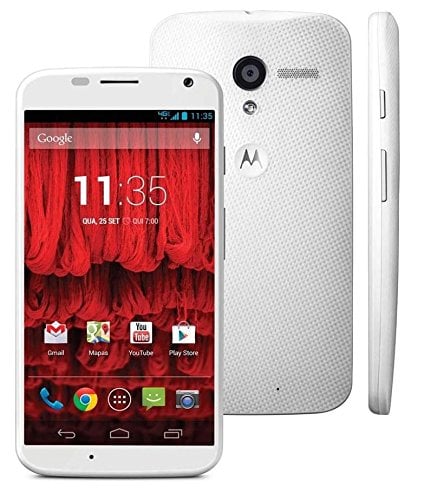
- VERIZON MOTO X, 1st Gen, model no. XT1060
- Don’t try this on any other Moto X device than Xt1060!
- Don’t try on any other Android device!
Tip: Check the model no. in Settings > About phone. Or, you could also find the model no. on the packaging box of the device.
Warning: Warranty may be void of your device if you follow the procedures given on this page. You only are responsible for your device. We won’t be liable if any damage occurs to your device and/or its components.
Backup your Android. In case your device is wiped off while following the guide below, it’s good to have a backup of contacts, photos, videos and other files already saved on PC.
<step operation = “getvar” var = “max-download-size” />
- Power off your device first.
- Press and hold Power + Volume down together for 5-6 seconds, and then let go of buttons. You’ll enter bootloader mode, aka Fastboot mode. You’ll see FASTBOOT AP written at top.


→ Both files instruct RSDLite to flash the firmware files on the device, but servicefile doesn’t asks it to wipe the data of the devices. Thus if you use flashfile, your device’s apps, games, contacts, etc. will be deleted, while in case of servicefile, your data remains.
→ We recommend you to use servicefile, and in case device gets stuck at boot logo, then simply enter recovery mode (select it from fastboot mode) and then do a factory reset yourself, and then restart. Should be fine!
That’s it. When RSDLite is done flashing the 5.1 firmware, the device will restart automatically. Give it ample time to reboot, like 10-20 minutes.
→ Take care to not remove the cable until the device has restarted completely. Close the RSDLite only after that.
You now have the Android 5.1 update from Verizon, the final release.
Need any help? Give us a shout in comments below.


18 responses to “Download Verizon Moto X Android 5.1 update FXZ firmware [OTA Fail Fix]”
Hi,
I have downloaded the 92-ghost_verizon_51_lpa2312-397_cid2_cfcxml.zip file but while extracting this file getting error “Data error in ‘system.img’ file is broken”
if your phone is Asia retail this method wont work,try flashfire method !!
No. Don’t use this, as it’s for Verizon Moto X only.
Hi,
I have downloaded the 92-ghost_verizon_51_lpa2312-397_cid2_cfcxml.zip file but while extracting this file getting error “Data error in ‘system.img’ file is broken”
if your phone is Asia retail this method wont work,try flashfire method !!
No. Don’t use this, as it’s for Verizon Moto X only.
Excellent directions. I didn’t see any problems in extracting the files from the current .zip
Mine took about 10 minutes with the red background Verizon logo to boot, but you could see some animation in the logo so I was made to believe SOMETHING was happening 🙂
And then it arrived at Lollipop.
Thank you.
Excellent directions. I didn’t see any problems in extracting the files from the current .zip
Mine took about 10 minutes with the red background Verizon logo to boot, but you could see some animation in the logo so I was made to believe SOMETHING was happening 🙂
And then it arrived at Lollipop.
Thank you.
does this method apply on soft bricked xt1060 to?
100 % grateful, I worked to perfencion
does this method apply on soft bricked xt1060 to?
100 % grateful, I worked to perfencion
AFTER UPDATING IT SHOWS INVALID CARD EMERGENCY CALLS ONLY ::(
AFter update it shows invalid card .. Emergency calls only 🙁
AFTER UPDATING IT SHOWS INVALID CARD EMERGENCY CALLS ONLY ::(
AFter update it shows invalid card .. Emergency calls only 🙁
AFTER UPDATING IT SHOWS INVALID CARD EMERGENCY CALLS ONLY . please any one help me
AFTER UPDATING IT SHOWS INVALID CARD EMERGENCY CALLS ONLY . please any one help me