
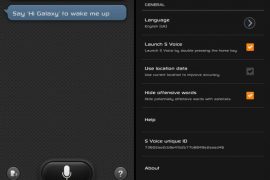
First the Flipboard app from the Galaxy S3 got leaked, then XDA developer Chainfire managed to gain root access on the S3 remotely, then it was the complete firmware of the S3 that got leaked. And now, the much talked about voice recognition app that Samsung have put on the S3 — S Voice — has been leaked as well and shared for all to use. At this rate, when the Galaxy S3 actually gets released, it might not have any cool features left that have not been already seen by people.
S Voice is reported to be working extremely well on all devices, so if talking to your phone and getting things done is something you like to do, trying out S Voice should be worth it. I tried it on my phone, and it seems to recognize my voice and commands quite nicely. So, read on to download S Voice on your phone.
How to Install S Voice
- First, it’s only for Ice Cream Sandwich devices. And this one here in step 2 is a tweaked version of S Voice from Galaxy S3, not the original one. If you have S Voice already installed on your android device, uninstall that first.
- Download fixed/tweaked S Voice from here. Filename: svoice-signed.apk. Size: 28.69 MB.
- Transfer the file to phone if you didn’t download it on phone itself.
- You’ll need a file manager to browse through phone’s SD Card and install the S Voice. If you don’t have one already, use this file manager (install for free from your current Google Play Store/Android Market app).
- Enable “Unknown sources” under Settings » Applications on the phone, so that you can install applications from SD Card. If you are on Ice Cream Sandwich, Android 4.0, find it under Settings » Security.
- Open file manager app and go to directly where you transferred the APK file in Step 4.
- Find and tap on the file to begin installation procedure and it will be installed in less than a minute. That’s it. Let us know in comments if you get any error in installing it of if it force closes while using. Do mention your device name and android version.
S Voice is now installed on your phone, and you can now use your voice to do various things on the phone, like texting someone, opening apps, etc. Let us know how it works for you, in the comments below. Oh, and I hope this doesn’t make you cancel your plans to buy the Galaxy S3 when it comes out.







133 responses to “Galaxy S3 S Voice Android App”
Tried to install the original and the modified files, still won’t install on my S2 running ICS. Any ideas.
Uninstall voice command first using go launcher. Just go to app drawer( menu list in go launcher) keep pressing voice command and when prompted click uninstall. Then install s voice. Hope it will work for you 🙂
Seems to work rather well on HTC Sensation 4G (TMO). Forecloses sometimes when asking SVoice to run searches on web. A little buggy but can’t complain for a free app. I give it three stars.
Seems to work rather well on HTC Sensation 4G (TMO). Forecloses sometimes when asking SVoice to run searches on web. A little buggy but can’t complain for a free app. I give it three stars.
not working on Galaxy note ICS
not working on Galaxy note ICS
not working on Galaxy note ICS
Not working on the GALAXY TAB P1000
Not working on the GALAXY TAB P1000
Not working on the GALAXY TAB P1000
Doesn’t Work on my GSII on T-Mobile USA running ICS Andriod 4.0 🙁
Doesn’t Work on my GSII on T-Mobile USA running ICS Andriod 4.0 🙁
Doesn’t work with my galaxy note international ICS 4.0.3…showing not installed
Help!
When i bought s3, the voice was the same like on this video. But now it has been changed to a woman`s robot voice! I would like to have woman`s voice the same like we hear on video, but i can`t change it back. I have tried everything on settings button (in s-voice, bottom, left), i have tried Language and input settings (on general settings) but nothing. What to do? How can i restore previous, gentle female voice? Thanks advance!
Doesn’t work with my galaxy note international ICS 4.0.3…showing not installed
Help!
When i bought s3, the voice was the same like on this video. But now it has been changed to a woman`s robot voice! I would like to have woman`s voice the same like we hear on video, but i can`t change it back. I have tried everything on settings button (in s-voice, bottom, left), i have tried Language and input settings (on general settings) but nothing. What to do? How can i restore previous, gentle female voice? Thanks advance!
Doesn’t work with my galaxy note international ICS 4.0.3…showing not installed
pleas not work in my galaxy s III
Works fine on my DROID razr
pleas not work in my galaxy s III
Works fine on my DROID razr
pleas not work in my galaxy s III
Works fine on my DROID razr
Works fine on my DROID razr
“Not installed” error in galaxy note n7000 with official ics 4.0.3
Please help….
“Not installed” error in galaxy note n7000 with official ics 4.0.3
Please help….
“Not installed” error in galaxy note n7000 with official ics 4.0.3
Please help….
Help!
When i bought s3, the voice was the same like on this video. But now it has been changed to a woman`s robot voice! I would like to have woman`s voice the same like we hear on video, but i can`t change it back. I have tried everything on settings button (in s-voice, bottom, left), i have tried Language and input settings (on general settings) but nothing. What to do? How can i restore previous, gentle female voice? Thanks advance!
Help!
When i bought s3, the voice was the same like on this video. But now it has been changed to a woman`s robot voice! I would like to have woman`s voice the same like we hear on video, but i can`t change it back. I have tried everything on settings button (in s-voice, bottom, left), i have tried Language and input settings (on general settings) but nothing. What to do? How can i restore previous, gentle female voice? Thanks advance!
Doesn’t install on my galaxy sll
Doesn’t install on my galaxy sll
Doesn’t install on my galaxy sll
HAHA Nice software! Every post says it doesn’t work! Guess I will avoid this one.
HAHA Nice software! Every post says it doesn’t work! Guess I will avoid this one.
HAHA Nice software! Every post says it doesn’t work! Guess I will avoid this one.