

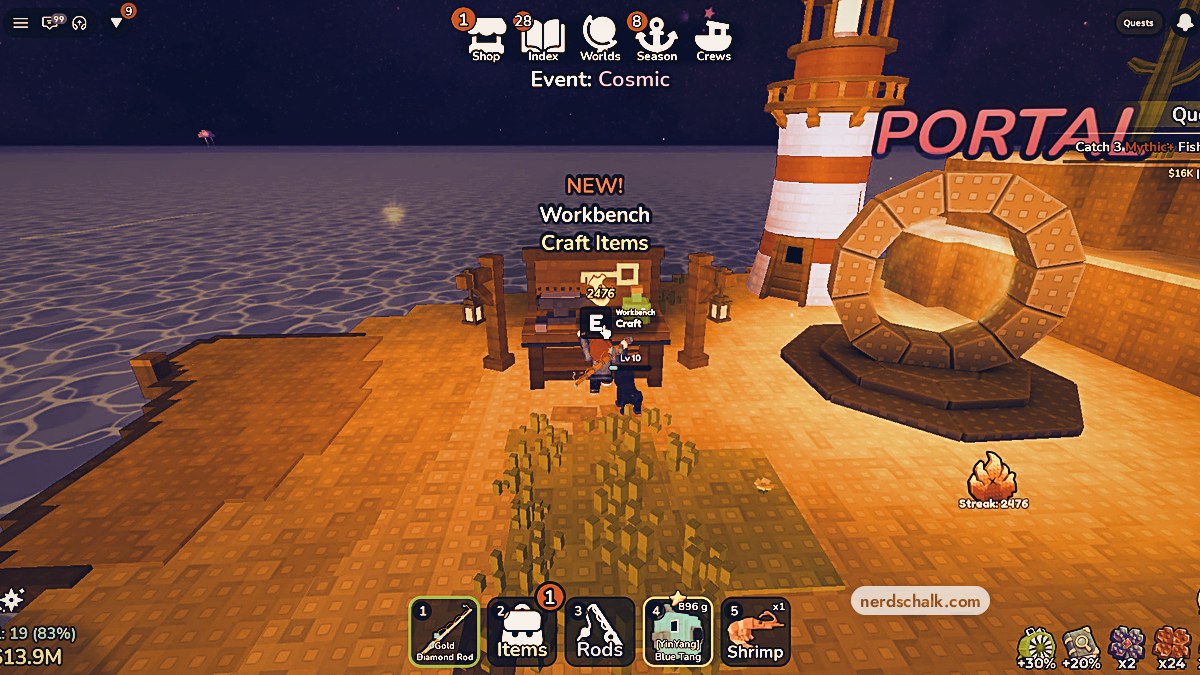
Update 16 adds Crews, Thanksgiving rewards, the Roasted mutation, new rods and eggs, the Sunken Token, and Workbench crafting to Deep Fishing.
Crews brings group progression to Deep Fishing, with shared weekly goals that award Crew Lucky Chests. Alongside those goals, the update adds seasonal fish deliveries and crafting. This guide covers crew requirements and rewards, Thanksgiving additions, new Shop items, Workbench recipes, codes and event dates.
- What do you need to create or join a crew in Deep Fishing?
- How to use Crews and unlock the Workbench in Deep Fishing
- Part 1 – Read the update log and join a crew
- Part 2 – Check crew objectives and invitations
- Part 3 – Unlock and inspect the Workbench
- How do crew points, levels and Weekly Chest rewards work?
- What does Thanksgiving add, and how do you earn its rod skins?
- What new rods, eggs and Sunken Token rewards are in Update 16?
- What can you craft at the Workbench in Deep Fishing?
- Which promo codes are listed for Deep Fishing Update 16?
- When do the Crews update events and next season run?
What do you need to create or join a crew in Deep Fishing?
| Requirement | Value |
|---|---|
| Minimum level to find and join crews | Level 5+ |
| Crew creation cost | 25B coins |
| Maximum crew capacity | 30 anglers |
You can start your own crew or join an existing group of friends and other anglers. Creating one has its own level requirement and coin cost, while joining gives you a way into an existing crew.
How to use Crews and unlock the Workbench in Deep Fishing
Read the update log and join a crew, review its objectives and invitations, then unlock the Workbench and open its crafting menu.
Part 1 – Read the update log and join a crew
Start with the update notes, then find an eligible crew.
Read the Update 16 log
Open the Update Log to read the Update 16 feature entries and active promo codes.
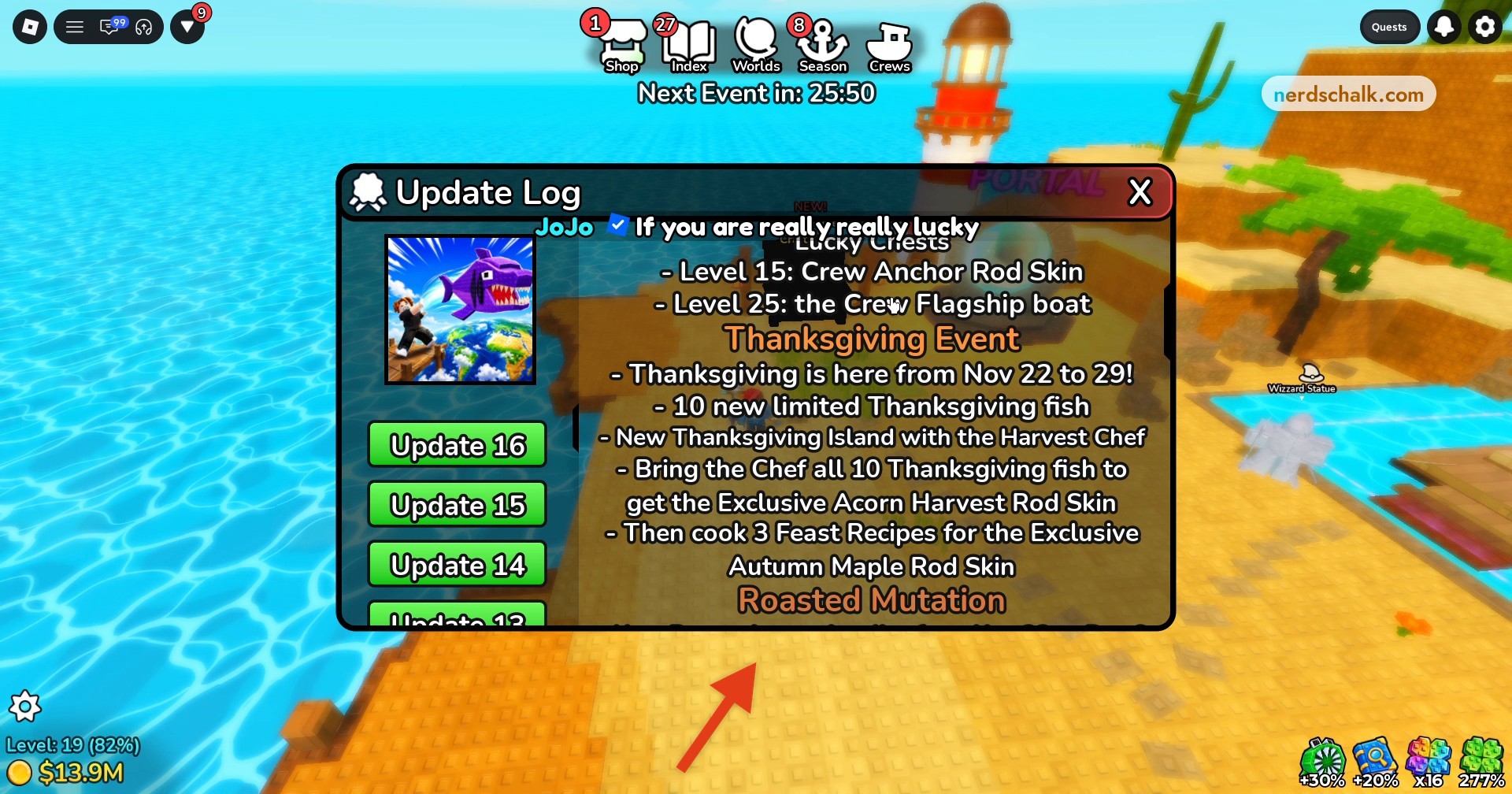
Read the crew progression notes for level bonuses and milestone rewards.
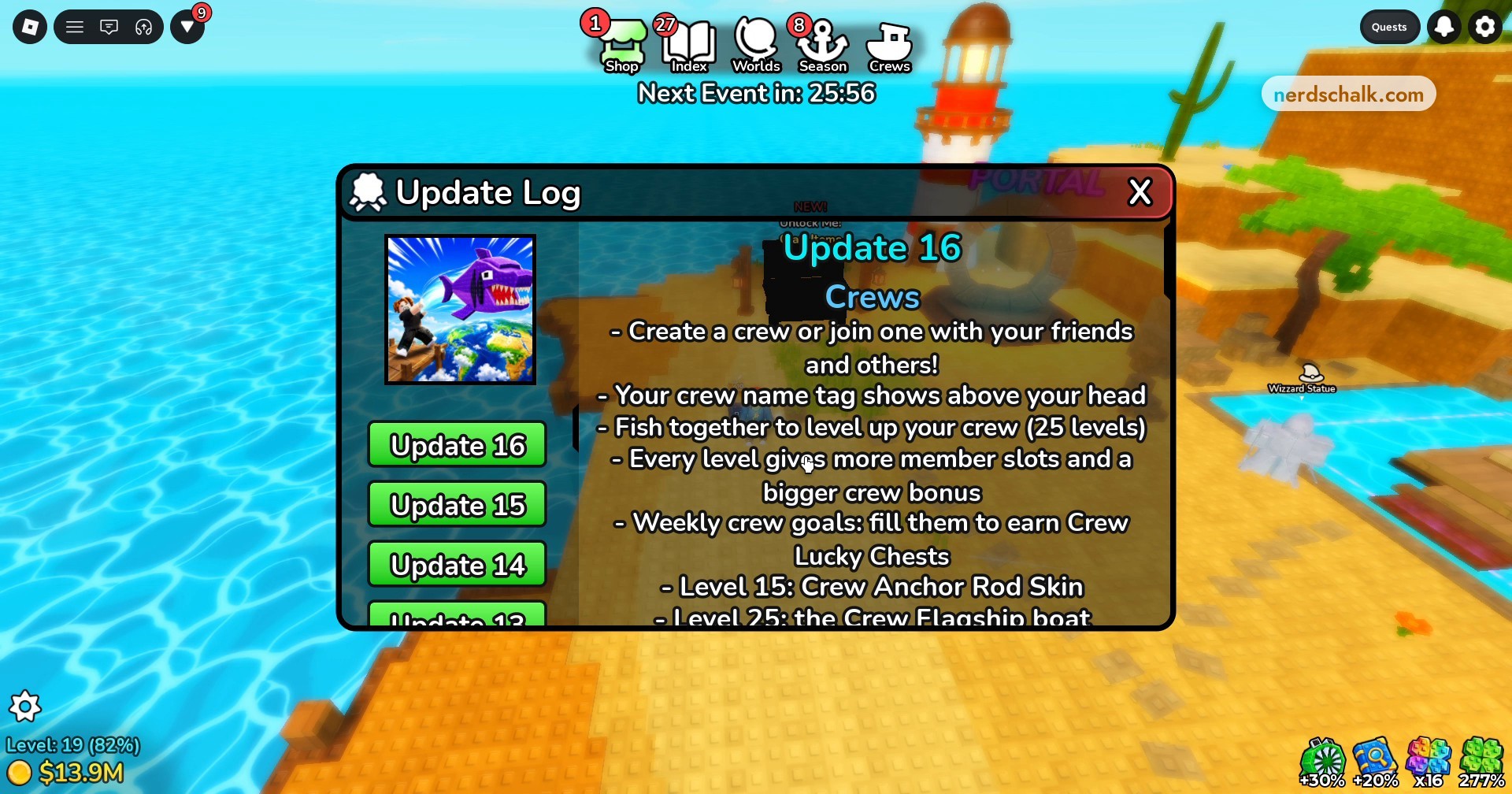
Read the Shop additions and Sunken Token entry for the new items and free-claim rules.
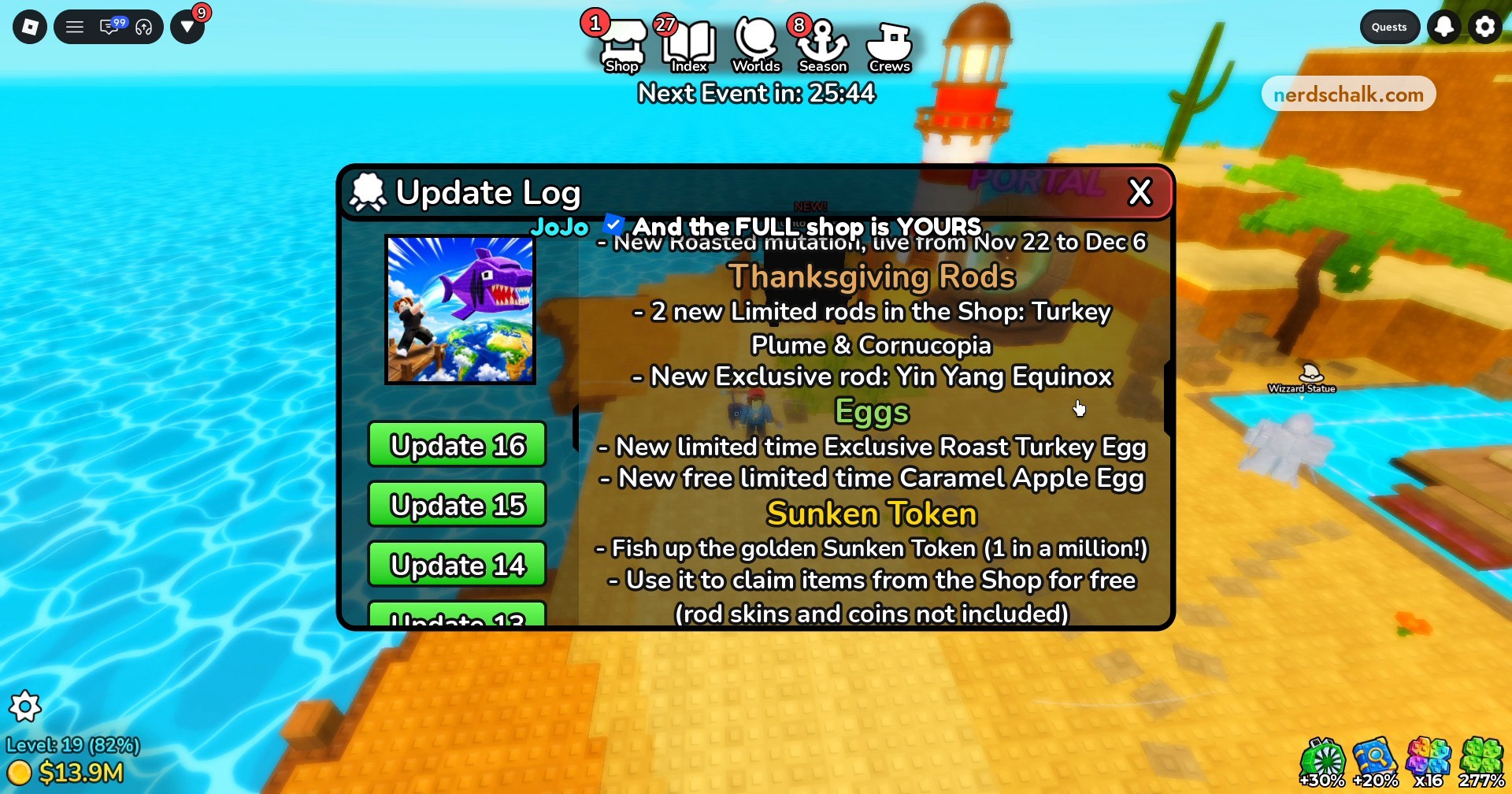
Open the Crews menu
Select Crews on the top menu bar to access the choices for joining or creating a crew.
Find an eligible Open crew
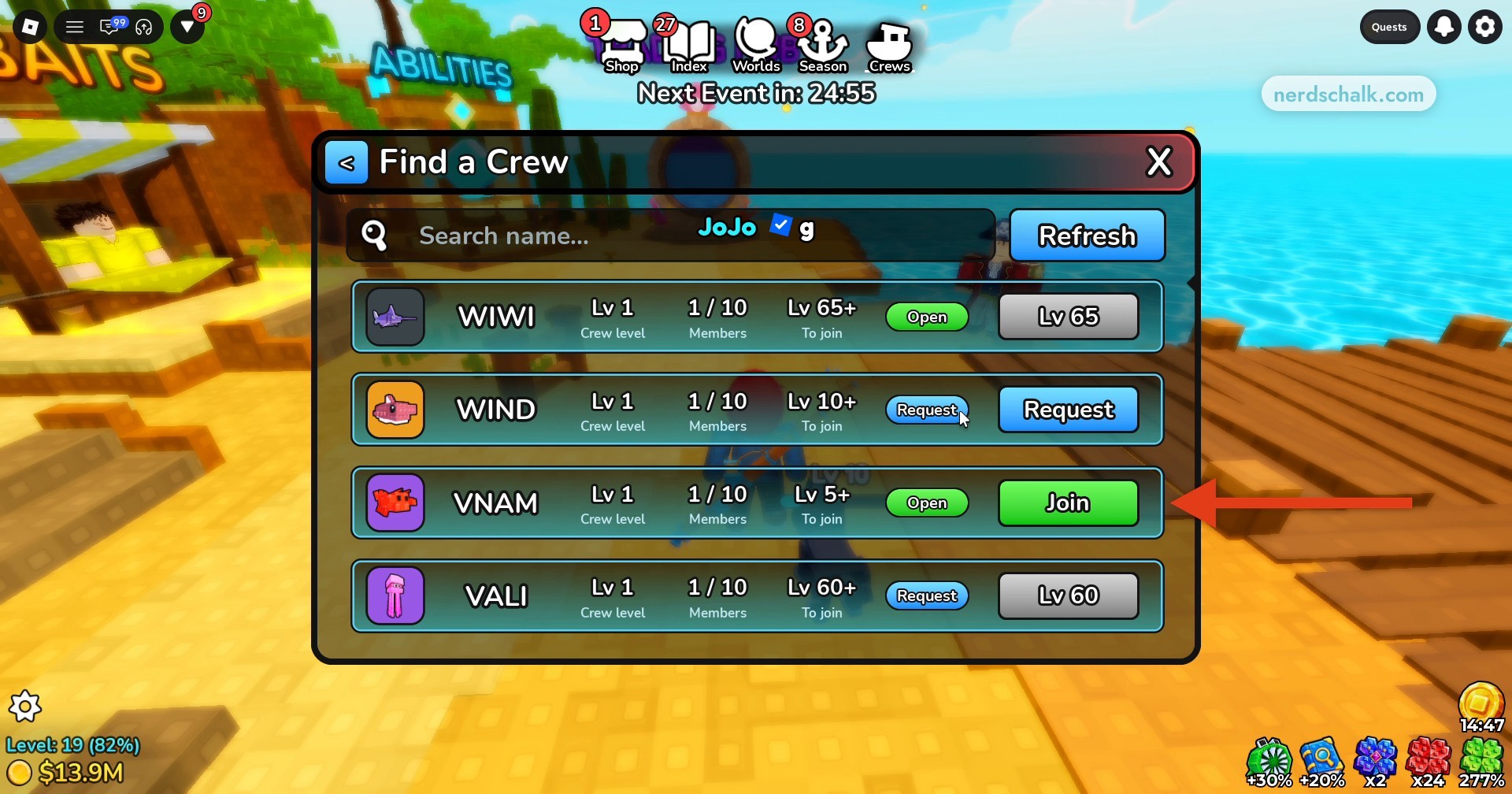
Select Find to browse crews, using Search name... or Refresh as needed. Read each listing’s joining requirement and status: individual crews can require higher levels, and some offer Request. Select Join on an eligible Open crew.
Part 2 – Check crew objectives and invitations
Review your group’s progress and find its invitation details.
Review the Crew panel
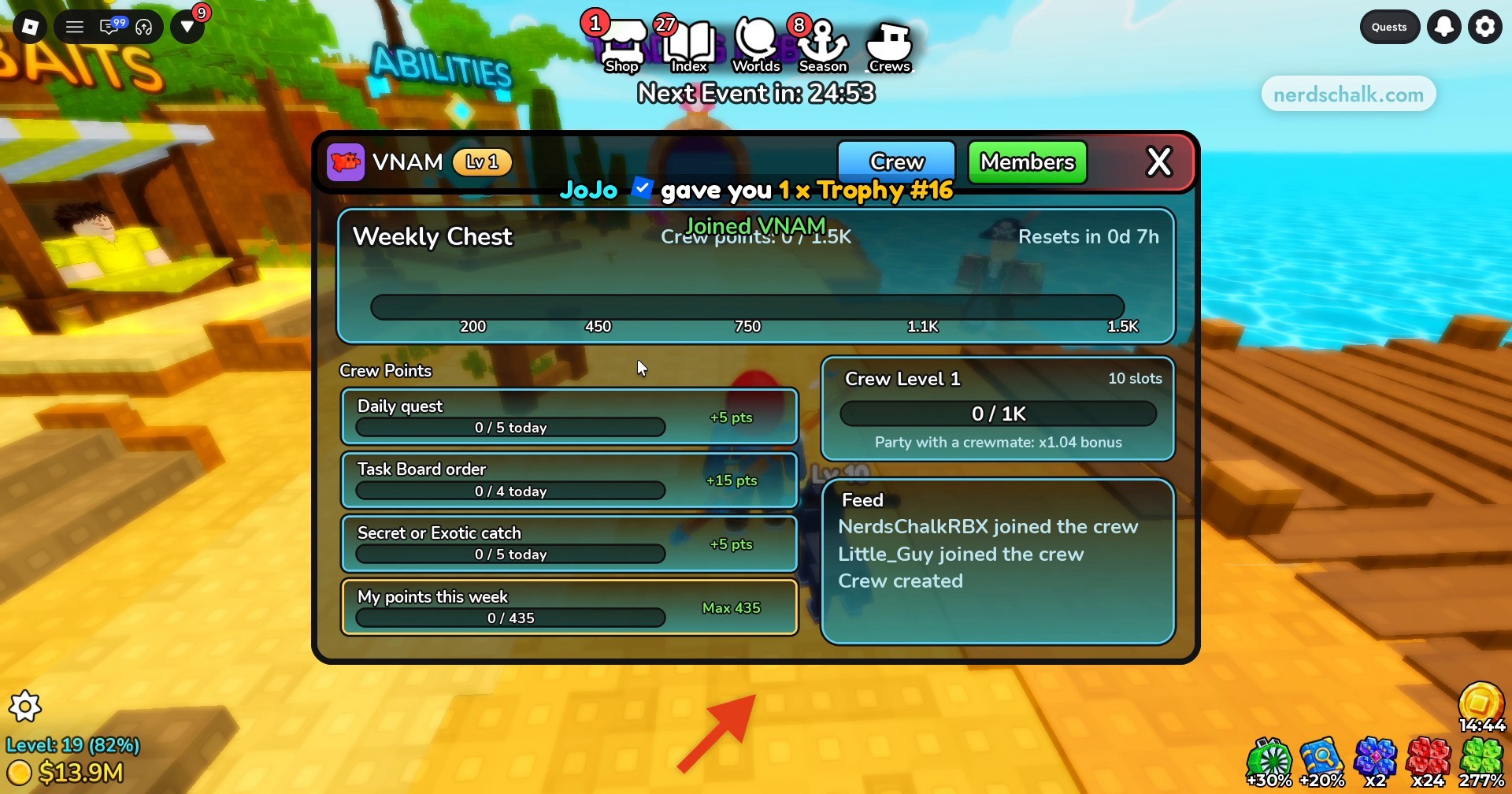
Open the Crew tab and review Daily quests, Task Board orders and Weekly Chest progress to see the activities that contribute crew points.
Find and share the crew code
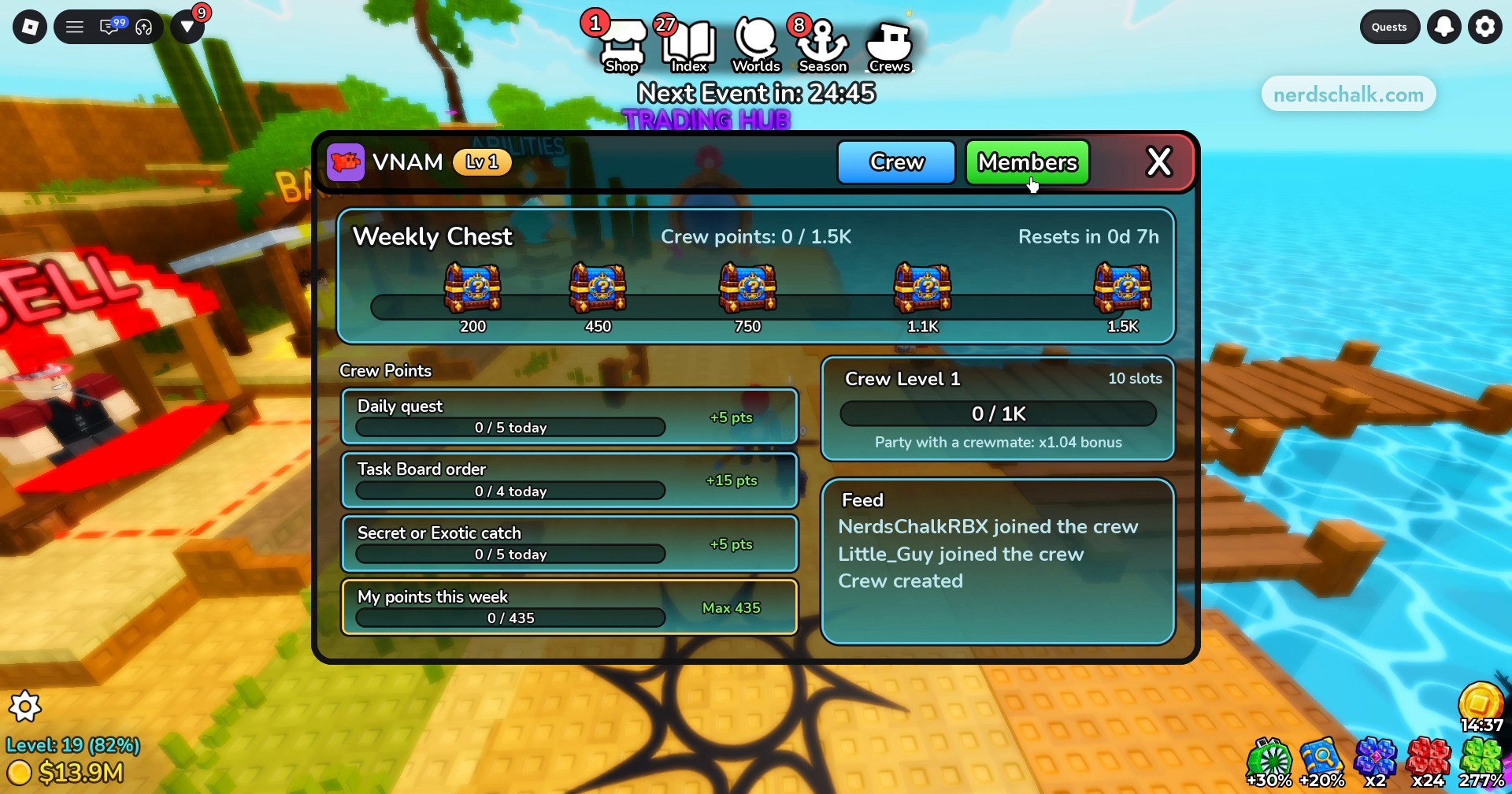
Open Members to view active crewmates and find your crew code. Copy or share it to invite friends; if you’re joining through someone else’s code, copy the code they provide.
Part 3 – Unlock and inspect the Workbench
Reach the crafting structure in the second world.
Unlock the Workbench
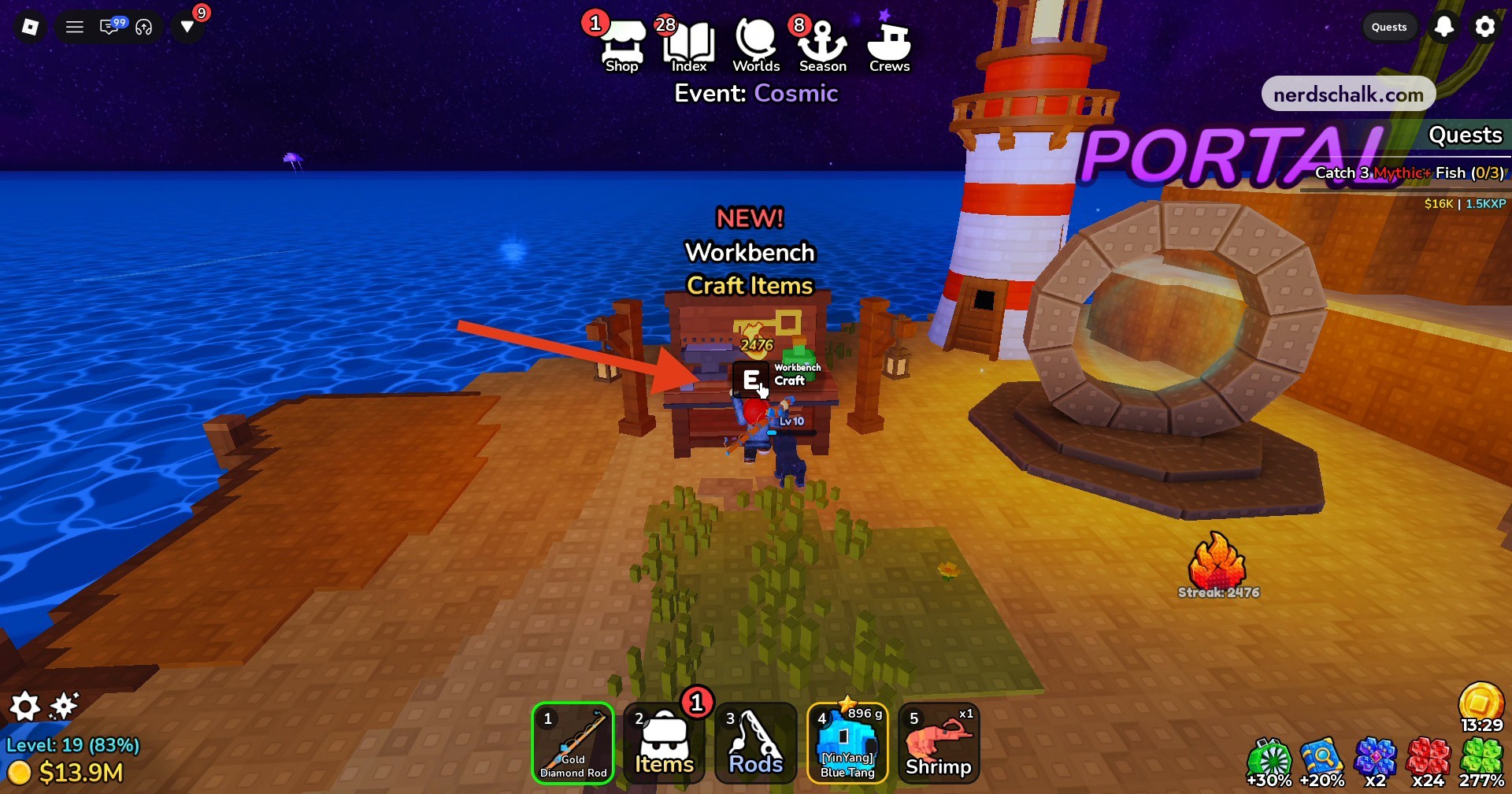
In the second world, head to the black Workbench structure near the lighthouse and portal. Interact with it to unlock the Workbench.
Open the crafting menu
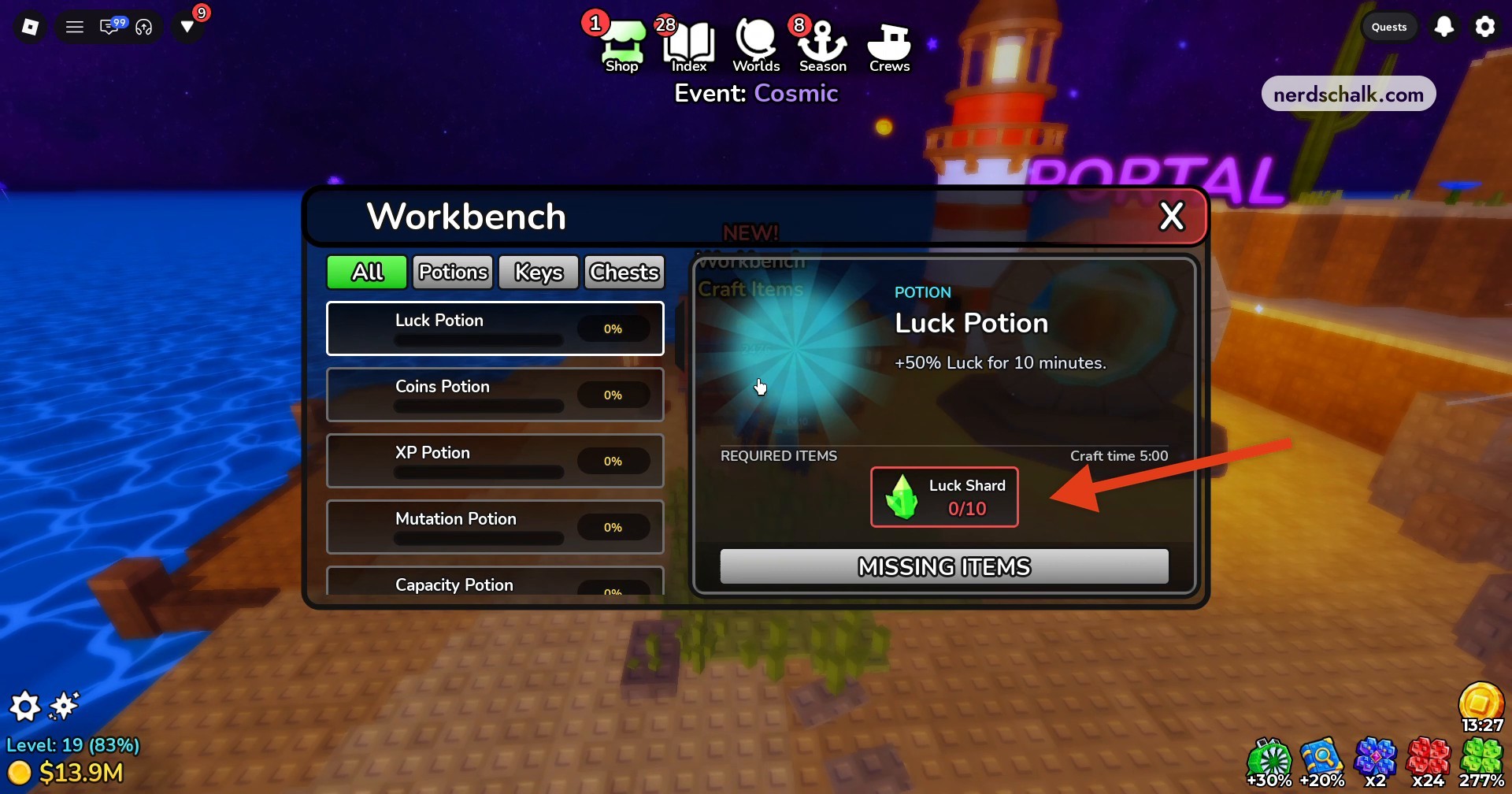
Open the Workbench menu and select a recipe to review its required shards and crafting timer.
How do crew points, levels and Weekly Chest rewards work?
Your crew name appears above your character, and fishing together raises the group’s level. Crew progression caps at 25 levels; each level adds member slots and increases the crew bonus. The Crew panel shows a level 1 crew with 10 slots.
Daily activities contribute points toward the crew’s shared chest goals. Each activity has its own daily completion allowance, while your personal weekly contribution has a separate ceiling.
Activities that earn crew points
| Activity | Crew points per completion | Daily allowance |
|---|---|---|
| Daily quest | +5 points | 5 completions |
| Task Board order | +15 points | 4 completions |
| Secret or Exotic catch | +5 points | 5 completions |
The Weekly Chest tracks combined crew points across successive milestones. Its displayed final target is 1.5K.
Weekly Chest milestones
| Weekly Chest milestone | Crew points |
|---|---|
| First | 200 |
| Second | 450 |
| Third | 750 |
| Fourth | 1.1K |
| Fifth | 1.5K |
Crew leveling also has named milestone rewards, giving your group a rod skin and a boat to work toward.
Crew level rewards
| Crew level | Reward |
|---|---|
| 15 | Crew Anchor Rod Skin |
| 25 | Crew Flagship boat |
The Feed keeps a history of crew activity, including members joining and the crew’s creation.
Party with a crewmate to receive the displayed x1.04 bonus.
What does Thanksgiving add, and how do you earn its rod skins?
The event introduces Thanksgiving Island, home to the Harvest Chef, who cooks fish you provide.
The Chef’s seasonal rewards include two Thanksgiving rod skins.
There are 10 limited Thanksgiving fish to collect. Deliver the full set to the Chef to earn the Exclusive Acorn Harvest Rod Skin, which completes the fish-delivery reward condition.
What new rods, eggs and Sunken Token rewards are in Update 16?
| Addition | Availability or type |
|---|---|
| Turkey Plume | Limited Shop rod |
| Cornucopia | Limited Shop rod |
| Yin Yang Equinox | Exclusive rod |
| Roast Turkey Egg | Limited-time Exclusive egg |
| Caramel Apple Egg | Free, limited-time egg |
The additions include Limited Shop rods, an Exclusive rod and seasonal eggs. These rods are equipment additions; the Chef’s rewards are rod skins.
You can also fish up the golden Sunken Token at a one-in-a-million chance. It lets you claim eligible items from the Shop for free.
What can you craft at the Workbench in Deep Fishing?
| Potion | Required shards | Craft time | Effect |
|---|---|---|---|
| Luck Potion | 10 Luck Shards | 5:00 | +50% Luck for 10 minutes |
| Coins Potion | 10 Coins Shards | ||
| XP Potion | |||
| Mutation Potion | |||
| Capacity Potion |
The Workbench has an E Craft interaction with a displayed Lv 10 label. Its menu offers an All filter alongside Potions, Keys and Chests categories.
The Luck Potion recipe displays 0/10 beside Luck Shard, along with a MISSING ITEMS message.
Which promo codes are listed for Deep Fishing Update 16?
| Code |
|---|
update16 |
thanksgiving |
crews |
The Update Log lists these promo codes as active.
When do the Crews update events and next season run?
| Event or feature | Window |
|---|---|
| Thanksgiving event | November 22–29 |
| Roasted mutation | November 22–December 6 |
| CREWS are HERE! Roblox event listing | November 22, 2026, at 16:00 UTC through November 27, 2026, at 16:00 UTC |
| NEW SEASON is coming Roblox event listing | November 29, 2026, at 16:00 UTC through December 4, 2026, at 16:00 UTC |
You can work toward crew goals and the Chef’s seasonal rewards while looking ahead to the upcoming season’s scheduled window.
Related Deep Fishing guides
Leave a Reply