
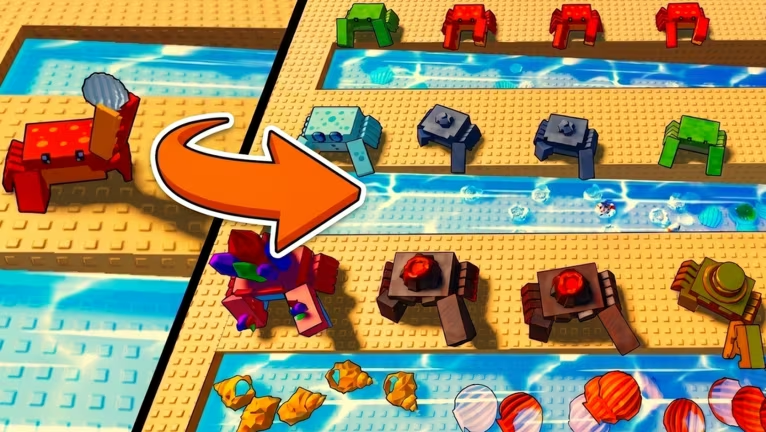
Crab Tycoon is a Roblox building game where you grow a crab-themed tycoon and cash in on your setup as it expands. The codes below hand out free cash you can drop straight into your tycoon without grinding for it.
Working Crab Tycoon Codes
Here’s every code that’s redeeming rewards right now. Grab the ones you haven’t used yet before they expire.
SHELLO
225 cash
CRABCAKES
225 cash
SHELLMATE
225 cash
PETPALS
225 cash
SANDCASTLE
190 cash
THANKSFORPLAYING
95 cash
BESTCRABS
95 cash
SHELLYEAH
85 cash
ICYCLAWZ
47 cash
SIFTERZ
47 cash
KINGSCLAW
42 cash
CLICKCLACK
Free cash
HEROCRABS
Free cash
FROSTSHELL
Free cash
KINGCRAB
Free cash
SHELLSHOCKED
Free cash
QUITCRABBINAROUND
Free cash
How to redeem codes in Crab Tycoon
Redeeming a code only takes a few taps once your tycoon plot has loaded in. Follow these steps in order and you’ll see your cash balance jump right away.
You’ll know it worked because the cash reward lands in your balance immediately, and the currency counter on your screen updates to reflect it. If nothing changes after you hit Claim, the code has either expired or wasn’t typed in correctly.
Expired Crab Tycoon codes
These codes no longer add cash to your balance, so don’t waste a try on them.
KELPWANTED
CLAWMACHINE
CORALCARNIVAL
BARNACLEBASH
BIGDILL
RIPTIDE
TIDEPOOL
DUNEDIGGER
SHELLABALOO
PINCHPERFECT
CONCRABULATIONS
SHELLFIE
MOLTMANIA
WAVERIDER
SANDDOLLAR
REEFRIOT
PEARLDIVER
How to get more Crab Tycoon codes
New codes typically show up when the developer hits a milestone or pushes an update, so it’s worth checking back after either happens. The official Crab Tycoon Discord server is where announcements tend to land first, and joining the Atlantean Co. Roblox community keeps you close to the developer as well. We check back regularly and update this list whenever we find new codes or spot ones that have stopped working.
Are Crab Tycoon codes free to use?
Yes, every code above is free. You just need to be in an active game session with your tycoon loaded to redeem one.
Why didn’t my code work?
If your cash balance doesn’t move after you hit Claim, the code you entered has expired or was typed with a mistake. Codes are also case-sensitive in most Roblox games, so copying and pasting directly from the list above is your safest bet.
Cashing in on free codes is one of the quickest ways to get ahead in your tycoon without waiting on slow income ticks. Keep this list handy and check back after updates land so you don’t miss anything before it expires.



Leave a Reply