
Category
Tips
-

Getting “Android Pay cannot be used” error? Here’s a fix
[up] Update: A Googler just visited xda forums and explained why Android Pay doesn’t work with root. Check out his xda post here. [/up] So Android…
-

How to Enable Mobile Hotspot / Tethering on Verizon Xperia Z3V
The stock Android OS by Google has a built-in mobile hotspot feature and almost all Android devices nowadays come with this feature, BUT not…
-

OnePlus 2 gets Double Tap to Sleep from Status bar
We love it when manufacturers push an OTA update with surprises. The last OnePlus 2 OTA update, for which the official changelog didn’t mention more than bug…
-
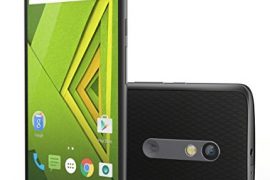
Moto X Play scores a CyanogenMod 12.1 custom ROM!
The most popular of all, the CyanogenMod custom ROM is now available for the Motorola Moto X Play. The official ROM from the team…
-

How to Install OTA update on a Rooted Device
Unable to install OTA update on a rooted device? Well, you just can’t. No matter what you try. The reason is — an OTA update…
-
How to Add/Edit Contacts on Android Remotely from PC
Ever felt the need to add or edit contacts on your Android device from the comfort of a PC? Well, chances are you never…
-

CM13 Marshmallow Update Release Date
Android 6.0 Marshmallow update is around the corner, and while Nexus devices will be the first to get the new update. A number of…
-

How to Switch Between Android Devices Without Losing Data
Getting a new phone or a replacement is exciting, but there’s no denying that it’s scary to lose your apps, game progresses and data while…
-

How to Install Xposed on Note 5
Xposed framework for Android is everyone’s favorite tool to modify their devices. It’s one of the best thing happened to Android after CM ROMs,…
-

How to Install Viper4Android on Moto G 2015 (3rd Gen.)
Moto G 3rd Gen. is a good choice in its range of devices for the music goers. The device comes with dual front speakers with pretty decent sound…
-
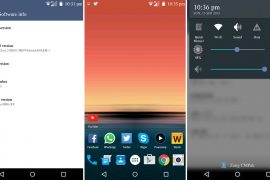
LG G3 Marshmallow Update Custom ROM already available
Hoho! Android 6.0 Marshmallow is yet to make an official appearance but the folks over at xda have already booted the LG G3 with Marshmallow’s developer…
-

How to Install Google Dialer on LG G4
LG G4 maybe shipping with Lollipop, but you don’t get the exact material love that Lollipop delivers on the LG G4, thanks to LG’s…
-

How to Root S6 Edge Plus (GSM)
Samsung Galaxy S6 Edge Plus launched with Android 5.1.1 out of the box, so any previous rooting methods that worked for S6 edge like PingPong Root…
-

Is Turbo/Fast Charge Bad for Battery?
The year 2015 has been the year of smartphones with fast charging capabilities as we saw almost all major manufacturers putting turbo/fast/quick charging capabilities…
-
Your Galaxy S5 running Slow? Here’s how to Fix
Although once a flagship with the best hardware in the industry, your Samsung Galaxy S5 may have taken a beating now and could be…
-

How to Use Android Pay on a Rooted Device
[up] Update 4 (19th Sep, 2016): There is a new way (probably the best) to use Android Pay with root: Root your Android device with Magisk systemless interface.…
-

Android Pay Security
Google announced Android Pay earlier today, a new service for Android that let’s you make payments directly from your Android device. It saves you the hassle…
-
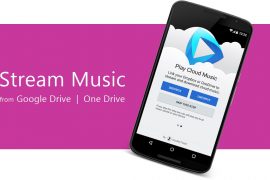
How to Stream MP3 Music From Google Drive & One Drive to your Android Device
Sure there are plenty of cloud music services out there, giving you access to unlimited songs with unlimited playbacks even for free. But that…
-

How to Fix Red Border Flashing On Screen when Using Custom ROMs
If your Android phone/tablet is flashing a red border around screen sometimes, chances are you’re running a custom ROM, most probably an AOSP based ROM…
-

How to Fix Bootloop (Soft Brick) Caused by Installing Custom Fonts on Android
Having the ability to customize Android devices by means of root access is pretty great for the knowledgeable users, but for the un-knowledgeable folks among us,…