

Build To Climb is the Roblox tower game where you stack items to reach new heights, and codes are the quickest way to pad your coin count or pick up a pet without grinding for it. Redeeming a working code usually hands you coins, a trophy, a pet, or a stack piece like a candy cane or tulip bud straight into your account.
Working Build To Climb Codes
Type these in exactly as shown, since a single wrong character stops a code from going through.
WELCOMEBUILDTOCLIMB
A free cat pet plus a mint stump
WEEKENDSURPRISE12
5,000 coins and one trophy
CHRISTMASEVE2025
5,000 coins and one candy cane
MERRYCHRISTMAS2025
Three candy canes
THEME5UPDATE
One palm and one tulip bud
How to redeem codes in Build To Climb
You won’t find a website redemption form for this one. Everything happens inside the game through a code box that’s tied to the Discord icon on your screen.
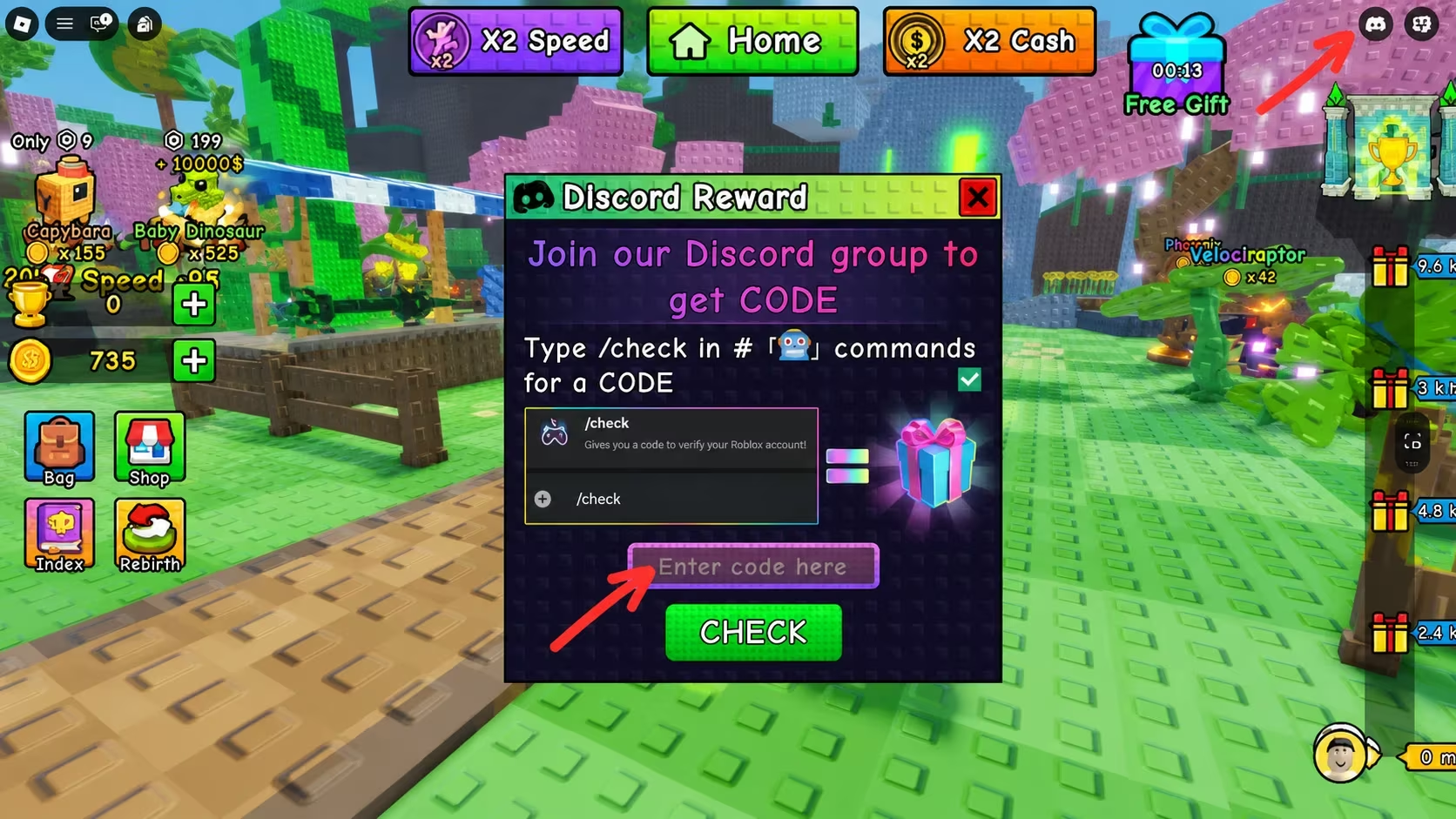
You’ll know it worked when you see the coins, pet, or stack item show up in your inventory the moment you press the check button. Nothing changing usually means a typo, so double-check the spelling and try again.
How to get more Build To Climb codes
New codes tend to show up around themed updates and holiday events, so keep an eye out whenever the game gets a fresh theme or a seasonal push. The most reliable place to catch them early is the game’s own Discord server, where announcements go out directly from the developers. It’s also worth joining the Roblox community for the game, and you can jump straight into Build To Climb on Roblox to start redeeming as soon as a new code lands.
Why didn’t my code work?
The entry field is case-sensitive and needs an exact match, so extra spaces or a lowercase letter where a capital belongs will block the redemption. Retype the code carefully and press the check button again.
Checking the code box after every update is a quick habit that keeps your coin pile and pet collection growing without extra grinding.


Leave a Reply