

Ascend is a Roblox experience where Mystic Gems act as the main currency, and the developer occasionally hands out redeemable codes tied to milestones like follower counts, visit totals, or bug-fix updates. Redeeming one of these codes adds a batch of free Mystic Gems straight to your account, no purchase required.
Working Ascend Codes
Each of these codes is confirmed to be redeemable right now. Type them in exactly as shown below, since Ascend codes are case-sensitive.
100KMEMBERS
350 Mystic Gems
HOTFIX1
150 Mystic Gems
3KFAVS
125 Mystic Gems
100KVISITS
100 Mystic Gems
HEYGUYS
100 Mystic Gems
Stack all five and you’re looking at 825 Mystic Gems for free, so it’s worth redeeming every one of them before you start spending in-game.
How to redeem codes in Ascend
Redeeming a code in Ascend only takes a few taps once you’re inside the experience. Follow these steps in order so nothing gets typed wrong.
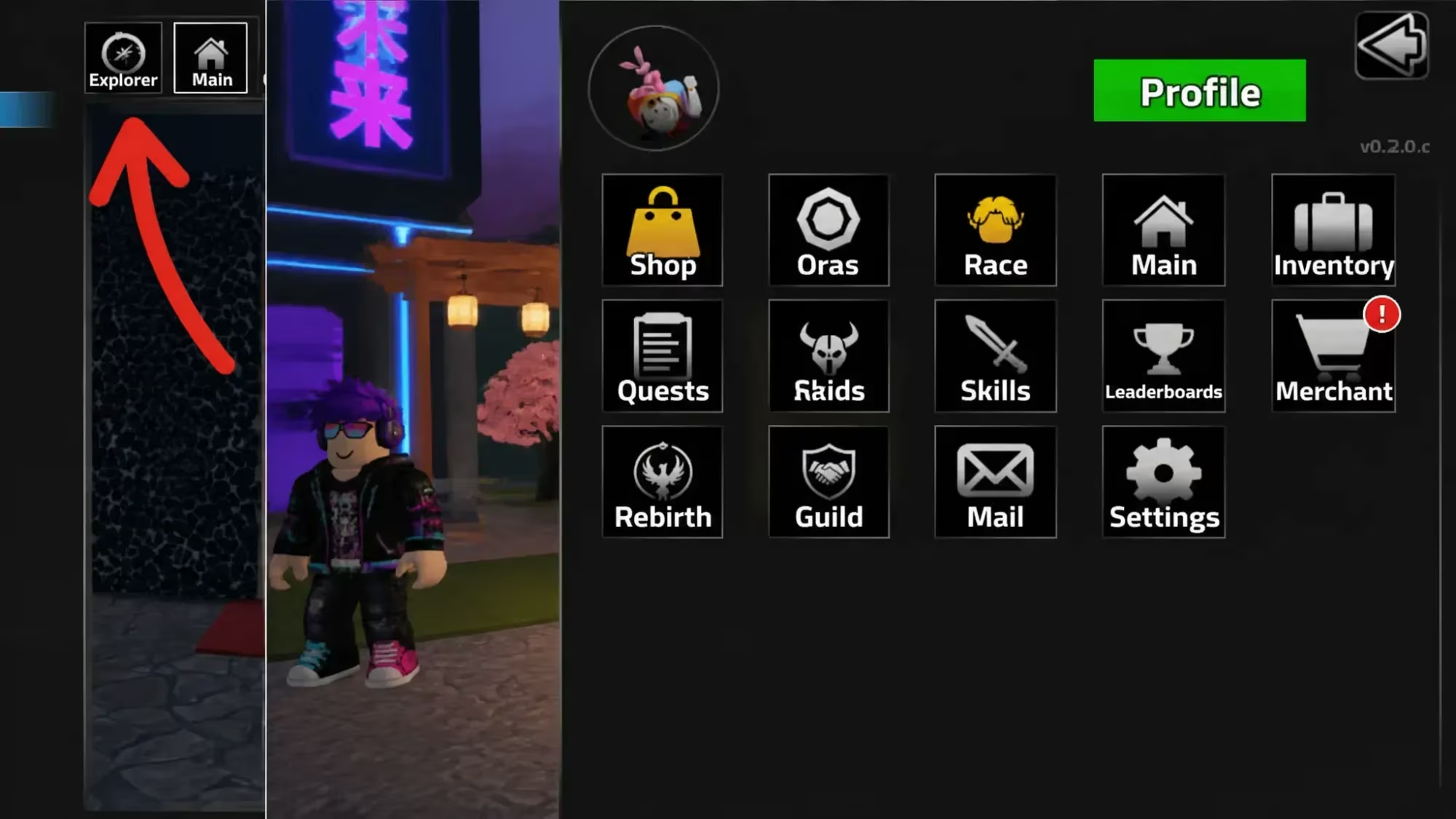
Repeat the same steps for each code on the list. If your Mystic Gems count doesn’t move after confirming, double-check the spelling and try again, since a single mistyped character will stop the code from registering.
How to get more Ascend codes
New Ascend codes tend to show up around community milestones, such as hitting a new visit count or follower goal, or right after a hotfix update. The developer’s official Discord server is the most reliable place to catch these announcements as soon as they go live, and joining the Ascend Discord puts you right in front of that channel.
The game’s official Roblox community page is another spot worth following, since group posts sometimes double as a heads-up for a new redeemable code. You can check the Ascend Roblox community alongside the Discord for updates.
Are Ascend codes free to redeem?
Yes. Every code above adds Mystic Gems to your account at no cost, and there’s no limit tied to purchases or membership.
Why didn’t my Ascend code work?
Codes are case-sensitive, so a lowercase letter where an uppercase one belongs will cause the redemption to fail. Re-type the code carefully rather than copying it with extra spaces.
Keep checking back periodically, since Ascend’s codes tend to arrive without much warning whenever the developer hits a new milestone worth celebrating.






Leave a Reply