

You make Animal Hospital Anomaly looks in Roblox Brookhaven by recreating the Dr. Harlow update characters with matching bodies, heads, skin colors, accessories, and outfits.
This is a Brookhaven avatar recreation guide, so the goal is to build lookalike Animal Hospital Anomaly characters for roleplay, screenshots, or themed outfits. The video uses Roblox Brookhaven to assemble the cosplay pieces for the Animal Hospital Anomaly looks.
The Brookhaven method is avatar cosplay
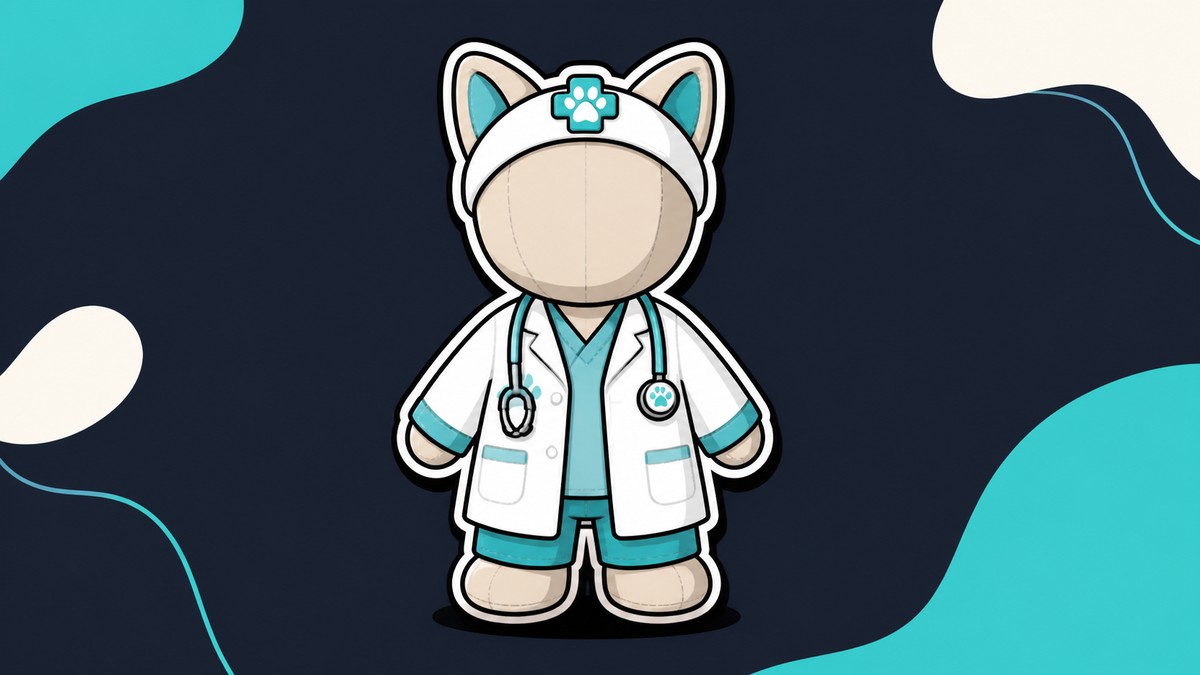
Key Start by clearing your current avatar, then build each character from an Animal Hospital Anomaly-style body. After that, the look comes from the head, skin color, tails or ears, face accessories, and classic shirt/pants choices.
There is no separate Brookhaven switch, code, hospital room, or interaction needed for this build path. The video method is to use Brookhaven’s avatar editor to make the Animal Hospital Anomaly looks.
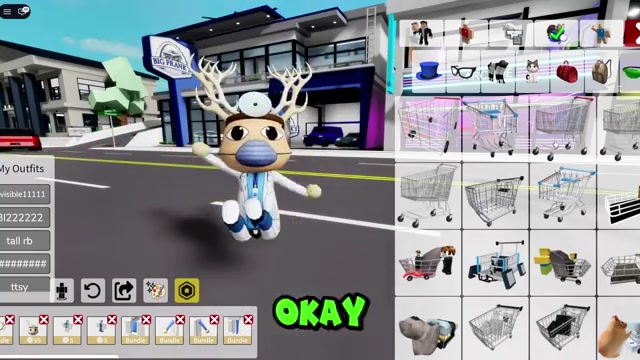
Animal Hospital Anomaly looks recreated in Brookhaven
| Look | Main items |
|---|---|
| Pink axolotl anomaly | Animal Hospital Anomaly-style body, axolotl head, pink skin, axolotl tail, axolotl ear piece, matching shirt and pants |
| Peach fish or baby-shark-style character | Small fin or baby shark tail, pink fin hat, whisker fish face accessory, lighter skin, light-pink clothes |
| Cleanup nurse skin | Animal Hospital Anomaly nurse base, yellow cleanup uniform, yellow skin, nurse head, no extra ears |
| Auburn secretary skin | Colorable body, orange-red skin, Animal Hospital Anomaly face, red curly bob, oversized cat-shaped glasses, red layers, plaid skirt, black leggings, red deer ears |
| Psychologist or patrol anomaly | Colorable body, purple skin, upright bunny ears, purple argyle sweater vest, black pants, big black mustache, oversized glasses |
The video shows three main character groups and covers these Animal Hospital Anomaly looks in Brookhaven: axolotl, fish, nurse, secretary, and psychologist. Use this scan table first, then follow the timestamped build path for the one you want.
Search by shape and color: Roblox catalog names can shift, but terms like axolotl, small fin, whisker fish, red deer ears, and oversized glasses get you close to the intended pieces.
How to recreate Dr. Harlow update characters in Brookhaven
Build the Animal Hospital Anomaly looks by clearing your avatar first, then matching the body, color, accessories, and clothes for each character.
- Pink axolotl: clear your avatar — Remove your current Brookhaven outfit so the Animal Hospital Anomaly body can become the base.
- Pink axolotl: choose the body — Select the Animal Hospital Anomaly-style body with the closest silhouette to the axolotl character.
- Pink axolotl: search for the head — Open the head section, search axolotl, and choose the closer axolotl head.
- Pink axolotl: set the skin color — Change your skin to pink, then fine-tune the shade after adding the tail.
- Pink axolotl: add the tail — In tails, search axolotl and use the shorter tail that fits the body better.
- Pink axolotl: switch the face back — Use an Animal Hospital Anomaly-style face if the first head face does not match the game’s look.
- Pink axolotl: add the ear piece — Search axolotl in accessories and wear the side/top axolotl piece near the ears.
- Pink axolotl: finish the outfit — Pick an axolotl classic shirt and matching pants to complete the pink build.
- Peach fish: choose the next look — Start from the peach fish or baby-shark-style character with the lighter body tone and whisker-like face detail.
- Peach fish: remove axolotl extras — Take off the previous tail and axolotl pieces before adding the fish parts.
- Peach fish: try a baby shark tail — Search for a baby shark tail in a peach color if you want the longer shark-style version.
- Peach fish: use a small fin instead — Search small fin and equip the smaller fin if it fits the character better.
- Peach fish: add the pink fin hat — Search pink fin under hats and place the fin on top of the head.
- Peach fish: add the face accessory — In the glasses/accessory area, search whisker fish and use the whisker-like face piece.
- Peach fish: lighten the skin — Change the skin color to a lighter shade so the face, fin, and clothes blend.
- Peach fish: choose a light-pink shirt — Search light pink in shirts and choose a top that covers most of the body.
- Peach fish: match the pants — Use the same light pink search in pants and pick the closest matching bottom.
- Cleanup nurse: start with the nurse base — Select the Animal Hospital Anomaly nurse base as the body for the cleanup skin.
- Cleanup nurse: remove fish items — Take off the fish tail, fin, and face extras so the nurse uniform stays clean.
- Cleanup nurse: add the yellow top — Search yellow clean up uniform and equip the yellow cleanup uniform top.
- Cleanup nurse: add the matching bottom — Scroll for the matching yellow bottom so the shirt and pants read as one uniform.
- Cleanup nurse: set yellow skin — Change the skin color to yellow so the body matches the cleanup nurse look.
- Cleanup nurse: use the nurse head — Select the nurse head that matches the Animal Hospital Anomaly nurse base.
- Cleanup nurse: clear bundle conflicts — Remove any old bundle parts that overlap with the nurse head or body.
- Cleanup nurse: remove the ears — Take off the conflicting ears so the cleanup nurse skin keeps the right silhouette.
- Auburn secretary: pick the secretary base — Start from the secretary’s normal Animal Hospital Anomaly look before changing colors and accessories.
- Auburn secretary: clear the old outfit — Remove the cleanup nurse clothes and hair so the secretary build starts clean.
- Auburn secretary: set a red tone — Change the skin toward red first to start matching the auburn secretary palette.
- Auburn secretary: switch to a colorable body — Use a gray colorable Animal Hospital Anomaly body when the first secretary skin will not recolor.
- Auburn secretary: add the face — Search Animal Hospital Anomaly in faces and choose a face that matches the staff style.
- Auburn secretary: open the hair section — Move to hair for the secretary’s large auburn bob.
- Auburn secretary: search red curly bob hair — Search red short bob curly hair and choose the bob that most closely matches the secretary hair.
- Auburn secretary: add cat-shaped glasses — Search oversized cat shape glasses and equip the large cat-shaped pair.
- Auburn secretary: add the blouse layer — Search for a red cardigan and beige blouse shirt and wear the closest red top.
- Auburn secretary: add the cardigan jacket — In jackets, search red old cardigan and add the red cardigan layer over the shirt.
- Auburn secretary: choose the skirt — Search red plaid skirt and use a shorter skirt that matches the secretary outfit.
- Auburn secretary: add black leggings — Search black leggings in the leg/classic clothing area and equip a plain black pair.
- Auburn secretary: adjust the face color — Shift the face/skin toward orange so the final tone matches the auburn secretary better.
- Auburn secretary: finish with deer ears — Search red deer ears and equip the red ears as the final accessory.
- Psychologist/patrol: choose the character — Start the last build from the psychologist or patrol anomaly idea, then clear the secretary pieces.
- Psychologist/patrol: find a colorable body — Pick a body that can recolor, because this look needs purple skin.
- Psychologist/patrol: turn the body purple — Set the colorable body to purple as the base for the anomaly look.
- Psychologist/patrol: search bunny ears — Search bunny ears under hats and choose the pair that stands upright.
- Psychologist/patrol: add the sweater vest — Search purple argyle sweater vest and equip the long-sleeved version.
- Psychologist/patrol: add black pants — Search black in pants and choose a simple black bottom.
- Psychologist/patrol: add the mustache — Search big mustache and use a large black mustache that sits clearly on the face.
- Psychologist/patrol: finish with oversized glasses — Search oversized glasses and equip the huge pair to complete the psychologist look.
Dr. Harlow update additions in Animal Hospital Anomaly
The Lore Expansion Update added the Dr. Harlow event, a Rain Shift with a new species, expanded Liz and visitor dialogue, new lore, staff skins, secret interactions, a weekly leaderboard, a reconnect button, and a new Easter egg.
The featured event window ran from August 8 to August 11, 2026. The secret Dr. Harlow content is tied to Animal Hospital Anomaly’s hospital runs, including Harlow-focused interactions and lore around his office, while the video shows those Animal Hospital Anomaly characters being recreated inside Roblox Brookhaven.
Brookhaven outfit mistakes to avoid
Do not spend time hunting for a separate Brookhaven trigger, code, or hospital interaction before making the Dr. Harlow looks. The method shown is to build the Animal Hospital Anomaly-style avatar directly in Brookhaven.
Do not lock yourself into the first Animal Hospital Anomaly body you click. If the look needs yellow, orange-red, or purple skin, use a colorable gray Animal Hospital Anomaly body before adding the head, hair, ears, and clothes.
For catalog matches, prioritize the silhouette: tail size, ear position, glasses shape, and clothing color matter more than getting a perfect one-click item name.
Related Animal Hospital Anomaly guides
Frequently Asked Questions
Can you make the Dr. Harlow looks inside Brookhaven?
Yes. The video uses Roblox Brookhaven to recreate the Animal Hospital Anomaly Dr. Harlow update looks with avatar bodies, colors, accessories, and clothes.
Which look is closest to the new Rain Shift species?
The pink axolotl anomaly is the closest Rain Shift-style recreation because it uses the Animal Hospital Anomaly-style body, axolotl head, pink skin, tail, side ear piece, and matching axolotl clothes.
Do you need exact paid Roblox accessories for these outfits?
No exact paid accessory is required by the method. Search the same terms and pick close substitutes with the same shape and color when Roblox shows different catalog results.
Video help
Leave a Reply