

99 Nights in the Wild West drops you into a Roblox frontier survival experience, and the developer hands out codes every so often to reward players with free Gems. Redeeming a few takes less than a minute and gives you extra currency to spend without grinding for it.
Working 99 Nights in the Wild West codes
Here’s every code that’s currently redeemable, along with what each one pays out in Gems.
wildwest
25 Gems
christmas
Gems
wildwest30000
20 Gems
wildwest90
20 Gems
wildwest10000
20 Gems
wildwest6000
20 Gems
wildwest3000
20 Gems
wildwest15000
Gems
Codes are case-sensitive, so type them exactly as shown above, or better yet, copy and paste them straight into the game.
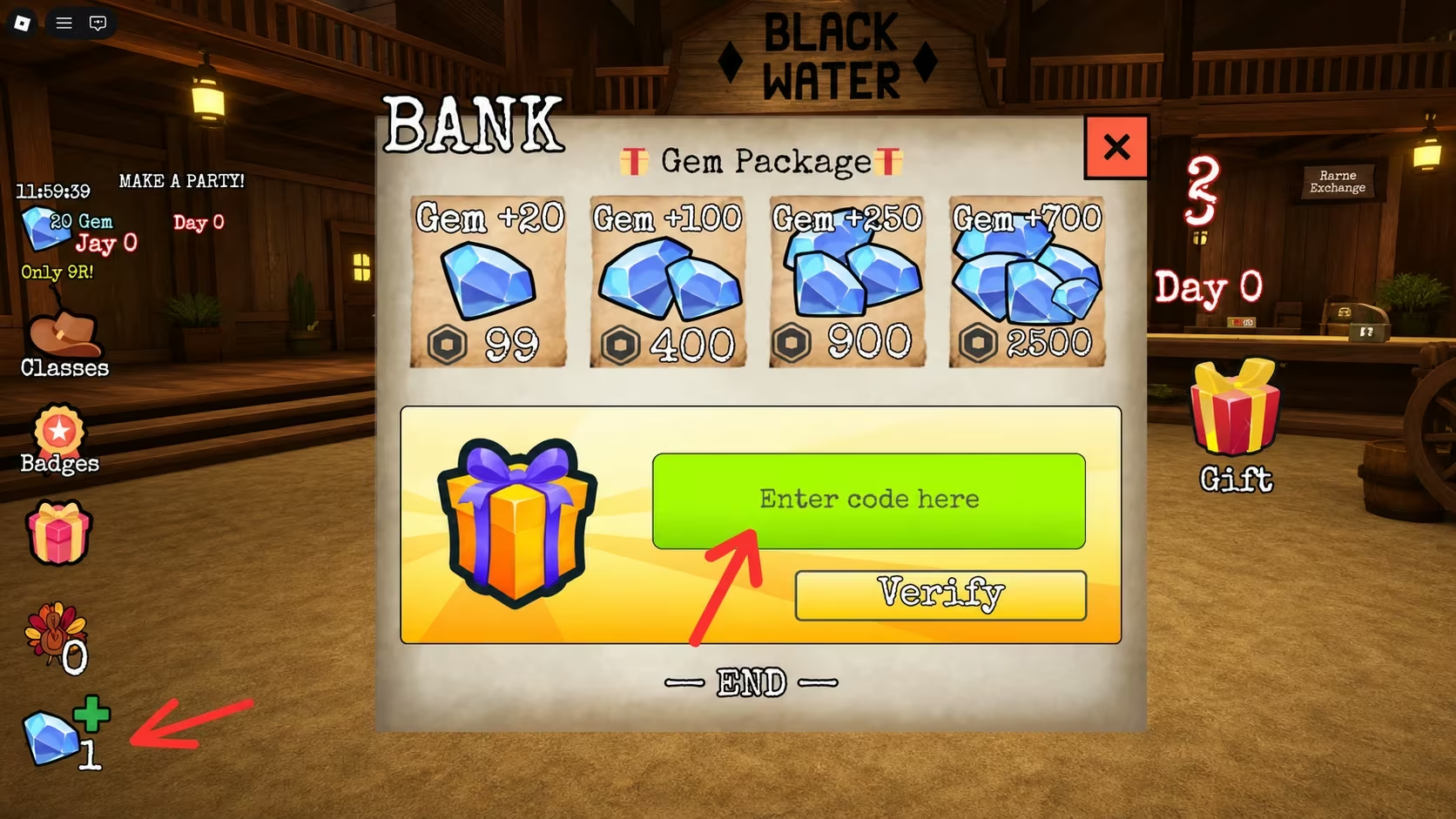
How to redeem codes in 99 Nights in the Wild West
You’ll need to be inside the game itself to claim any of these, and the whole process only takes a few taps once you know where to look.
How to get more 99 Nights in the Wild West codes
New codes tend to show up around updates, seasonal events, or milestones the game hits, so there’s no fixed schedule to count on. Your best bet for catching them early is the game’s official Discord server, where the developer posts announcements directly. It’s worth checking back there and revisiting this list every so often, since codes for 99 Nights in the Wild West don’t last forever and get swapped out as new ones roll in.
Are 99 Nights in the Wild West codes free?
Yes. Every code listed here comes straight from the developer at no cost, and redeeming them just requires an internet connection and a few seconds inside the game.
Why didn’t my code work?
If a code doesn’t register, double-check the spelling and capitalization first since a single wrong character will stop it from going through. It’s also possible the code has already expired or that you’ve already redeemed it on that account.
Keep those Gems flowing by working through the list whenever you log in, and check back in on the Discord for anything new the developer drops.






Leave a Reply