
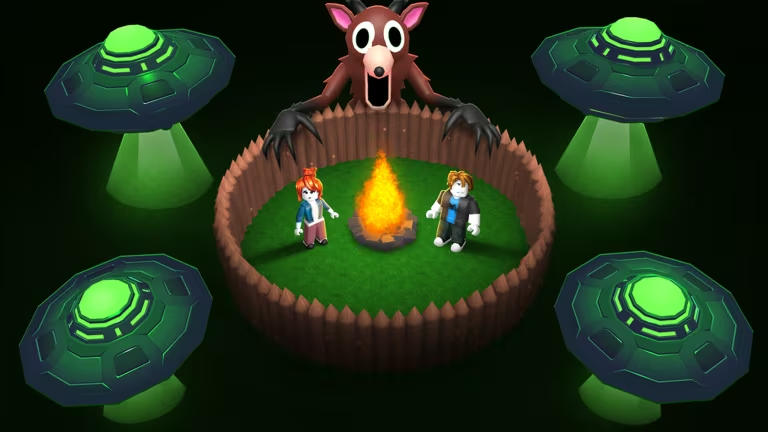
99 Nights in the Forest is a Roblox survival game where you and your friends search for missing kids while managing hunger, shelter, and the dangers lurking after dark. Codes hand out Diamonds and Flames, the currency and cosmetic-style items you can use to get a head start before your next run.
Working 99 Nights in the Forest codes
Here are the codes that are redeeming successfully right now. Type each one exactly as written, since the redemption box is case-sensitive.
awardwinner_yay
15 Diamonds, 1 Frog Flame, 1 Thanksgiving Flame, and 1 Fairy Flame
New
forestwakesup26
15 Diamonds, 1 Frog Flame, 1 Fairy Flame, and 1 Pet Flame
afterparty
15 Diamonds
Yay fishing
2 Diamonds — type this in the chat box while you’re fishing, not in the codes menu
Note: Unlike the other three, Yay fishing only works when you type it into the in-game chat while actively fishing. Entering it in the Codes menu won’t do anything.
How to redeem codes in 99 Nights in the Forest
You’ll want to redeem codes from the lobby, before you head out to look for the missing kids. The Codes menu sits behind the Diamonds counter on your screen, so it only takes a few taps once you know where to look.
You’ll know it worked when a confirmation pop-up shows the Diamonds and Flames dropping into your inventory, and your Diamond count in the corner updates right away.
Expired 99 Nights in the Forest codes
These codes no longer give anything if you try to redeem them, so don’t waste your time typing them in.
happyhalloween
Previously gave free rewards
How to get more 99 Nights in the Forest codes
New codes for 99 Nights in the Forest tend to show up around updates, holidays, and milestones like player count celebrations. Your best bet for catching them early is the game’s own Discord server, where the developers post code drops directly.
You can also keep the 99 Nights in the Forest page bookmarked on Roblox, since the experience details and any in-game announcements live there too.
Are these codes free?
Yes. Every code above is free to redeem and only requires an active copy of the game loaded in the lobby.
Why didn’t my code work?
Double-check your spelling and capitalization against the list above, and make sure you’re using the Codes option in the Diamonds menu rather than typing it into chat, since Yay fishing is the only exception to that rule.


Leave a Reply