
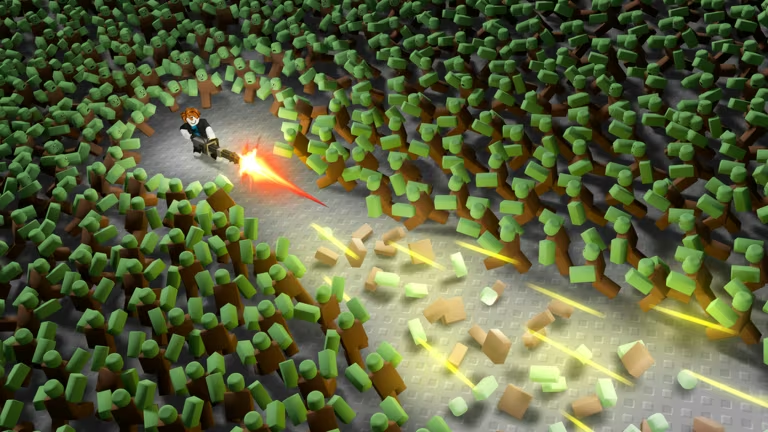
100 Waves Later is a Roblox survival game where you fend off waves of enemies while gathering resources to upgrade your gear. Codes from the developer hand you free Loads and Scrap, which speed up your progress without extra grinding.
Working 100 Waves Later codes
Two codes are redeemable right now, and both hand you the same pair of rewards.
XMAS
Loads and Scrap
LAUNCH
Loads and Scrap
Type each code exactly as shown above. Codes are case-sensitive, so XMAS and LAUNCH need to stay in all caps or the game won’t accept them.
How to redeem codes in 100 Waves Later
You’ll redeem codes through the settings menu rather than a dedicated codes button, so keep an eye out for the cogwheel icon once you’re in a match.
How to get more 100 Waves Later codes
New codes for 100 Waves Later typically show up when the developer wants to celebrate an update, a milestone, or a holiday, so there’s no fixed schedule to count on. Your best bet is to join the game’s official Discord server, where announcements about new codes usually land first. You can also check the settings menu in-game periodically, since that’s where you’ll redeem anything you find.
You can join the community at discord.gg/e7tZsSnzG7, and you can play the game itself through its Roblox experience page.
Are 100 Waves Later codes free?
Yes. Every code the developer releases is free to redeem and gives you Loads and Scrap at no cost, as long as you enter it correctly before it expires.
Why didn’t my code work?
The most common reason is a typo or incorrect capitalization, since the redemption box treats codes as case-sensitive. Retype the code carefully, matching the letters exactly as they’re listed, and press Submit again.
Grab XMAS and LAUNCH while they’re active, and check back in the settings menu whenever you hear about a new one from the community.






Leave a Reply