
Samsung officially released the XXJW4 firmware, which is the Value Pack firmware Samsung promised for the Galaxy S after they announced that it won’t be getting Ice Cream Sandwich. The Value Pack brings along a few features from ICS, along with general speed and performance improvements.
Those who flashed the XXJW4 firmware can root it and install ClockworkMod (CWM) recovery (which lets you flash custom ROMs on the phone) by flashing the CF-Root kernel released by XDA recognized developer Chainfire, who’s always quick with his releases of rooted kernels every time a new Galaxy S firmware is released.
Read on for the full step by step procedure to install CF-Root kernel on your phone to root the XXJW4 firmware.
Compatibility
This firmware and the guide below are compatible only and only with the Samsung Galaxy S, model number GT-i9000. It’s not compatible with any other device and may render an incompatible device unusable. Check your device model in Settings » About phone.
Warning!
The methods and procedures discussed here are considered risky and you should not attempt anything if you don’t know completely what it is. If any damage occurs to your device, we won’t be held liable.
Pre-Installation Requirements
- If you have Samsung’s PC software Kies installed, un-install/shut it down completely from the taskbar first because it may interrupt the flashing process.
- Drivers! — it’s important you’ve the proper drivers installed. Download links below:
How to Root and Install ClockworkMod Recovery on XXJW4
- Make sure you’ve installed XXJW4 firmware. Try this only on XXJW4 firmware and not on any other firmware.
- Download CF-Root kernel from the official download page → here.
Filename: CF-Root-XX_OXA_JW4-v4.4-CWM3RFS.zip - Unzip the above file to a folder once. You will get the .tar file – CF-Root-XX_OXA_JW4-v4.4-CWM3RFS.tar — inside the extracted folder. It’s recommended to use 7-zip free software to extract it. DO NOT extract the .tar file (even if you see it as a zip file, which it is not). You need to flash the .tar file using Odin to gain root access and install ClockworkMod Recovery (CWM) alongside. If you’re getting zImage file, it means you’ve extracted the .tar file too! — and that’s not a right thing to do.
- Use the Odin software you used while flashing the XXJW4 firmware. In case you don’t have it anymore, download it again.
Download Link | Filename: Odin3 v1.7.exe - Switch off your phone. Wait for vibration to confirm complete switch off.
- Now, put the Galaxy S in Download Mode — press and hold these keys together: Volume_DOWN + Home + Power until a screen saying Download comes up.
- Open Odin now. Connect your phone to PC now. You’ll notice “Added!!” message in the Odin’s message box in the bottom left.
- In Odin, click the PDA tab and select the .tar file you got in step 3 — CF-Root-XX_OXA_JW4-v4.4-CWM3RFS.tar.
- Important! Do not touch any other button or make any other changes in Odin except selecting the required file as given in step 8.
- Click the Start button in Odin to flash the CF-Root kernel.
- After CF Root is installed, the phone will restart automatically. When you see PASS written in top left box, you can disconnect the phone from the computer.
IMPORTANT Note: If ODIN gets stuck at some stage and doesn’t seem to be doing anything, do this — disconnect the phone from the PC, close ODIN, remove battery, re-insert it, turn phone on in Download mode again, and do the procedure again from Step 7. Same if you get a FAIL message in Odin. - If you face any problems while flashing CF-Root, let us know and we’ll try to help you out.
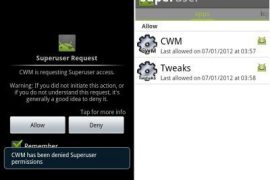
Your phone is rooted now and CWM recovery has been installed on it. Whenever you try to use an app that requires root permissions, you will get a Superuser prompt, where you can select Allow to grant root access to the app. Custom ROMs can be flashed by booting into CWM recovery when needed. And that’s it. Enjoy!






171 responses to “XXJW4 Root and ClockworkMod Recovery for Galaxy S”
Usually, after rooting the official firmware, my phone boot audio would be disabled. For this firmware it still plays every time I boot my phone. Any ideas how could I get rid of that annoying sound? Thanks in advance.
Usually, after rooting the official firmware, my phone boot audio would be disabled. For this firmware it still plays every time I boot my phone. Any ideas how could I get rid of that annoying sound? Thanks in advance.
After performing all the steps, my phone is not booting up. It is rebooting again and again and I could see only GALAXY s GT-I9000 screen .
Please help!!!
Which firmware did you try on this? You sure your firmware was xxjw4?
Hi Kapil,
I used it on gingerbread 2.3.3 which I upgraded directly through Samsung Kies software.
Now the thing is, it has gone. Please tell me steps to do it from scratch wherein I can install rooted OS and if possible ICS. (considering my cell is not booting up looks like OS is also corrupted or lost)
You know, you can get ICS from here — https://nerdschalk.com/galaxy-s-gets-android-4-0-based-aokp-rom/ Step 1.1 will also fix your phone and then continue with step 1.2 and onwards.
You know, you can get ICS from here — https://nerdschalk.com/galaxy-s-gets-android-4-0-based-aokp-rom/ Step 1.1 will also fix your phone and then continue with step 1.2 and onwards.
thanks Kapil. the way we can install 2.3.6 directly as mentioned in step 1.1. Can’t we install ICS directly,
No, can’t install ICS directly.
also, is Samsung Galaxy S I9000 international version is something different. how do I check tht. I bought it from India only.
Model number has to be i9000 (check in settings – about phone).
I cannot check settings now since my phone is not functional but I believe it is same or may be : GT-I9000.
wud there be any issue with this installation or may be upgrade later with ICS
Check on the box your Galaxy S came packed in with. If it’s GT-i9000, then go ahead.
when I try to go to download mode, I can see screen saying “Downloading…”
is it fine to start from there or I should be getting some other statement.
Yes. That’s the screen. Now, open Odin and then connect your phone to PC. You should get ‘Added !’
thanks,I hve been able to upgrade it to 2.3.6. now will root it and then will install ICS. Lets see how it goes from here.
Hey Kapil, my phone is rooted as welll now. Pls let me know if I’ll go to ICS, whether I would that would be having a rooted ICS?
Please follow the guide above. It’s already written pretty neat and clear. 😀
did u ticked the re-partion ?
After performing all the steps, my phone is not booting up. It is rebooting again and again and I could see only GALAXY s GT-I9000 screen .
Please help!!!
Which firmware did you try on this? You sure your firmware was xxjw4?
Hi Kapil,
I used it on gingerbread 2.3.3 which I upgraded directly through Samsung Kies software.
Now the thing is, it has gone. Please tell me steps to do it from scratch wherein I can install rooted OS and if possible ICS. (considering my cell is not booting up looks like OS is also corrupted or lost)
You know, you can get ICS from here — https://nerdschalk.com/galaxy-s-gets-android-4-0-based-aokp-rom/ Step 1.1 will also fix your phone and then continue with step 1.2 and onwards.
thanks Kapil. the way we can install 2.3.6 directly as mentioned in step 1.1. Can’t we install ICS directly,
No, can’t install ICS directly.
also, is Samsung Galaxy S I9000 international version is something different. how do I check tht. I bought it from India only.
Model number has to be i9000 (check in settings – about phone).
I cannot check settings now since my phone is not functional but I believe it is same or may be : GT-I9000.
wud there be any issue with this installation or may be upgrade later with ICS
Check on the box your Galaxy S came packed in with. If it’s GT-i9000, then go ahead.
when I try to go to download mode, I can see screen saying “Downloading…”
is it fine to start from there or I should be getting some other statement.
Yes. That’s the screen. Now, open Odin and then connect your phone to PC. You should get ‘Added !’
Yes. That’s the screen. Now, open Odin and then connect your phone to PC. You should get ‘Added !’
thanks,I hve been able to upgrade it to 2.3.6. now will root it and then will install ICS. Lets see how it goes from here.
Hey Kapil, my phone is rooted as welll now. Pls let me know if I’ll go to ICS, whether I would that would be having a rooted ICS?
Please follow the guide above. It’s already written pretty neat and clear. 😀
did u ticked the re-partion ?
After performing all the steps, my phone is not booting up. It is rebooting again and again and I could see only GALAXY s GT-I9000 screen .
Please help!!!
Which firmware did you try on this? You sure your firmware was xxjw4?
Hi Kapil,
I used it on gingerbread 2.3.3 which I upgraded directly through Samsung Kies software.
Now the thing is, it has gone. Please tell me steps to do it from scratch wherein I can install rooted OS and if possible ICS. (considering my cell is not booting up looks like OS is also corrupted or lost)
You know, you can get ICS from here — https://nerdschalk.com/galaxy-s-gets-android-4-0-based-aokp-rom/ Step 1.1 will also fix your phone and then continue with step 1.2 and onwards.
thanks Kapil. the way we can install 2.3.6 directly as mentioned in step 1.1. Can’t we install ICS directly,
No, can’t install ICS directly.
also, is Samsung Galaxy S I9000 international version is something different. how do I check tht. I bought it from India only.
Model number has to be i9000 (check in settings – about phone).
I cannot check settings now since my phone is not functional but I believe it is same or may be : GT-I9000.
wud there be any issue with this installation or may be upgrade later with ICS
Check on the box your Galaxy S came packed in with. If it’s GT-i9000, then go ahead.
when I try to go to download mode, I can see screen saying “Downloading…”
is it fine to start from there or I should be getting some other statement.
Yes. That’s the screen. Now, open Odin and then connect your phone to PC. You should get ‘Added !’
thanks,I hve been able to upgrade it to 2.3.6. now will root it and then will install ICS. Lets see how it goes from here.
Hey Kapil, my phone is rooted as welll now. Pls let me know if I’ll go to ICS, whether I would that would be having a rooted ICS?
Please follow the guide above. It’s already written pretty neat and clear. 😀
did u ticked the re-partion ?
Rooted mine 2 days ago. Works like a charm.
Rooted mine 2 days ago. Works like a charm.
Rooted mine 2 days ago. Works like a charm.
Many thanks. I’ve been trying to root for the best part of a week, using various methods in various forums.
This one worked!
Many thanks. I’ve been trying to root for the best part of a week, using various methods in various forums.
This one worked!
Many thanks. I’ve been trying to root for the best part of a week, using various methods in various forums.
This one worked!
Hi Kapil. I tried rooting xxjw4 and now my phone doesn’t go past the first screen. Its stuck there. Can you please help? Please email me.
Hi Kapil. I tried rooting xxjw4 and now my phone doesn’t go past the first screen. Its stuck there. Can you please help? Please email me.
Hi Kapil. I tried rooting xxjw4 and now my phone doesn’t go past the first screen. Its stuck there. Can you please help? Please email me.
Hi! Thanks for all your hard work!
I installed XXJW4 using the more recent JW4_JW5_JW4.tar file; all went well. Can I root with the above rooting kernel, or do I need a more recent version of it – the above seems to be ..JW4_v4.4… ?
Hi! Thanks for all your hard work!
I installed XXJW4 using the more recent JW4_JW5_JW4.tar file; all went well. Can I root with the above rooting kernel, or do I need a more recent version of it – the above seems to be ..JW4_v4.4… ?
Hi! Thanks for all your hard work!
I installed XXJW4 using the more recent JW4_JW5_JW4.tar file; all went well. Can I root with the above rooting kernel, or do I need a more recent version of it – the above seems to be ..JW4_v4.4… ?
there is something wrong with this root file as soon I flash the mobile with it the I need to install busybox something go wrong the screen start to switch on and off and I can not do anything with the mobile please can you advise what I have made wrong
thanks for your help
Bassem
there is something wrong with this root file as soon I flash the mobile with it the I need to install busybox something go wrong the screen start to switch on and off and I can not do anything with the mobile please can you advise what I have made wrong
thanks for your help
Bassem
there is something wrong with this root file as soon I flash the mobile with it the I need to install busybox something go wrong the screen start to switch on and off and I can not do anything with the mobile please can you advise what I have made wrong
thanks for your help
Bassem
Hi, Kapil! Having installed XXJW4 using the more recent JW4_JW5_JW4.tar file, as mentioned in my previous post, I tried to check out the differences between it and the earlier JW4_JW4_JW4.tar file; as far as I could discover, the differences were minor. I therefore decided to root my GT-I9000 as per your instructions. Everything went smoothly and – so far, at least! – everything seems to be working fine. Again, many thanks.
Hi, Kapil! Having installed XXJW4 using the more recent JW4_JW5_JW4.tar file, as mentioned in my previous post, I tried to check out the differences between it and the earlier JW4_JW4_JW4.tar file; as far as I could discover, the differences were minor. I therefore decided to root my GT-I9000 as per your instructions. Everything went smoothly and – so far, at least! – everything seems to be working fine. Again, many thanks.
Hi, Kapil! Having installed XXJW4 using the more recent JW4_JW5_JW4.tar file, as mentioned in my previous post, I tried to check out the differences between it and the earlier JW4_JW4_JW4.tar file; as far as I could discover, the differences were minor. I therefore decided to root my GT-I9000 as per your instructions. Everything went smoothly and – so far, at least! – everything seems to be working fine. Again, many thanks.
The Link for ODIN doesnt seem to work!!! can yu update it please so that i can carry on with the process…Thanks in advance !!
doesnt work for me either, but google throws up this link – i used it, working perfectly. http://www.mediafire.com/?nhhhkm5c2j43rhw
The Link for ODIN doesnt seem to work!!! can yu update it please so that i can carry on with the process…Thanks in advance !!
doesnt work for me either, but google throws up this link – i used it, working perfectly. http://www.mediafire.com/?nhhhkm5c2j43rhw
The Link for ODIN doesnt seem to work!!! can yu update it please so that i can carry on with the process…Thanks in advance !!
doesnt work for me either, but google throws up this link – i used it, working perfectly. http://www.mediafire.com/?nhhhkm5c2j43rhw
Hi, I have followed the steps many times, but only get one result: after reboot I never get pass the Galaxy S GT I9000 screen. In fact, the phone reboots and reboots and reboots again and again. Please help.
Hy frnd.its very simple.use only jw4 zip.
contact me at [email protected]
Hi, I have followed the steps many times, but only get one result: after reboot I never get pass the Galaxy S GT I9000 screen. In fact, the phone reboots and reboots and reboots again and again. Please help.
Hy frnd.its very simple.use only jw4 zip.
contact me at [email protected]
Hi, I have followed the steps many times, but only get one result: after reboot I never get pass the Galaxy S GT I9000 screen. In fact, the phone reboots and reboots and reboots again and again. Please help.
Hy frnd.its very simple.use only jw4 zip.
contact me at [email protected]
please help my phone gets rebooting and rebootting….
same problem was with me…
your internal memory is corrupt i think..!!1
please help my phone gets rebooting and rebootting….
same problem was with me…
your internal memory is corrupt i think..!!1
same problem was with me…
your internal memory is corrupt i think..!!1
same problem was with me…
your internal memory is corrupt i think..!!1
same problem was with me…
your internal memory is corrupt i think..!!1
please help my phone gets rebooting and rebootting….
same problem was with me…
your internal memory is corrupt i think..!!1
Working and extremly easy to follow 😀 many thanks!
Working and extremly easy to follow 😀 many thanks!
Working and extremly easy to follow 😀 many thanks!
tnxxx a lotttt man i tried many thingsss bt this worksss luv yaaaa
tnxxx a lotttt man i tried many thingsss bt this worksss luv yaaaa
tnxxx a lotttt man i tried many thingsss bt this worksss luv yaaaa
tnxxx a lotttt man i tried many thingsss bt this worksss luv yaaaa
tnxxx a lotttt man i tried many thingsss bt this worksss luv yaaaa
i just upgraded to it…
but i have no network in it…!!!
please reply
Hey there, it’s just a root, not a firmware or anything. And it’s a root, only for xxjw4 android 2.3 gingerbread based firmware, have you installed xxjw4?
yup i did it…!!!
but no network
i use DOLPHIN
yes i did
i use dolphin..!!!
You can’t make calls? Or it’s just that you aren’t able to connect to internet?
i just upgraded to it…
but i have no network in it…!!!
please reply
Hey there, it’s just a root, not a firmware or anything. And it’s a root, only for xxjw4 android 2.3 gingerbread based firmware, have you installed xxjw4?
yup i did it…!!!
but no network
i use DOLPHIN
You can’t make calls? Or it’s just that you aren’t able to connect to internet?
yes i did
i use dolphin..!!!
i just upgraded to it…
but i have no network in it…!!!
please reply
Hey there, it’s just a root, not a firmware or anything. And it’s a root, only for xxjw4 android 2.3 gingerbread based firmware, have you installed xxjw4?
yup i did it…!!!
but no network
i use DOLPHIN
You can’t make calls? Or it’s just that you aren’t able to connect to internet?
yes i did
i use dolphin..!!!
my i9000 goes through the process as described but will not root, any suggestions?
my i9000 goes through the process as described but will not root, any suggestions?
my i9000 goes through the process as described but will not root, any suggestions?
Hi
My phone keeps restarting after rooting please help me how to root
Hi
My phone keeps restarting after rooting please help me how to root
Hi
My phone keeps restarting after rooting please help me how to root
please help….in odin it doesnt get past this screen
Added!!
Odin v.3 engine (ID:9)..
File analysis..
SetupConnection..
Initialzation..
Get PIT for mapping..
it freezes over here…….i have a galaxy S I9000 with XXJW4 firmware…wat should i do ?
die