
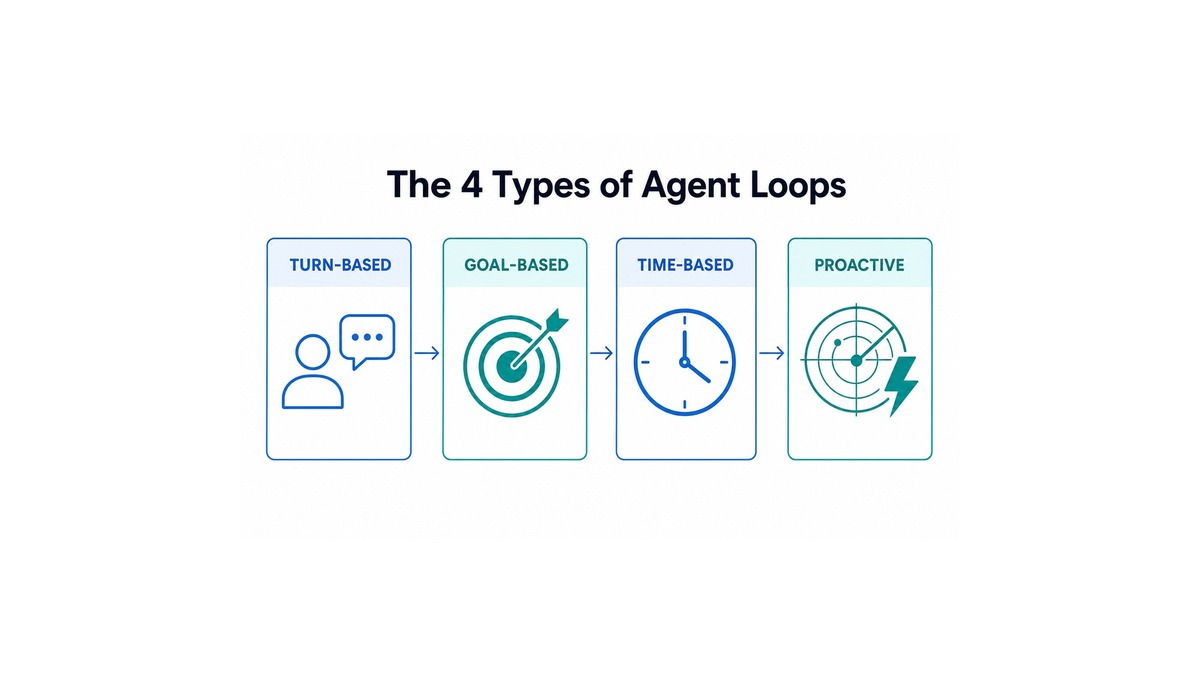
A single line has been making the rounds among people who build with AI agents: stop prompting, start engineering loops. It took off after Anthropic’s Boris Cherny, who heads Claude Code, put it bluntly — “I don’t prompt Claude anymore. I have loops running that prompt Claude.” His job now, he says, is to write the loops.
That sounds like a flex until you realize “loop engineering” isn’t one technique. It’s a choice between four different structures, and picking the wrong one is why so many agent setups either stall or quietly burn money. The framing below comes from a widely shared breakdown by Akshay Pachaar, and it maps cleanly onto the tools the major AI labs now ship. Here’s what the four loops are, what starts and stops each one, and how to choose.
What “Loop Engineering” Actually Means
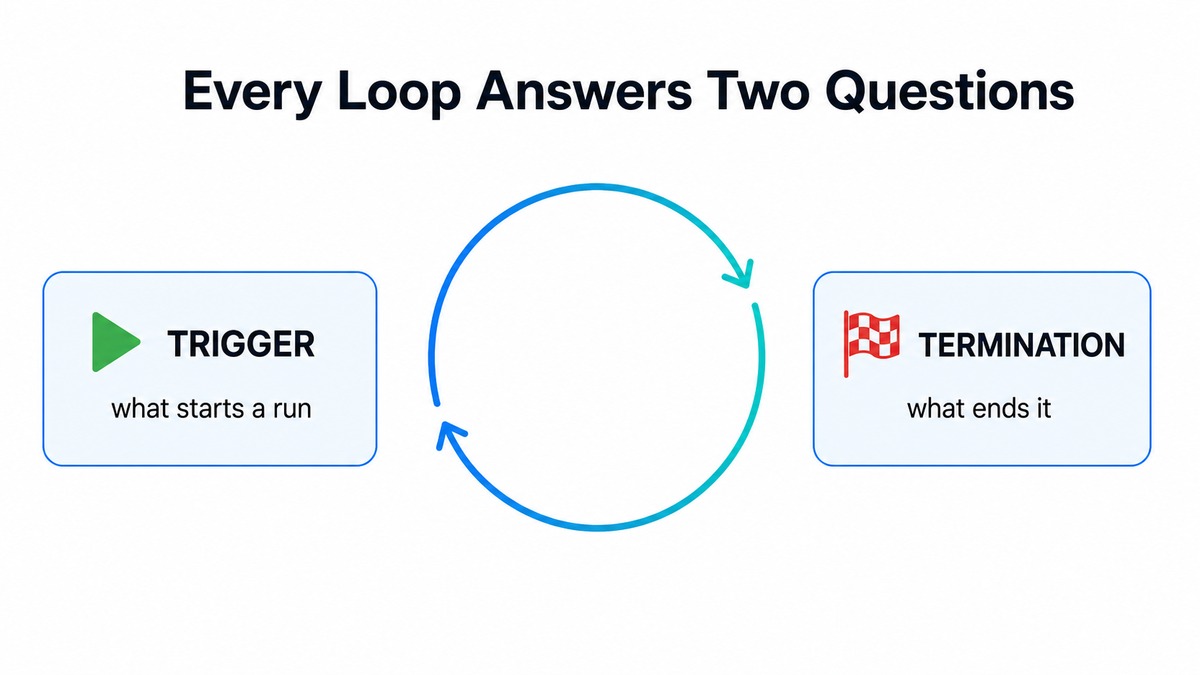
When you run an agent by hand, you make two decisions on every single turn: what kicks off a run, and what tells you the work is done. You type a prompt (the trigger), you read the output, and you decide whether to accept it or ask again (the termination).
Loop engineering means moving those two decisions — the trigger and the finish line — out of your head and into the system. Each of the four loop types hands off a little more of that judgment. The more you hand off, the less you babysit; but also, the more the system has to be right on its own.
The two questions every loop answers:
- Trigger — what starts a run (a prompt, a goal, a clock, an event).
- Termination — what decides the run is finished (you, an evaluator model, the task completing, or a review agent).
1. Turn-Based Loops
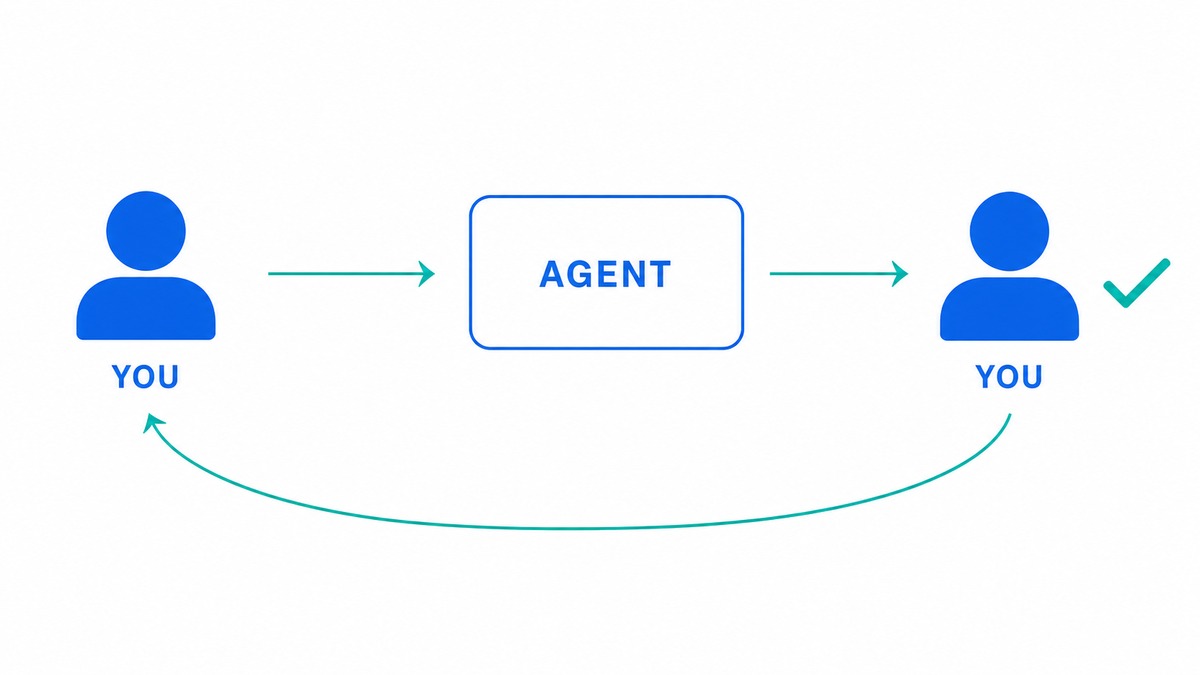
The default. You send a prompt; the agent gathers context, does the work, and checks itself — all inside one turn. Then you review the result and write the next prompt. You own both the trigger and the finish line, every time.
Trigger: your prompt. Termination: you decide, then drive the next turn.
Reach for it when requirements are still forming and each output changes what you’d ask for next — exploratory work, debugging something unfamiliar, or anything where you don’t yet know what “done” looks like.
Where you’ve seen it: every interactive coding agent — a live Claude Code, Cursor, or ChatGPT session. Under the hood it’s the basic tool-calling loop the model APIs document: the model calls a tool, reads the result, and continues until it answers — see OpenAI’s function-calling guide or Anthropic’s tool-use loop (literally a while stop_reason == "tool_use").
Tip: keep your turns small. The whole point of this loop is that you catch drift early — a giant multi-part prompt throws that advantage away.
| Pros | Cons |
|---|---|
| Maximum control; you catch mistakes on the spot | You babysit every turn — it doesn’t scale |
| Best fit for ambiguous or one-off work | Slow and tedious for repetitive tasks |
| Nothing runs without you looking | Quality depends entirely on your attention |
2. Goal-Based Loops
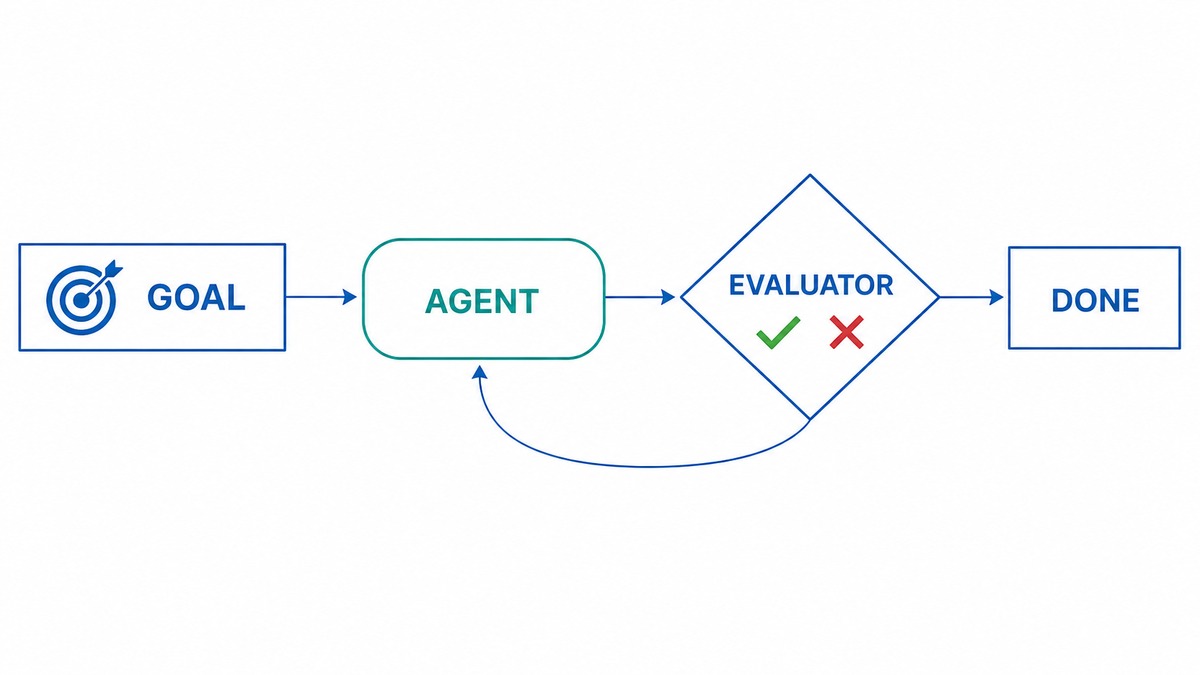
You hand the agent a target with clear success criteria and a budget — something like “get the homepage Lighthouse score to 90, stop after five tries.” When the agent thinks it’s finished, an evaluator model checks whether the goal is actually met. A “no” sends it back to work; a “yes” ends the run.
Trigger: a goal plus success criteria and a budget. Termination: an evaluator model, not you.
Reach for it when the outcome is measurable but the path there isn’t worth your attention — passing a test suite, hitting a performance number, satisfying a spec.
Where you’ve seen it: agent SDKs that loop until done with a hard iteration cap and a judge step. OpenAI’s Agents SDK runs the loop until a final output and stops at max_turns; the judge itself is the “LLM-as-a-judge” pattern from Anthropic’s evaluator-optimizer loop.
Tip: always set the budget (max iterations or a token cap). A goal loop with no ceiling is the classic way to burn money on an agent that keeps “almost” passing.
Note: the evaluator is the whole game. A weak or lenient judge either passes bad work or loops forever — make the check independent and adversarial, not the same model grading its own homework.
| Pros | Cons |
|---|---|
| Automates the checking — you set the bar and walk away | Only as good as the evaluator; a bad judge poisons the result |
| Bounded by an explicit budget | Cost can spike on hard-to-reach goals |
| Great for anything with a crisp pass/fail | Fuzzy goals are hard to encode as criteria |
3. Time-Based Loops
A clock is the trigger. On each interval the agent runs a fixed prompt — “check the open PRs, fix any failing CI” — then waits for the next tick. The task is known in advance; only the timing repeats.
Trigger: a schedule or interval. Termination: the run finishes, then it sleeps until next time.
Reach for it when the work recurs and you already know the task — nightly maintenance, a periodic health check, a standing cleanup.
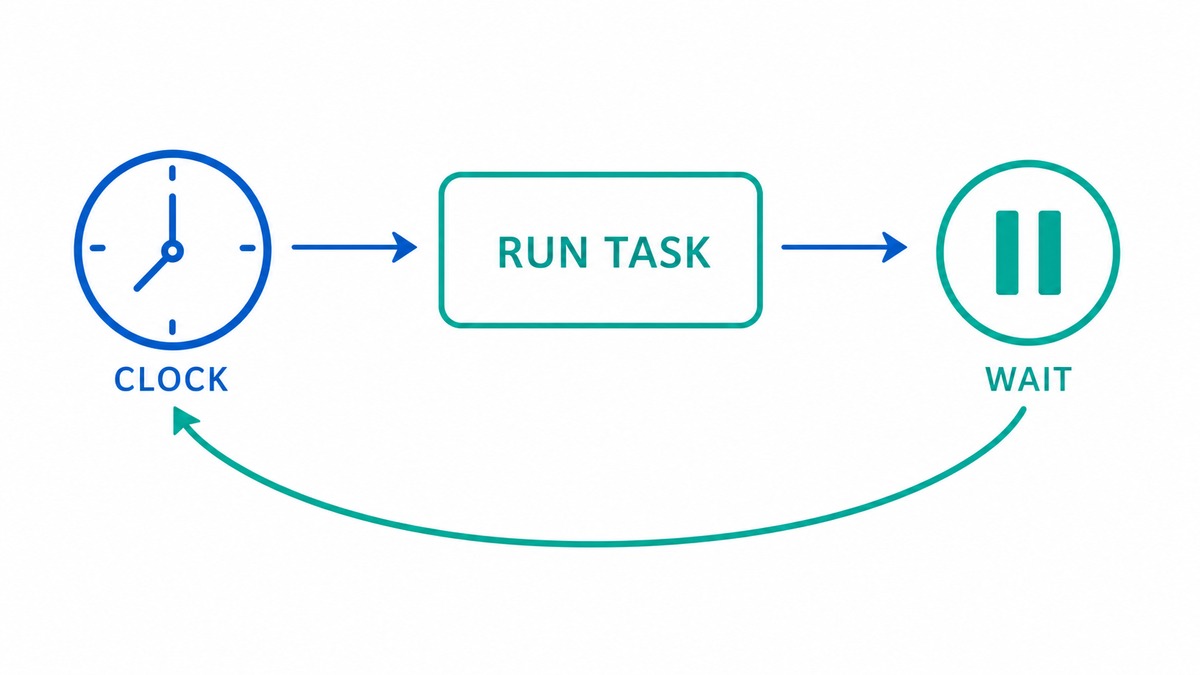
Where you’ve seen it: Claude Code splits this in two — /loop runs the interval on your own machine, while /schedule moves it to the cloud so it survives a closed laptop. The same idea shows up as cron jobs and hosted scheduled-agent runtimes across the other platforms.
Tip: make time-based jobs idempotent and self-terminating — a run that half-finishes shouldn’t corrupt the next one, and a job with nothing to do should exit cleanly, not invent work.
Note: the fixed prompt is the limitation. A time-based loop can’t adapt to something it wasn’t told to expect — if the task itself changes, you’re back to editing the prompt.
| Pros | Cons |
|---|---|
| Fully hands-off for recurring, known work | The fixed prompt can’t adapt to surprises |
| Predictable and easy to reason about | Runs even when there’s nothing to do |
| Cloud scheduling survives a closed laptop | Silent failures need their own monitoring |
4. Proactive Loops
The most autonomous. An event or schedule fires with no human present. A standing routine watches a channel — a queue, an inbox, a repo — and when something needs handling, it spawns a whole workflow: a triage agent to size it up, a fix agent to do the work, and a reviewer that adversarially judges the result before the task is allowed to close.
Trigger: an event or schedule, no human in the loop. Termination: a multi-agent workflow, including a review step, decides it’s done.
Reach for it when you have a standing responsibility and you can’t predict what will come in — only that something will. Incident response, inbound triage, monitoring that has to act, not just alert.
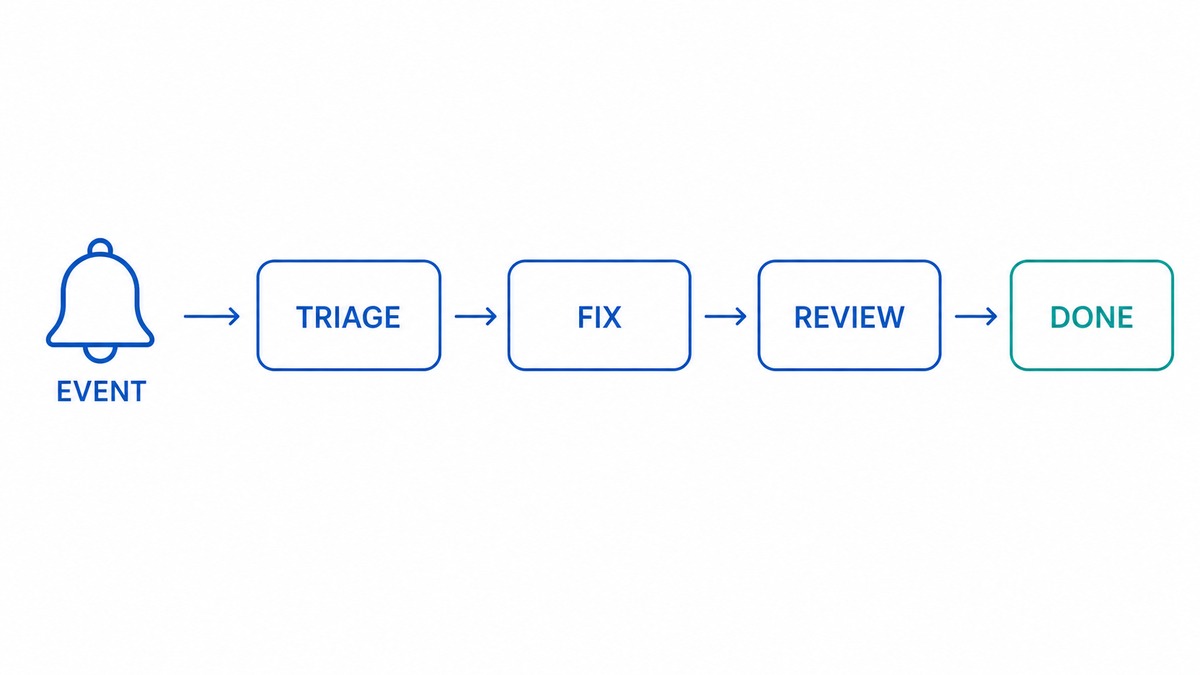
Where you’ve seen it: event-triggered routines that kick off multi-agent orchestration — a triage agent, a fix agent, and an independent reviewer. Anthropic describes the shape in how it built its multi-agent research system, and the triage-then-specialist handoff is a primitive in OpenAI’s Agents SDK. The workflow’s shape is decided at runtime, based on what came in.
Tip: never ship a proactive loop without three things — an adversarial review step, hard caps (per run and per day), and a kill switch. Autonomy without a brake is how a small bug becomes a large bill.
Note: proactive loops act without you watching, so the review agent has to be genuinely independent. A reviewer that rubber-stamps is worse than no reviewer, because it looks like a safeguard.
| Pros | Cons |
|---|---|
| Handles unpredictable inbound on its own | Highest risk — it acts without oversight |
| Scales a standing responsibility past your attention | Hardest to debug; failures happen while you’re away |
| Picks the workflow shape to fit what arrived | Needs strong guardrails, review, and cost controls |
The Handoff Ladder
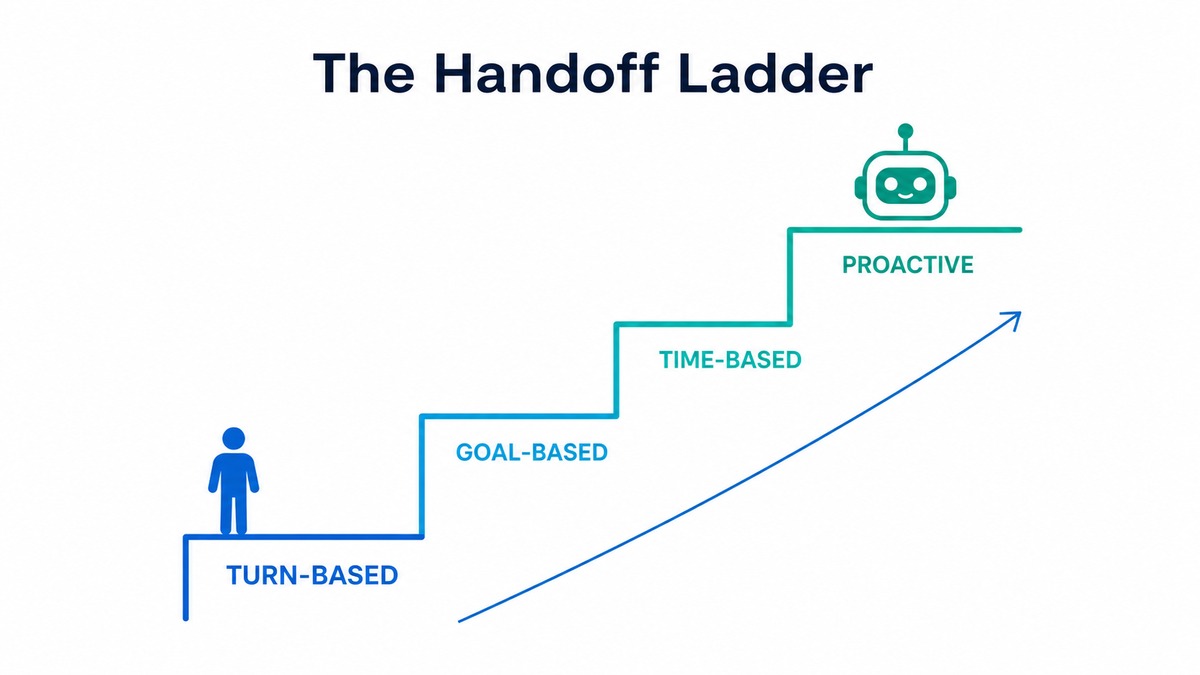
Each loop hands the system one more job than the last. That’s the real difference between them — not sophistication, but how much judgment you’ve delegated.
| Loop | Trigger | Termination | What the system owns | Best-fit task |
|---|---|---|---|---|
| Turn-based | Your prompt | You | Nothing — you drive | Exploratory |
| Goal-based | A goal + budget | Evaluator model | The checking | Measurable |
| Time-based | A clock | Run completes | The trigger | Recurring |
| Proactive | An event | A review agent | Trigger, checking, and workflow shape | Standing |
How to Pick
The question is not which loop is most advanced. It’s what kind of task you have:
- Exploratory — you don’t know what “done” looks like yet → turn-based.
- Measurable — clear pass/fail, boring path → goal-based.
- Recurring — known task, repeating schedule → time-based.
- Standing — unpredictable inbound you must handle → proactive.
A useful rule: automate a loop only after you’ve run the task by hand enough times to know exactly what “done” means. If you can’t state the finish line clearly, you’re not ready to hand it to an evaluator — and you’re definitely not ready to hand it to a proactive routine. Start turn-based, tighten the definition of done, then promote the task to the loop that fits it.
The more you hand off, the less you babysit — and the more the system has to be right without you. Choosing the loop that matches the task, and no more autonomous than that, is the actual skill in loop engineering.

Leave a Reply