
The Samsung Galaxy S2 got the official Ice Cream Sandwich Android 4.0 updates for the UK/Ireland and Australia regions, with the XWLP7 and XWLP8 firmwares, respectively. And, XDA’s Elite Recognized Developer Chainfire, being the amazing and timely dev that he is, released his CF-Root kernel that lets you root both the firmwares, as well as install Clockworkmod (CWM) recovery on them.
CF-Root kernel is only available for XWLP7 firmware, but also works for XWLP8, so the procedure below applies to both firmwares. So, regardless of whether you have XWLP7 or XWLP8 installed on your phone, you can use the guide below to get root access.
Read on to find out how to flash CF-Root kernel on Galaxy S2 on XWLP7 and XWLP8 firmwares.
Compatibility
This firmware and the guide below are compatible only and only with the Galaxy S2, model number i9100. It’s not compatible with any other device, including US variants of S2, the Epic 4G Touch, T-mobile Galaxy S2 and AT&T Galaxy S2 along with Skyrocket. Check your device’s model number in Settings» About phone.
Warning!
The methods and procedures discussed here are considered risky and you should not attempt anything if you don’t know completely what it is. If any damage occurs to your device, we won’t be held liable.
Pre-Installation Requirements
- Drivers! — it’s important you’ve the proper drivers installed. Download links below.
32 bit (x86) Windows | 64-bit (x64) Windows - If you have Samsung’s PC software Kies installed, un-install/shut it down completely from the taskbar first because it may interrupt the flashing process.
How to Root and Install ClockworkMod Recovery on XWLP7/XWLP8
- Download CF-Root kernel from the official download page → here.
Filename: CF-Root-SGS2_XW_XEN_LP7-v5.4-CWM5.zip - Unzip the above file once. You will get a .tar file – CF-Root-SGS2_XW_XEN_LP7-v5.4-CWM5.tar — inside the extracted folder. DO NOT extract the .tar file (even if you see it as a zip file, which it is not).
- Use the Odin software you used while flashing the XWLP7/XWLP8 firmware. In case you don’t have it anymore, download it again.
Download Link | Filename: Odin3 v1.83.exe - Switch off your phone. Wait for vibration to confirm complete switch off.
- Boot Galaxy S2 into Download Mode in order to flash the XWLP7/XWLP8 firmware using Odin. For this, press and hold these keys together: Volume Down + Home + Power, you’ll get a Warning! screen.. press Volume up to continue to enter download mode.
- Open Odin now. Connect your phone to PC now. You’ll notice Added!! message in Odin’s message box in the bottom left.
- In Odin, click the PDA tab and select the .tar file you got in step 2 — CF-Root-SGS2_XW_XEN_LP7-v5.4-CWM5.tar.
- Important! Do not touch any other button or make any other changes in Odin except selecting the required file as given in step 7.
- Click the Start button in Odin to flash the CF-Root kernel to root XWLP7/XWLP8.
- After CF Root is installed, the phone will restart automatically. When you see PASS written in top left box, you can disconnect the phone from the computer.IMPORTANT Note: If ODIN gets stuck at some stage and doesn’t seem to be doing anything, do this — disconnect the phone from the PC, close ODIN, remove battery, re-insert it, turn phone on in Download mode again, and do the procedure again from Step 6. Same if you get a FAIL message in Odin.
- If you face any problems while flashing CF-Root, let us know and we’ll try to help you out.
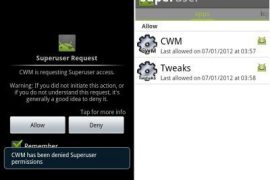
That’s it. You have successfully rooted and installed CWM recovery on the Ice Cream Sandwich XWLP7/XWLP8 firmwares on your Galaxy S2 with CF-Root kernel. Whenever you try to use an app that requires root permissions, you will get a Superuser prompt, where you can select Allow to grant root access to the app. Custom ROMs can be flashed by booting into CWM recovery when needed.






170 responses to “Root XWLP7 and XWLP8 Firmwares on Galaxy S2 Ice Cream Sandwich”
Completed the installation, (but only after I unzipped the 6.21 MB (6,514,390 bytes) zip file so that Odin would recognize the 8.00 MB (8,396,800 bytes) tar file.) I should have just followed the instructions more carefully. Thanks for the instructions and links.
will this root work with this firmware?
I9100XWLP7 4.0.32012 AprilI9100XEULP5United Kingdom / Ireland
Yes, it would work.
Thanks for your help. Going to try and flash/root as soon as my phone is charged.
How to unroot from this method?
will this root work with this firmware?
I9100XWLP7 4.0.32012 AprilI9100XEULP5United Kingdom / Ireland
Yes, it would work.
Thanks for your help. Going to try and flash/root as soon as my phone is charged.
Completed the installation, (but only after I unzipped the 6.21 MB (6,514,390 bytes) zip file so that Odin would recognize the 8.00 MB (8,396,800 bytes) tar file.) I should have just followed the instructions more carefully. Thanks for the instructions and links.
will this root work with this firmware?
I9100XWLP7 4.0.32012 AprilI9100XEULP5United Kingdom / Ireland
Yes, it would work.
Thanks for your help. Going to try and flash/root as soon as my phone is charged.
Completed the installation, (but only after I unzipped the 6.21 MB (6,514,390 bytes) zip file so that Odin would recognize the 8.00 MB (8,396,800 bytes) tar file.) I should have just followed the instructions more carefully. Thanks for the instructions and links.
How to unroot from this method?
How to unroot from this method?
will this root work with this firmware?
I9100XWLP7 4.0.32012 AprilI9100XEULP5United Kingdom / Ireland
Yes, it would work.
Thanks for your help. Going to try and flash/root as soon as my phone is charged.
tried it. i had to unzip the file before odin could recognize it. the box indicated pass but now i cant switch it on. so i dont no whether it worked. i can only enter into the download mode. it wont turn on. im in ghana, west africa.
You sure your device is Samsung Galaxy S2, model number i9100? If yes, do the steps again. By the way, it won’t work on i9100G.
YES BOSS, IT IS GT-I9100 GALAXY S2. NOW WHEN I TURN IT ON, IT DOES NOT AND I DID THE HOLD HOME, POWER AND UP KEYS BUT ENTERED INTO A DIFFERENT MODE. DO YOU THINK I GOT THE ROM WRONG?
With Volume UP and home and power combo, you entered recovery mode. Do the factory reset from there and then reboot phone, might work that easy.
Otherwise, do the steps above again and you shall be fine.
tried it. i had to unzip the file before odin could recognize it. the box indicated pass but now i cant switch it on. so i dont no whether it worked. i can only enter into the download mode. it wont turn on. im in ghana, west africa.
You sure your device is Samsung Galaxy S2, model number i9100? If yes, do the steps again. By the way, it won’t work on i9100G.
YES BOSS, IT IS GT-I9100 GALAXY S2. NOW WHEN I TURN IT ON, IT DOES NOT AND I DID THE HOLD HOME, POWER AND UP KEYS BUT ENTERED INTO A DIFFERENT MODE. DO YOU THINK I GOT THE ROM WRONG?
With Volume UP and home and power combo, you entered recovery mode. Do the factory reset from there and then reboot phone, might work that easy.
Otherwise, do the steps above again and you shall be fine.
tried it. i had to unzip the file before odin could recognize it. the box indicated pass but now i cant switch it on. so i dont no whether it worked. i can only enter into the download mode. it wont turn on. im in ghana, west africa.
You sure your device is Samsung Galaxy S2, model number i9100? If yes, do the steps again. By the way, it won’t work on i9100G.
YES BOSS, IT IS GT-I9100 GALAXY S2. NOW WHEN I TURN IT ON, IT DOES NOT AND I DID THE HOLD HOME, POWER AND UP KEYS BUT ENTERED INTO A DIFFERENT MODE. DO YOU THINK I GOT THE ROM WRONG?
With Volume UP and home and power combo, you entered recovery mode. Do the factory reset from there and then reboot phone, might work that easy.
Otherwise, do the steps above again and you shall be fine.
Thanks, worked perfectly on my optus XWLP8 SGS2!
Thanks, worked perfectly on my optus XWLP8 SGS2!
Thanks, worked perfectly on my optus XWLP8 SGS2!
Hello. I have an S2 I9100 XWLP7 but since it’s a T-Mobile device, this solution won’t work according to the description. Do you know a method that works on T-Mobile S2 I9100 XWLP7 phones? I’d appreciate if you could point me to the right direction!
It would work.
Tried it, but as the description says, it did not work on my T-Mobile S2 unfortunately. Flashing completed successfully according to odin, the superuser icon is showed up, but its not working. Checked with Root Checker and the device is still not rooted. Any ideas?
Install cwm clockworkmod recovery from here — https://nerdschalk.com/clockworkmod-cwm-touch-recovery-for-t-mobile-galaxy-s2-sgh-t989-guide/ and then install a ICS rom (already rooted) from here — https://nerdschalk.com/update-t-mobile-galaxy-s2-to-ice-cream-sandwich-ics-with-unofficial-aosp-rom/ .
Install cwm clockworkmod recovery from here — https://nerdschalk.com/clockworkmod-cwm-touch-recovery-for-t-mobile-galaxy-s2-sgh-t989-guide/ and then install a ICS rom (already rooted) from here — https://nerdschalk.com/update-t-mobile-galaxy-s2-to-ice-cream-sandwich-ics-with-unofficial-aosp-rom/ .
Hello. I have an S2 I9100 XWLP7 but since it’s a T-Mobile device, this solution won’t work according to the description. Do you know a method that works on T-Mobile S2 I9100 XWLP7 phones? I’d appreciate if you could point me to the right direction!
It would work.
Tried it, but as the description says, it did not work on my T-Mobile S2 unfortunately. Flashing completed successfully according to odin, the superuser icon is showed up, but its not working. Checked with Root Checker and the device is still not rooted. Any ideas?
Install cwm clockworkmod recovery from here — https://nerdschalk.com/clockworkmod-cwm-touch-recovery-for-t-mobile-galaxy-s2-sgh-t989-guide/ and then install a ICS rom (already rooted) from here — https://nerdschalk.com/update-t-mobile-galaxy-s2-to-ice-cream-sandwich-ics-with-unofficial-aosp-rom/ .
Hello. I have an S2 I9100 XWLP7 but since it’s a T-Mobile device, this solution won’t work according to the description. Do you know a method that works on T-Mobile S2 I9100 XWLP7 phones? I’d appreciate if you could point me to the right direction!
It would work.
Tried it, but as the description says, it did not work on my T-Mobile S2 unfortunately. Flashing completed successfully according to odin, the superuser icon is showed up, but its not working. Checked with Root Checker and the device is still not rooted. Any ideas?
Install cwm clockworkmod recovery from here — https://nerdschalk.com/clockworkmod-cwm-touch-recovery-for-t-mobile-galaxy-s2-sgh-t989-guide/ and then install a ICS rom (already rooted) from here — https://nerdschalk.com/update-t-mobile-galaxy-s2-to-ice-cream-sandwich-ics-with-unofficial-aosp-rom/ .
I got a three uk S2 will this work? Ive already got ICS on it.
Cheers for the help
What’s the build number? Check in Settings – About Phone.
I got a three uk S2 will this work? Ive already got ICS on it.
Cheers for the help
What’s the build number? Check in Settings – About Phone.
I got a three uk S2 will this work? Ive already got ICS on it.
Cheers for the help
What’s the build number? Check in Settings – About Phone.
Everything worked fine for me but now my s2 keeps crashing. Please help
Well, do factory reset from recovery mode. That should fix things up.
Will I lose everything on the phone?
You’ll lose apps and data, contacts, etc. but not sdcard content like photos, files, etc.
Everything worked fine for me but now my s2 keeps crashing. Please help
Well, do factory reset from recovery mode. That should fix things up.
Will I lose everything on the phone?
You’ll lose apps and data, contacts, etc. but not sdcard content like photos, files, etc.
Everything worked fine for me but now my s2 keeps crashing. Please help
Well, do factory reset from recovery mode. That should fix things up.
Will I lose everything on the phone?
You’ll lose apps and data, contacts, etc. but not sdcard content like photos, files, etc.
I’ve flashed this kernel on my unlocked UK S2 and it installed without any problem. The warning triangle is shown on the splash screen, super user & CWM have appeared in my apps list however both tell me I don’t have root access, similary Titanium Backup tells me it doesn’t have root access. Also, my wifi seems to have died – can see networks just won’t connect. If I flash the stock kernel back wi-fi works ok.
GT-I9100
Android 4.0.3
Baseband I900XXLPS
Kernel 3.0.15 I900XWLP7-CL340913DPI@DELL134 #3
Build IML74K.XWLP7
Any ideas ?
Well, this root kernel was meant for Galaxy S2 with build number XWLP7 and XWLP8. Your firmware’s version was XXLPS, so it didn’t work. It will show the build number as XWLP7 because this you have flashed it already and it’s based on XWLP7, but your original build number is XXLPS.
Anyway, enough with that, you’re phone is okay and it can be rooted pretty easily. Just download the root kernel from here — http://download.chainfire.eu/157/CF-Root/SGS2/CF-Root-SGS2_XX_OXA_LPS-v5.4-CWM5.zip– and use this with the guide above to root it successfully, and change the build number to correct one – XXLPS.
Hi,
I had the same problem that Davey. I root my s2 with the correct kernel and I still seeing the warning triangle, but I got root priviliges. Any suggest about that warning.
GT-I9100
Android 4.0.3
Baseband I900XXLPS
Kernel 3.0.15 I900XXLPS-CL294511 se.infra@SEP-68 #3
Build IML74K.XWLP8
I used this ROM to upgrade the OS version: GT-I9100_XEO_I9100XWLP8_I9100OXALPS_I9100XXLPS
Any ideas??
Thanks for all the help.
Yellow Triangle is okay, nothing to worry about.
Thank you! 🙂
I’ve flashed this kernel on my unlocked UK S2 and it installed without any problem. The warning triangle is shown on the splash screen, super user & CWM have appeared in my apps list however both tell me I don’t have root access, similary Titanium Backup tells me it doesn’t have root access. Also, my wifi seems to have died – can see networks just won’t connect. If I flash the stock kernel back wi-fi works ok.
GT-I9100
Android 4.0.3
Baseband I900XXLPS
Kernel 3.0.15 I900XWLP7-CL340913DPI@DELL134 #3
Build IML74K.XWLP7
Any ideas ?
Well, this root kernel was meant for Galaxy S2 with build number XWLP7 and XWLP8. Your firmware’s version was XXLPS, so it didn’t work. It will show the build number as XWLP7 because this you have flashed it already and it’s based on XWLP7, but your original build number is XXLPS.
Anyway, enough with that, you’re phone is okay and it can be rooted pretty easily. Just download the root kernel from here — http://download.chainfire.eu/157/CF-Root/SGS2/CF-Root-SGS2_XX_OXA_LPS-v5.4-CWM5.zip– and use this with the guide above to root it successfully, and change the build number to correct one – XXLPS.
Hi,
I had the same problem that Davey. I root my s2 with the correct kernel and I still seeing the warning triangle, but I got root priviliges. Any suggest about that warning.
GT-I9100
Android 4.0.3
Baseband I900XXLPS
Kernel 3.0.15 I900XXLPS-CL294511 se.infra@SEP-68 #3
Build IML74K.XWLP8
I used this ROM to upgrade the OS version: GT-I9100_XEO_I9100XWLP8_I9100OXALPS_I9100XXLPS
Any ideas??
Thanks for all the help.
Yellow Triangle is okay, nothing to worry about.
Thank you! 🙂
I’ve flashed this kernel on my unlocked UK S2 and it installed without any problem. The warning triangle is shown on the splash screen, super user & CWM have appeared in my apps list however both tell me I don’t have root access, similary Titanium Backup tells me it doesn’t have root access. Also, my wifi seems to have died – can see networks just won’t connect. If I flash the stock kernel back wi-fi works ok.
GT-I9100
Android 4.0.3
Baseband I900XXLPS
Kernel 3.0.15 I900XWLP7-CL340913DPI@DELL134 #3
Build IML74K.XWLP7
Any ideas ?
Well, this root kernel was meant for Galaxy S2 with build number XWLP7 and XWLP8. Your firmware’s version was XXLPS, so it didn’t work. It will show the build number as XWLP7 because this you have flashed it already and it’s based on XWLP7, but your original build number is XXLPS.
Anyway, enough with that, you’re phone is okay and it can be rooted pretty easily. Just download the root kernel from here — http://download.chainfire.eu/157/CF-Root/SGS2/CF-Root-SGS2_XX_OXA_LPS-v5.4-CWM5.zip– and use this with the guide above to root it successfully, and change the build number to correct one – XXLPS.
Hi,
I had the same problem that Davey. I root my s2 with the correct kernel and I still seeing the warning triangle, but I got root priviliges. Any suggest about that warning.
GT-I9100
Android 4.0.3
Baseband I900XXLPS
Kernel 3.0.15 I900XXLPS-CL294511 se.infra@SEP-68 #3
Build IML74K.XWLP8
I used this ROM to upgrade the OS version: GT-I9100_XEO_I9100XWLP8_I9100OXALPS_I9100XXLPS
Any ideas??
Thanks for all the help.
Yellow Triangle is okay, nothing to worry about.
Thank you! 🙂
Kapil, Is there any way to remove that yellow triangle at boot up. I mean what if flash my original kernal back. Will my root access be revoked?
PS- Sorry, im noob 🙂
Yes, you won’t have root if you flash OG kernel back. It’s okay with the yellow triangle, won’t harm. When you look to sell it or return to Samsung Store for some reason, simply flash any firmware and root will be gone, along with the yellow triangle and everything. But binary counter will remain under the download mode, which I think, one can remove using USB jig.
Kapil, Is there any way to remove that yellow triangle at boot up. I mean what if flash my original kernal back. Will my root access be revoked?
PS- Sorry, im noob 🙂
Yes, you won’t have root if you flash OG kernel back. It’s okay with the yellow triangle, won’t harm. When you look to sell it or return to Samsung Store for some reason, simply flash any firmware and root will be gone, along with the yellow triangle and everything. But binary counter will remain under the download mode, which I think, one can remove using USB jig.
Kapil, Is there any way to remove that yellow triangle at boot up. I mean what if flash my original kernal back. Will my root access be revoked?
PS- Sorry, im noob 🙂
Yes, you won’t have root if you flash OG kernel back. It’s okay with the yellow triangle, won’t harm. When you look to sell it or return to Samsung Store for some reason, simply flash any firmware and root will be gone, along with the yellow triangle and everything. But binary counter will remain under the download mode, which I think, one can remove using USB jig.
HI ,I just bought galaxy s2 with preloaded ICS .I am very new to ROOT but following the above procedures, I rooted my phone. every thing is working fine ( except the yellow triangle). Now can you explain me step by step process to UNROOT the phone. Will it be as it was when i received from company. If i go to samsung for some reason will the figure out that the phone was rooted. KIndly also explain stock ROM and how could i find that etc.Sorry for the trouble but i just want my original phone back.
MODEL NO -GT-I9100
ANDROID VERSION – 4.0.3
baseband version-I9100DDLPA
kernel version-3.0.15-I9100XWLP7-CL340913 dpi@DELL134 #3
BUILD NUMBER-IML74K.XWLP7
thank you in advance
See, to unroot your phone, simply flash the firmware back. This will restore everything to as it was when it came from factory.
Since your Galaxy S2 is an Indian one, flash the DDLP9 firmware on it. Download from here – http://www.sammobile.com/firmware/?page=8&view=4552
Install it using the guide above. Installation is same, only files have changed.
hey kapil i am having a galaxy s2 i upgraded the firmware from GB 2.3.3 to official ICS 4.0.3 using kies,
can you help me in rooting it ???
following are the details
MODEL NO -GT-I9100
ANDROID VERSION – 4.0.3
baseband version-I9100DDLPA
kernel version-3.0.15-I9100XWLP7-CL340913 dpi@DELL134 #3
BUILD NUMBER-IML74K.XWLP7
many thanks in advance
Use the guide above. That’s all you need 😀
Since build number is same, XWLP7, it would work with Indian ICS Galaxy S2 too.
thanks alot for the instant reply. 🙂 i read people speaking about yellow triangle after rooting. what exactly is that ?
😀
HI ,I just bought galaxy s2 with preloaded ICS .I am very new to ROOT but following the above procedures, I rooted my phone. every thing is working fine ( except the yellow triangle). Now can you explain me step by step process to UNROOT the phone. Will it be as it was when i received from company. If i go to samsung for some reason will the figure out that the phone was rooted. KIndly also explain stock ROM and how could i find that etc.Sorry for the trouble but i just want my original phone back.
MODEL NO -GT-I9100
ANDROID VERSION – 4.0.3
baseband version-I9100DDLPA
kernel version-3.0.15-I9100XWLP7-CL340913 dpi@DELL134 #3
BUILD NUMBER-IML74K.XWLP7
thank you in advance
See, to unroot your phone, simply flash the firmware back. This will restore everything to as it was when it came from factory.
Since your Galaxy S2 is an Indian one, flash the DDLP9 firmware on it. Download from here – http://www.sammobile.com/firmware/?page=8&view=4552
Install it using the guide above. Installation is same, only files have changed.
hey kapil i am having a galaxy s2 i upgraded the firmware from GB 2.3.3 to official ICS 4.0.3 using kies,
can you help me in rooting it ???
following are the details
MODEL NO -GT-I9100
ANDROID VERSION – 4.0.3
baseband version-I9100DDLPA
kernel version-3.0.15-I9100XWLP7-CL340913 dpi@DELL134 #3
BUILD NUMBER-IML74K.XWLP7
many thanks in advance
Use the guide above. That’s all you need 😀
Since build number is same, XWLP7, it would work with Indian ICS Galaxy S2 too.
thanks alot for the instant reply. 🙂 i read people speaking about yellow triangle after rooting. what exactly is that ?
😀
HI ,I just bought galaxy s2 with preloaded ICS .I am very new to ROOT but following the above procedures, I rooted my phone. every thing is working fine ( except the yellow triangle). Now can you explain me step by step process to UNROOT the phone. Will it be as it was when i received from company. If i go to samsung for some reason will the figure out that the phone was rooted. KIndly also explain stock ROM and how could i find that etc.Sorry for the trouble but i just want my original phone back.
MODEL NO -GT-I9100
ANDROID VERSION – 4.0.3
baseband version-I9100DDLPA
kernel version-3.0.15-I9100XWLP7-CL340913 dpi@DELL134 #3
BUILD NUMBER-IML74K.XWLP7
thank you in advance
See, to unroot your phone, simply flash the firmware back. This will restore everything to as it was when it came from factory.
Since your Galaxy S2 is an Indian one, flash the DDLP9 firmware on it. Download from here – http://www.sammobile.com/firmware/?page=8&view=4552
Install it using the guide above. Installation is same, only files have changed.
hey kapil i am having a galaxy s2 i upgraded the firmware from GB 2.3.3 to official ICS 4.0.3 using kies,
can you help me in rooting it ???
following are the details
MODEL NO -GT-I9100
ANDROID VERSION – 4.0.3
baseband version-I9100DDLPA
kernel version-3.0.15-I9100XWLP7-CL340913 dpi@DELL134 #3
BUILD NUMBER-IML74K.XWLP7
many thanks in advance
Use the guide above. That’s all you need 😀
Since build number is same, XWLP7, it would work with Indian ICS Galaxy S2 too.
thanks alot for the instant reply. 🙂 i read people speaking about yellow triangle after rooting. what exactly is that ?
😀
Hi im trying to root my phone and it gets stuck at zImage I’ve waited for 10 min and then did as stated in step 10. any ideas to what to do …and how long should a flash take???
thanks looking forward to have a functioning phone 😉
found the problem it was something as stupid as the cable. so i re flashed as stated in step 10 with the new cable and TADAAA …so remember to use a good and short cable ;P
thanks guys nice work
Hehe 😀
Hi im trying to root my phone and it gets stuck at zImage I’ve waited for 10 min and then did as stated in step 10. any ideas to what to do …and how long should a flash take???
thanks looking forward to have a functioning phone 😉
found the problem it was something as stupid as the cable. so i re flashed as stated in step 10 with the new cable and TADAAA …so remember to use a good and short cable ;P
thanks guys nice work
Hehe 😀
Hi im trying to root my phone and it gets stuck at zImage I’ve waited for 10 min and then did as stated in step 10. any ideas to what to do …and how long should a flash take???
thanks looking forward to have a functioning phone 😉
found the problem it was something as stupid as the cable. so i re flashed as stated in step 10 with the new cable and TADAAA …so remember to use a good and short cable ;P
thanks guys nice work
Hehe 😀
i have completed the above given steps
and later i used root check application to check if it is rooted and it gave me the following information
i guess i am going wrong somewhere
help kapil :)Superuser Application Status:
Superuser application – version 3.0.7 – is installed!
System File Properties for Root Access:
Standard Location
Check Command: ls -l /system/bin/su:
Result: ls: /system/bin/su: No such file or directory
Analysis: File /system/bin/su does not exist.
Alternative Location
Check Command: ls -l /sbin/su:
Result: ls: /sbin/su: No such file or directory
Analysis: File /sbin/su does not exist.
Alternative Location
Check Command: ls -l /system/xbin/sudo:
Result: ls: /system/xbin/sudo: No such file or directory
Analysis: File /system/xbin/sudo does not exist.
Standard Location
Check Command: ls -l /system/xbin/su:
Result: -rwsr-sr-x 1 root root 22228 Jun 8 03:34 /system/xbin/su
Analysis: Setuid attribute present and root user ownership present. Root access is correctly configured for this file! Executing this file can grant root access!
Root User ID and Group ID Status:
SU binary not found or not operating properly
System Environment PATH: /sbin /vendor/bin /system/sbin /system/bin /system/xbin
ADB Shell Default User:
ADB shell setting for standard access, stored in default.prop, is configured as: shell (non root) user – ro.secure=1
Ouch. What is all that.
If you are checking whether you have root access or not, simply download the free titanium backup from market and open it. It will tell you whether you got root or not. 😀
titanium backup shows up the screen asking for root rights… then later says
Error
sorry, i could not acquire root privileges. this application will not work please verify that your rom is rooted and includes busybox, and try again
this attempt was made uring the “/system/xbin/su” command.
kapil did some thing go wrong ? provide me a solution.
thank you
@itskapil:disqus you there ? how can i fix this problem plz help
Hey, um, I really don’t have any idea about what you are doing to get into that mess of system/xbin/su
Here is how this works: 1) Follow the guide above and get PASS message in Odin and S2 will reboot. 2) Upon reboot you literally don’t have to do anything. You have already got the root access, and there is a SuperSU app to handle root access granted to every app that seeks it. 3) When you open Titanium Backup, do one thing, press menu key and select reload application, now, it should day Root acquired. Don’t have to go to or even consider things like system/xbin/su etc.
The only guess I could make regarding that is the SuperSU app is asking you to update the binary and might be, it’s failing at that. Is this is what happening there? Or you are trying something else altogether? I would recommend you to follow the above guide again and see if it’s working now.
i tried following the guide and their is no change, i guess i should get back to the previous firmware and follow the guid again. can you guid me how i can undo things ? and back to where the phone was before i followed the guide ty
Does the process above completes successfully with PASS message?
yess it showed me the PASS message, and after rebooting i had all my apps there + i had an extra app named CWM, when i try opening the CWM app it takes like 2 minutes to start and displays a message “THIS VERSION OF CWM MANAGER SHOULD BE USED WITH CF-ROOT V 5.0 OR NEWER. IT APPEARS YOU ARE RUNNING A DIFFERENT KERNEL. VARIOUS FEATURES HAVE BEEN DISABLED” and after i click ok, i see CWM Manager v3.15 Current kernel: unknown, and other buttons like recovery mode , download mode, install APK, flash a kernel etc.
kapil thanks for being very patient with me 🙂 looking forward for your guidance.
See, it’s easy to get new firmware and root access on it. But I am really surprised why the root isn’t working for you after getting PASS in Odin.
Anyway, here’s what you can do to install a new firmware and then root it: 1) Install the XXLPQ firmware – https://nerdschalk.com/xxlpq/ 2) Install root for it – https://nerdschalk.com/root-xxlpq/
Doing the above will factory reset your phone probably, meaning you will lose apps, their data, contacts, SMS, call logs, etc. So make backup of all these.
Hey, last thing before trying this, tell me your phone’s basband number, kernel version and build number. Let’s see if you can avoid all that trouble.
See, it’s easy to get new firmware and root access on it. But I am really surprised why the root isn’t working for you after getting PASS in Odin.
Anyway, here’s what you can do to install a new firmware and then root it: 1) Install the XXLPQ firmware – https://nerdschalk.com/xxlpq/ 2) Install root for it – https://nerdschalk.com/root-xxlpq/
Doing the above will factory reset your phone probably, meaning you will lose apps, their data, contacts, SMS, call logs, etc. So make backup of all these.
Hey, last thing before trying this, tell me your phone’s basband number, kernel version and build number. Let’s see if you can avoid all that trouble.
thanks kapil the phone details are same as before
MODEL NO -GT-I9100
ANDROID VERSION – 4.0.3
baseband version-I9100DDLPA
kernel version-3.0.15-I9100XWLP7-CL340913 dpi@DELL134 #3
BUILD NUMBER-IML74K.XWLP7
i will wait for ur reply before doing anything
and congrats that was your comment no 2000
Okay… this remains puzzling… anyway see try this alternate guide to root your Galaxy S2, this will actually keep your apps and all data, since it doesn’t flashing a firmware.
Link – http://forum.xda-developers.com/showthread.php?t=1501719
The instructions there are pretty clear, I think you would be able to do them easily. Let me know 🙂
hey thanks for the reply.
u suggest me to root first or unroot ?
Go for root, of course 🙂
hey i just flashed a firmware and i am using it unrooted. thanks for the endless support kapil 🙂 you are the man. take care.
Hey…I tried this and not my screen just got stuck on boot. I try to goto recovery mode but that is not working. Whats the best way to reverse now?
Hi man,
Would it work on my new galexy s2 phone Kernel Version: 3.0.15-I9100XWLP8-CL356487
i have completed the above given steps
and later i used root check application to check if it is rooted and it gave me the following information
i guess i am going wrong somewhere
help kapil :)Superuser Application Status:
Superuser application – version 3.0.7 – is installed!
System File Properties for Root Access:
Standard Location
Check Command: ls -l /system/bin/su:
Result: ls: /system/bin/su: No such file or directory
Analysis: File /system/bin/su does not exist.
Alternative Location
Check Command: ls -l /sbin/su:
Result: ls: /sbin/su: No such file or directory
Analysis: File /sbin/su does not exist.
Alternative Location
Check Command: ls -l /system/xbin/sudo:
Result: ls: /system/xbin/sudo: No such file or directory
Analysis: File /system/xbin/sudo does not exist.
Standard Location
Check Command: ls -l /system/xbin/su:
Result: -rwsr-sr-x 1 root root 22228 Jun 8 03:34 /system/xbin/su
Analysis: Setuid attribute present and root user ownership present. Root access is correctly configured for this file! Executing this file can grant root access!
Root User ID and Group ID Status:
SU binary not found or not operating properly
System Environment PATH: /sbin /vendor/bin /system/sbin /system/bin /system/xbin
ADB Shell Default User:
ADB shell setting for standard access, stored in default.prop, is configured as: shell (non root) user – ro.secure=1
Ouch. What is all that.
If you are checking whether you have root access or not, simply download the free titanium backup from market and open it. It will tell you whether you got root or not. 😀
titanium backup shows up the screen asking for root rights… then later says
Error
sorry, i could not acquire root privileges. this application will not work please verify that your rom is rooted and includes busybox, and try again
this attempt was made uring the “/system/xbin/su” command.
kapil did some thing go wrong ? provide me a solution.
thank you
@itskapil:disqus you there ? how can i fix this problem plz help
Hey, um, I really don’t have any idea about what you are doing to get into that mess of system/xbin/su
Here is how this works: 1) Follow the guide above and get PASS message in Odin and S2 will reboot. 2) Upon reboot you literally don’t have to do anything. You have already got the root access, and there is a SuperSU app to handle root access granted to every app that seeks it. 3) When you open Titanium Backup, do one thing, press menu key and select reload application, now, it should day Root acquired. Don’t have to go to or even consider things like system/xbin/su etc.
The only guess I could make regarding that is the SuperSU app is asking you to update the binary and might be, it’s failing at that. Is this is what happening there? Or you are trying something else altogether? I would recommend you to follow the above guide again and see if it’s working now.
i tried following the guide and their is no change, i guess i should get back to the previous firmware and follow the guid again. can you guid me how i can undo things ? and back to where the phone was before i followed the guide ty
Does the process above completes successfully with PASS message?
yess it showed me the PASS message, and after rebooting i had all my apps there + i had an extra app named CWM, when i try opening the CWM app it takes like 2 minutes to start and displays a message “THIS VERSION OF CWM MANAGER SHOULD BE USED WITH CF-ROOT V 5.0 OR NEWER. IT APPEARS YOU ARE RUNNING A DIFFERENT KERNEL. VARIOUS FEATURES HAVE BEEN DISABLED” and after i click ok, i see CWM Manager v3.15 Current kernel: unknown, and other buttons like recovery mode , download mode, install APK, flash a kernel etc.
kapil thanks for being very patient with me 🙂 looking forward for your guidance.
See, it’s easy to get new firmware and root access on it. But I am really surprised why the root isn’t working for you after getting PASS in Odin.
Anyway, here’s what you can do to install a new firmware and then root it: 1) Install the XXLPQ firmware – https://nerdschalk.com/xxlpq/ 2) Install root for it – https://nerdschalk.com/root-xxlpq/
Doing the above will factory reset your phone probably, meaning you will lose apps, their data, contacts, SMS, call logs, etc. So make backup of all these.
Hey, last thing before trying this, tell me your phone’s basband number, kernel version and build number. Let’s see if you can avoid all that trouble.
thanks kapil the phone details are same as before
MODEL NO -GT-I9100
ANDROID VERSION – 4.0.3
baseband version-I9100DDLPA
kernel version-3.0.15-I9100XWLP7-CL340913 dpi@DELL134 #3
BUILD NUMBER-IML74K.XWLP7
i will wait for ur reply before doing anything
and congrats that was your comment no 2000
Okay… this remains puzzling… anyway see try this alternate guide to root your Galaxy S2, this will actually keep your apps and all data, since it doesn’t flashing a firmware.
Link – http://forum.xda-developers.com/showthread.php?t=1501719
The instructions there are pretty clear, I think you would be able to do them easily. Let me know 🙂
hey thanks for the reply.
u suggest me to root first or unroot ?
Go for root, of course 🙂
hey i just flashed a firmware and i am using it unrooted. thanks for the endless support kapil 🙂 you are the man. take care.
Hey…I tried this and not my screen just got stuck on boot. I try to goto recovery mode but that is not working. Whats the best way to reverse now?
Hi man,
Would it work on my new galexy s2 phone Kernel Version: 3.0.15-I9100XWLP8-CL356487
i have completed the above given steps
and later i used root check application to check if it is rooted and it gave me the following information
i guess i am going wrong somewhere
help kapil :)Superuser Application Status:
Superuser application – version 3.0.7 – is installed!
System File Properties for Root Access:
Standard Location
Check Command: ls -l /system/bin/su:
Result: ls: /system/bin/su: No such file or directory
Analysis: File /system/bin/su does not exist.
Alternative Location
Check Command: ls -l /sbin/su:
Result: ls: /sbin/su: No such file or directory
Analysis: File /sbin/su does not exist.
Alternative Location
Check Command: ls -l /system/xbin/sudo:
Result: ls: /system/xbin/sudo: No such file or directory
Analysis: File /system/xbin/sudo does not exist.
Standard Location
Check Command: ls -l /system/xbin/su:
Result: -rwsr-sr-x 1 root root 22228 Jun 8 03:34 /system/xbin/su
Analysis: Setuid attribute present and root user ownership present. Root access is correctly configured for this file! Executing this file can grant root access!
Root User ID and Group ID Status:
SU binary not found or not operating properly
System Environment PATH: /sbin /vendor/bin /system/sbin /system/bin /system/xbin
ADB Shell Default User:
ADB shell setting for standard access, stored in default.prop, is configured as: shell (non root) user – ro.secure=1
Ouch. What is all that.
If you are checking whether you have root access or not, simply download the free titanium backup from market and open it. It will tell you whether you got root or not. 😀
titanium backup shows up the screen asking for root rights… then later says
Error
sorry, i could not acquire root privileges. this application will not work please verify that your rom is rooted and includes busybox, and try again
this attempt was made uring the “/system/xbin/su” command.
kapil did some thing go wrong ? provide me a solution.
thank you
Hey, um, I really don’t have any idea about what you are doing to get into that mess of system/xbin/su
Here is how this works: 1) Follow the guide above and get PASS message in Odin and S2 will reboot. 2) Upon reboot you literally don’t have to do anything. You have already got the root access, and there is a SuperSU app to handle root access granted to every app that seeks it. 3) When you open Titanium Backup, do one thing, press menu key and select reload application, now, it should day Root acquired. Don’t have to go to or even consider things like system/xbin/su etc.
The only guess I could make regarding that is the SuperSU app is asking you to update the binary and might be, it’s failing at that. Is this is what happening there? Or you are trying something else altogether? I would recommend you to follow the above guide again and see if it’s working now.
i tried following the guide and their is no change, i guess i should get back to the previous firmware and follow the guid again. can you guid me how i can undo things ? and back to where the phone was before i followed the guide ty
Does the process above completes successfully with PASS message?
yess it showed me the PASS message, and after rebooting i had all my apps there + i had an extra app named CWM, when i try opening the CWM app it takes like 2 minutes to start and displays a message “THIS VERSION OF CWM MANAGER SHOULD BE USED WITH CF-ROOT V 5.0 OR NEWER. IT APPEARS YOU ARE RUNNING A DIFFERENT KERNEL. VARIOUS FEATURES HAVE BEEN DISABLED” and after i click ok, i see CWM Manager v3.15 Current kernel: unknown, and other buttons like recovery mode , download mode, install APK, flash a kernel etc.
kapil thanks for being very patient with me 🙂 looking forward for your guidance.
See, it’s easy to get new firmware and root access on it. But I am really surprised why the root isn’t working for you after getting PASS in Odin.
Anyway, here’s what you can do to install a new firmware and then root it: 1) Install the XXLPQ firmware – https://nerdschalk.com/xxlpq/ 2) Install root for it – https://nerdschalk.com/root-xxlpq/
Doing the above will factory reset your phone probably, meaning you will lose apps, their data, contacts, SMS, call logs, etc. So make backup of all these.
Hey, last thing before trying this, tell me your phone’s basband number, kernel version and build number. Let’s see if you can avoid all that trouble.
thanks kapil the phone details are same as before
MODEL NO -GT-I9100
ANDROID VERSION – 4.0.3
baseband version-I9100DDLPA
kernel version-3.0.15-I9100XWLP7-CL340913 dpi@DELL134 #3
BUILD NUMBER-IML74K.XWLP7
i will wait for ur reply before doing anything
and congrats that was your comment no 2000
Okay… this remains puzzling… anyway see try this alternate guide to root your Galaxy S2, this will actually keep your apps and all data, since it doesn’t flashing a firmware.
Link – http://forum.xda-developers.com/showthread.php?t=1501719
The instructions there are pretty clear, I think you would be able to do them easily. Let me know 🙂
hey thanks for the reply.
u suggest me to root first or unroot ?
Go for root, of course 🙂
hey i just flashed a firmware and i am using it unrooted. thanks for the endless support kapil 🙂 you are the man. take care.
@itskapil:disqus you there ? how can i fix this problem plz help
@itskapil:disqus you there ? how can i fix this problem plz help
THANX WORKED FOR ME
THANX WORKED FOR ME
THANX WORKED FOR ME
Hey…I tried this and not my screen just got stuck on boot. I try to goto recovery mode but that is not working. Whats the best way to reverse now?
Hey…I tried this and not my screen just got stuck on boot. I try to goto recovery mode but that is not working. Whats the best way to reverse now?
Hi man,
Would it work on my new galexy s2 phone Kernel Version: 3.0.15-I9100XWLP8-CL356487
Hi man,
Would it work on my new galexy s2 phone Kernel Version: 3.0.15-I9100XWLP8-CL356487
i do it completed but after i root it’s appear a yellow triangle(!) warning me. how do i remove it from my phone?
i do it completed but after i root it’s appear a yellow triangle(!) warning me. how do i remove it from my phone?
i do it completed but after i root it’s appear a yellow triangle(!) warning me. how do i remove it from my phone?