Gaming

GTA 6 Pilot Wanted Flyer Guide: Location, Zoom Controls, and Flyer Text

Find the GTA 6 Pilot Wanted flyer beside the Starlet Motel office, learn the inspection, zoom, and text controls, and read the advertisement’s job details and contact information for Kyle.

Find the GTA 6 Pilot Wanted flyer beside the Starlet Motel office, learn the inspection, zoom, and text controls, and read the advertisement’s job details and contact information for Kyle.

0 Comments
QUICK ANSWER
The Pilot Wanted flyer is on the brick pillar beside the Starlet Motel office door.

The flyer is an advertisement you can read through the inspection view in Grand Theft Auto VI. The game is listed for Xbox Series X|S and PlayStation 5. This guide covers finding the notice and using its zoom and text controls.

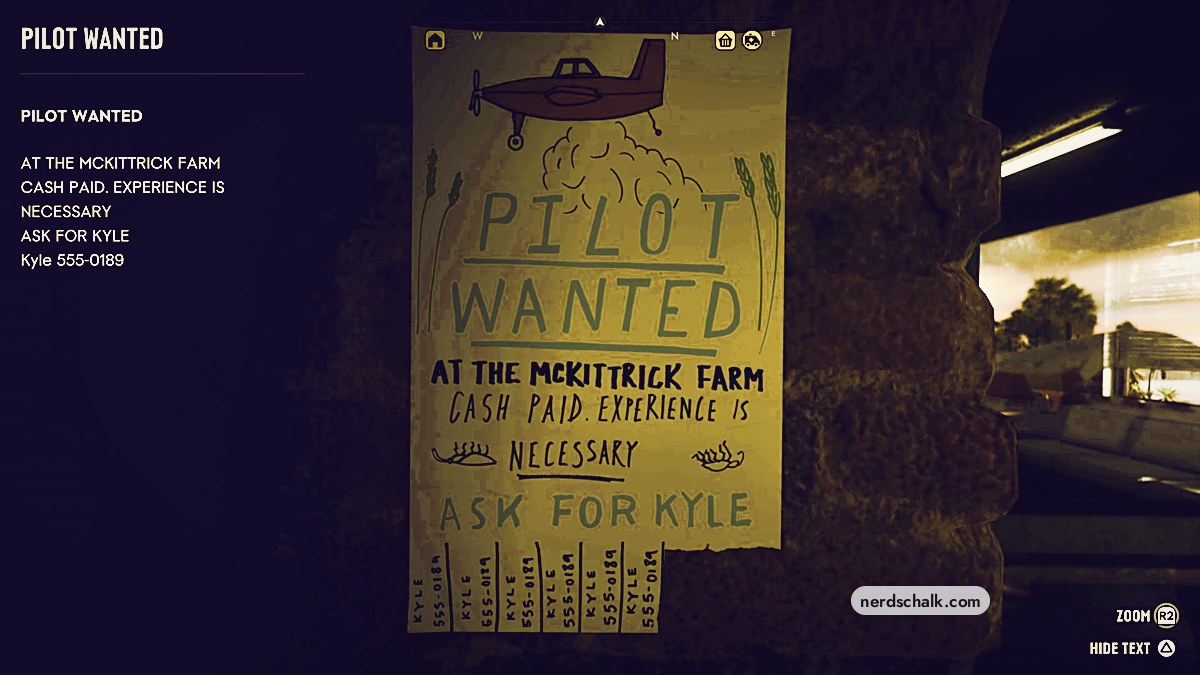
advertised positionPilot at McKittrick FarmcontactKyle, 555-0189flyer termsCash paid; experience necessary
QUICK WIN

For the advertised position, the flyer tells you to ask for Kyle.

How to find and inspect the Pilot Wanted flyer in Grand Theft Auto VI

STEP 1

Approach the Starlet Motel office

Head beneath the breezeway toward the motel office entrance.
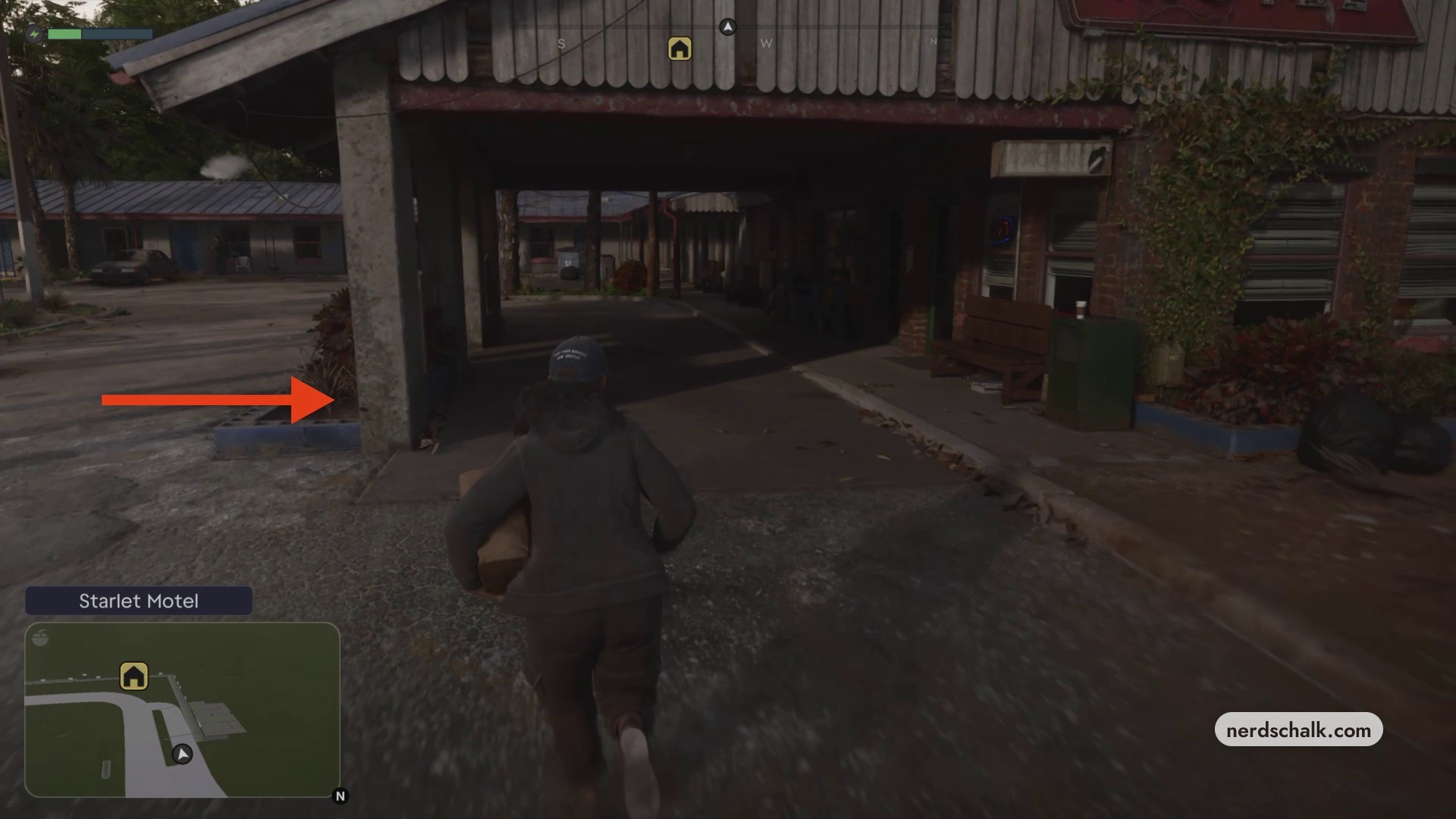
Approach the Starlet Motel office beneath the breezeway
Approach the Starlet Motel office beneath the breezeway · Screenshot by NerdsChalk
STEP 2

Find the flyer beside the office door

Move up to the brick pillar beside the office doorway and locate the Pilot Wanted notice.
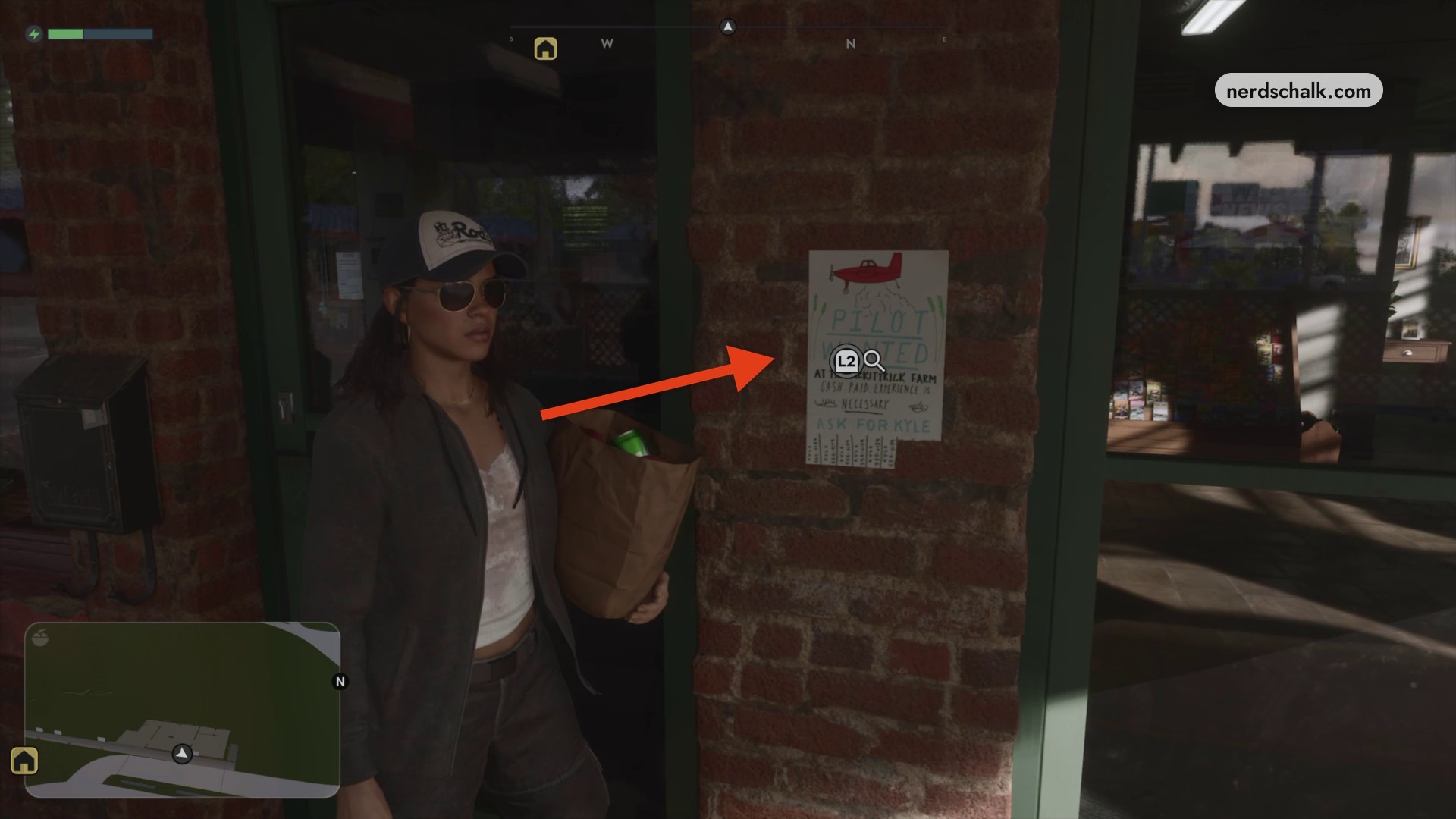
The Pilot Wanted flyer on the brick pillar beside the office door
The Pilot Wanted flyer on the brick pillar beside the office door · Screenshot by NerdsChalk
STEP 3

Inspect and read the flyer

In inspection view, press R2 to zoom into the advertisement. Press △ when SHOW TEXT appears to open its transcript; press △ at HIDE TEXT to conceal the overlay again.
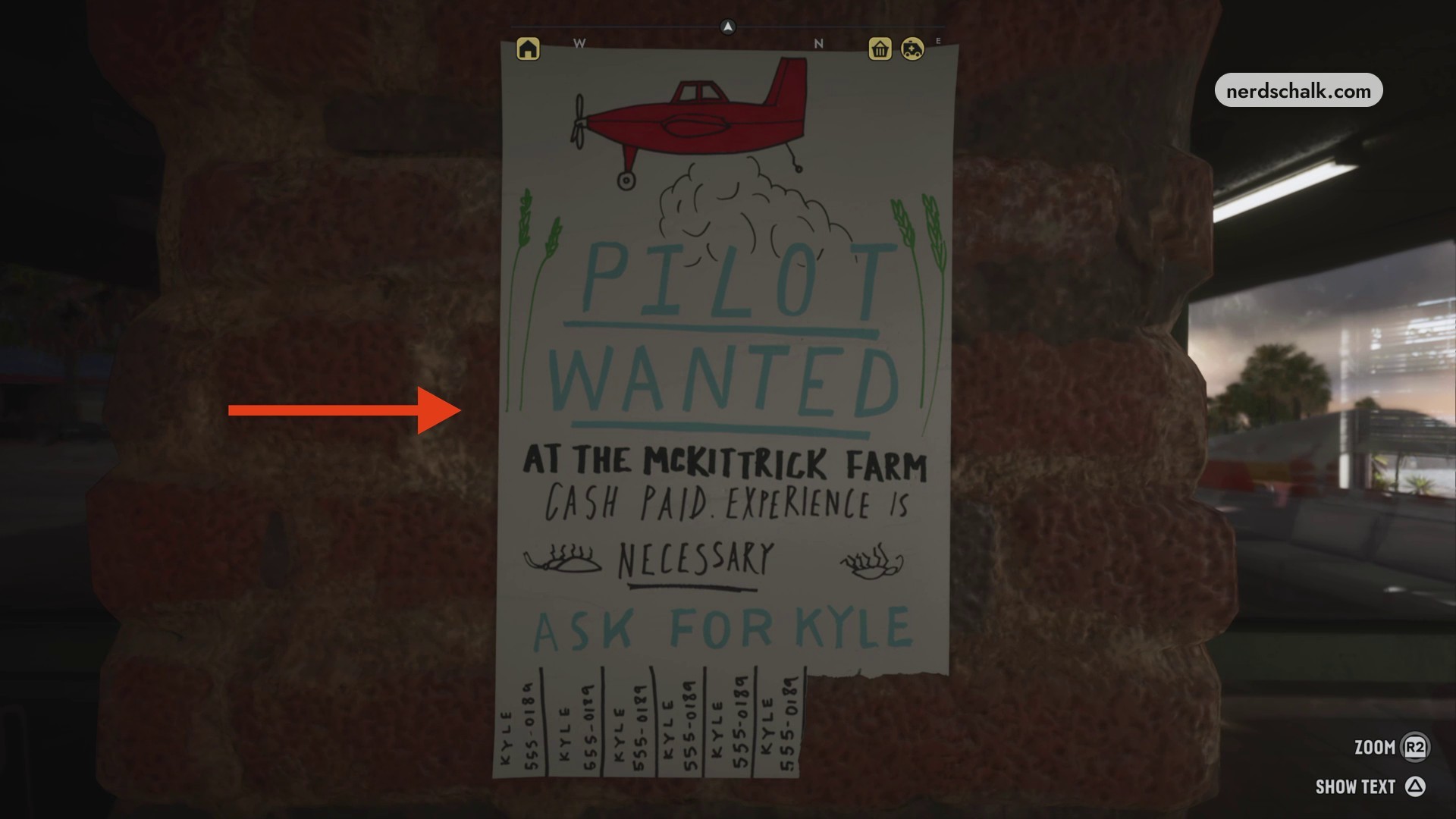
The Pilot Wanted flyer in inspection view
The Pilot Wanted flyer in inspection view · Screenshot by NerdsChalk

Read the advertisement in the transcript overlay.
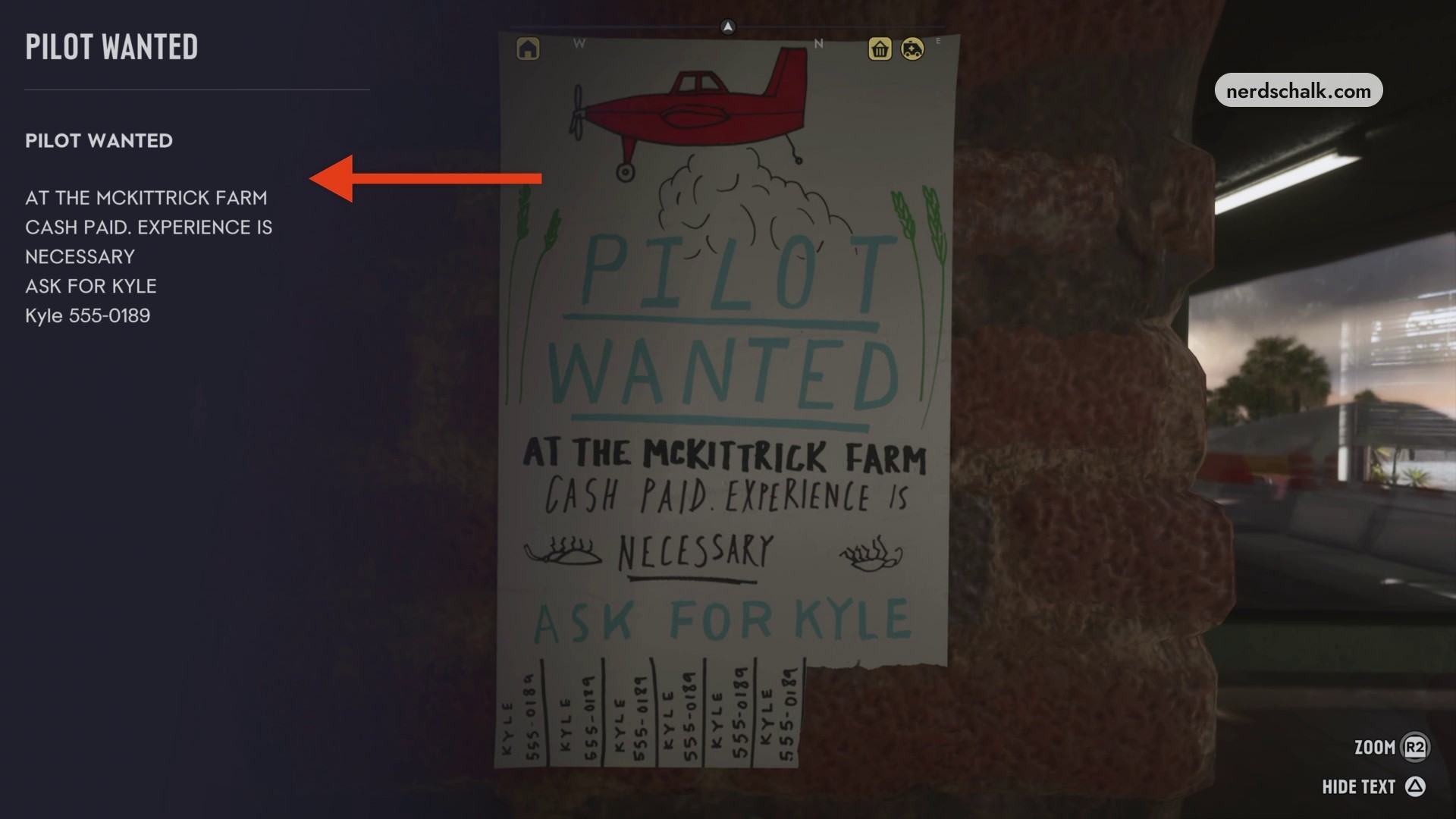
The Pilot Wanted flyer's text transcript
The Pilot Wanted flyer’s text transcript · Screenshot by NerdsChalk

Leave inspection after reading the flyer and look for the Map updated notification beside the motel door.
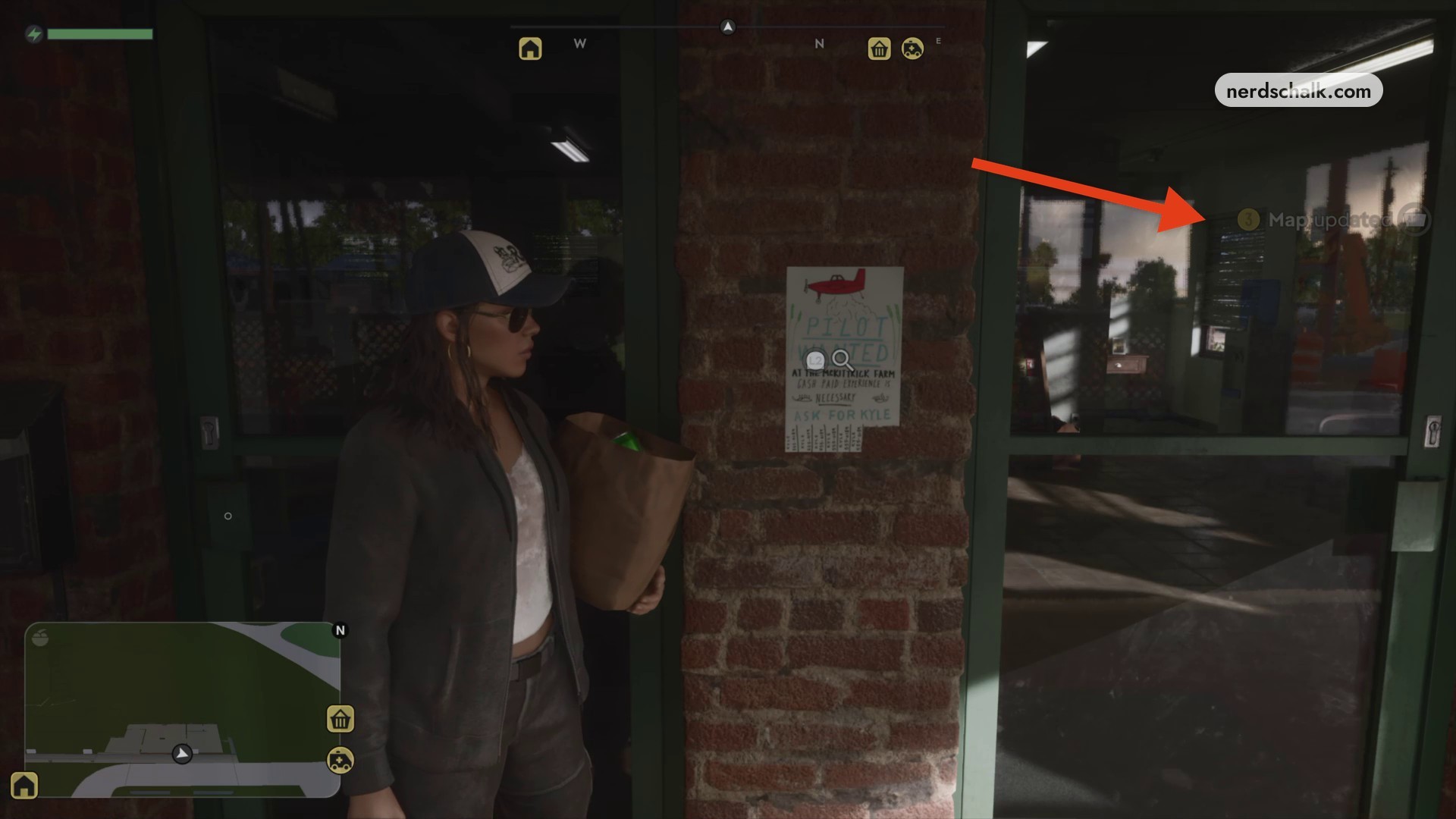
Map updated appears after reading the Pilot Wanted flyer
Map updated appears after reading the Pilot Wanted flyer · Screenshot by NerdsChalk
Don’t miss thisL2Use L2 to enter inspection and access flyer detailsEnter inspection to use the zoom and text controls.

Related Grand Theft Auto VI guides
Leave a Reply

Your email address will not be published. Required fields are marked *