


Managing money in Paralives can take time, especially when you want to focus entirely on building homes or experimenting with furniture layouts. Fortunately, the game includes a simple cheat command that lets you instantly change your household funds to any amount you want.
Whether you need unlimited building freedom or just enough cash to finish a project, the process only takes a few seconds.
| Quick Overview | Details |
|---|---|
| Game | Paralives |
| Feature | Money Cheat |
| Console Shortcut | Ctrl + Shift + C |
| Main Command | set money [amount] |
| Best Use | Build mode and testing |
| Difficulty | Very Easy |
How the Paralives money cheat works
The money cheat in Paralives directly changes your household balance to the exact number you enter. Instead of adding a fixed amount, the command replaces your current funds with your chosen value.
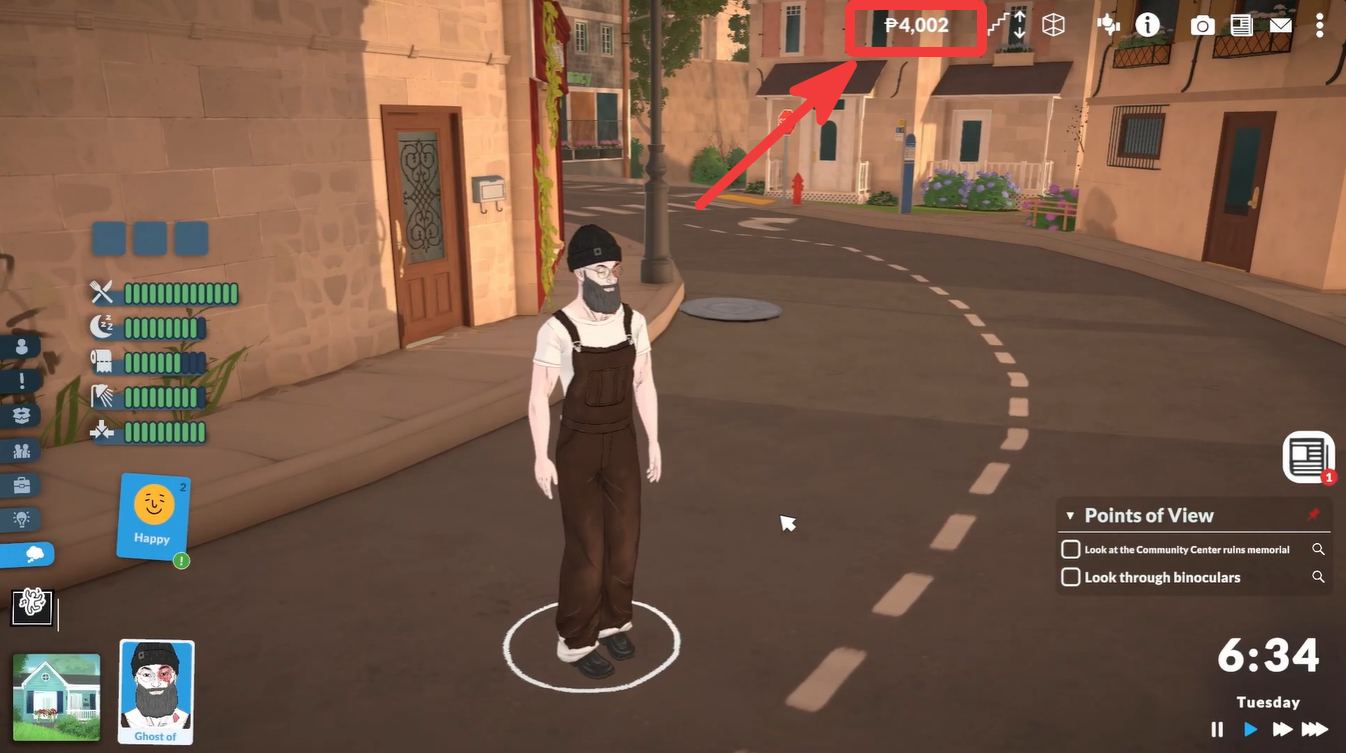
For example, if you type set money 500000, your household balance instantly becomes 500,000.
This makes the system much more flexible than traditional “add money” cheats found in other life simulation games. You can quickly switch between realistic budgets and unlimited wealth depending on how you want to play.
How to increase money instantly in Paralives
Step 1
Open your save file or household in Paralives and make sure you are actively in gameplay or build mode.
Step 2
Press Ctrl + Shift + C on your keyboard to open the cheat console.
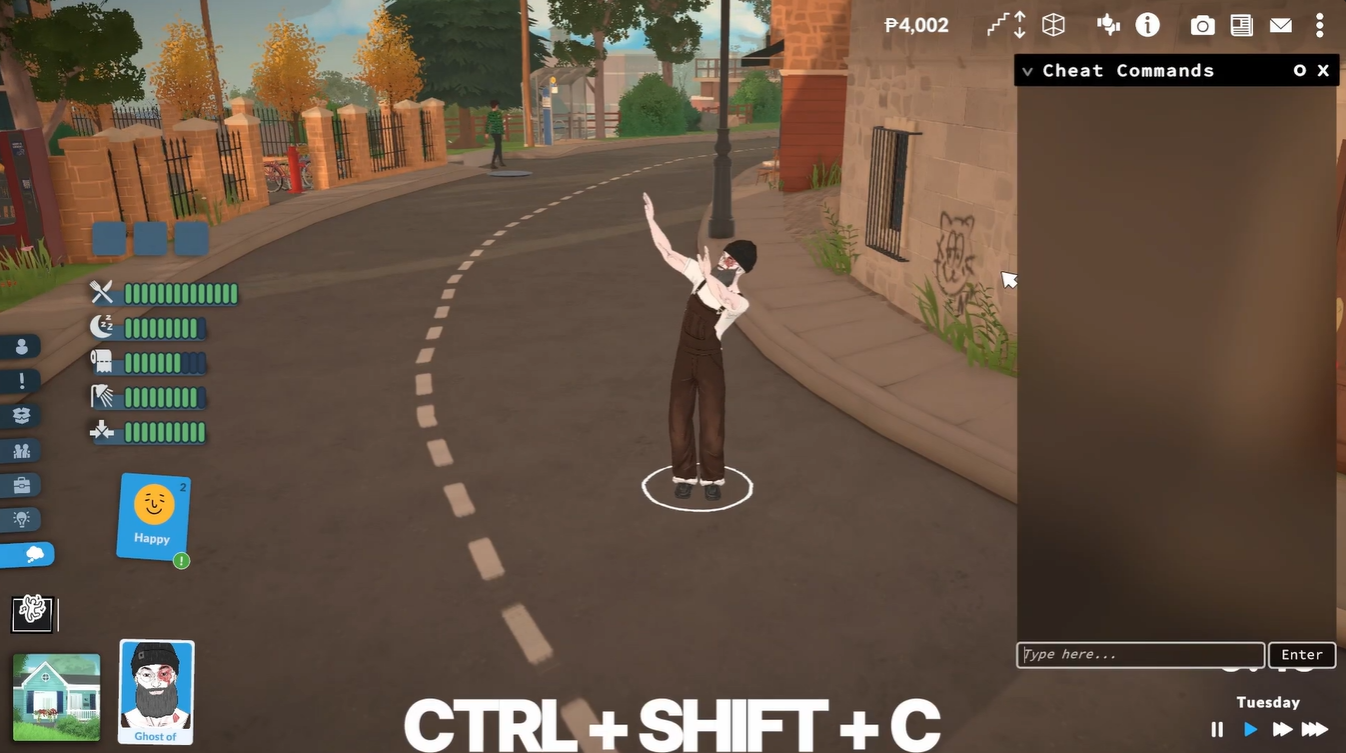
The console should appear as an overlay on your screen, allowing you to type commands directly into the game.
Step 3
Type the following command:
set money 100000You can replace 100000 with any amount you want.
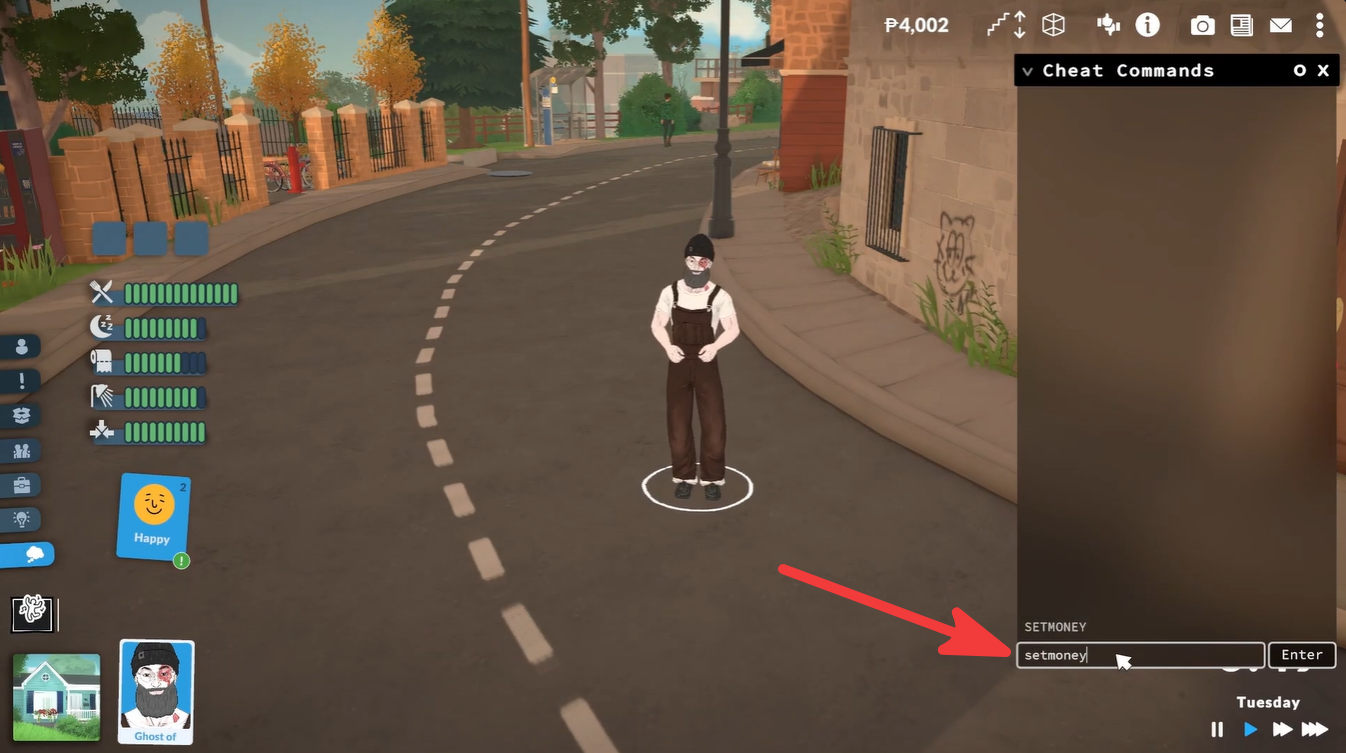
Examples:
| Command | Result |
|---|---|
| set money 50000 | Sets funds to 50,000 |
| set money 250000 | Sets funds to 250,000 |
| set money 1000000 | Sets funds to 1,000,000 |
Step 4
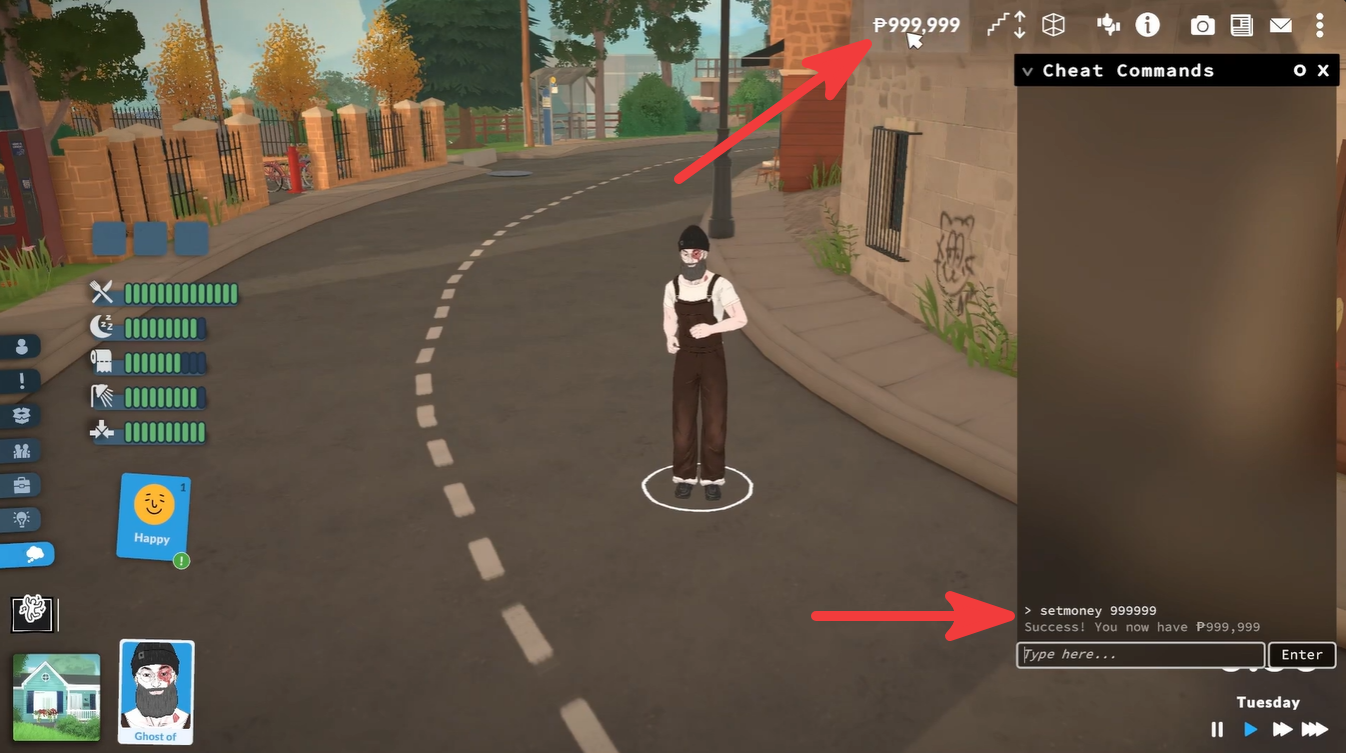
Press Enter to apply the command.
Your balance updates instantly without needing to reload the game or restart your save.
Why players use the money cheat
Many players use this cheat primarily for build mode. Since large houses, decorations, and landscaping can become expensive very quickly, unlimited funds allow you to design freely without constantly worrying about budgets.
The cheat is also useful for:
| Common Uses | Explanation |
|---|---|
| House Building | Create large homes without restrictions |
| Testing Gameplay | Experiment with mechanics safely |
| Storytelling Saves | Set up custom scenarios quickly |
| Recreating Real Homes | Build detailed layouts without grinding |
| Resetting Funds | Return to a previous amount anytime |
Because the command sets a specific value, you can still keep your gameplay balanced if you prefer realism. For example, you can intentionally give yourself a moderate budget instead of infinite money.
You can also decrease or restore your funds
One useful detail about this cheat is that it works both ways. If you accidentally give yourself too much money or want to return to a realistic playthrough, simply enter another amount.
For example:
set money 20000This immediately changes your funds back to 20,000.
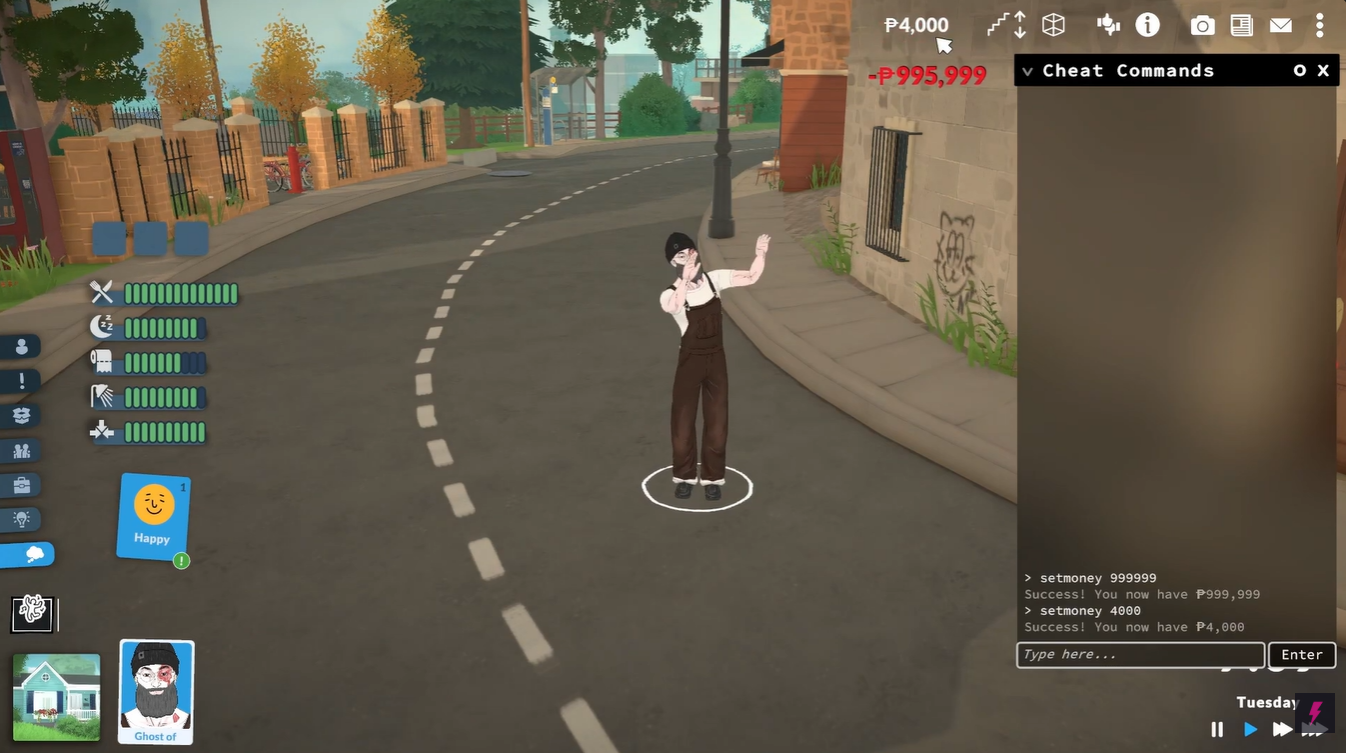
That flexibility makes the command ideal for players who switch between casual gameplay and creative building sessions.
Bugs and fixes when using the Money cheat
Most problems happen because of incorrect typing or using the wrong keyboard shortcut.
Here are a few quick fixes:
| Problem | Solution |
|---|---|
| Console does not open | Make sure you press Ctrl + Shift + C together |
| Command not working | Double-check spelling and spacing |
| No money change | Press Enter after typing the command |
| Wrong amount added | Remember the cheat sets total funds, not extra funds |
The command must include spaces exactly like this:
set money 500000Typing it incorrectly may prevent the cheat from working.
Using cheats safely in Paralives
Currently, the money cheat is mainly intended for player freedom and creative gameplay. Since Paralives focuses heavily on customization and sandbox mechanics, cheats are a convenient way to experiment without limitations.
However, some players still prefer keeping separate saves for cheat-enabled gameplay and normal progression. This helps preserve challenge in long-term households while still allowing unrestricted creative builds in another save file.
The Paralives money cheat is one of the fastest ways to unlock full creative freedom in the game. With just a single console command, you can instantly fund massive builds, redesign homes, or test gameplay ideas without spending hours earning currency naturally.
Because the cheat allows both increasing and decreasing funds, you stay fully in control of how realistic or unrestricted your save becomes.






Leave a Reply